Python Code Execution
This section will cover the setup and initialization of the Python Environment ahead of executing the code
Note
It is assumed that the user has gone through the standard bring up documentation for Triton as outlined earlier. If this is not the case please return to the Triton Home Page and familiarize yourself with this before executing the Dual Triton MCS Pilot.
Before setting up and executing the Python scripts, it is expected the user has been through the Aion EVB initialisation and the initialisation of both Leader and Follower Triton platforms. As outlined earlier in the Software Requirements section, there are different images for Triton #1 (Leader) and Triton #2 (Follower). You should follow this list of steps to bring up the Triton Hardware ahead of script execution.
Dual Triton GitHub - Clone the Branch
At the time of writing this is a development branch and solely available to those internal to ADI. The user should clone the following branch and open the resulting folder in Visual Studio:
Dual Triton MCS - Development Branch
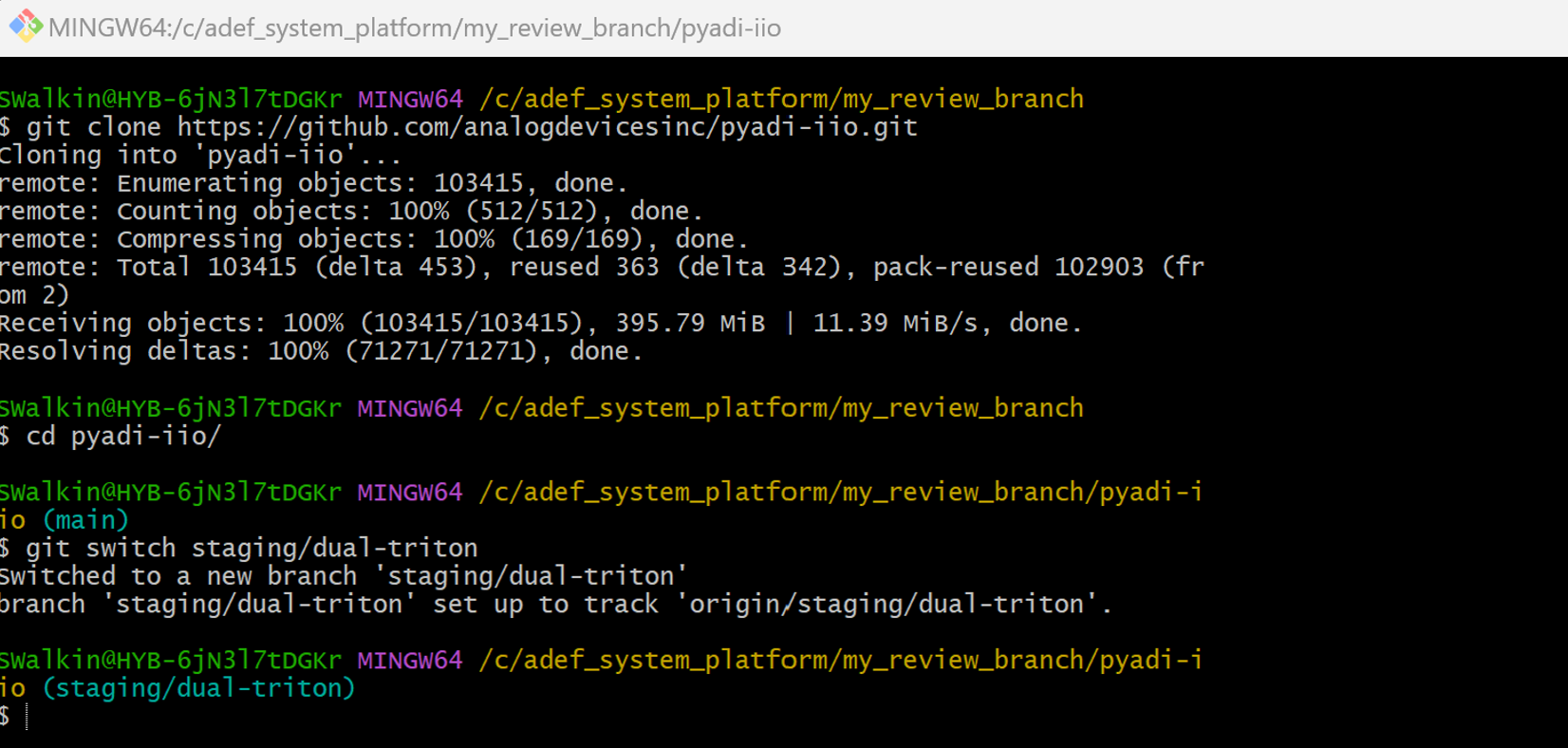
Use the following commands to clone the required branch, one these are executed you should see the branch at your chosen location as shown in the screenshot below using GitBash scripting.
git clone https://github.com/analogdevicesinc/pyadi-iio.git

git switch staging/dual-triton
Python IDE - Setup
With the correct branch cloned, we will now summarize the steps needed to configure the virtual environment ahead of script execution. The only IDE used for verification is Visual Studio and therefore we suggest you also use this for your setup.
Open Visual Studio application
Using the File menu, open a folder within the application and navigate to the location where you cloned the PyIIO repository
Using the Terminal menu, create a new terminal to setup the virtual environment
Send the following commands to set it up correctly
python -m venv dual_triton_venv.\dual_triton_venv\Scripts\activatepython -m pip install --upgrade pippip install -r requirements.txtpip install matplotlibpip install pandaspip install scipypip install pyadi-iio
This completes the setup of your Python Virtual Environment.
Python Script Preparation
The python script to execute can be found in the following location in the PyIIO Branch:
"..\pyadi-iio\examples\dual_triton_sync_start.py"
There are three configurations that must be set before executing the script:
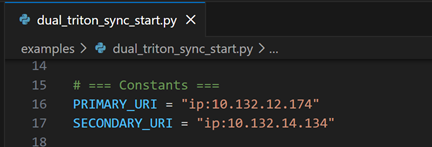
Configure the Triton #1 and Triton #2 IP Addresses
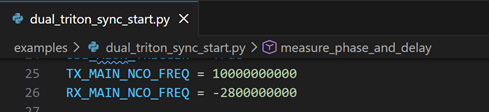
These variables are entered in lines 16 & 17 as shown below and the correct IP Addresses assigned to the platforms should be configured here
Configure the TX and RX NCO Frequencies
There are two variables at lines 25 & 26 to configure the TX And RX NCO frequencies, these are applied to all channels on the Triton Platforms
The variables are represented in Hertz
The default settings are:
10000000000 for TX, representing 10 GHz
-2800000000 for RX, representing 10 GHz in the second Nyquist zone for a 12.8 GSPS sample rate
Zeroing the NCO Phase for Triton #2 Receivers
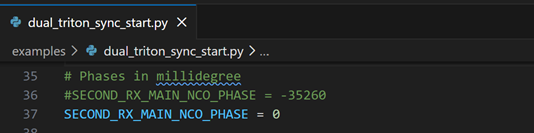
At line 37, there is a variable in milli-degrees for adjusting the NCO phase of the Rx NCO’s on the second Triton Platform
This should be set to zero for the initial execution and then post calibration, we will adjust to a static value for future runs
Python Script Execution & Expected Results
We are now ready to execute the "dual_triton_sync_start.py" test script. To demonstrate the results successfully, the pilot will run the script three times:
Run 1 will measure me the NCO Phase offset between the Triton Platforms
Run 2 will apply this offset to the test software and we will re-measure the ADC capture delta between the systems demonstrating the +/-5psec accuracy
Run 3 will re-run Run 2 but after a 60-minute delay to show that it holds the +/-5psec accuracy and repeatability
Below is a sample set of results from the execution of these three steps and you should be able to execute these on your setup if all the steps have been followed.
RUN 1 Results
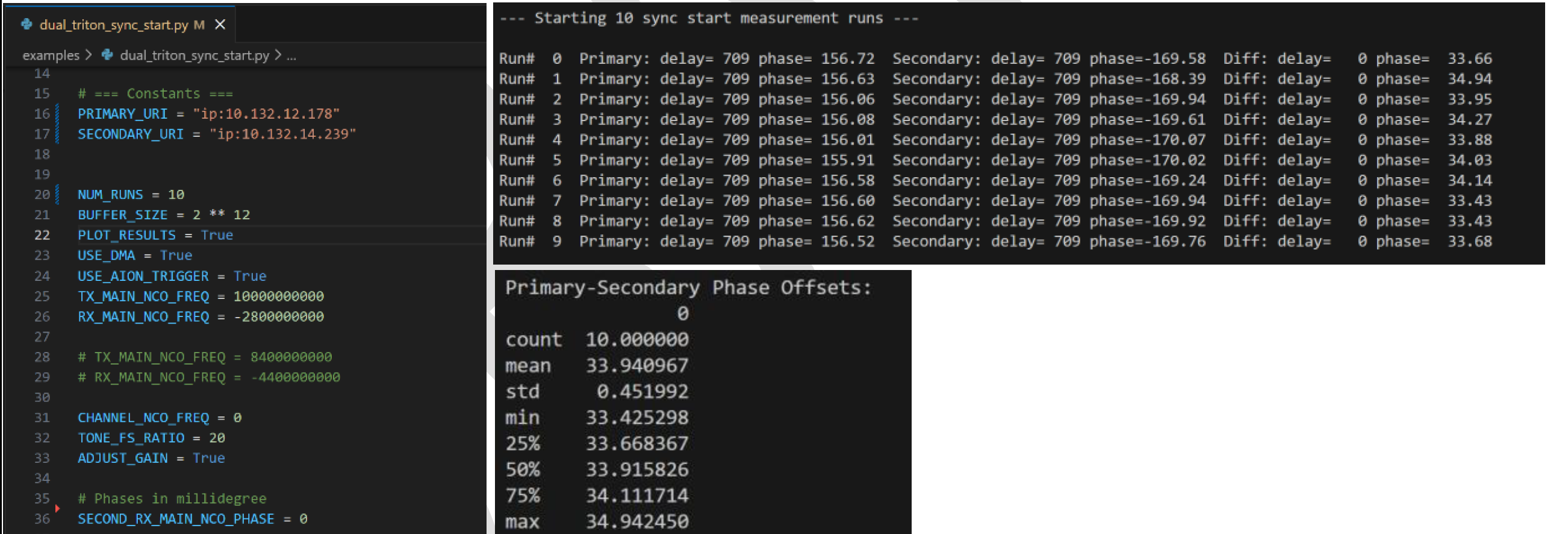
We can see on the screenshots below, “SECOND_RX_MAIN_NCO_PHASE = 0” and when we execute the python script, we can see that the Phase delta between the Primary and Secondary Triton Platforms has a mean value of 33.94 degrees
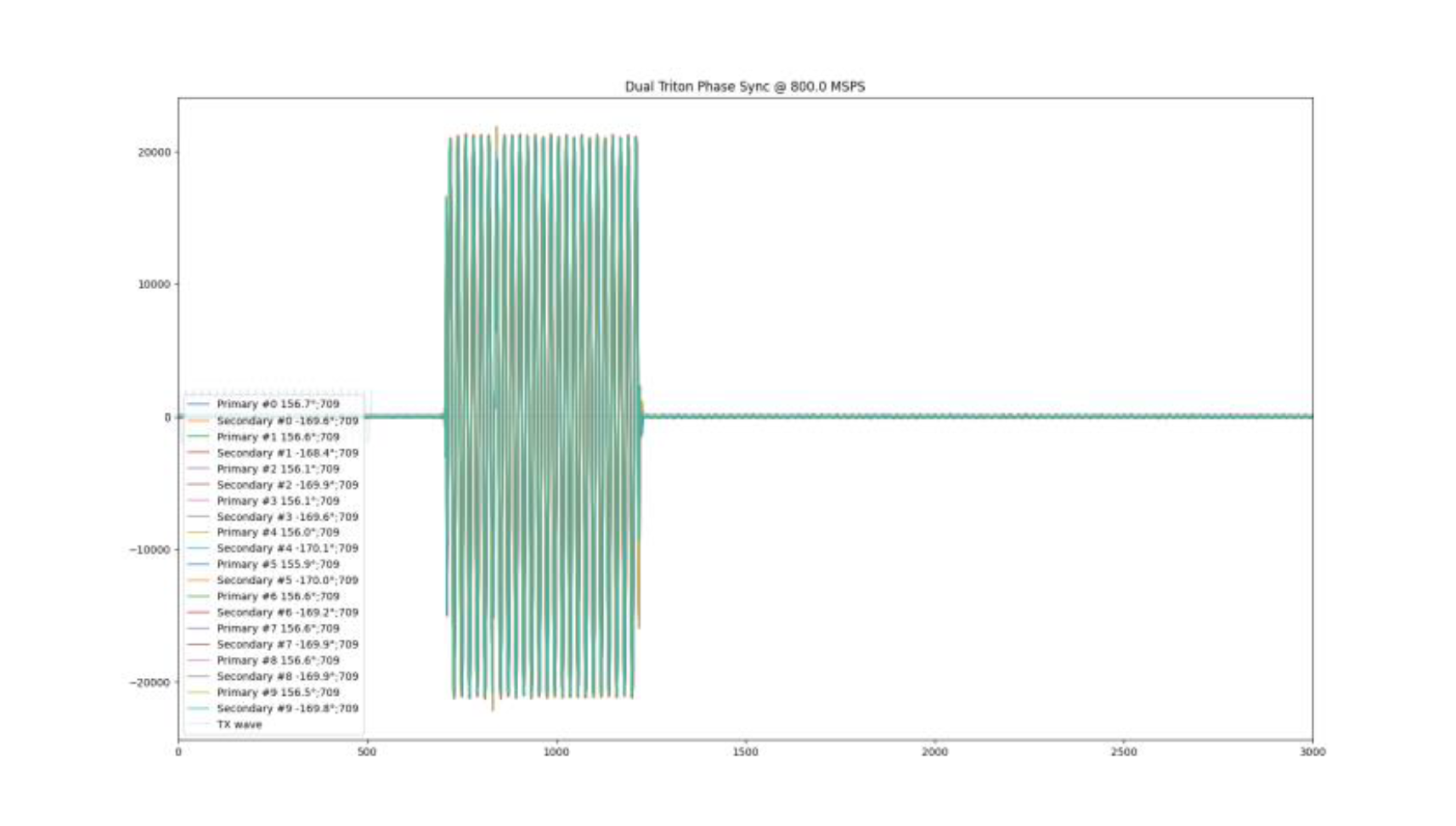
The lower graph shows the applied DAC signal in light blue and then the resulting ADC captures on each Triton ADC over the 10 iterations
Conclusion: The Phase Delay is equivalent run to run with an overall mean of 33.94 degrees which is approximately 117.85 picoseconds delay
RUN 2 Results
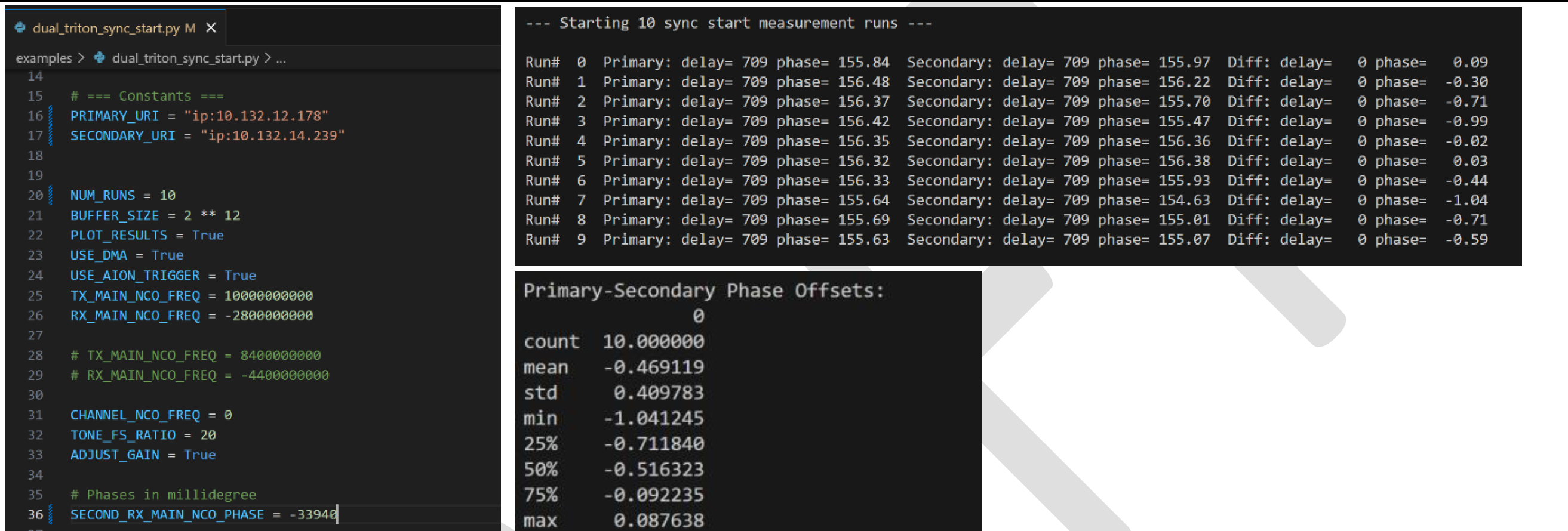
We can see on the screenshots below, “SECOND_RX_MAIN_NCO_PHASE = -33940”, which represents 33940 milli-degrees adjustment in the negative direction for the next execution
We can see the Primary to Secondary phase delta is now reduced to an average of -0.46 degrees
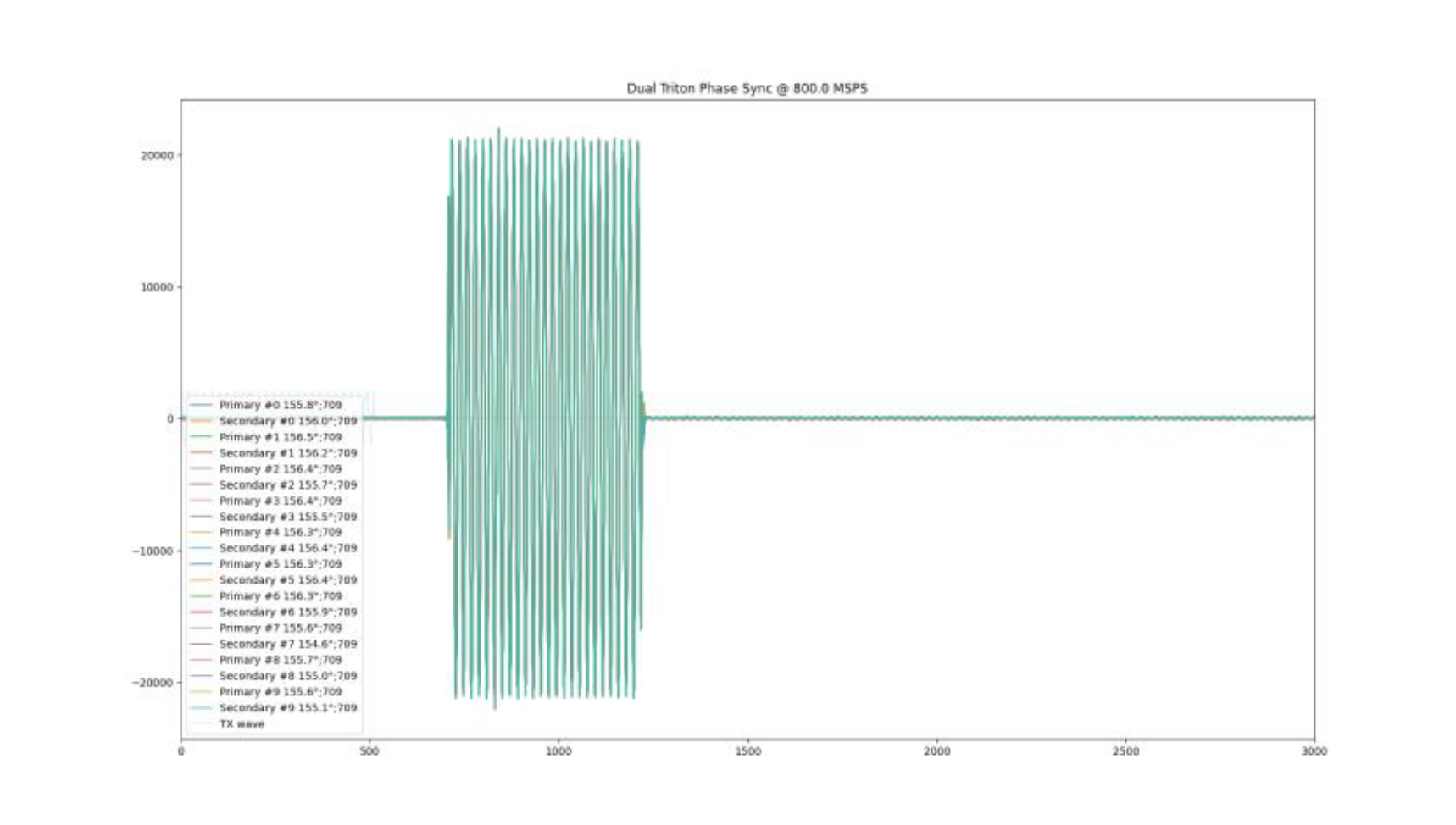
The lower graph shows the applied DAC signal in light blue and then the resulting ADC captures on each Triton ADC over the 10 iterations
Conclusion: The Phase Delay is equivalent run to run with an overall mean of -0.46 degrees which is approximately -1.6 picoseconds delay
RUN 3 Results
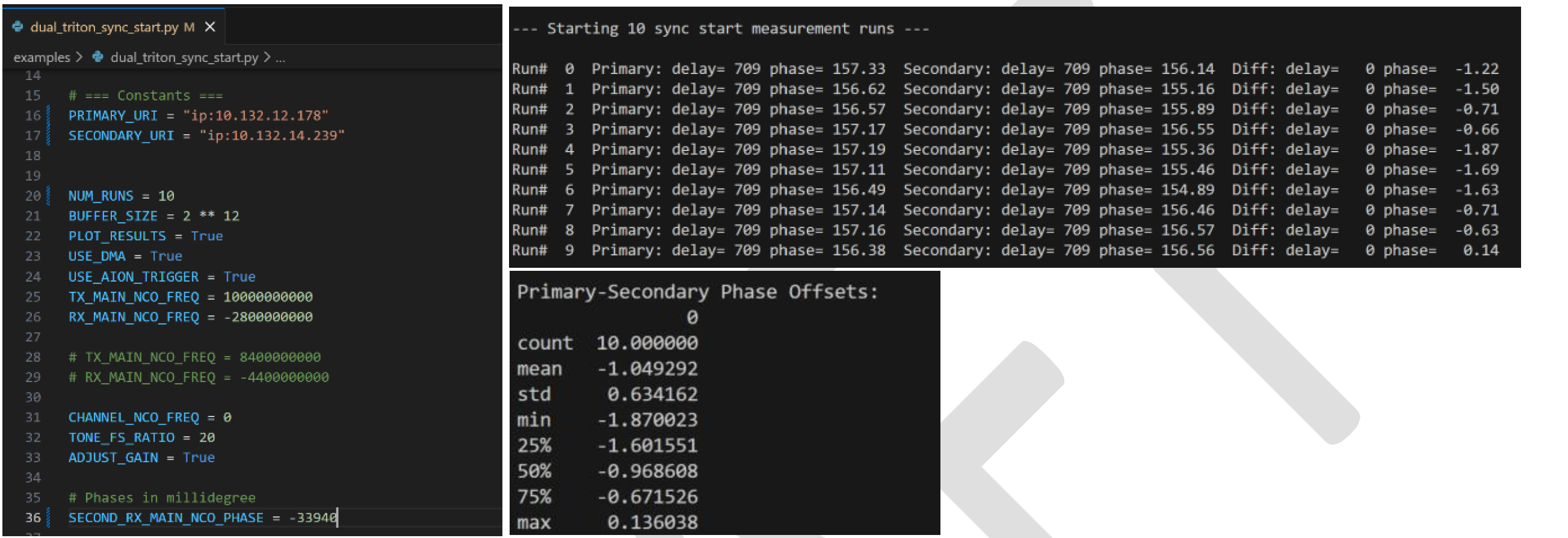
We re-measure the delta between the ADC data captured on Triton #1 and Triton #2 with “SECOND_RX_MAIN_NCO_PHASE = -33940” from the previous run but having waited 60 minutes
We can see the Primary to Secondary phase delta is maintained at -1.05 degrees
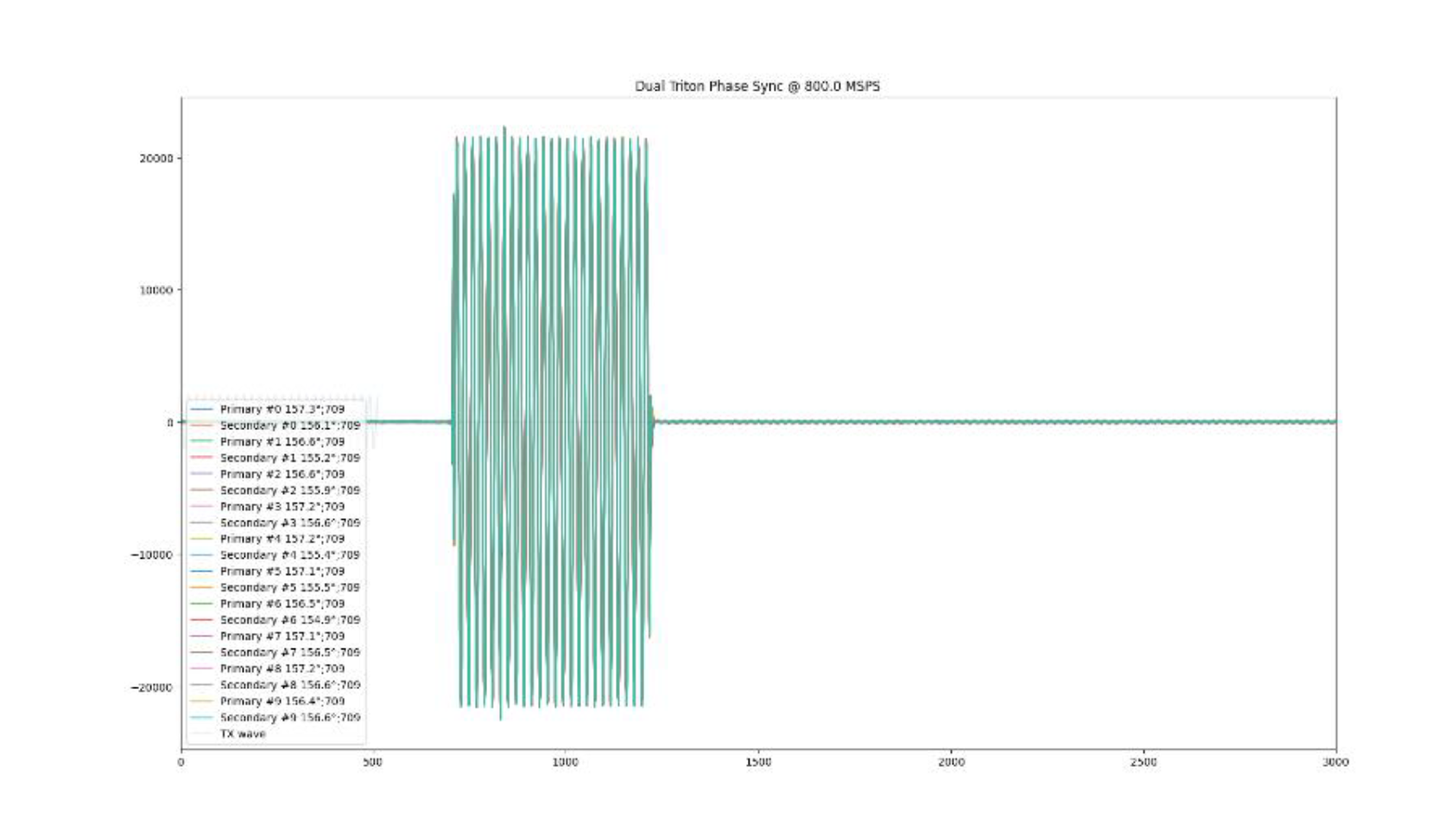
The lower graph shows the applied DAC signal in light blue and then the resulting ADC captures on each Triton ADC over the 10 iterations
Conclusion: The Phase Delay holds after a one hour settling time with an overall mean of -1.05 degrees which is approximately -3.65 picoseconds delay