ADRV9001/2 Quick Start Guides
The Quick Start Guides provide a simple step by step instruction on how to do an initial system setup for the ADRV9002NP/W1/PCBZ and ADRV9002NP/W2/PCBZ boards on various FPGA development boards. They will discuss how to program the bitstream, run a no-OS program or boot a Linux distribution.
Note
The ADRV9002 evaluation boards come in two variants:
W1: Narrowband variant
W2: Wideband variant
Supported Carriers
The ADRV9002NP/W1/PCBZ and ADRV9002NP/W2/PCBZ is, by definition a “FPGA mezzanine card” (FMC), that means it needs a carrier to plug into. The carriers we support are:
Board |
ADRV9002/* |
||
|---|---|---|---|
FMC Connector |
CMOS interface |
LVDS interface |
|
HPC0 |
Yes |
Yes |
|
LPC |
Yes VADJ 1.8V¹ |
N/A² |
|
LPC |
Yes VADJ 1.8V |
N/A² |
|
FMCA |
Yes |
N/A³ |
CMOS only operation
On the ZC706 / ZedBoard platforms the FMC connectors map to HR IO banks. The HR banks have a limitation that when using LVDS I/O standard you must set the bank VCCO voltage to 2.5V, however the ADRV9001 evaluation board is using IO supplies of 1.8V and does not have level shifters for the single ended lines. Therefore the VCCO of the banks must be set to 1.8 V (VADJ) and limiting the operation to CMOS mode only. More information on the limitation see 7 Series Select IO guide section ‘LVDS and LVDS_25’ and Table 1-43
Supported Environments
The supported OS are:
Board |
HDL |
Linux Software |
No-OS Software |
Required Minimum Release |
|---|---|---|---|---|
Yes |
Yes |
Yes |
2019-R2 |
|
Yes |
Yes |
Yes |
2020-R1 |
|
Yes |
Yes |
Yes |
2019-R2 |
|
Yes |
Yes |
— |
2020-R1 |
Hardware Setup
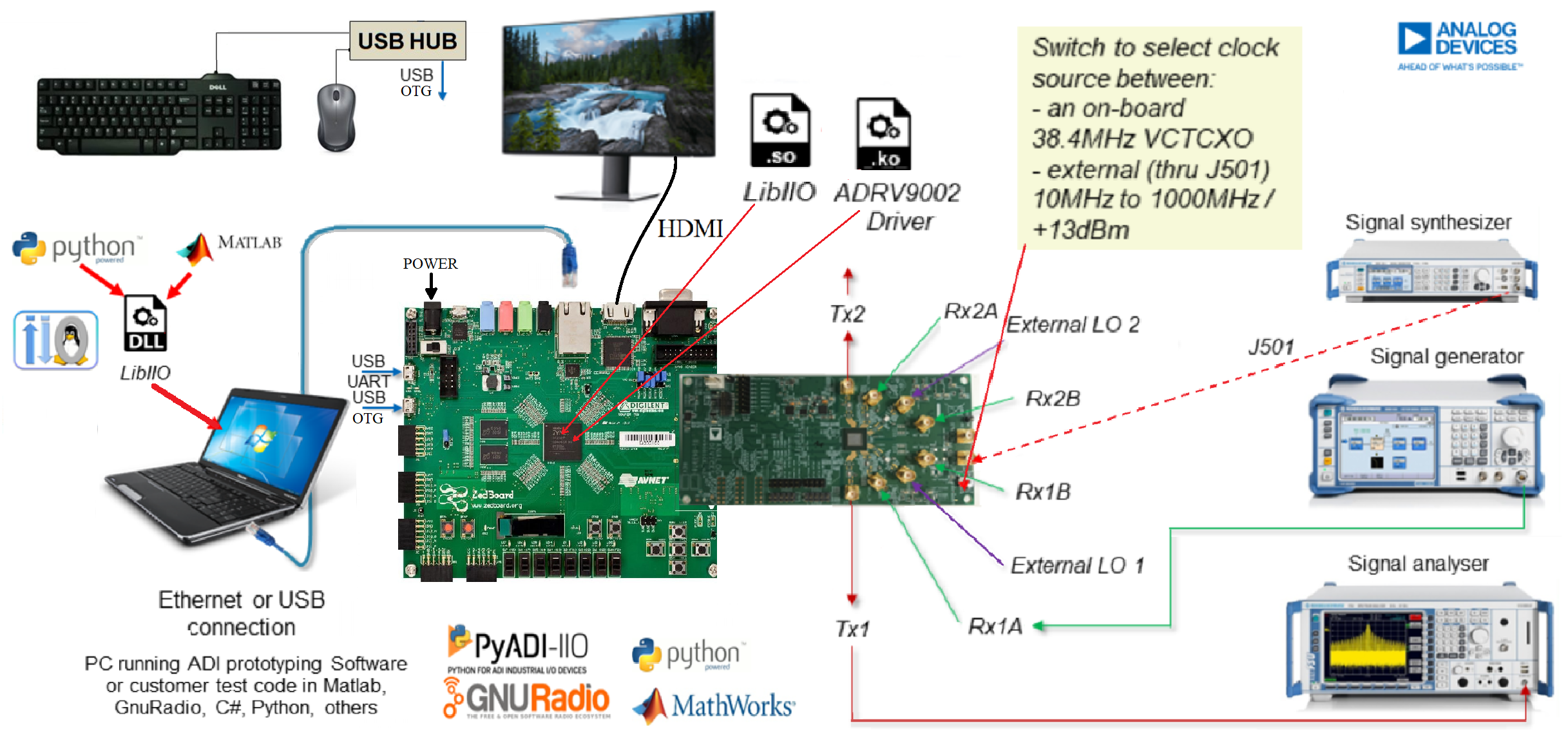
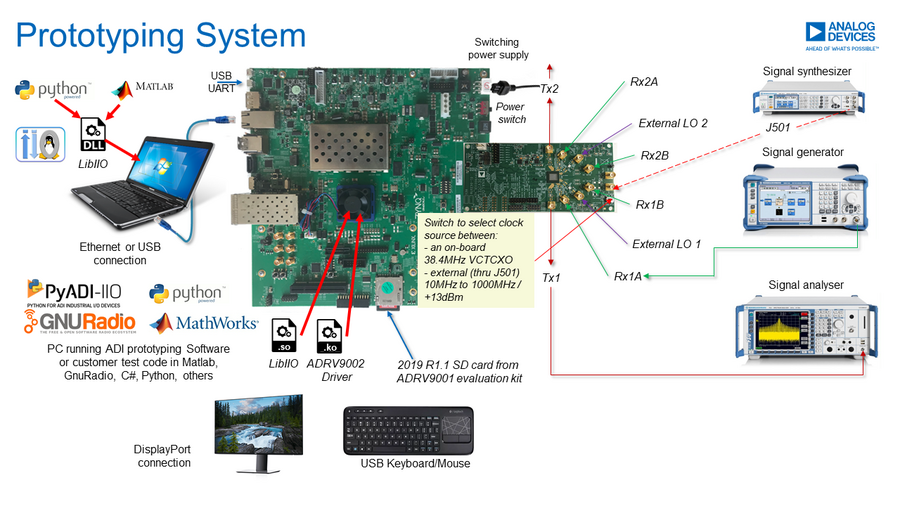
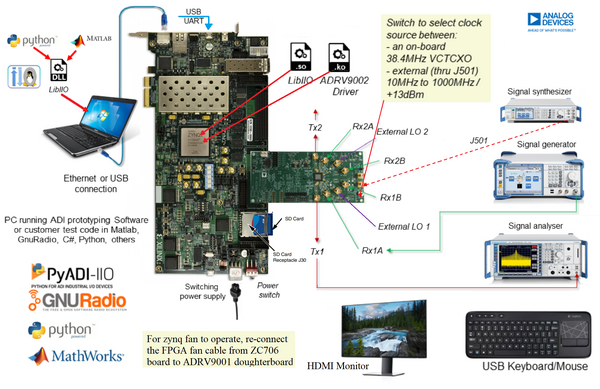
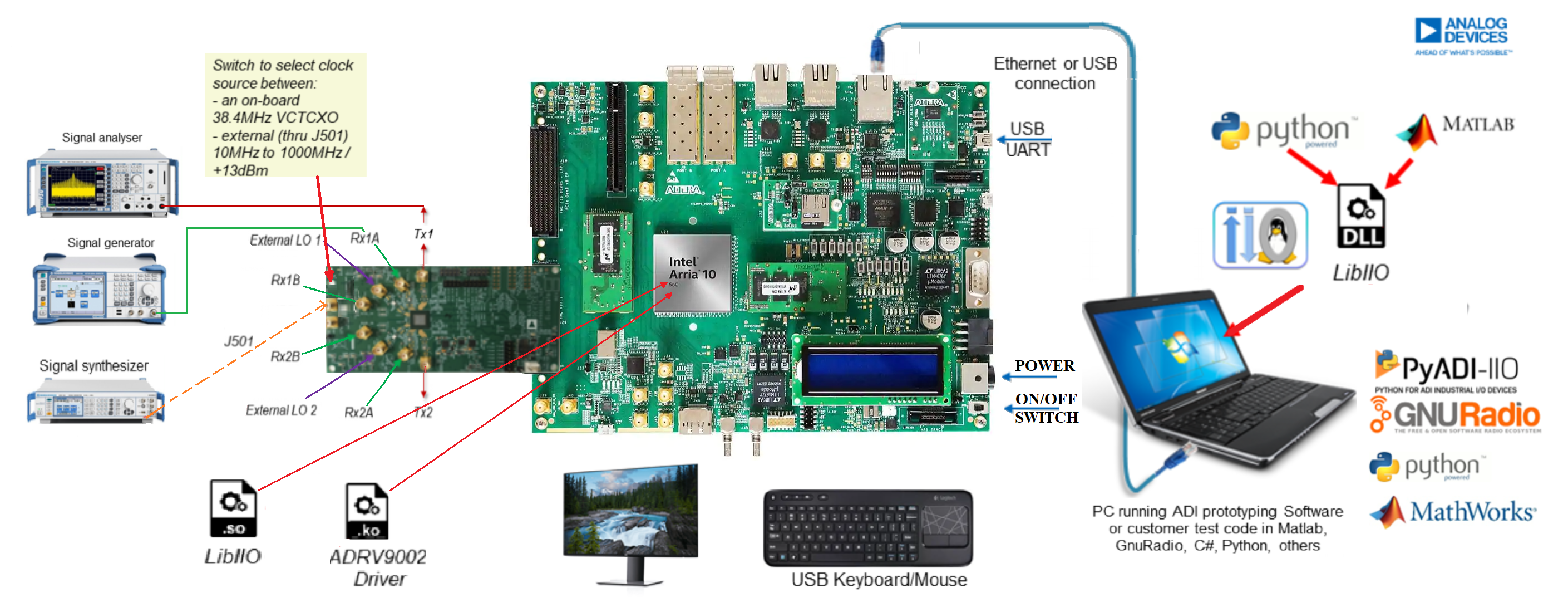
The carrier setup requires power, UART (115200), ethernet (Linux), DisplayPort or HDMI (if available) or JTAG (no-OS) connections. A few typical setups are shown below.
ZedBoard + EVAL-ADRV9002
ZCU102 + EVAL-ADRV9002
ZC706 + EVAL-ADRV9002
A10SOC + EVAL-ADRV9002
Identify your hardware
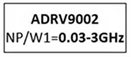
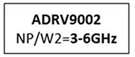
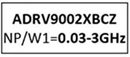
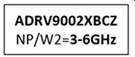
Evaluation boards were equipped with different silicon revisions. All boards built since the middle of December 2020 have C0 silicon, older ones use B0 silicon these are no longer shipped. You can identify the board you have based on its label.
Label |
Silicon Revision |
Variant |
|---|---|---|
|
B0 |
W1 (Narrowband) |
|
B0 |
W2 (Wideband) |
|
C0 |
W1 (Narrowband) |
|
C0 |
W2 (Wideband) |
Tip
Each revision of silicon requires its corresponding software support files in the later steps.