8) Launching AD-R1M and NVIDIA® Isaac™ ROS Visual SLAM
Warning
This documentation page is not up to date to the latest robot software. The robot architecture is largely the same, but specific names of ROS nodes, packages, user-facing scripts may have changed.
Configure robot_localization to use Isaac ROS Visual SLAM odometry feedback.
Open a new terminal and connect to the AD-R1M robot via SSH:
ssh analog@ad-r1m-0.local
Enter the password analog when prompted.
The Extended Kalman Filter (EKF) configuration file tells robot_localization which sensor topics to subscribe to and how to use them. Open the configuration file:
vim ros_data/ekf.yaml
Add the following lines to enable visual odometry from Isaac ROS Visual SLAM:
odom1: /visual_slam/tracking/odometry
odom1_config: [true, true, false,
              false, false, true,
              false, false, false,
              false, false, false,
              false, false, false]
After saving the configuration, start the localization system on the robot:
sudo ./bringup_blind.sh
Open a new terminal on the NVIDIA® Jetson™ and run the Docker container:
cd $ISAAC_ROS_WS/src/isaac-ros-common
./scripts/run_dev.sh -i ros2_humble.realsense.visualslam
Inside the container, launch the Isaac ROS Visual SLAM node:
source install/setup.sh
ros2 launch ad_r1m_cuvslam cuvslam_multirealsense.launch.py
The EKF will now combine measurements from the IMU, wheel odometry, and visual odometry to produce the pose estimate.
Understanding the EKF sensor fusion
The EKF fuses three complementary sensor sources. Each source compensates for the weaknesses of the others:
odom0 (wheel odometry from
diff_drive_controller/odom): provides incremental position changes (x, y), velocity (vx, vy), and yaw rate. Configured withodom0_differential: trueso the EKF uses only frame-to-frame deltas rather than the absolute pose, which drifts over time due to wheel slip.odom1 (visual odometry from
/visual_slam/tracking/odometry): provides position (x, y) and yaw. Configured withodom1_relative: trueandodom1_differential: falseis useful because Isaac ROS Visual SLAM provides consistent odometry in the map frame (which Isaac ROS Visual SLAM itself publishes), and wheel odometry serves as an additional incremental source for the EKF.imu0 (IMU from
/imu): provides yaw rate and linear accelerations. Fills in fast rotational dynamics that wheel and visual odometry may miss.
The full EKF configuration in ekf.yaml:
odom0: diff_drive_controller/odom
odom0_config: [true,  true,  false,
               false, false, false,
               true,  true,  false,
               false, false, true,
               false, false, false]
odom1_relative: false
odom0_differential: true

odom1: /visual_slam/tracking/odometry
odom1_config: [true, true, false,
              false, false, true,
              false, false, false,
              false, false, false,
              false, false, false]
odom1_relative: true
odom1_differential: false

imu0: imu
imu0_config: [false, false, false,
              false, false, false,
              false, false, false,
              false, false, true,
              true,  true,  false]

imu0_remove_gravitational_acceleration: true
Important
Make sure the transform between ad_r1m_0/base_link and camera1_link matches your configuration. By default, it is set as a translation of +0.335 m along the X-axis (front of the robot) in single_realsense_calibration.urdf.
<joint name="camera1" type="fixed">
    <parent link="ad_r1m_0/base_link"/>
    <child link="camera1_link"/>
    <origin xyz="0.335 0.0 0.0" rpy="0 0 0"/>
</joint>
Make sure the serial number of your Intel® RealSense™ camera matches the serial_no parameter in vslam_single_realsense.yaml:
cameras:
    - camera_name: camera1
      serial_no: '243322074768' # This should match your camera serial number
      usb_port_id: ''
      depth_module.inter_cam_sync_mode: 1
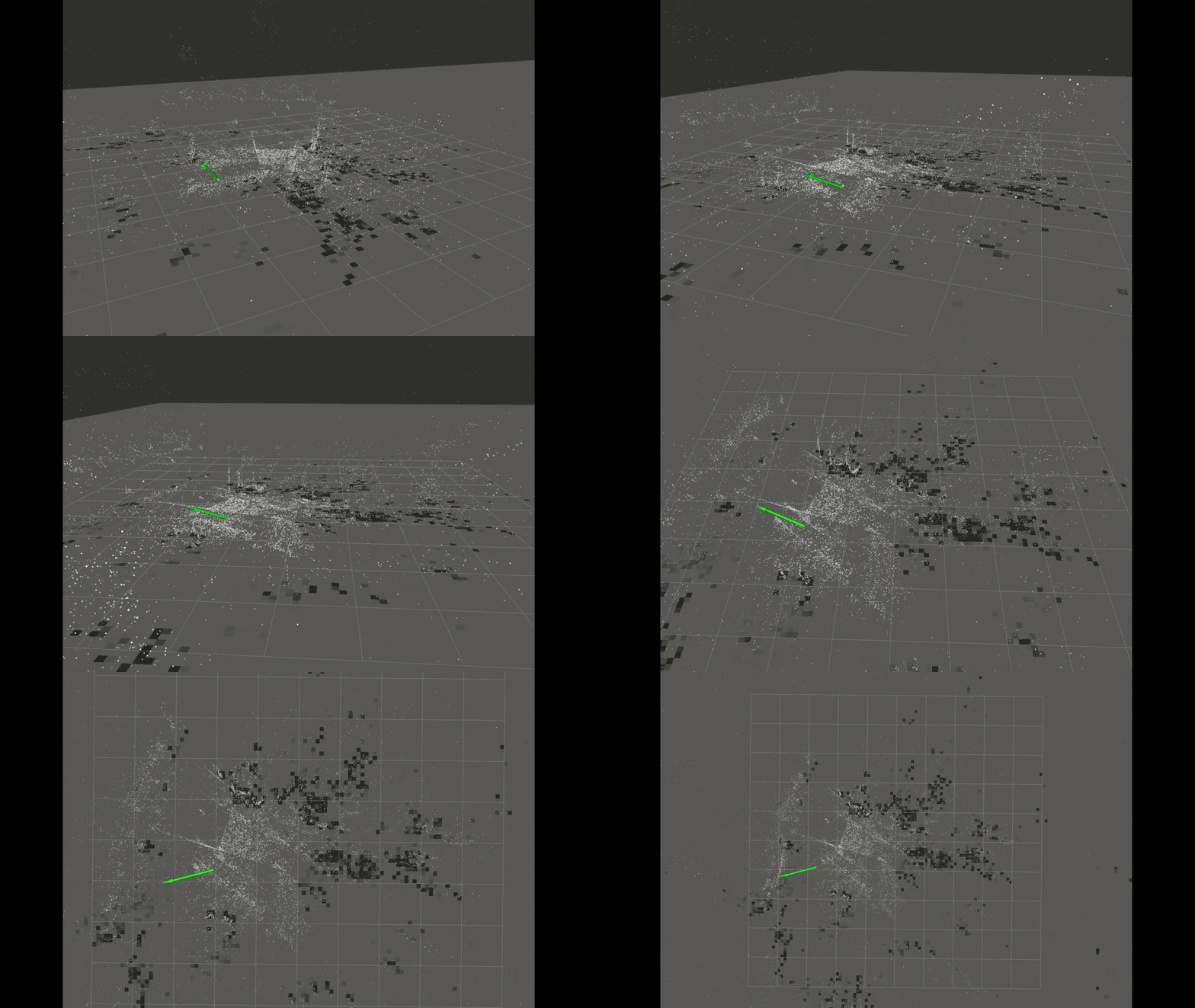
Multi RealSense cameras
Note
You can use multiple RealSense cameras (up to 16 stereo cameras) without modifying the launch script. Simply configure each camera’s serial number in vslam_single_realsense.yaml and set the corresponding transform in single_realsense_calibration.urdf.
When using multiple stereo cameras, it is recommended to perform inter-camera synchronization to ensure reliable visual odometry feedback. RealSense cameras support hardware synchronization by designating one camera as the master and the others as slaves:
depth_module.inter_cam_sync_mode: 1 # master camera
depth_module.inter_cam_sync_mode: 2 # slave cameras
For more information on RealSense hardware synchronization, see: https://dev.realsenseai.com/docs/multiple-depth-cameras-configuration
When using infrared streams for Isaac ROS Visual SLAM, the IR emitter should be disabled on all cameras. The projected dot pattern might interfere with visual feature extraction and degrade tracking stability:
depth_module.emitter_enabled: 0
Important
When using Isaac ROS Visual SLAM with multiple RealSense cameras which are hardware synchronized the initial_reset parameter in vslam_multi_realsense.yaml must be set to False on all cameras:
common_params:
    initial_reset: False
Having this parameter True triggers a hardware reset on each camera at node startup. In a multi-camera hardware-sync setup, this might create a startup race condition between the master and slave ROS2 nodes.
This issue was confirmed on our setup (NVIDIA Jetson AGX Orin + D435i master + D455 slave + Isaac ROS Visual SLAM) where the Intel RealSense D455 camera consistently failed to publish infrared streams. Setting it to False solved the problem.
For more info regarding potential issues we recommend checking the https://github.com/realsenseai/realsense-ros/issues page.
Isaac ROS Visual SLAM parameter setup
Note
Isaac ROS Visual SLAM supports IMU fusion with a single stereo camera. If IMU fusion is enabled, it is crucial to determine the specific noise and bias parameters of your IMU:
visual_slam:
    enable_imu_fusion: True
    gyro_noise_density: 0.00015593952556059264
    gyro_random_walk: 7.371377089394156e-06
    accel_noise_density: 0.00246907522075608
    accel_random_walk: 0.0004886176561242167
To analyze your IMU’s noise parameters, you can use the https://github.com/CruxDevStuff/allan_ros2 tool, which applies Allan deviation analysis.
To use Isaac ROS Visual SLAM for mapping and pose estimation, enable_localization_n_mapping must be set to True. If not, visual SLAM will only compute visual odometry.
For planar robots, it is recommended to enable the ground constraint in Isaac ROS Visual SLAM to reduce or eliminate drift along the Z-axis:
enable_localization_n_mapping: True
enable_ground_constraint_in_odometry: True
enable_ground_constraint_in_slam: True
enable_localization_n_mapping switches Isaac ROS Visual SLAM from pure odometry mode to full SLAM mode.
enable_ground_constraint_in_odometry and enable_ground_constraint_in_slam help maintain a stable Z-axis estimate for robots moving on flat surfaces.
When using an EKF to fuse all available sensor data (IMU, wheel odometry, visual odometry), Isaac ROS Visual SLAM should not publish the odom -> base_link transform, as the EKF will provide the robot’s final pose. However, if localization and mapping is enabled, Isaac ROS Visual SLAM can still publish the map -> odom transform for visualization and global reference:
publish_map_to_odom_tf: True
publish_odom_to_base_tf: False #When EKF publish_tf is true
Saving the Isaac ROS Visual SLAM map
To persist the Isaac ROS Visual SLAM map across sessions, set the save_map_folder_path parameter to the desired output directory in the Isaac ROS Visual SLAM configuration YAML (e.g. vslam_multi_realsense.yaml):
visual_slam:
  save_map_folder_path: '/ros_data/cuvslam_map'
Isaac ROS Visual SLAM will save its internal map database (.mdb files) to this folder. The map can later be loaded to resume localization without rebuilding from scratch.
Loading a saved map and automatic localization
To load a previously saved map and have Isaac ROS Visual SLAM automatically localize within it at startup, configure the following parameters:
visual_slam:
  load_map_folder_path: '/ros_data/cuvslam_map'
  localize_on_startup: True

  # Localizer search parameters
  localizer_horizontal_radius: 1.5   # horizontal search area around startup position (m)
  localizer_vertical_radius: 0.5     # vertical search range (m)
  localizer_horizontal_step: 0.5     # grid step for horizontal search (m)
  localizer_vertical_step: 0.25      # grid step for vertical search (m)
  localizer_angular_step: 0.1745     # angular search step (~10 deg)
The localizer parameters define the search space Isaac ROS Visual SLAM uses to find its initial position within the loaded map. Wider radii and smaller steps increase the chance of successful localization but take longer to converge. The defaults work well when the robot starts near its previous position.
Using Isaac ROS Visual SLAM for navigation
When using Isaac ROS Visual SLAM with Nav2 for autonomous navigation, the visual SLAM node publishes the map -> odom transform. This means any other global localizer (such as AMCL) that also publishes this transform must be disabled — otherwise the conflicting transforms will break navigation.
In the navigation parameters, set set_initial_pose to False so that the navigation stack does not publish an initial pose that conflicts with Isaac ROS Visual SLAM’s computed position in the map:
amcl:
  ros__parameters:
    set_initial_pose: False
If AMCL is not needed at all (Isaac ROS Visual SLAM handles global localization), it can be removed from the launch entirely.
Important
Ensure the Isaac ROS Visual SLAM configuration has
publish_map_to_odom_tf: Trueso that Nav2 receives the globalmap -> odomtransform.Keep
publish_odom_to_base_tf: Falsewhen the EKF is publishing theodom -> base_linktransform.If both Isaac ROS Visual SLAM and AMCL attempt to publish
map -> odom, the robot pose will oscillate and navigation will fail.