AD-R1M Software Guide
This guide covers software installation, configuration, and operation for the AD-R1M Open Mobile Robot Platform.
Overview
The AD-R1M software stack is built on ROS 2 Humble running on ADI Kuiper2 Linux. The architecture includes:
ROS 2 Nodes for motor control, sensor integration, localization, and navigation
ros2_control framework for hardware abstraction
Nav2 navigation stack for autonomous operation
Docker containers for isolated, reproducible deployments
Software Downloads
AD-R1M Software Package
The AD-R1M ROS 2 packages are available on GitHub:
Prerequisites
On the Robot (Raspberry Pi 5):
ADI Kuiper2 Linux (pre-installed on SD card)
ROS 2 Humble (pre-installed)
Docker and Docker Compose (pre-installed)
On the Host PC (for development/visualization):
Ubuntu 22.04 LTS
ROS 2 Humble Desktop
RViz2 for visualization
For host PC setup instructions, see Host PC ROS 2 Installation.
Installation
SD Card Setup
For instructions on setting up the SD card and installing the AD-R1M system software, see How to set up the AD-R1M internal computer.
First Boot Configuration
The AD-R1M robot is pre-configured and starts automatically on boot.
Login with default credentials:
Username:
analogPassword:
analog
The robot automatically initializes hardware via systemd services:
ad-r1m-slcan.service- CAN adapter initializationad-r1m-crsf.service- CRSF radio receiver initializationad-r1m-imu.service- IMU sampling frequency configurationad-r1m-tof.service- ToF camera resetad-r1m-bringup.service- Docker Compose startup
Configure WiFi (optional):
sudo nmtuiVerify SSH access from your host PC:
ssh analog@ad-r1m-<number>.local
Docker Setup
The AD-R1M software runs in Docker containers for isolation and reproducibility.
Verify Docker is running:
sudo systemctl status docker
docker ps
Pull the latest AD-R1M container:
docker pull docker.cloudsmith.io/adi/adrd-common/ad-r1m:robot-humble-nightly
Software Operation
For basic operation (power on, SSH, bringup), see the AD-R1M Quick Start Guide.
AD-R1M CLI
The ad-r1m command-line tool manages robot configurations:
ad-r1m mkconfig <folder>
Creates a new configuration folder from the default template:
ad-r1m mkconfig nav
cd nav
ls
# ad-r1m.env  compose.yaml  ros_data/
ad-r1m enable <folder>
Sets a configuration folder to auto-start at boot:
ad-r1m enable ~/nav
# Requires sudo, edits systemd service
Environment Variables
Configuration is controlled via ad-r1m.env:
Variable |
Default |
Description |
|---|---|---|
|
|
ROS 2 middleware (rmw_zenoh_cpp, rmw_fastrtps_cpp) |
|
|
Docker image for ROS 2 containers |
|
|
Robot namespace for multi-robot setups |
|
|
Docker Compose project name |
Starting Services Manually
Use ad-r1m mkconfig to generate a configuration folder, then start services with Docker Compose:
# Generate configuration
ad-r1m mkconfig nav
cd nav

# Start base services (robot, tof, teleop, zenoh)
docker compose --env-file ad-r1m.env up -d

# Start SLAM for mapping
docker compose --env-file ad-r1m.env up -d slam

# Start localization (AMCL with map)
docker compose --env-file ad-r1m.env up -d localization_amcl

# Start localization (blind/dead-reckoning)
docker compose --env-file ad-r1m.env up -d localization_blind map_server

# Start navigation
docker compose --env-file ad-r1m.env up -d nav

# Save map after mapping
docker compose --env-file ad-r1m.env run save_map

# Keyboard teleop (interactive)
docker compose --env-file ad-r1m.env run --rm teleop_keyboard
Start individual development services:
# Motors only (with sensor_fusion)
docker compose --env-file ad-r1m.env up -d motors sensor_fusion

# IMU only
docker compose --env-file ad-r1m.env up -d imu
Verifying Operation
Check running containers:
docker ps
Access a running container:
docker exec -it ad-r1m-motors-1 bash
source /opt/ros/humble/setup.bash
source /ros2_ws/install/setup.bash
Verify ROS 2 nodes:
ros2 node list
Expected nodes include:
/<namespace>/controller_manager/<namespace>/diff_drive_controller/<namespace>/imu_node/<namespace>/tof_camera_node
RViz Visualization
For RViz setup on your host PC, see RViz Visualization.
Docker Compose Architecture
The system uses Docker Compose with services and profiles for modular service management.
Base Services (No Profile)
These services start with docker compose --env-file ad-r1m.env up -d:
Service |
Function |
Key Details |
|---|---|---|
|
Zenoh middleware router |
Profile: |
|
Motor control, IMU, odometry, sensor fusion |
Launches |
|
Depth to LaserScan conversion |
Receives depth from ToF camera module |
|
CRSF/ELRS radio control |
Requires |
Profile-Based Services
Start with docker compose --env-file ad-r1m.env up -d <service>:
Service |
Profile |
Function |
|---|---|---|
|
|
SLAM Toolbox for mapping |
|
|
AMCL localization (requires map) |
|
|
Dead reckoning (static TF) |
|
|
Serves empty map for blind localization |
|
|
Nav2 navigation stack |
|
|
Motor control only (development) |
|
|
EKF sensor fusion (development) |
|
|
IMU only (development) |
One-Off Services
Run with docker compose --env-file ad-r1m.env run <service>:
Service |
Function |
|---|---|
|
Interactive keyboard teleop with killswitch control |
|
Save current map to |
|
Interactive shell inside container |
Volume Mounts
Configuration and data stored in ros_data/:
ros_data/maps/- Saved mapsros_data/navigation_params.yaml- Nav2 parametersros_data/mapper_params_online_async.yaml- SLAM parametersros_data/teleop_parameters.yaml- Teleop parametersros_data/ekf.yaml- EKF sensor fusion parametersros_data/log/- ROS 2 logs
ROS 2 Components
For detailed ROS 2 architecture documentation, see AD-R1M ROS2 Architecture.
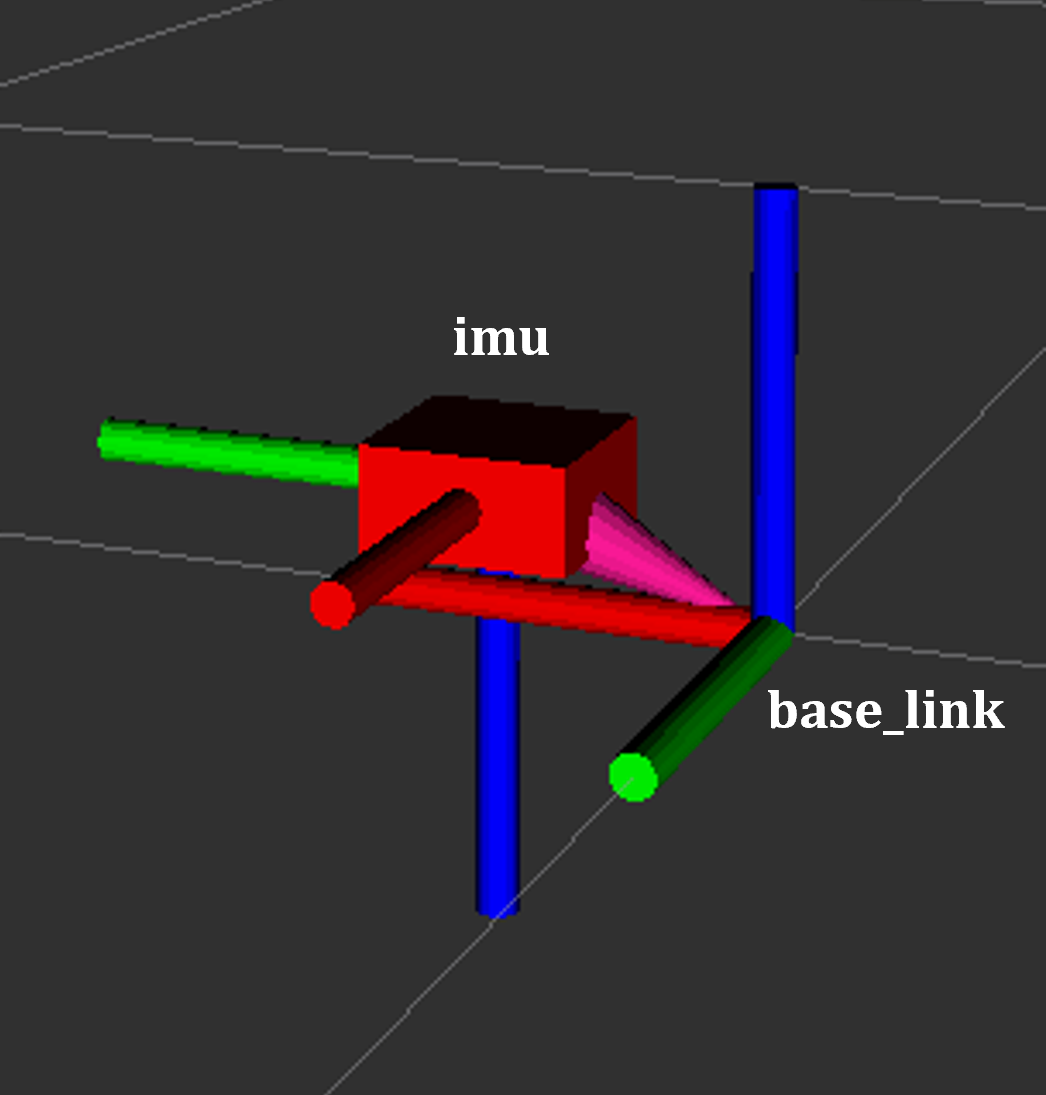
IMU (ADIS16470)
Topics:
/${NAMESPACE}/imu(sensor_msgs/Imu)Interface: IIO (Industrial I/O)
Frequency: 200 Hz (default), configurable up to 2000 Hz
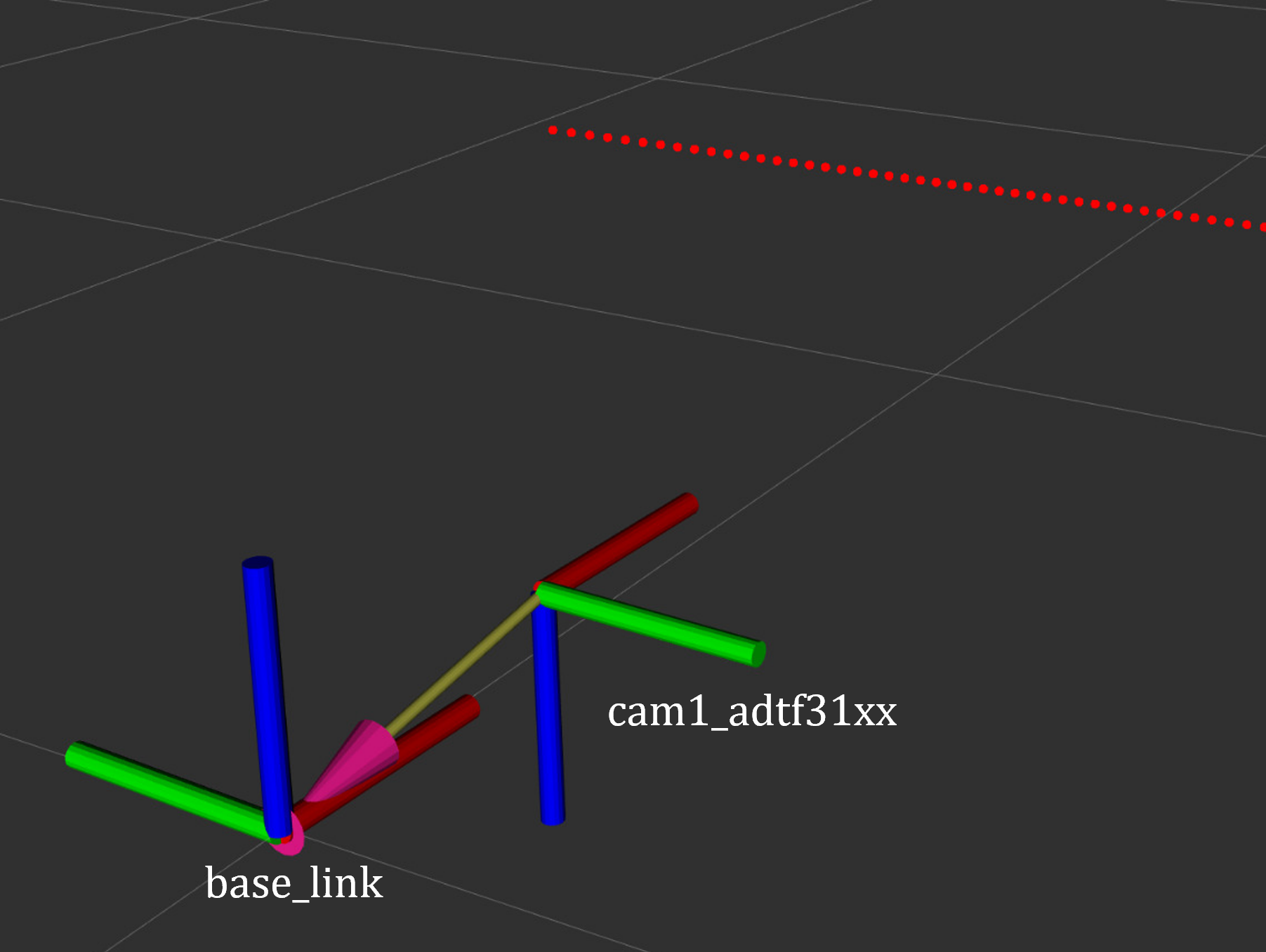
ToF Camera (ADTF3175D)
Topics:
/cam1/depth_image(16UC1),/scan(LaserScan)Interface: Runs on dedicated ToF compute module, communicates via Zenoh
Function: Depth images converted to 2D LaserScan on robot for navigation
Motor Control (CANopen)
Topics: Subscribes to
cmd_vel, publishesodomInterface: CANopen via
slcan0Framework: ros2_control with differential drive controller
CRSF Remote Control
Topics:
/${NAMESPACE}/cmd_vel_joy,/${NAMESPACE}/killswitchDevice:
/dev/ttyCRSFChannels: Right stick for motion, SA switch for killswitch
Development and Debugging
Viewing Logs
# All services
docker compose --env-file ad-r1m.env logs -f

# Specific service
docker compose --env-file ad-r1m.env logs -f robot

# With timestamps
docker compose --env-file ad-r1m.env logs -f --timestamps robot

# Docker logs directly
docker logs ad-r1m-robot-1
Restart Services
docker compose --env-file ad-r1m.env restart robot
docker compose --env-file ad-r1m.env restart tof
Stop All Services
# Stop compose services
docker compose --env-file ad-r1m.env down

# Stop all running containers
docker stop $(docker ps -q)
Interactive Container
# Start interactive shell
docker compose --env-file ad-r1m.env run --rm shell bash

# Access running container
docker exec -it ad-r1m-robot-1 bash
For troubleshooting common issues, see AD-R1M Troubleshooting.
Detailed Guides
See also
AD-R1M ROS 2 Getting Started - Getting started with ROS 2 on the AD-R1M
AD-R1M ROS2 Examples - ROS 2 example applications
AD-R1M ROS2 Architecture - ROS 2 software architecture