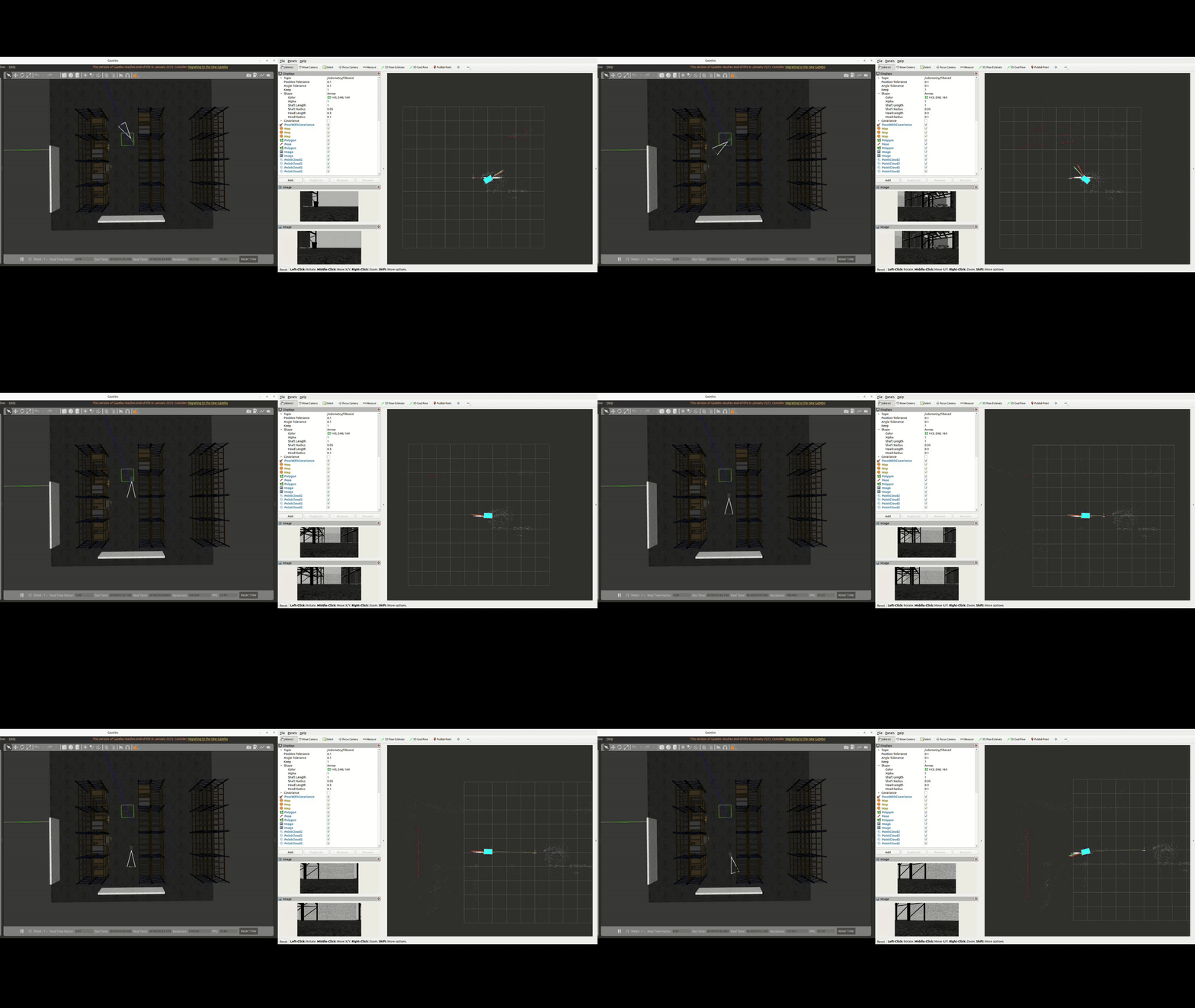
10) AD-R1M Gazebo simulation
This simulation also includes a Intel® RealSense™ D435i gazebo plugin which is mounted in front of the AD-R1M platform.
Running gazebo simulation
ros2 launch ad_r1m_cuvslam robot_realsense_sim.launch.py local_models_path:=<path_to_your_models> world_name=<your_world_name.world>
This launch file ensures Gazebo can find local models in this workspace. This helps resolve errors like “Unable to find uri[model://some_model]” by adding the repository’s models/ folder to GAZEBO_MODEL_PATH.
You can find plenty of worlds and models at https://github.com/leonhartyao/gazebo_models_worlds_collection. Just download the repository inside your workspace and load any of the available worlds.
The gazebo simulation can be run on any PC while the NVIDIA® Isaac™ ROS Visual SLAM can be run only on a NVIDIA Isaac ROS compliant setup.
On NVIDIA® Jetson™ AGX Orin run the docker container in a new terminal:
 cd $ISAAC_ROS_WS/src/isaac_ros_common
./scripts/run_dev.sh -i ros2_humble.realsense.visualslam
Inside the Docker container launch Isaac ROS Visual SLAM:
source install/setup.sh
ros2 launch ad_r1m_cuvslam vslam_single_realsense.launch.py
Bellow is an example of Isaac ROS Visual SLAM running with the AD-R1M + Intel RealSense D435i Gazebo simulation: