Drawings
pyadi-jif has been extended to generate diagrams of the clock trees for components and systems. This is done using the d2lang language.
Pre-requisites
To generate the diagrams, you will need to leverage the d2 interface support provided by pyadi-jif. This is done by installing pyd2lang-native. pyd2lang-native is a binary distribution and may not exist on all feasible platform, similar to CPLEX.
System and component diagrams support coordinated light and dark JIF hardware themes provided by pyd2lang-native 0.1.7 or newer. Both variants use the same semantic colors: violet references, amber clocks, dashed magenta SYSREF, cyan JESD data, green converters, and cyan-blue FPGAs. The dark theme remains the Python API default for backward compatibility. Explorer tools automatically follow the active Streamlit light or dark theme.
Generating diagrams
Generating diagrams is done by calling the draw method on the system or component object. This will generate a diagram of the clock tree. Drawing is only valid once the component or system has been solved. Here is an example of generating a diagram for the AD9680 and dummy sources:
import adijif as jif

adc = jif.ad9680()

# Check static
adc.validate_config()

required_clocks = adc.get_required_clocks()
required_clock_names = adc.get_required_clock_names()

# Add generic clock sources for solver
clks = []
for clock, name in zip(required_clocks, required_clock_names):
    clk = jif.types.arb_source(name)
    adc._add_equation(clk(adc.model) == clock)
    clks.append(clk)

# Solve
solution = adc.model.solve(LogVerbosity="Quiet")
settings = adc.get_config(solution)

# Get clock values
clock_values = {}
for clk in clks:
    clock_values.update(clk.get_config(solution))
settings["clocks"] = clock_values

adc.diagram_theme = "light"  # "dark" is the default
image_data = adc.draw(settings["clocks"])

with open("ad9680_example.svg", "w") as f:
    f.write(image_data)
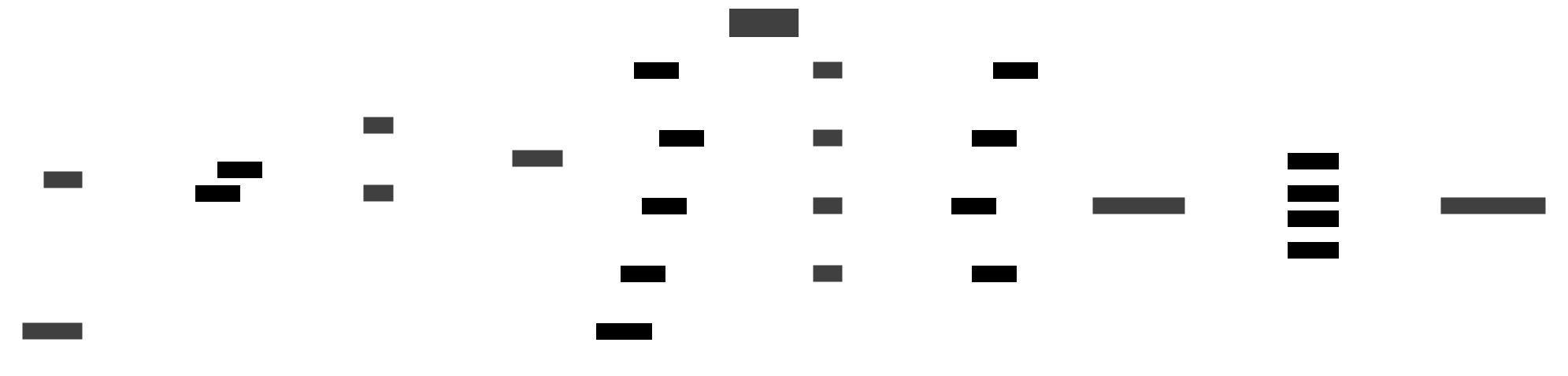
This will generate a file called ad9680_example.svg in the current working directory. This file can be opened in any SVG viewer. The diagram will look similar to the one below:
Generating System Diagrams
The same process can be used to generate diagrams for systems. The only difference is that the system object must be used instead of the component object. Here is an example of generating a diagram for the AD9680 and AD9144:
import adijif

vcxo = 125000000

sys = adijif.system("ad9680", "hmc7044", "xilinx", vcxo)

# Get Converter clocking requirements
sys.converter.sample_clock = 1e9
sys.converter.decimation = 1
sys.converter.set_quick_configuration_mode(str(0x88))
sys.converter.K = 32
sys.Debug_Solver = False

# Get FPGA clocking requirements
sys.fpga.setup_by_dev_kit_name("zc706")
sys.fpga.force_qpll = 1

cfg = sys.solve()

dark_data = sys.draw(cfg, theme="dark")
light_data = sys.draw(cfg, theme="light")

with open("daq2_example.svg", "w") as f:
    f.write(dark_data)
with open("daq2_example_light.svg", "w") as f:
    f.write(light_data)
This generates coordinated dark and light diagrams. Both preserve the same signal semantics and topology.
Dark variant

Light variant
