
pyadi-jif: Python interface for the ADI JESD Interface Framework
pyadi-jif is a Python modeling and configuration tool that simplifies JESD204 interface setup for Analog Devices converters, clock chips, and FPGAs. It can automatically solve for valid clock divider settings and JESD204 link parameters at both the individual component level and across a complete system.






What is pyadi-jif?
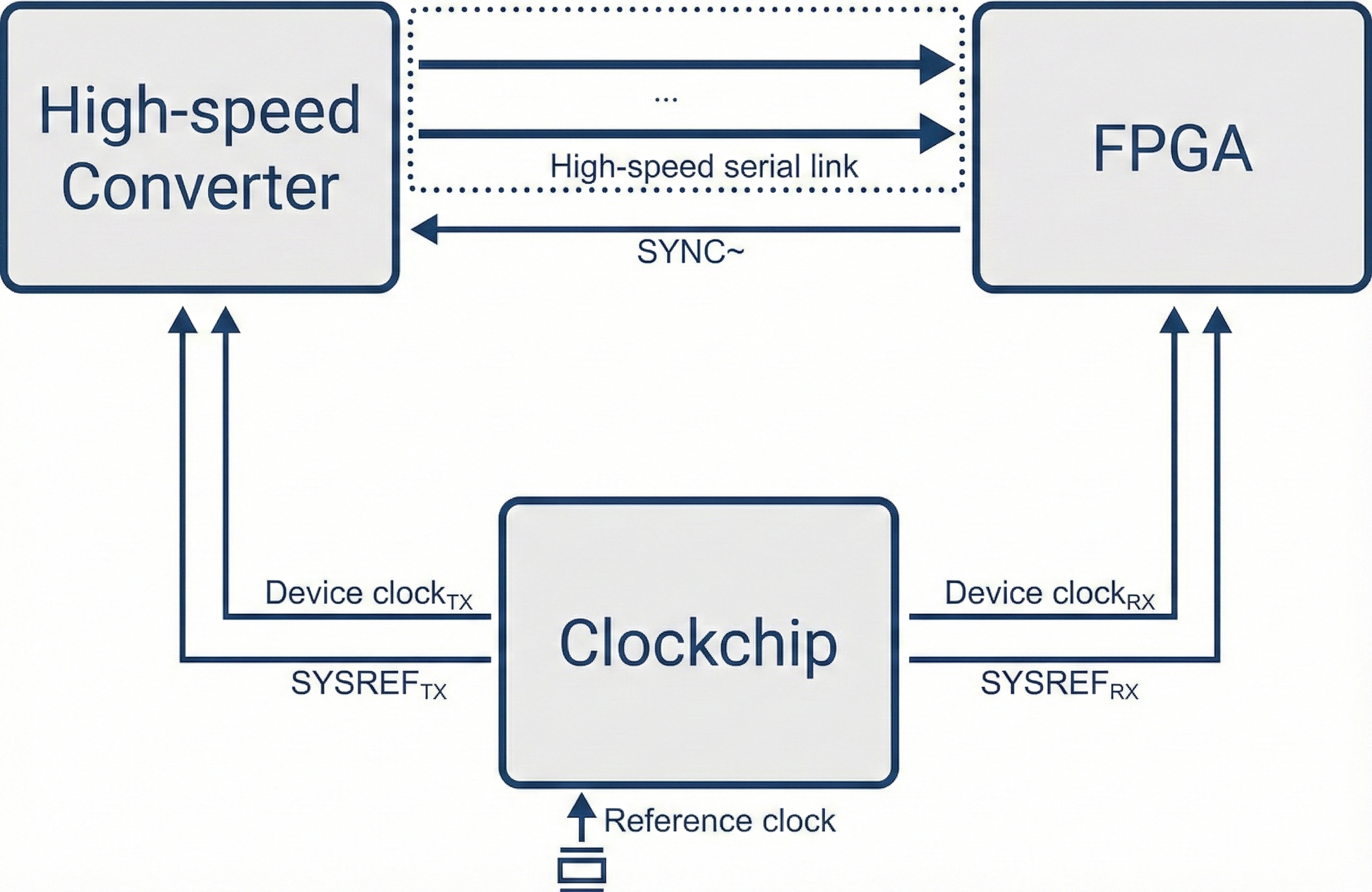
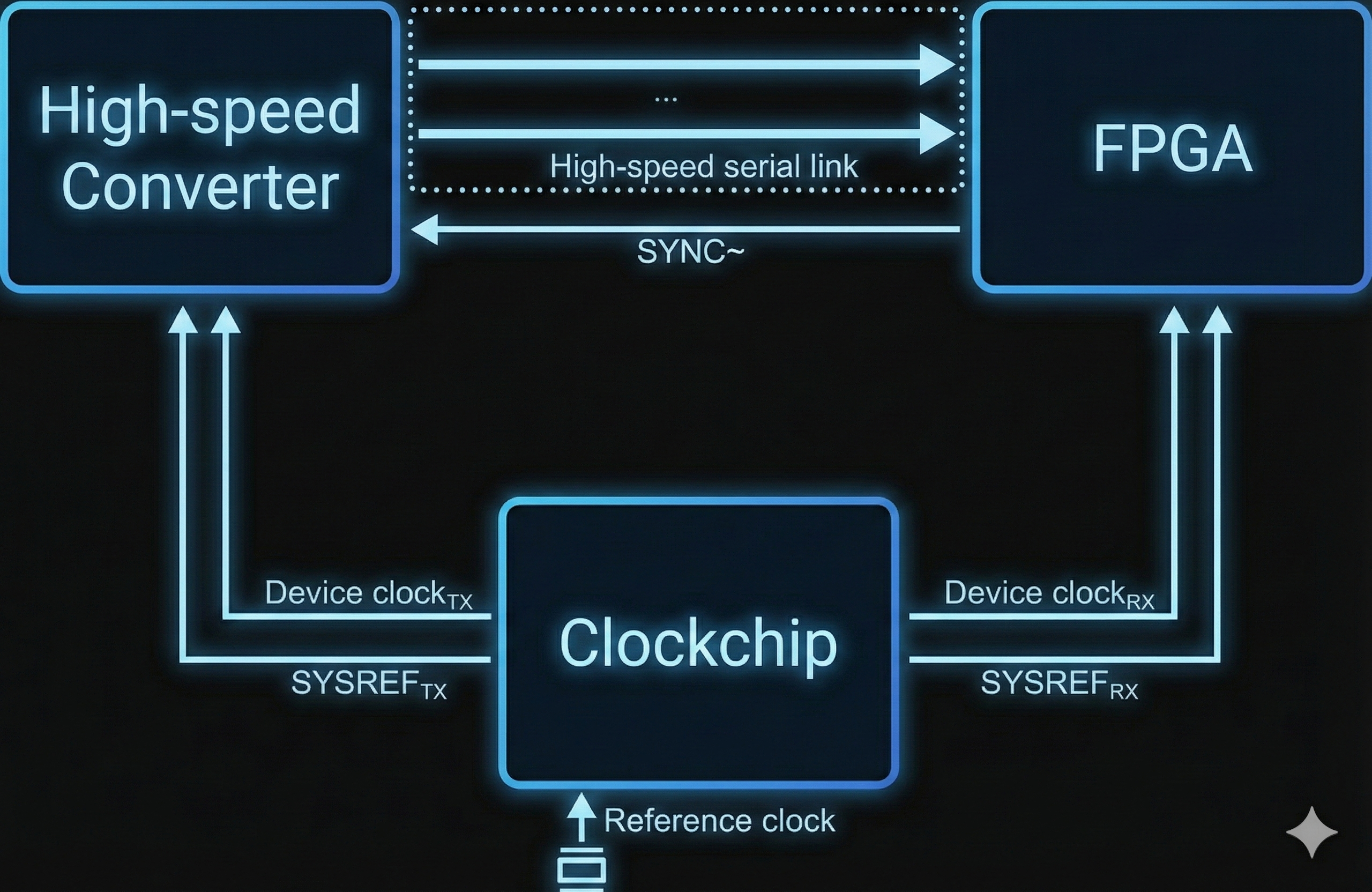
JESD204 is a high-speed serial interface standard used to connect data converters (ADCs and DACs) to FPGAs. Configuring a JESD204 system requires coordinating clock frequencies, lane rates, and link parameters across multiple chips simultaneously — a process that is error-prone when done manually.
pyadi-jif models the constraints of each component (converter, clock chip, FPGA transceiver) and uses a constraint solver to automatically find valid configurations. It supports both:
Component-level use: configure a single clock chip or verify an existing setup in isolation.
System-level use: solve for a complete, consistent configuration across converter + clock + FPGA together.
Key Features
Automatic constraint solving for JESD204B/C clock and link parameters
Models for ADI converters (ADCs, DACs, MxFEs), clock chips (HMC7044, AD9523-1, AD9545), and FPGA transceivers (Xilinx, Intel)
Interactive web-based JIF Tools Explorer (
jiftools) for graphical configuration and explorationMCP server for AI assistant integration
JSON CLI (
jifagent) for local coding agents and shell automationClock tree and system block diagram generation
Quick Start
Install with pip and launch the interactive tools:
pip install 'pyadi-jif[cplex,tools,draw]'
jiftools
Or use the Python API directly:
import adijif

# System-level: solve converter + clock + FPGA together
sys = adijif.system("ad9680", "ad9523_1", "xilinx", vcxo=125e6)
sys.converter.sample_clock = 1e9
sys.converter.decimation = 1
sys.converter.L = 4
sys.converter.M = 2
sys.converter.N = 14
sys.converter.Np = 16
sys.converter.K = 32
sys.converter.F = 1
sys.fpga.setup_by_dev_kit_name("zc706")
config = sys.solve()
See Installation for full setup instructions, and Usage Flows for detailed examples.
Interactive Tools
The JIF Tools Explorer (jiftools) is a Streamlit web application with three tools:
JESD204 Mode Selector — browse and filter valid JESD204 modes for a given converter and sample rate
Clock Configurator — configure ADI clock chips to generate required output clocks
System Configurator — end-to-end configuration of converter + clock chip + FPGA
See the Quick Start Guide and full tools documentation.
User Guide & Workflows
AI & Automation
Advanced Use Cases
Hardware Models & Parameters
Developer & API Reference