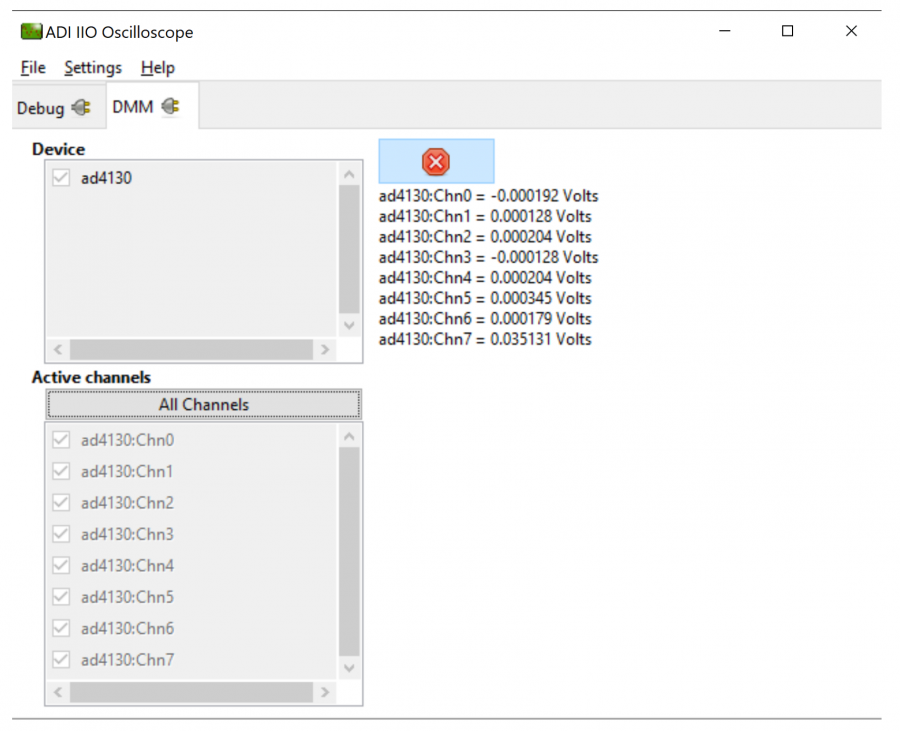
Using DMM Tab to Read DC Voltage on Input Channels
DMM tab can be used read the instantaneous voltage applied on analog input channels. Simply select the device and channels to read and press start button.
Note
The voltage is just instantaneous, so it is not possible to get RMS AC voltage or averaged DC voltage. Also, when using DMM tab, do not access/use the Data capture or Debug tab as this could impact data capturing. All uses same communication bus to access the data which could result into access/busy conflicts during data capture.
IIO Data Capture for ADCs
Introduction
This page focuses on the IIO firmware part of ‘Data Capturing. The “AD7606 IIO Application” is used as a reference for this discussion.
IIO clients can be used to capture and visualize the continuous analog or discrete signals from any ADC device using a IIO firmware application developed for that particular device. This allows user to monitor a real-time data. Using this firmware, a user can perform device calibration, change the gain, voltage range, data rate, etc. (based on device used) and observe the effects that different configurations have on the data displayed on IIO client. IIO clients also allows users to save the data, which can further be used to process and analyze it.
The diagram below shows the continuous capture of signals on an AD7606 ADC, which is an 8-channel DAS. A 1Khz signal is applied on inputs of all 8 analog channels. The max data capturing rate in firmware is ~30 to 40 KSPS. The data is transmitted from firmware application using Virtual Serial or UART serial link.
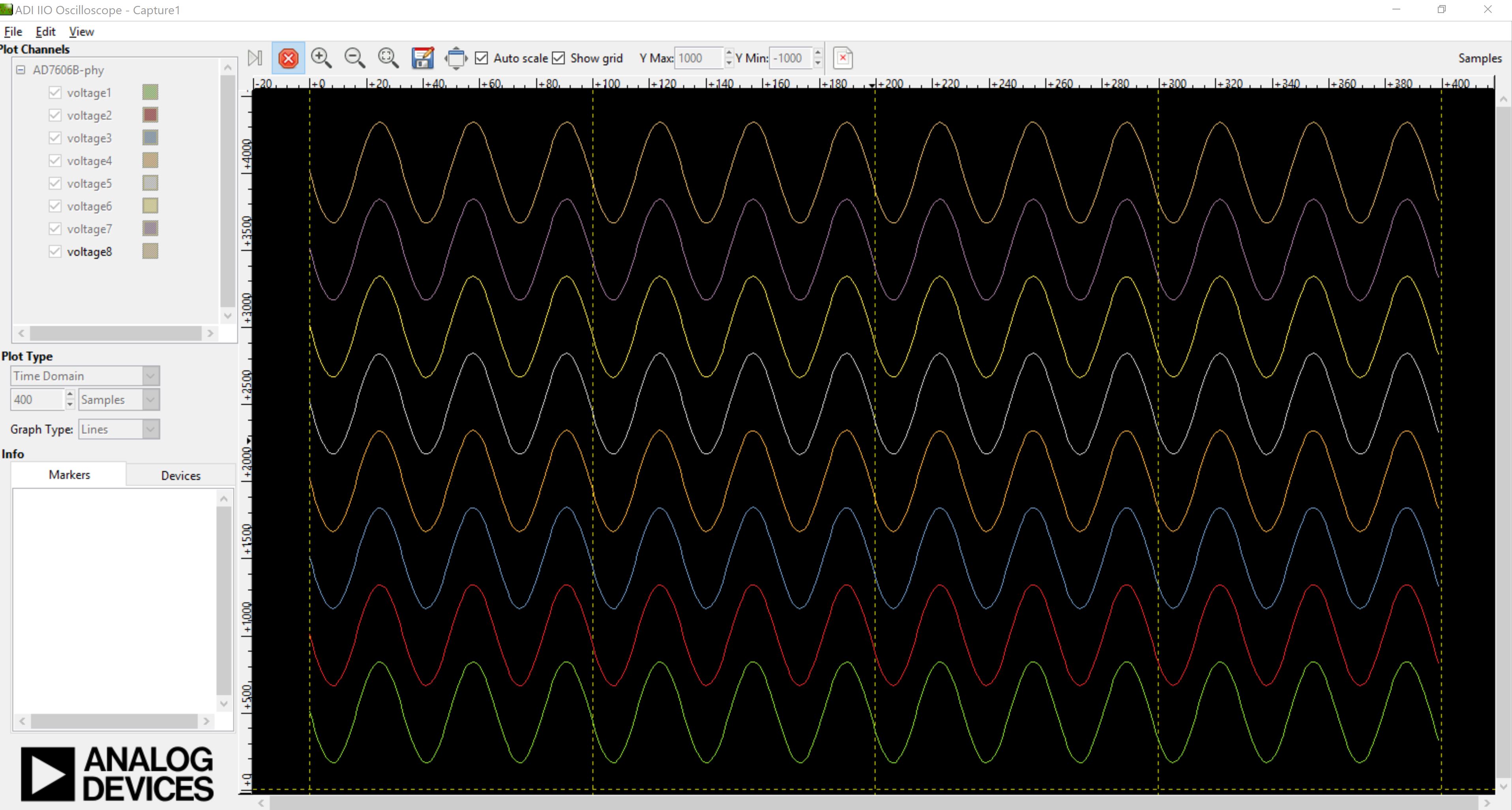
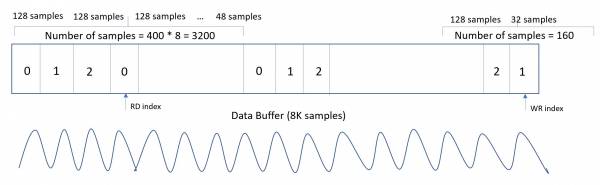
The channels for which data is to be captured can be selected from the GUI window, along with the number of samples to display on screen in a single data read query. As shown below, all 8 channels are selected for data capture and the number of requested samples is set at 400 (default). This means, IIO oscilloscope requests 400 samples per channel, so in this case total 3200 samples. The channels are stored as shown below:
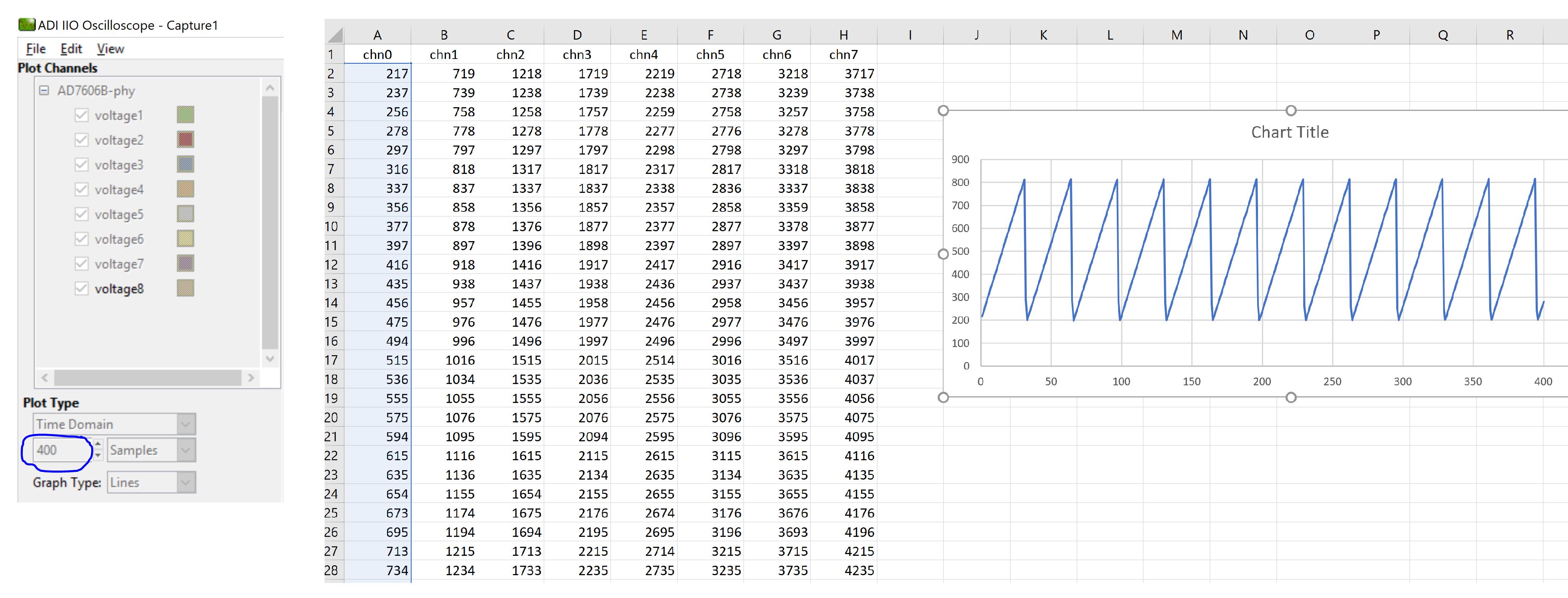
Data Capture from IIO Device
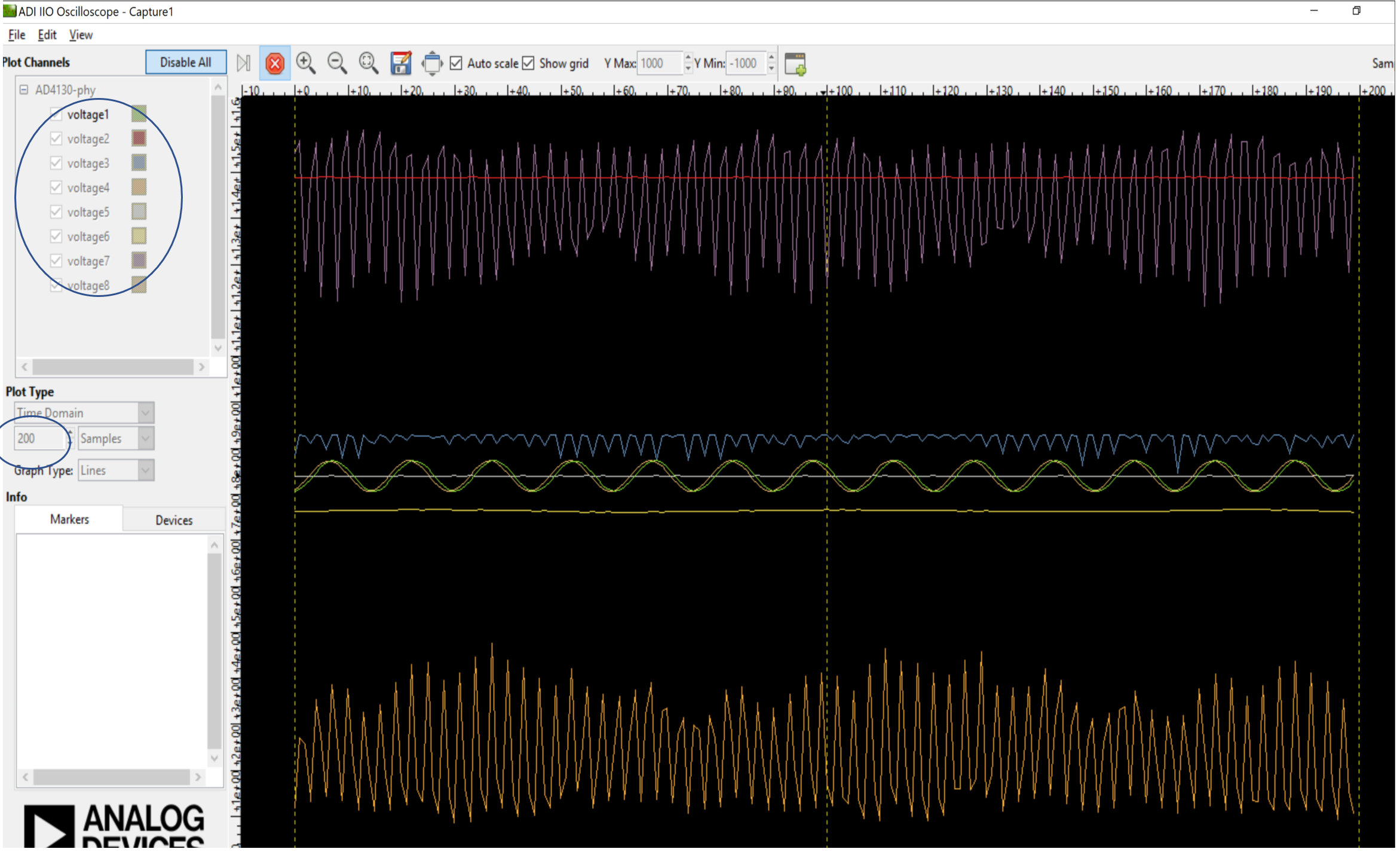
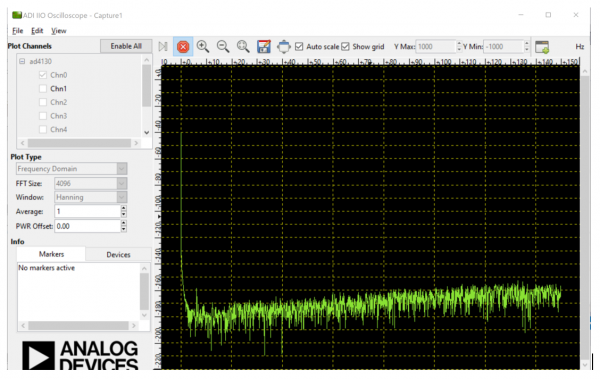
To capture the data from IIO device, simply select the device and channels to read/capture data. The data is plotted as “ADC Raw Value” Vs “Number of Samples” and is just used for Visualization. The data is read as is from device without any processing. If user wants to process the data, it must be done externally by capturing data from the Serial link on controller board.
Note
The DMM or Debug tab should not be accessed when capturing data as this would impact data capturing. All uses same communication bus to access the data which could result into access/busy conflicts during data capture.
Time Domain plot:
Frequency Domain plot:
Note
Select number of samples and channels according to sampling rate of your device. For very slow ODRs, the data capturing would be too slow and IIO oscilloscope might become unresponsive waiting for data to be received from IIO device.
Saving Captured Data
The data on IIO oscilloscope can be saved for further processing and analysis. The data is saved using a .csv format. The data can be captured for each selected channel during save option and only requested number of samples can be saved. So if 400 samples are requested, the data for only 400 samples would get saved into .csv file. The data is raw adc data and no extra processing is performed it while saving or capturing.
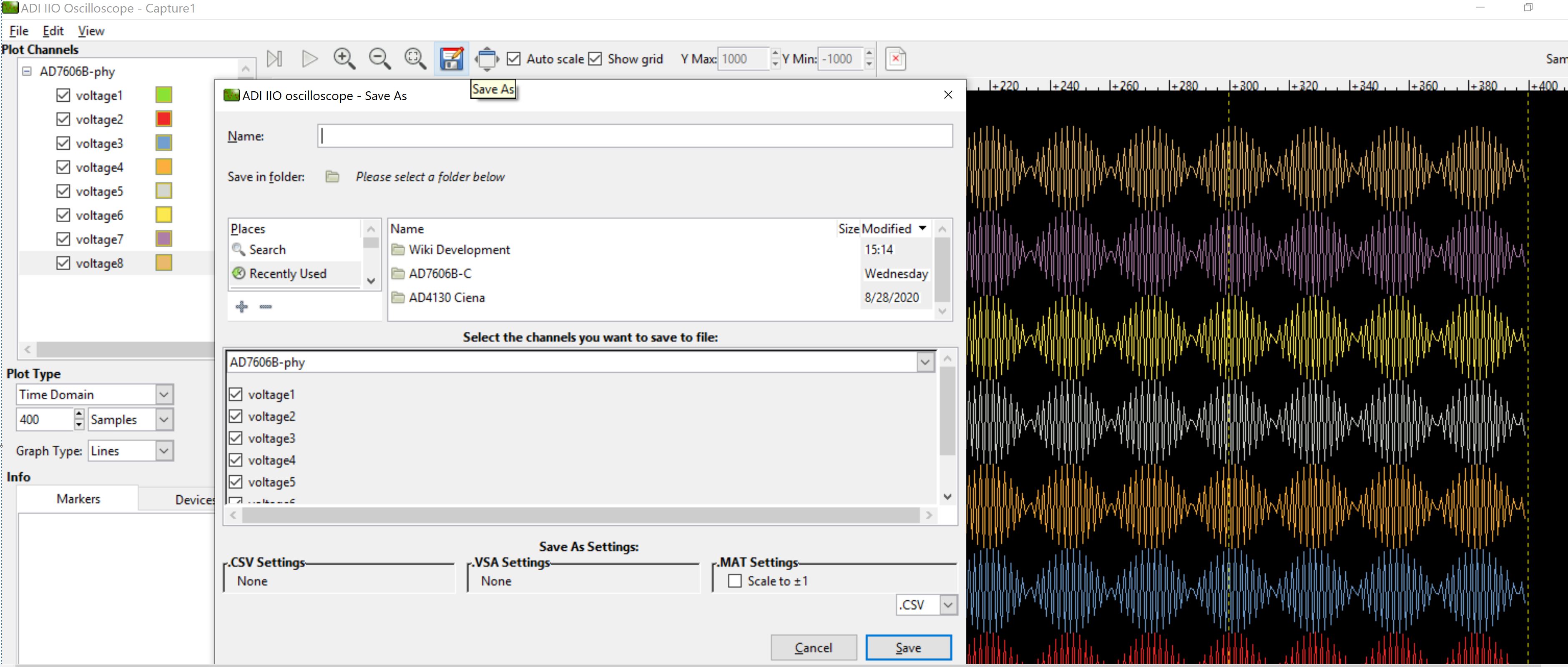
The data saving feature is also available with other IIO client applications such as python and ACE.
Limitations of Data Capture Using IIO Application
There are 3 major factors which can potentially impact the data capturing:
Sampling/Capturing Rate of ADC
Data Transmission Rate (serial link) of MCU
Buffer size limitations in the firmware (MCU RAM size)
ADC Data Sampling/Capturing Rate:
The data capturing or sampling rate defines the maximum rate/speed at which data can be sampled and captured from the ADC using the IIO firmware application. For ADC’s, typical time to capture single ADC sample is defined as:
Time to capture single sample: ADC acquisition time + ADC sampling time + ADC data read time over digital interface
For AD7606, this time is typically 28usec for all 8-channels (obtained in IIO firmware). AD7606 captures all 8-channels in single conversion cycle. When calculating the sample rate per second, it is obtained as ~284 KSPS for all 8 channels (28usec / 8 = 3.5usec. Sample rate/second = 1/3.5usec = 284 KSPS). This gives sample rate per channel as ~35KSPS.
Data capturing rate is also limited because of an additional overhead in the MCU firmware such as interrupt context switching time, SPI (digital interface) clock frequency, MCU clock speed, etc.
35Khz therefore can be considered as the sampling frequency. As per ‘Nyquist–Shannon sampling theorem’, the sampling frequency should theoretically be greater than twice the analog input frequency for faithful reproduction of the signal after conversion. However, in practice sampling frequency should be high enough to capture multiple slices/samples in given period, so that the input signal is replicated smoothly.
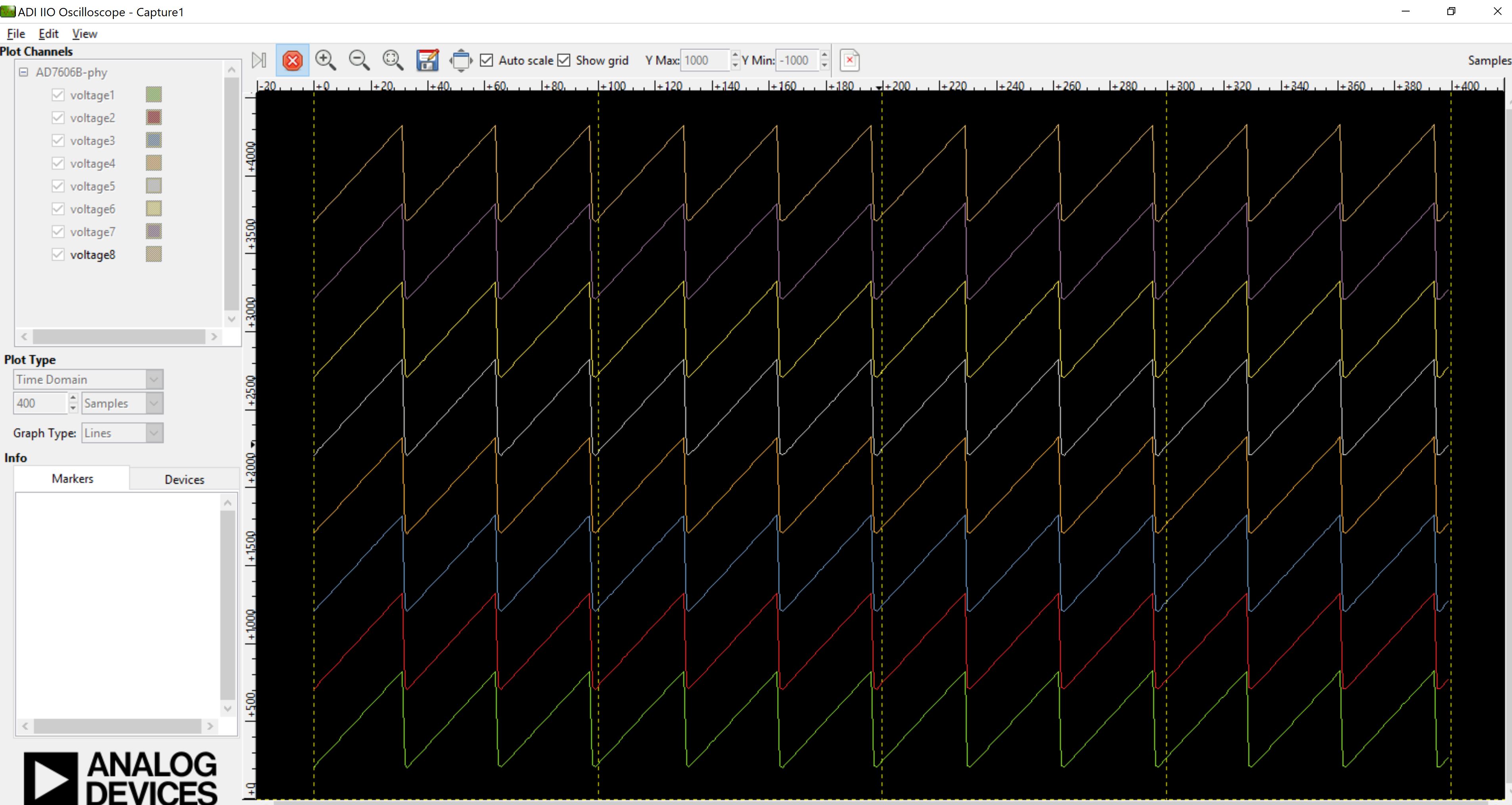
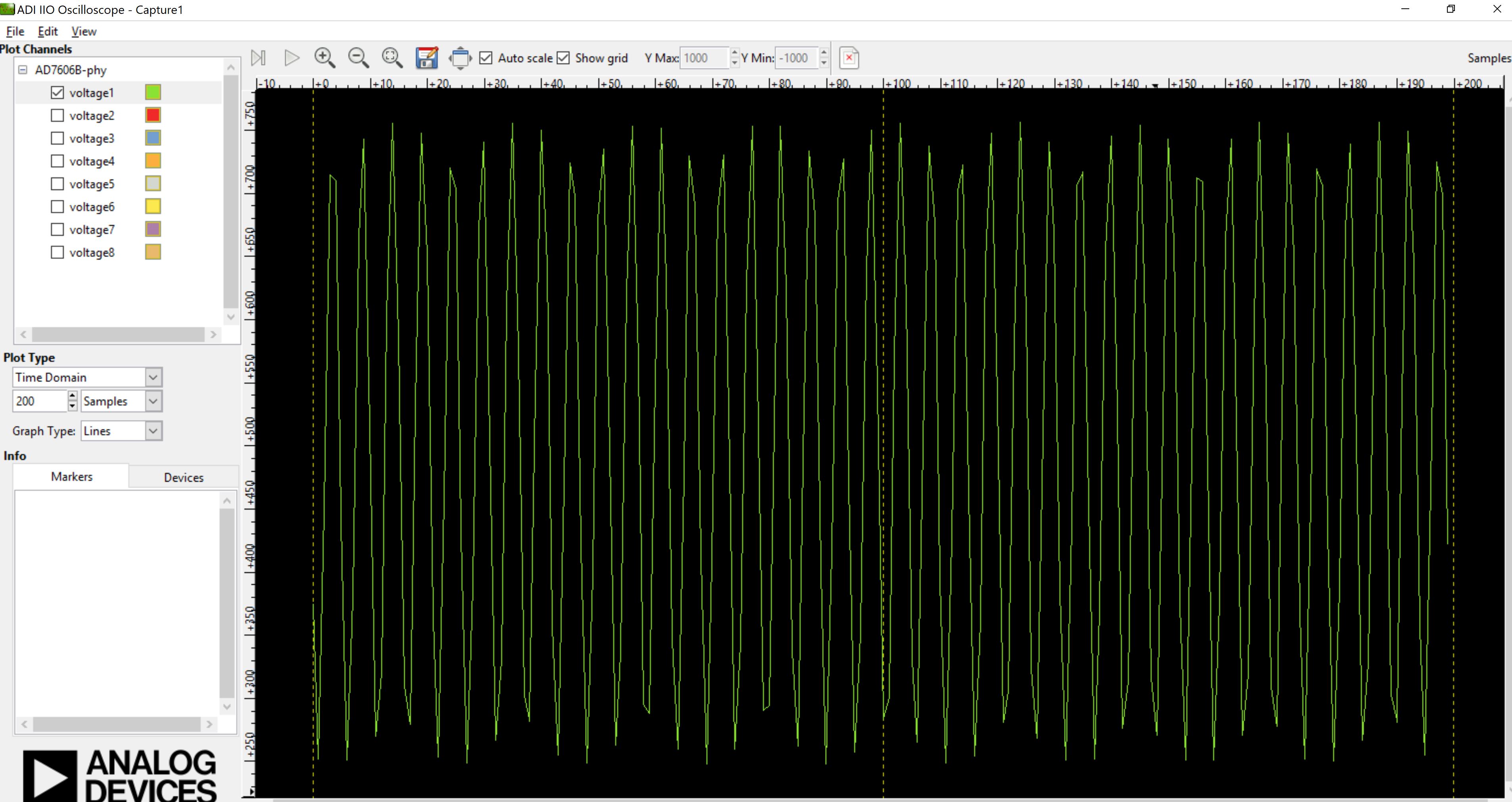
Due to this limitations, IIO firmware can sample input frequencies which are very less than max possible data rate. In case of AD7606, it is possible to sample the signals with frequencies of 4Khz and less when no oversampling is present. At OSR > 0, the data rate drops down and so higher frequency signals can’t be reproduced correctly. Below plot is captured with 17Khz analog input on channel 1 and it can be seen that the signal is not a pure sine wave.
Data Transmission Rate (serial link) of MCU:
This is the rate or speed at which data can be transmitted to IIO client over the serial link (e.g. UART or Virtual serial). The data transmission link must be fast enough the transmit the buffered data from firmware for continuous capture. The IIO clients requests data in aperiodic manner, meaning that new data capture request is sent immediately when data from previous request is received.
Capturing Rate < Transmission Rate:
If data capturing rate is lower than transmission rate, the IIO client can wait for certain period of time before sufficient samples are captured in the buffer. If time to capture these samples is higher than IIO client timeout period, the IIO client aborts the request and attempt new capture request. Therefore user must always ensure that the timeout factor of IIO clients is large enough to handle slower sampling rates (ODRs) of ADCs.
Main factor that determines the IIO oscilloscope timeout is ‘sampling_frequency’ attribute. If this attribute is not defined, the timeout period for IIO oscilloscope during data capture is set to 2sec default, however, if this attribute is defined, the time is calculated as: number of requested samples * (1 / sampling_frequency). For example, if sampling frequency is set as 400SPS, the timeout period is:
timeout = 400 (requested samples) * (1 / 10000 SPS) + 1sec = 1.4 sec
There is a fix employed for the above in the latest version of iio-oscilloscope Please follow the below steps to increase the timeout of iio oscilloscope: * Download the iio-oscilloscope.exe * Navigate to the configuration file .osc_profile.ini (This can be usually found at: C:UsersdishaAppDataLocal) * Add a variable capture_timeout and set it to a value (in ms) suited for your application.
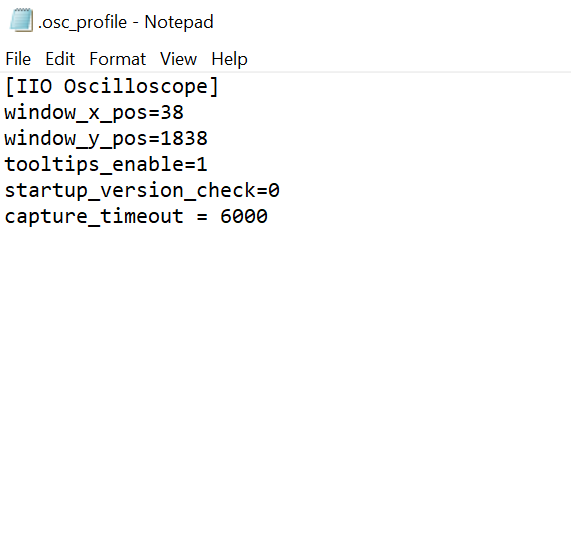
An example of a minimum content of a .ini file: [IIO Oscilloscope] capture_timeout=5000
Capturing Rate > Transmission Rate:
If data capturing rate is too high compared to the transmission rate, the data acquisition into a buffer happens faster. So data buffer might fill faster compared to emptying operation. This might lead to a discontinuity on data visualization on IIO oscilloscope side as data visualization is limited by data transmission rate in this case (with slower serial communication link). If communication link is faster and matches to capturing/sampling rate, the visualization of data would be more continuous. Having a large data buffer in the firmware can minimize this issue to large extend but it can’t completely solve the problem.
Buffer size limitations in the firmware:
Size of data buffer on the firmware is always restricted due to MCU memory size. The requested number of samples from IIO client application therefore must always be less than the total size of data buffer. If requested samples are more than the size of data buffer, IIO firmware returns negative error code to IIO client which then terminates the data capture request.
Buffer size can be increased to larger value by making use of interna/external RAMs. For example, SDP-K1 MCU board has 16Mbytes of onboard SDRAM, which allows larger data buffer size in the firmware. By enabling SDRAM in the SDP-K1 targetted Mbed firmware (app_config.h file), the data buffer size can be increased to 16Mbytes.
The Nucleo-H563 does not have an SDRAM supported. Hence, the data buffer size is limited to the buffer provided in the firmware.
/* Enable/Disable the use of SDRAM for ADC data capture buffer */
//#define USE_SDRAM     // Uncomment to use SDRAM for data buffer
IIO firmware maintains the circular data buffer with dedicated read and write indices. Below diagram illustrates the use of circular buffer in the firmware.