ADRV9361/ADRV9364 U-Boot Environment Fix
Some ADRV9361/ADRV9364 boards left the factory with the u-boot environment variable flash partition not properly initialized. This causes the board to remain stuck at the u-boot prompt instead of booting normally. This is a firmware-only issue and does not affect hardware quality.
How to Check if Your Board Has This Issue
Connect a MicroUSB cable to the UART port and power on the board. If the board
is affected, it will stop at the Zynq> prompt instead of booting into Linux:
Model: Zynq Zed Development Board
Board: Xilinx Zynq
Silicon: v3.1
DRAM:  ECC disabled 512 MiB
MMC:   sdhci@e0100000: 0 (SD)
SF: Detected n25q256a with page size 256 Bytes, erase size 4 KiB, total 32 MiB
In:    serial@e0001000
Out:   serial@e0001000
Err:   serial@e0001000
Net:   ZYNQ GEM: e000b000, phyaddr 0, interface rgmii-id
eth0: ethernet@e000b000
Zynq>
Instructions for Resetting the Environment
Find the MAC address on the sticker on your board (format: 00:05:f7:80:26:ef):
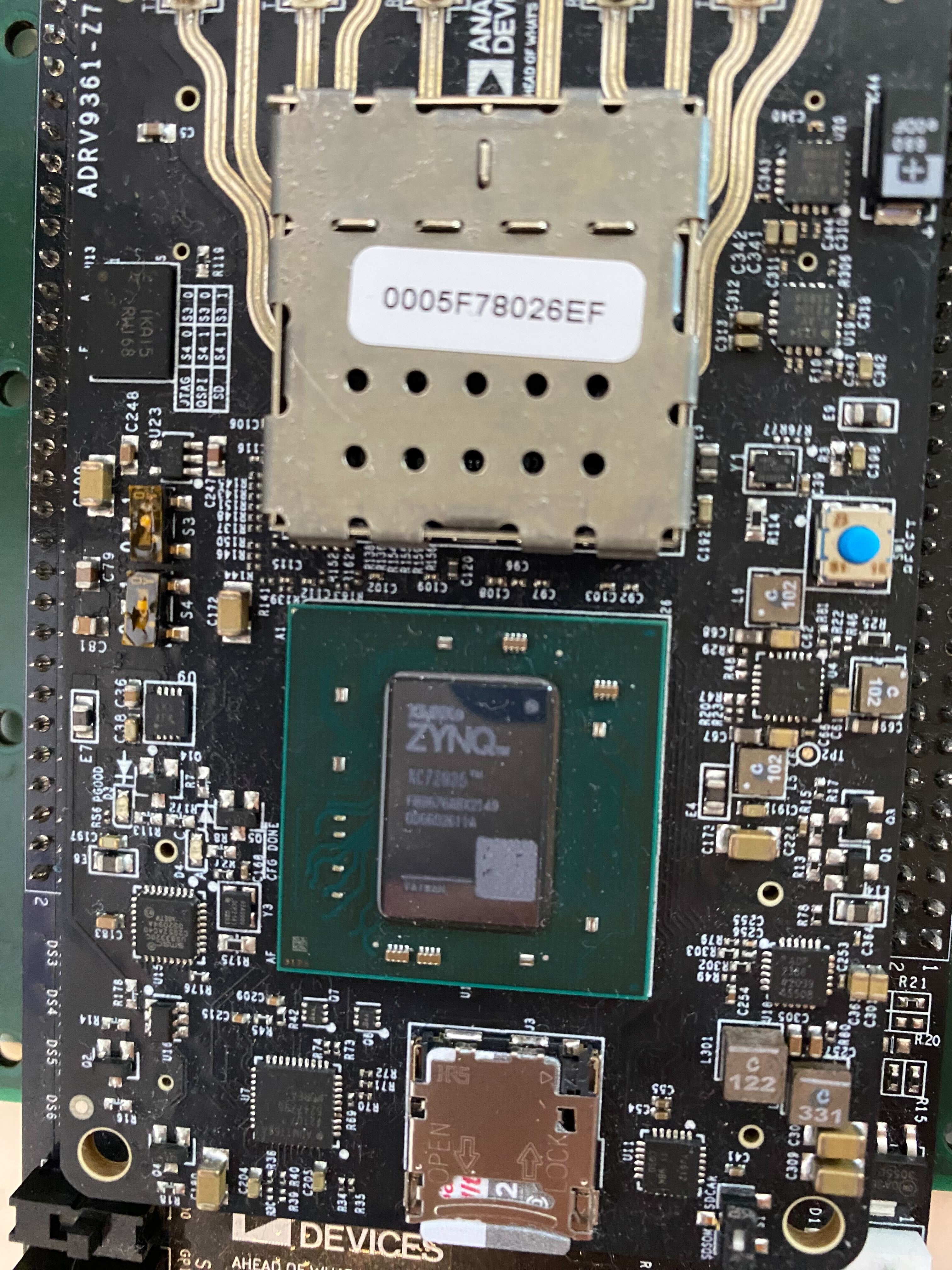
Then run the following commands at the Zynq> prompt, substituting your
board’s MAC address:
Zynq> env default -a
Zynq> setenv ethaddr "00:05:f7:80:26:ef"
Zynq> saveenv
Zynq> reset
The board will reset and boot normally.
If saveenv Returns an Error (Flash Partition Locked)
Boot into Linux first by running:
Zynq> env default -a
Zynq> run sdboot
Once booted into Linux, unlock and erase the flash partition:
root@analog:~# flash_unlock /dev/mtd1
root@analog:~# flash_erase /dev/mtd1 0 0
root@analog:~# reboot
When the board reboots, press any key when prompted with
Hit any key to stop autoboot to return to the u-boot prompt. Then repeat
the standard fix above.
Other Support
If the issue persists, contact Analog Devices support via EngineerZone.