EVALUATING THE AD9780/AD9781/AD9783 DIGITAL-TO-ANALOG CONVERTERS
Preface
This guide describes both the hardware and software setup needed to download data to the AD9783-DPG2-EBZ evaluation board to characterize the AD9780/AD9781/AD9783 12-/14-/16-bit 500 MSPS high-speed digital-to-analog converters.
This guide shows how the AD9783-DPG2-EBZ works with the ADS7-V2/SDP-H1 controller boards developed by Analog Devices. The user guide document for customers who still have DPG2 and DPG3 controller boards is listed in the User guide page.
Typical setup
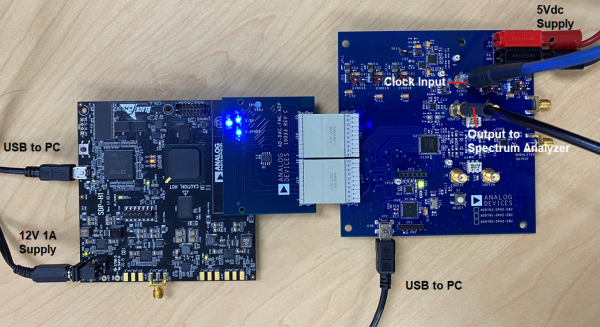
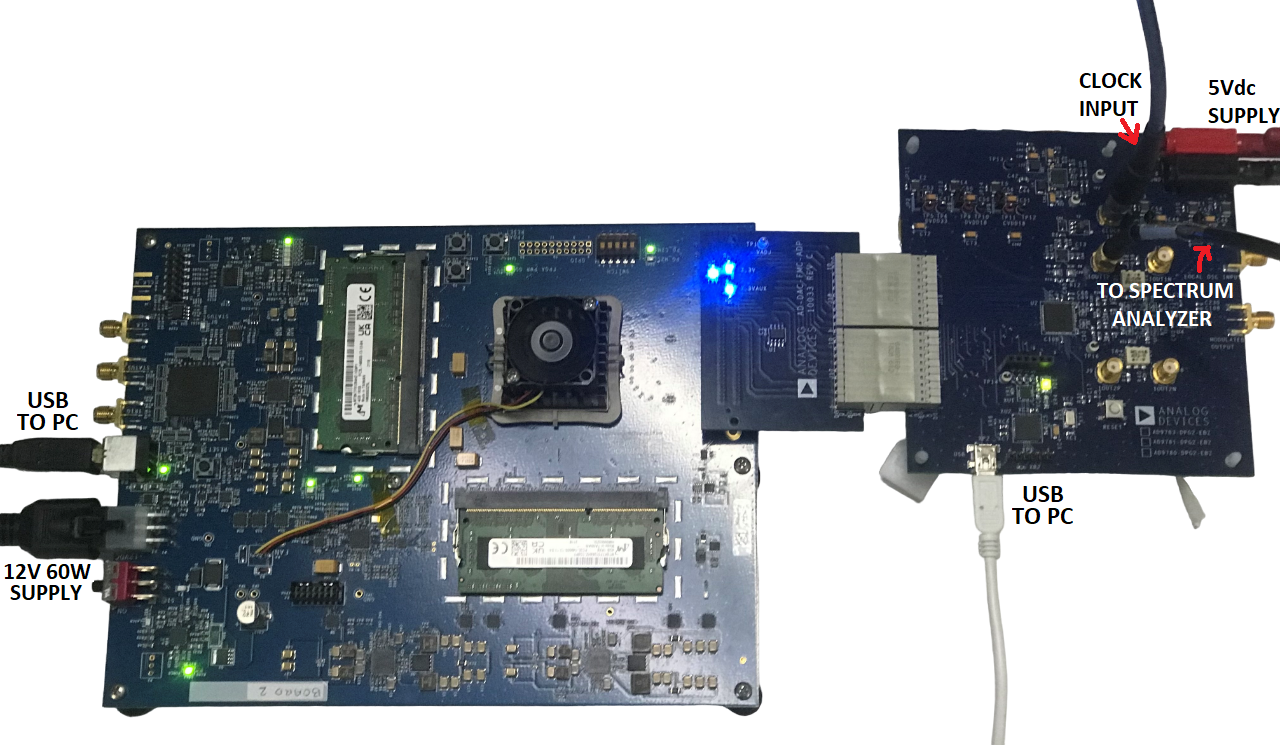
Tip
Click on any picture in this guide to open an enlarged version.
Software needed
DPG Lite (recommended; installed with ACE) or DPG Downloader
Important
Known issue: ACE may fail to detect HS-DAC boards, details here.
Hardware needed
AD9783-DPG2-EBZ evaluation board
5 Vdc 1 A power supply for the evaluation board
AD-DAC-FMC-ADP high-speed DAC evaluation board to FMC adapter board
PC with ACE and DPG Lite software applications
High-frequency continuous wave generator (clock source)
Signal/spectrum analyzer
SMA cables
Banana plug cables
The following are to be included if using the SDP-H1 evaluation kit:
12 Vdc 1 A wall adapter
USB-A to USB-Mini cable
The following are to be included if using the ADS7-V2 evaluation kit:
12 Vdc power supply
Power cord
USB-A to USB-B cable
Quick start guide
Attach the AD9783-DPG2-EBZ to the controller board’s (SDP-H1/ADS7-V2) FMC connector using the AD-DAC-FMC-ADP adapter board.
Connect the controller board (SDP-H1/ADS7-V2) to the PC via USB and to a 12 V power supply.
Connect the evaluation board to the PC via USB and to a 5 Vdc 1 A power supply on P5 and P6. Refer to Figure 1 and Figure 2.
Connect a continuous wave generator for the clock input to SMA J1 and the DAC output from SMA J5 (IOUT1P) or SMA J9 (IOUT2P) to a signal/spectrum analyzer.
Set the clock input to 200 MHz, 3 dBm.
Open ACE. The board is automatically recognized by the software. Click the plugin. Otherwise, install the ACE plugin for the AD9783.
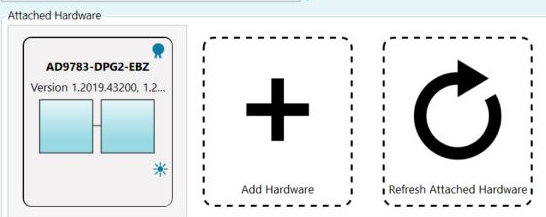
On the ACE Board View, double click the AD9783 block to access the Chip View.
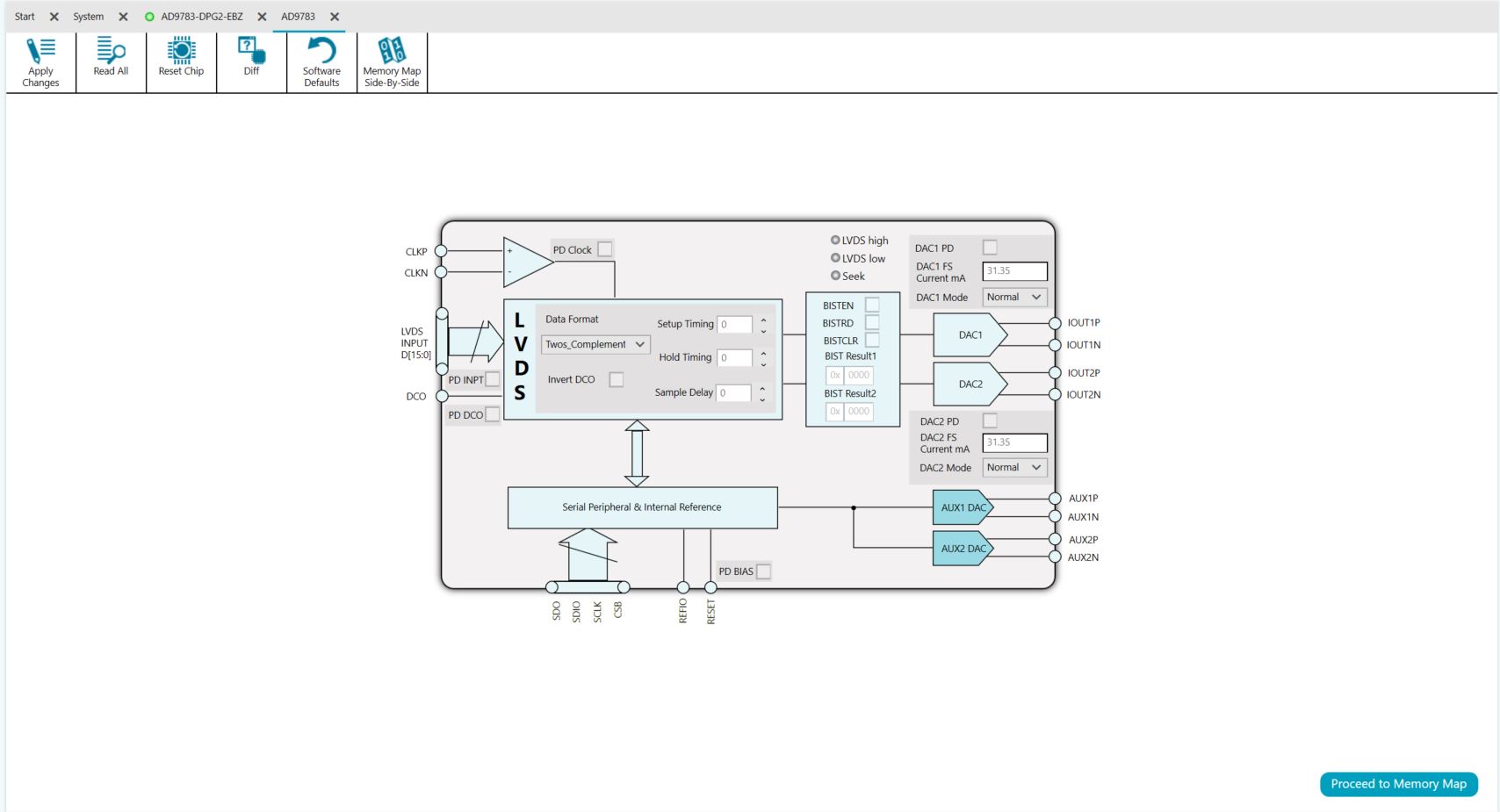
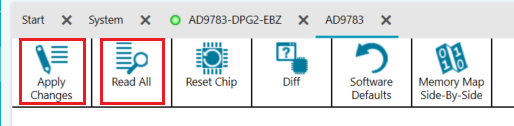
The default values for the registers are displayed and set. The values can be changed on the Chip View GUI, or on the Memory Map for registers not available in the GUI. For more info on the memory map, refer to the AD978x datasheet. Once the desired values are set, click Apply Changes and then Read All on the upper right window.
Start DPG Downloader Lite. The controller board (SDP-H1/ADS7-V2), the device part number and the clock frequency should be displayed. Refer to Figure 6 and Figure 7.
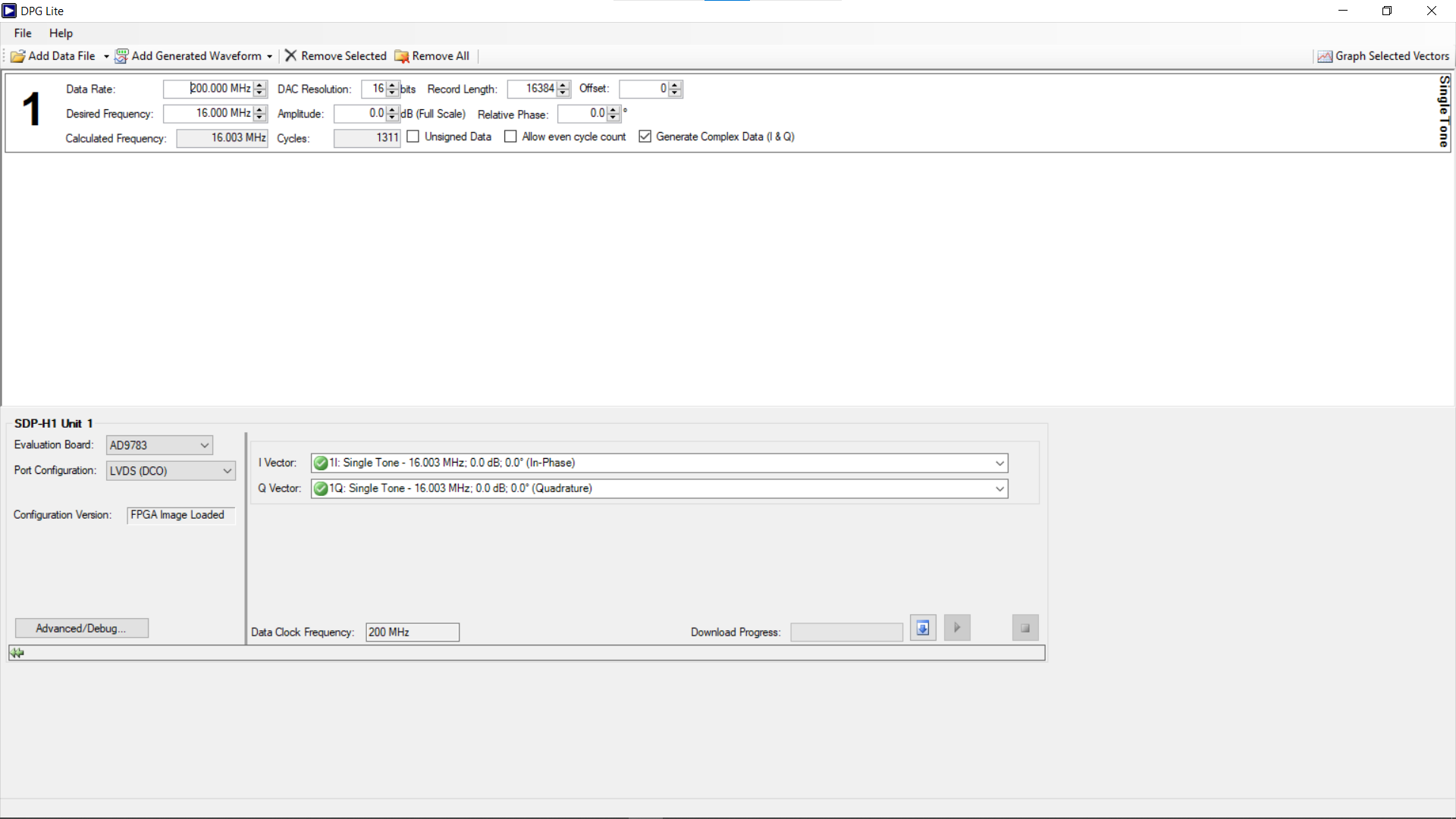
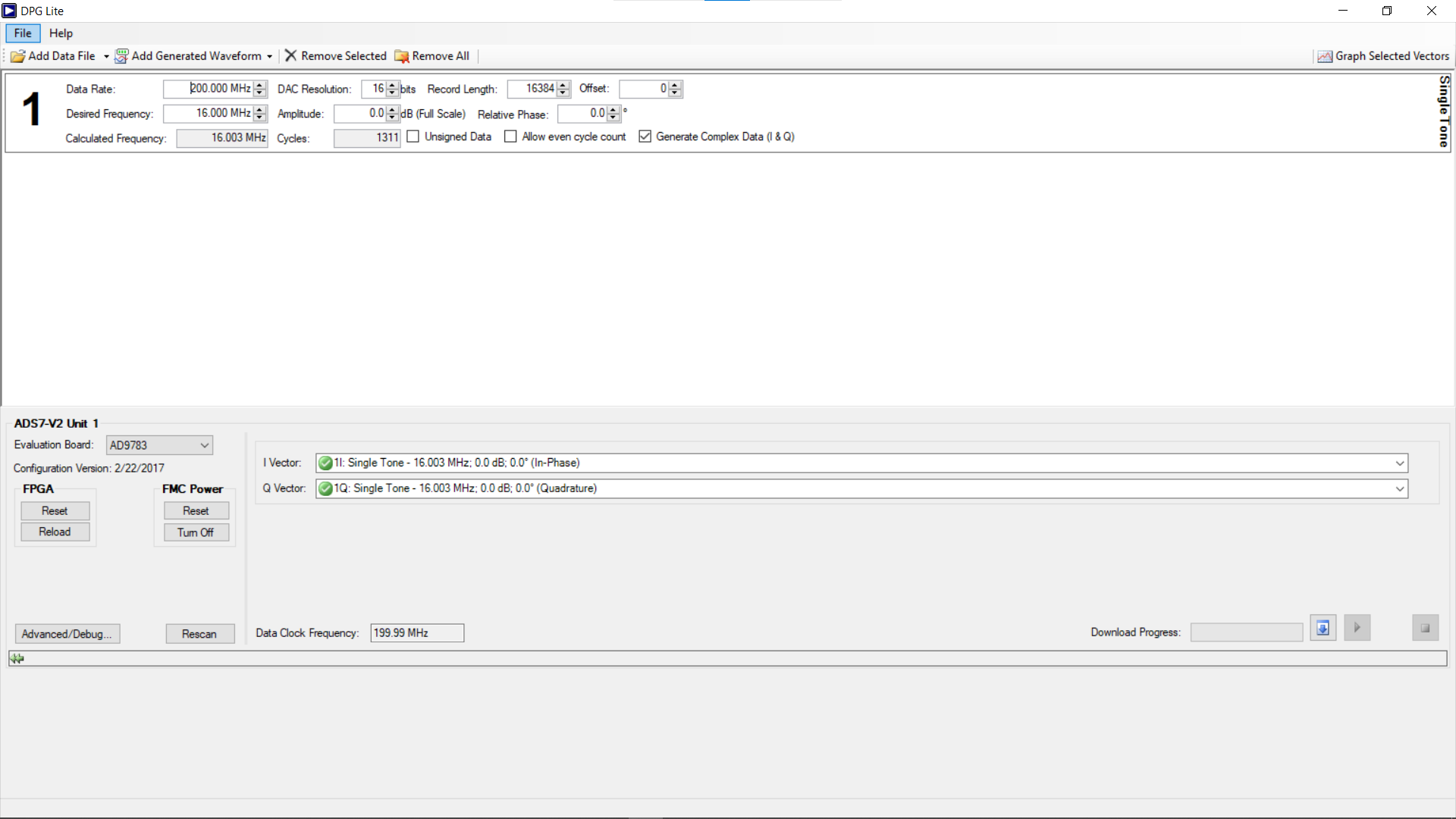
In DPG Downloader Lite, from the “Add Generator Waveforms” pulldown menu select Single Tone and apply the settings as shown in Figure 6 and Figure 7. Set the Data Rate to 200 MHz and Desired Frequency to 16 MHz. Set DAC Resolution to 16 for the AD9783, 14 for the AD9781, and 12 for the AD9780. Uncheck the “Unsigned Data” box and check Generate Complex Data (I & Q).
Select the I/Q tone from the I/Q Data Vector pulldown menu.
Press the download arrow and then the play button. A spectrum similar to Figure 8 should appear in the signal/spectrum analyzer.
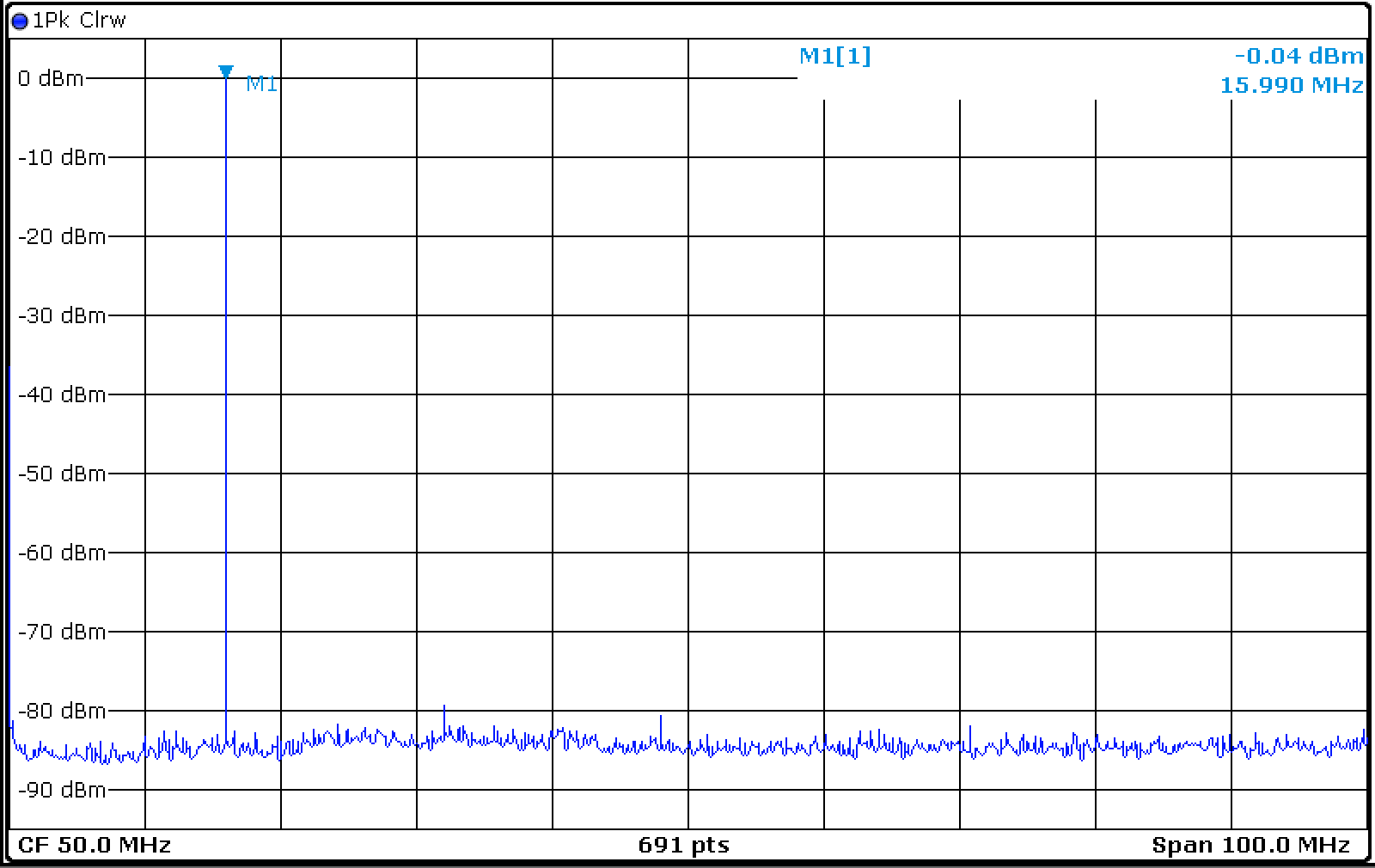
Figure 8 Spectrum output for the AD9783; Fdac = 200 MSPS, Fout = 16 MHz
For the jumper settings used to connect the DAC output to the ADL5375 modulator, the board design files and the troubleshooting checklist, refer to the User guide.