AD9081 IIO Oscilloscope Plugin
The AD9081 plugin works with the IIO Oscilloscope. Please always use the latest version if possible.
Description
Typing in any field will immediately write the changes to the hardware and then read it back to make sure the setting is valid. If you want to set something and then notice the GUI changes it to a different number, that either means that GUI is rounding, or the hardware (either the AD9081 or the FPGA fabric) does not support that mode/precision.
If you want to go play with /sys/bus/iio/devices/.... and manipulate the
devices behind the back of the GUI, it’s still possible to see the settings
by clicking the Reload Settings button at the bottom of the GUI.
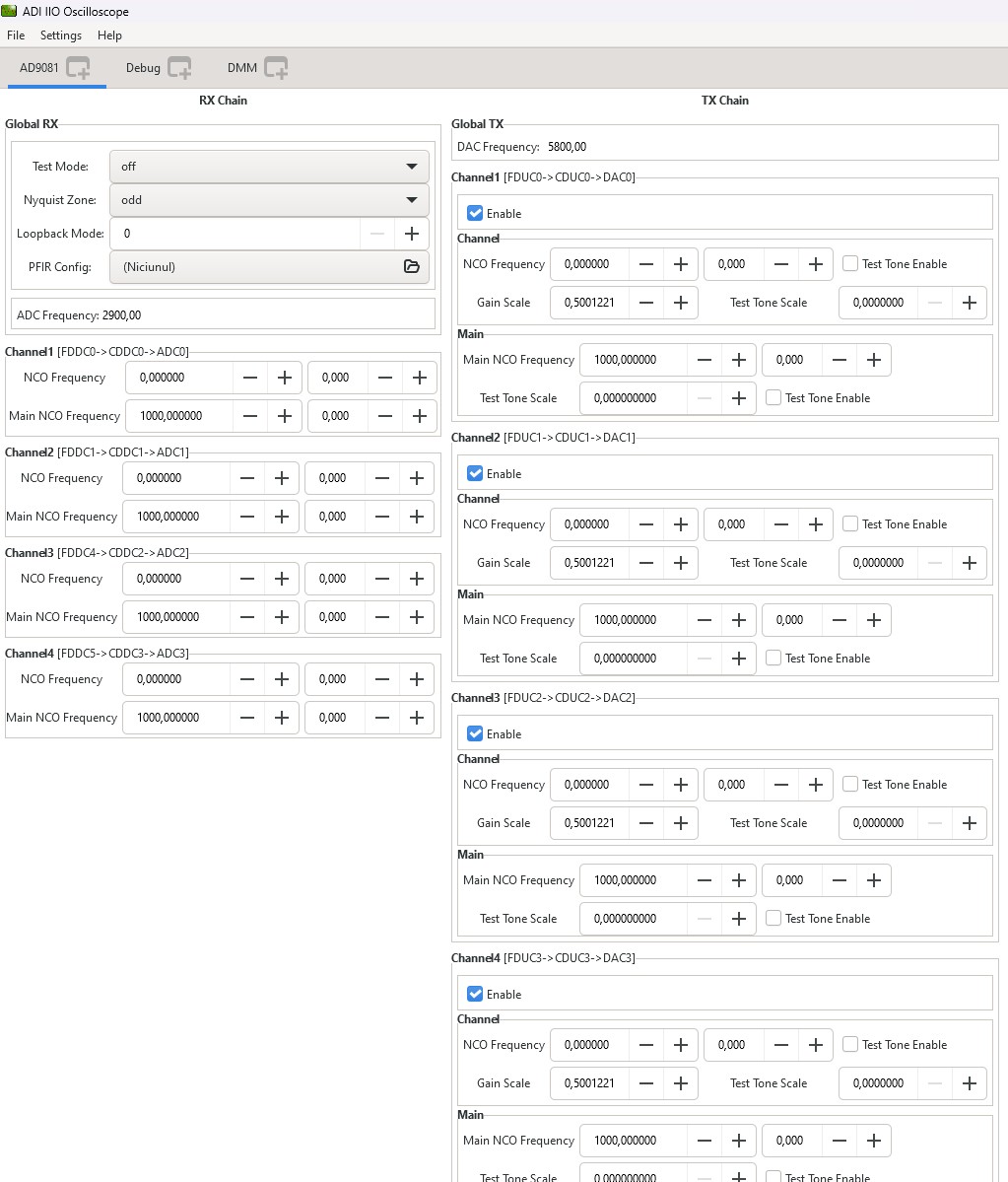
The AD9081 view is divided in three sections:
Receive Chain
Transmit Chain
FPGA Settings
Receive Chain
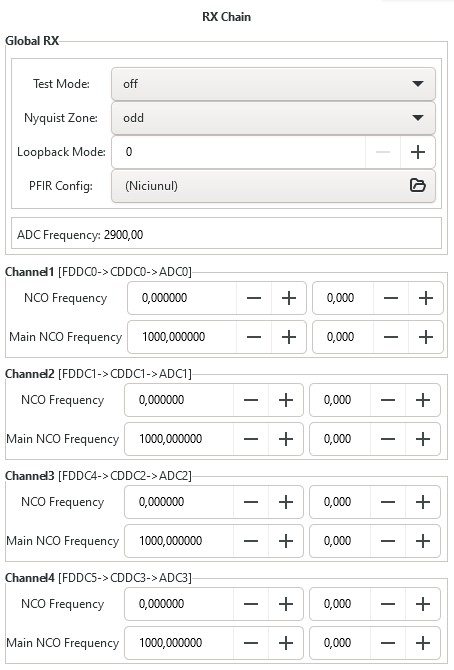
ADC Rate(MHz): Displays the ADC Sample Rate
ADC Nyquist Zone Control: Selects the Nyquist Zone
RX Main NCO Frequency Control: Controls the Main NCO. Frequency
RX Main NCO Phase Control: Controls the Main NCO Phase
RX Channel NCO Frequency Control: Controls the Channel NCO Frequency
RX Channel NCO Phase Control: Controls the Channel NCO Phase
Read more at AD9081.
Transmit Chain
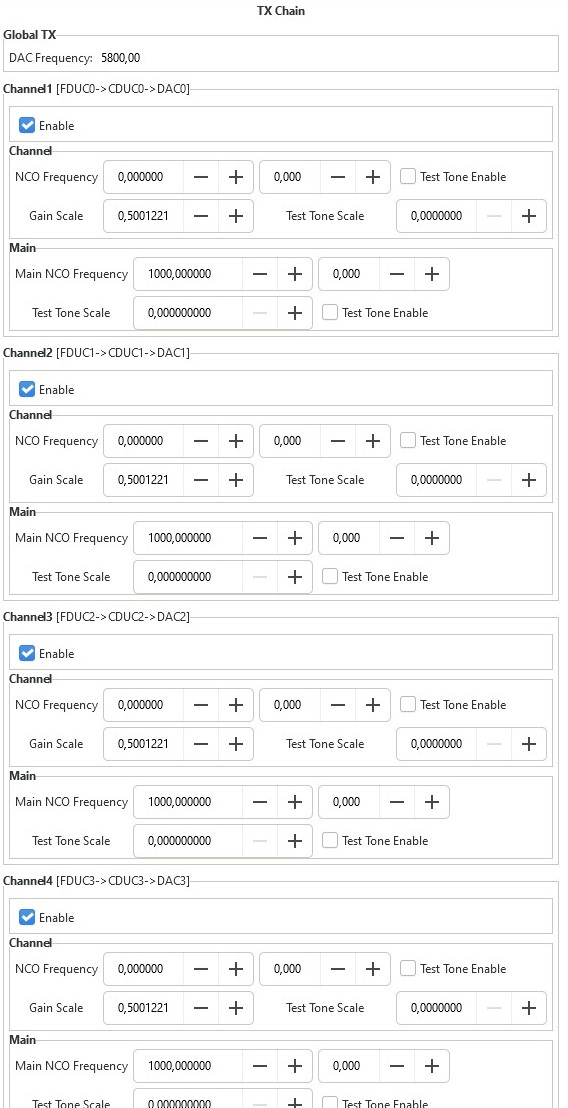
DAC Rate(MHz): Displays the DAC Sample Rate
TX Main NCO Frequency Control: Controls the Main NCO Frequency
TX Main NCO Phase Control: Controls the Main NCO Phase
TX Channel NCO Frequency Control: Controls the Channel. NCO Frequency
TX Channel NCO Phase Control: Controls the Channel NCO Phase
TX NCO Channel Digital Gain: Controls the Channel NCO digital gain
TX NCO Test Tone Modes: Controls the Test Tone generation
Read more at AD9081.
FPGA Settings
Transmit/DDS
The plugin provides several options on how the transmitted data is generated.
It is possible to either use the built-in two tone Direct Digital Synthesizer (DDS) to transmit a bi-tonal signal on channels I and Q of the DAC. Or it is possible to use the Direct Memory Access (DMA) facility to transmit custom data that you have stored in a file.
This can be achieved by selecting one of the following options listed by the DDS Mode:
One CW Tone
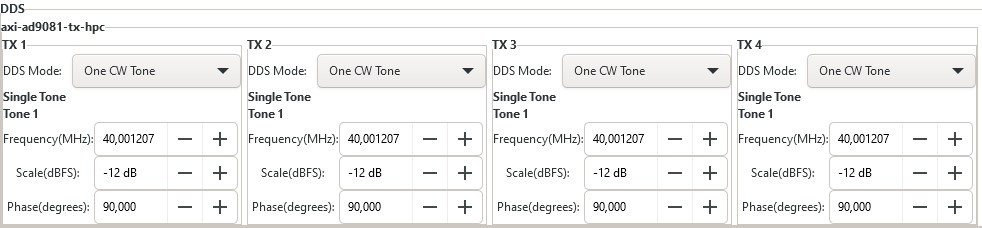
In One CW Tone mode one continuous wave (CW) tone will be outputted. The plugin displays the controls to set the Frequency, Amplitude and Phase for just one tone and makes sure that the amplitude of the other tone is set to 0. The resulting signal will be outputted on the Channel I of the DAC and the exact same signal but with a difference in phase of 90 degrees will be outputted on the Channel Q of the DAC.
Two CW Tone
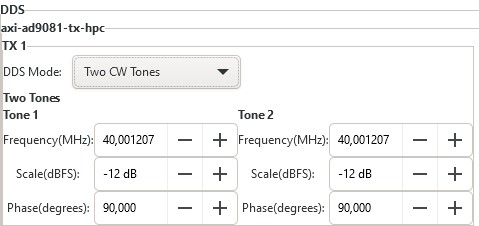
In Two CW Tone mode two continuous wave (CW) tones will be outputted. The plugin displays the controls to set the frequencies F1 and F2, amplitudes A1 and A2, phases P1 and P2 for the two tones. The resulting signal will be outputted on the Channel I of the DAC and the exact same signal but with a difference in phase of 90 degrees will be outputted on the Channel Q of the DAC.
Independent I/Q Control
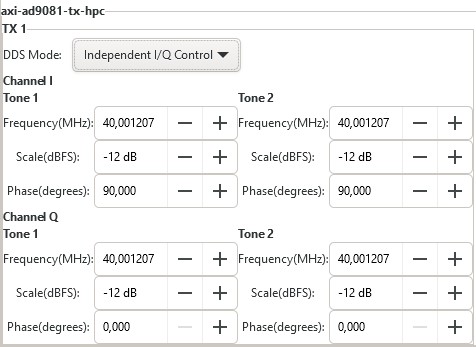
In Independent I/Q Control the plugin displays the controls to set the frequencies, amplitudes and phases for the two tones that will be outputted on channel I and additionally it allows for the two tones that will be outputted on channel Q of the DAC to be configured independently.
Note
Note: The bi-tonal signal (T) is defined as the sum of two tones: T(t) = A1 * sin(2 * p * F1 * t + P1) + A2 * sin(2 * p * F2 * t + P2), where A-amplitude, F-frequency, P-phase of a tone.
DAC Buffer Output
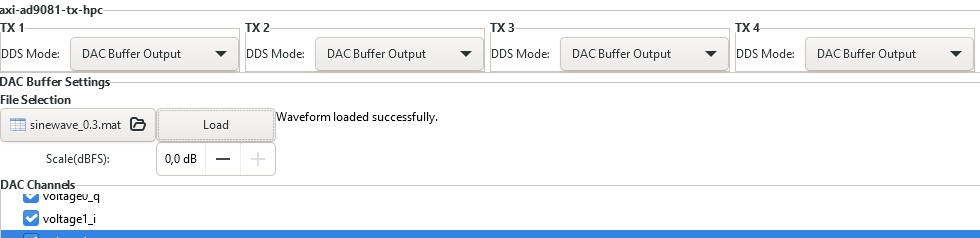
The file selector under the File Selection section is used to locate and choose the desired data file. Under the DAC Channels section the enabled channels will be used to transmit the data stored in the file. To finalize the process, a click on the Load button is required.
Restrictions:
There are two types of files than can be loaded: .txt or .mat. The IIO-Oscilloscope comes with several data files that can be used. If you want to create your own data files please take a look at the AD-FMCOMMS2/3/4/5 Basic IQ Datafiles documentation first.
Due to hardware limitation only specific combinations of enabled channels are possible. You can enable a total of 1, 2, 4, etc. channels. If 1 channel is enabled then it can be any of them. If two channels are enabled then channels 0, 1 or channels 2, 3 can be enabled and so on.
Disable
In this mode both DDS and DMA are disabled causing the DAC channels to stop transmitting any data.
Note
Upon pressing Reload Settings button the values will be reloaded with the corresponding driver values. Useful in scenarios where the diver values get changed outside this plugin and a refresh on plugin’s values is needed.
Hint
Some plugin values will be rounded to the nearest value supported by the hardware.
Capture window
Introduction
Main receivers are handled by the axi-ad9081-rx-hpc IIO device, The number of channels depend on the JESD mode (M) parameter and can vary from case to case. When using complex IQ, two channels index by _i and _q from a receiver.
Screenshots
Time domain view
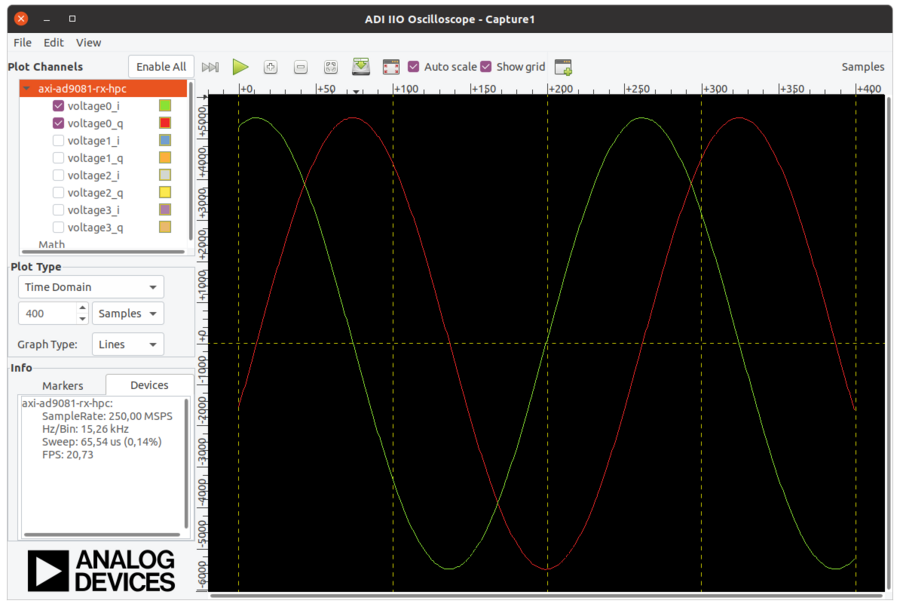
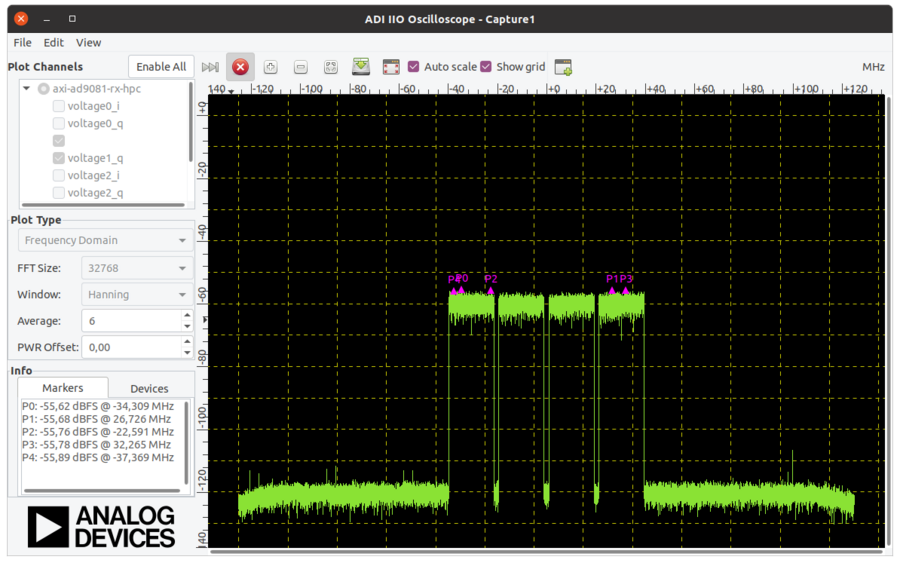
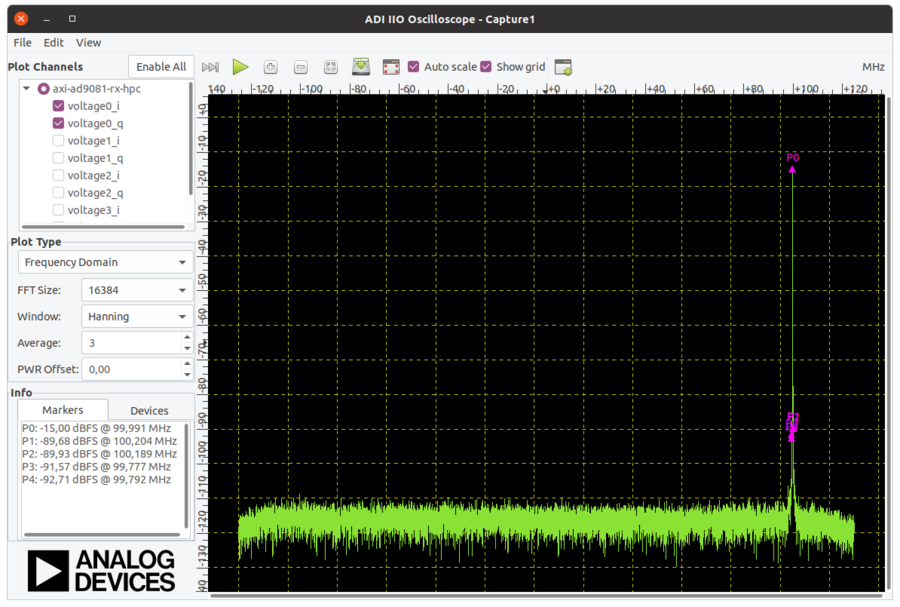
Frequency domain view