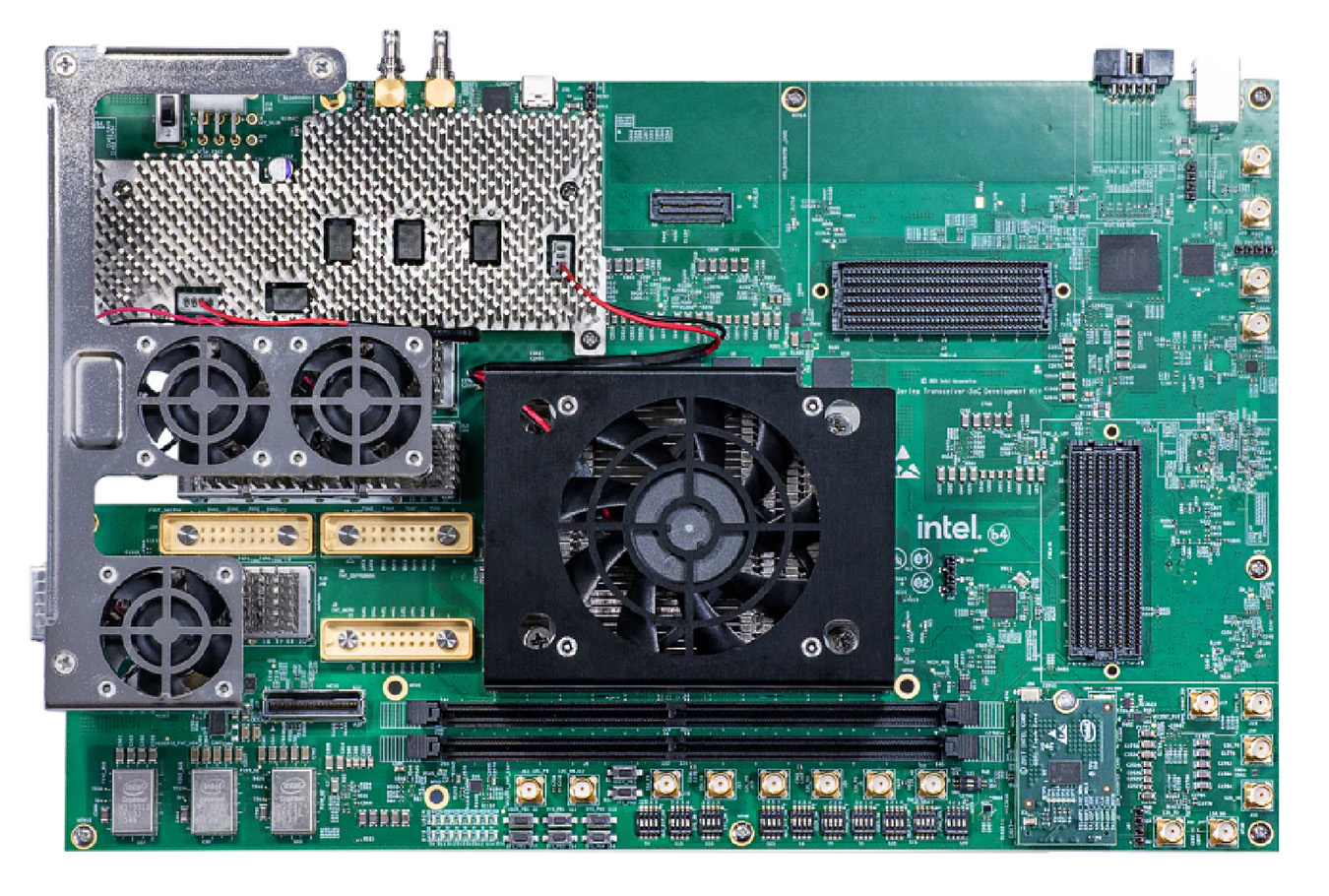
Agilex 7 SoC FM87
This guide provides instructions for setting up the EVAL-AD9081 evaluation board on the Agilex 7 SoC Development Kit.
All the products described on this page include ESD (electrostatic discharge) sensitive devices. Electrostatic charges as high as 4000V readily accumulate on the human body or test equipment and can discharge without detection. Although the boards feature ESD protection circuitry, permanent damage may occur on devices subjected to high-energy electrostatic discharges. Therefore, proper ESD precautions are recommended to avoid performance degradation or loss of functionality. This includes removing static charge on external equipment, cables, or antennas before connecting to the device.
Required hardware
Micro SD card (16GB or larger)
Micro-USB cable for UART console
Ethernet cable (optional, for network access)
Required software
Quartus Pro 24.1
ARM cross-compiler toolchain
Git
Building the software
Cross-compiler setup
Download and configure the ARM toolchain:
mkdir tools
cd tools
wget https://armkeil.blob.core.windows.net/developer/Files/downloads/gnu-a/10.3-2021.07/binrel/gcc-arm-10.3-2021.07-x86_64-aarch64-none-linux-gnu.tar.xz
tar xvf gcc-arm-10.3-2021.07-x86_64-aarch64-none-linux-gnu.tar.xz
export CROSS_COMPILE=`pwd`/gcc-arm-10.3-2021.07-x86_64-aarch64-none-linux-gnu/bin/aarch64-none-linux-gnu-
export ARCH=arm64
cd ~
Linux kernel build
git clone -b agilex https://github.com/analogdevicesinc/linux
cd ./linux
make adi_zynqmp_defconfig
make Image
make intel/socfpga_agilex_socdk_ad9081.dtb
cp arch/arm64/boot/Image /media/analog/BOOT/
cp arch/arm64/boot/dts/intel/socfpga_agilex_socdk_ad9081.dtb /media/analog/BOOT/socfpga_agilex_socdk.dtb
cd ~
ARM Trusted Firmware build
git clone -b QPDS24.1_REL_GSRD_PR https://github.com/altera-opensource/arm-trusted-firmware
cd ./arm-trusted-firmware
make bl31 PLAT=agilex DEPRECATED=1
cd ~
U-Boot build
git clone -b QPDS24.1_REL_GSRD_PR https://github.com/altera-opensource/u-boot-socfpga
cd ./u-boot-socfpga
ln -sf ../arm-trusted-firmware/build/agilex/release/bl31.bin .

# Configure U-Boot
sed -i 's/earlycon panic=-1/earlycon panic=-1 console=ttyS0,115200 root=\/dev\/mmcblk0p2 rw rootwait/g' configs/socfpga_agilex_defconfig
sed -i '/^CONFIG_NAND_BOOT=y/d' configs/socfpga_agilex_defconfig
sed -i '/^CONFIG_SPL_NAND_SUPPORT=y/d' configs/socfpga_agilex_defconfig
sed -i '/^CONFIG_CMD_UBI=y/d' configs/socfpga_agilex_defconfig
echo 'CONFIG_USE_BOOTCOMMAND=y' >> configs/socfpga_agilex_defconfig
echo 'CONFIG_BOOTCOMMAND="load mmc 0:1 ${loadaddr} agilex.core.rbf; bridge disable; fpga load 0 ${loadaddr} ${filesize}; bridge enable; load mmc 0:1 ${kernel_addr_r} Image; load mmc 0:1 ${fdt_addr_r} socfpga_agilex_socdk.dtb; booti ${kernel_addr_r} - ${fdt_addr_r}"' >> configs/socfpga_agilex_defconfig

make socfpga_agilex_defconfig
make
cp u-boot.itb /media/analog/BOOT/
cd ~
FPGA bitstream generation
Note
This project was only tested using Quartus Pro 24.1.
git clone https://github.com/analogdevicesinc/hdl
cd hdl/projects/ad9081_fmca_ebz/fm87
make

quartus_pfg -c ad9081_fmca_ebz_fm87.sof ad9081_fmca_ebz_fm87.jic \
  -o hps_path=../../../../u-boot-socfpga/spl/u-boot-spl-dtb.hex \
  -o device=MT25QU02G \
  -o flash_loader=AGIB027R31B1E1V \
  -o mode=ASX4 \
  -o hps=1

cp ad9081_fmca_ebz_fm87.core.rbf /media/analog/BOOT/agilex.core.rbf
Programming the board
Configure S9 DIP switch to JTAG mode (see table below)
Launch Quartus Programmer and flash
ad9081_fmca_ebz_fm87.jicfilePower cycle the board
Configure S9 DIP switch to QSPI mode (see table below)
Insert SD card and power on
DIP switch configuration
S9 configuration (FPGA mode selection)
Switch Bit |
Name |
JTAG |
QSPI |
|---|---|---|---|
1 |
MSEL0 |
ON |
ON |
2 |
MSEL1 |
ON |
OFF |
3 |
MSEL2 |
ON |
OFF |
4 |
Not Used |
OFF |
OFF |
Default switch positions
Switch |
Bit 1 |
Bit 2 |
Bit 3 |
Bit 4 |
|---|---|---|---|---|
S4 |
ON |
ON |
ON |
ON |
S15 |
ON |
ON |
ON |
OFF |
S10 |
ON |
ON |
ON |
ON |
S23 |
ON |
ON |
ON |
ON |
S6 |
OFF |
OFF |
OFF |
OFF |
S1 |
OFF |
OFF |
OFF |
OFF |
S22 |
OFF |
ON |
ON |
ON |
S19 |
OFF |
OFF |
ON |
ON |
S20 |
ON |
ON |
ON |
ON |