ADRV1CRR-FMC
Compatible cards
ADRV9361-Z7035
The ADRV9361-Z7035 will work with the FMC Carrier, and all functionality of the carrier is supported.
ADRV9364-Z7020
The ADRV9364-Z7020 will work with the FMC Carrier, but not all carrier functionality is supported.
What works:
Ethernet
USB
PMOD1 and PMOD_MIO
PUSH BUTTON 1, 2, 3
LED 0
What cannot be used:
HDMI OUT
CAMERA
PMOD0 (pin 0 and 1 are connected)
SFP+
LED 1, 2, 3
SLIDE SWITCHES
PUSH BUTTON 0
FMC connector
Hardware
ADRV1CRR-FMC Rev. C
This is the Rev C schematic and layout files for the ADRV1CRR-FMC carrier.
Download
Rev C Allegro Board File (This file is compressed). Get the Allegro FREE Physical Viewer (You need 16.6 or higher).
Tips and Tricks
External AD9361 reference clock via J1
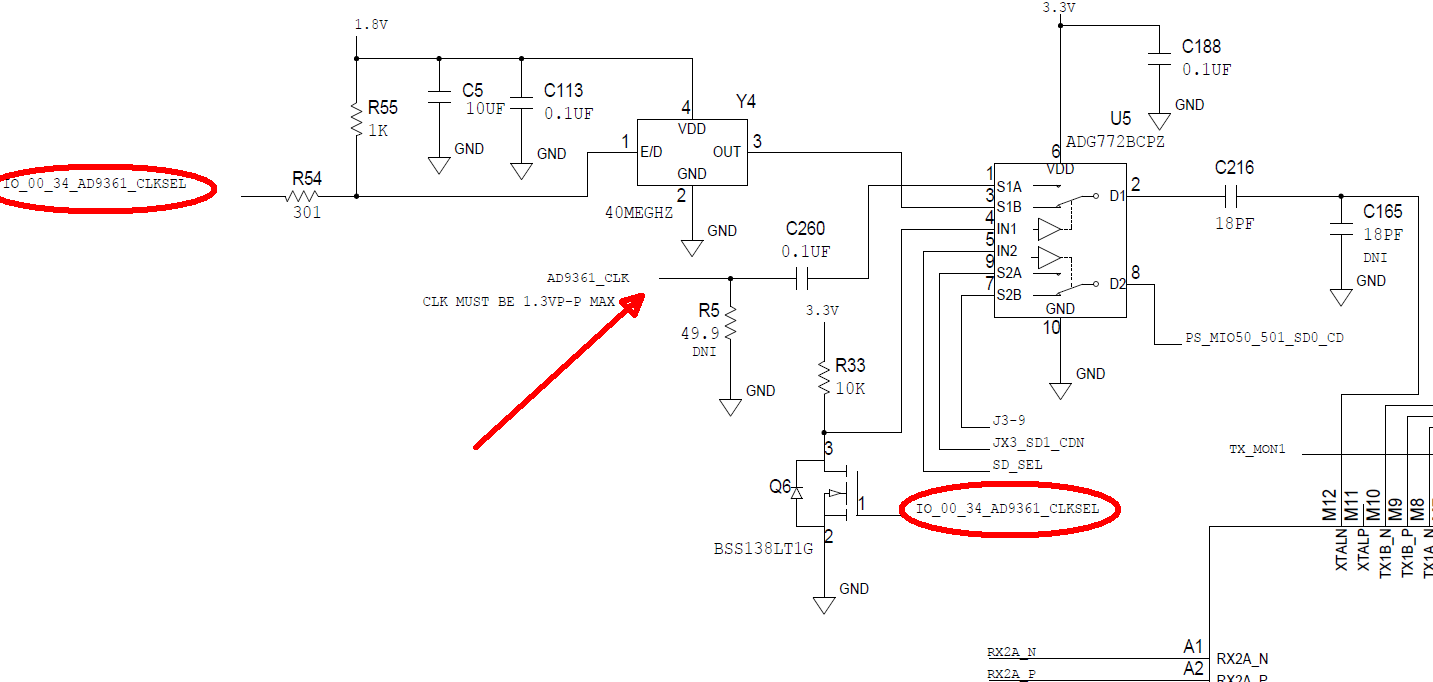
An external reference clock can be supplied via J1. To switch the source, modify the arch/arm/boot/dts/xilinx/zynq-adrv9361-z7035.dtsi device tree:
clocks {
    xo_40mhz_fixed_clk: clock@0 {
        #clock-cells = <0>;
        compatible = "fixed-clock";
        clock-frequency = <40000000>;
        clock-output-names = "XO_40MHz";
    };

    ad9361_clkin: clock@1 {
        #clock-cells = <0>;
        compatible = "gpio-gate-clock";
        clocks = <&xo_40mhz_fixed_clk>;
        enable-gpios = <&gpio0 105 1>; /* Set to 1 for extern AD9361_CLK */
        clock-output-names = "ad9361_ext_refclk";
    };
The ACTIVE_LEVEL for enable-gpios:
0(active high) — use on-board XO1(active low) — use external clock via J1
Update the clock-frequency property with the exact frequency of the
external supplied clock, set enable-gpios = <&gpio0 105 1>, then rebuild
and install the modified device tree on the target.