ADRD5161-01Z Battery Configuration

Description

The fuel-gauge chip MAX17320 has the configuration data stored in a non-volatile memory, which has a limited number of writes. Because of this, we recommend using the configuration that is already loaded on the chip, which is compatible with 3 series, 2 parallel Panasonic NCR18650GA Li-ion batteries. In order to obtain compatibility with other battery packs, MAX17320’s non-volatile memory needs to be updated to reflect the characteristics of the new batteries. The following sections describe this process.

Note

We strongly suggest using the recommended configuration.

Hardware Requirements

  • ADRD5161-01Z board

  • I2C FTDI Programmer with SWD Header

  • User desired battery pack

Software Requirements

  • MAX17320 EV kit software - available on analog.com

Install Tools

  • Download and install the MAX17320 EV kit software available on analog.com.

Hardware Setup

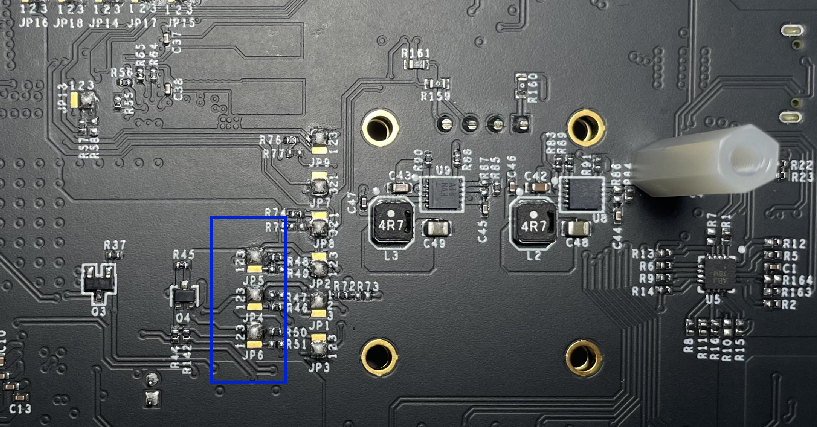
In order to ensure communication between the computer, which is running the Configuration Wizard, and the fuel-gauge chip on the board, the solder jumpers highlighted in the image below must be switched from: JP4-5-6 : 3-2 -> 1-2.

Note

After configuring MAX17320, these jumpers must go back to their initial positions, to communicate with the MCU.
https://media.githubusercontent.com/media/analogdevicesinc/system-level/main/docs/solutions/reference-designs/adrd5161-01z/res/jumpers.png

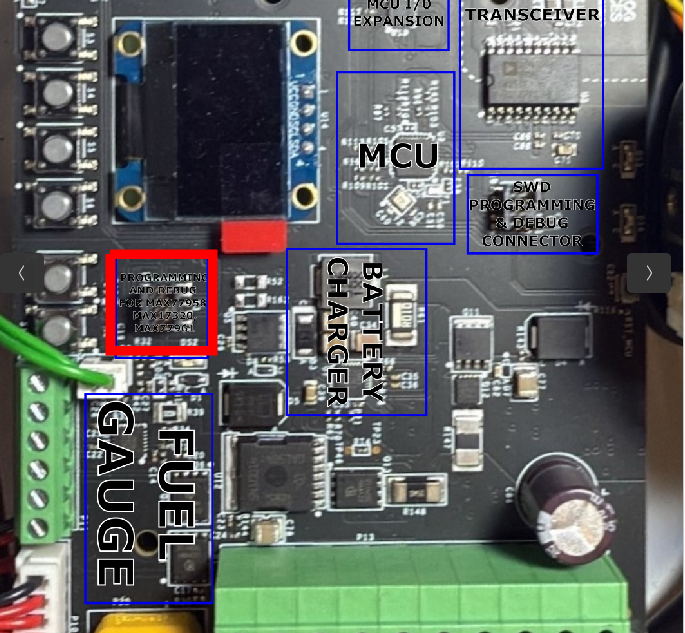
After configuring the jumpers, the I2C adaptor board needs to be connected to the SWD header, that is located close to the on-board display, highlighted with red, below.
https://media.githubusercontent.com/media/analogdevicesinc/system-level/main/docs/solutions/reference-designs/adrd5161-01z/res/i2cswd.png

Finally, you need to have your battery pack connected, so the chip and GUI can draw proper measurements.

Software Setup

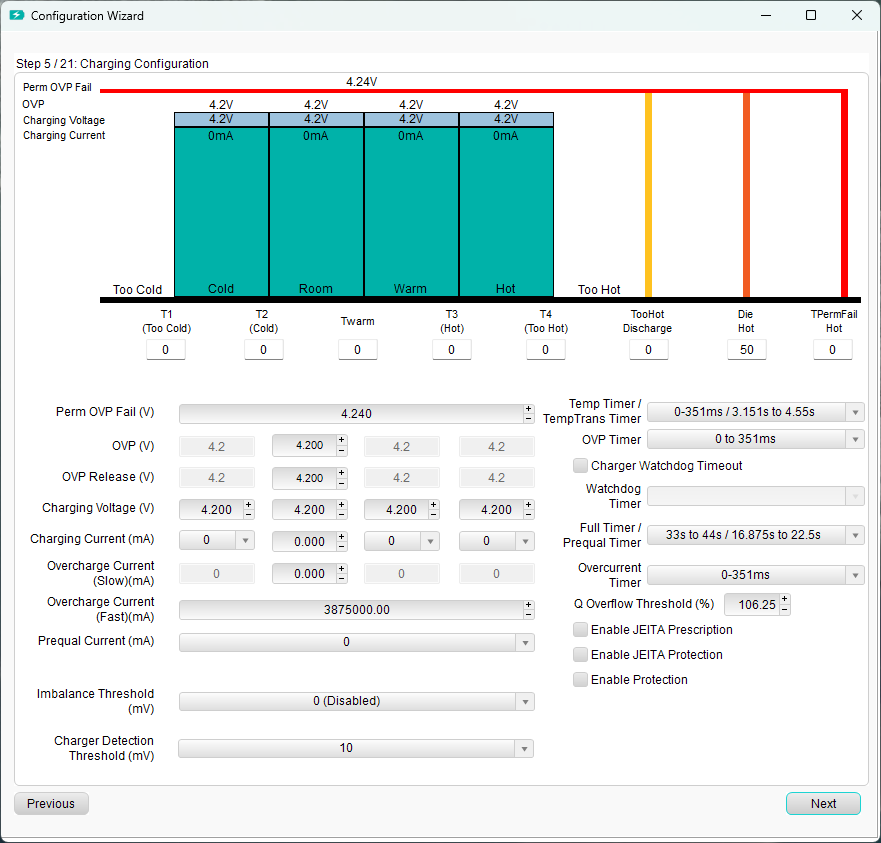
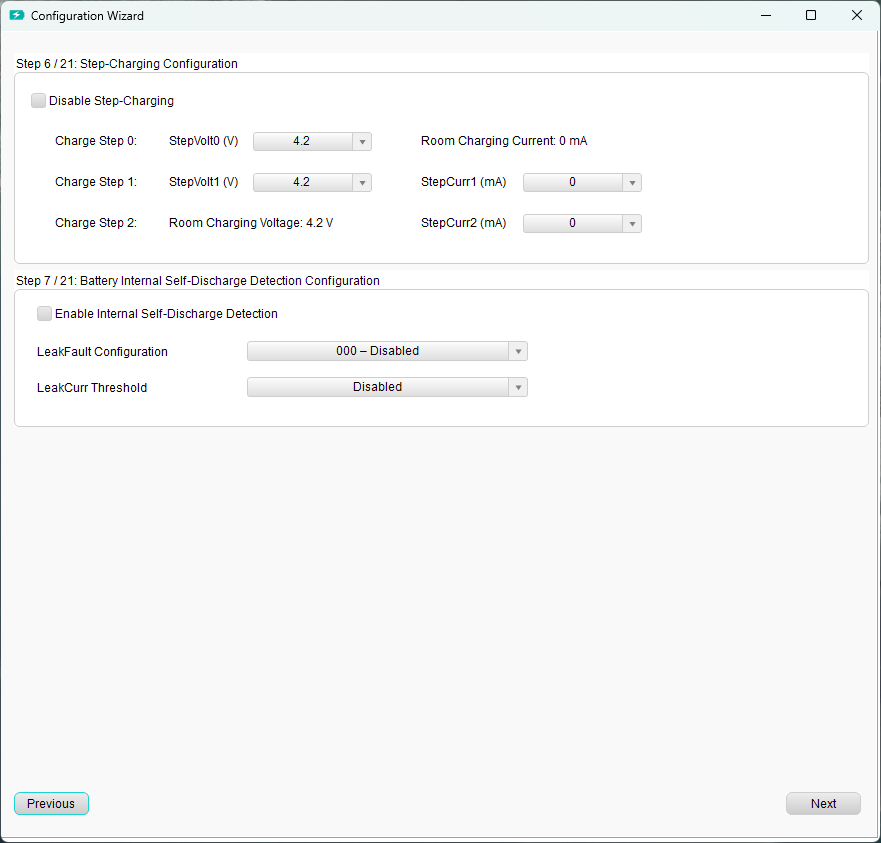
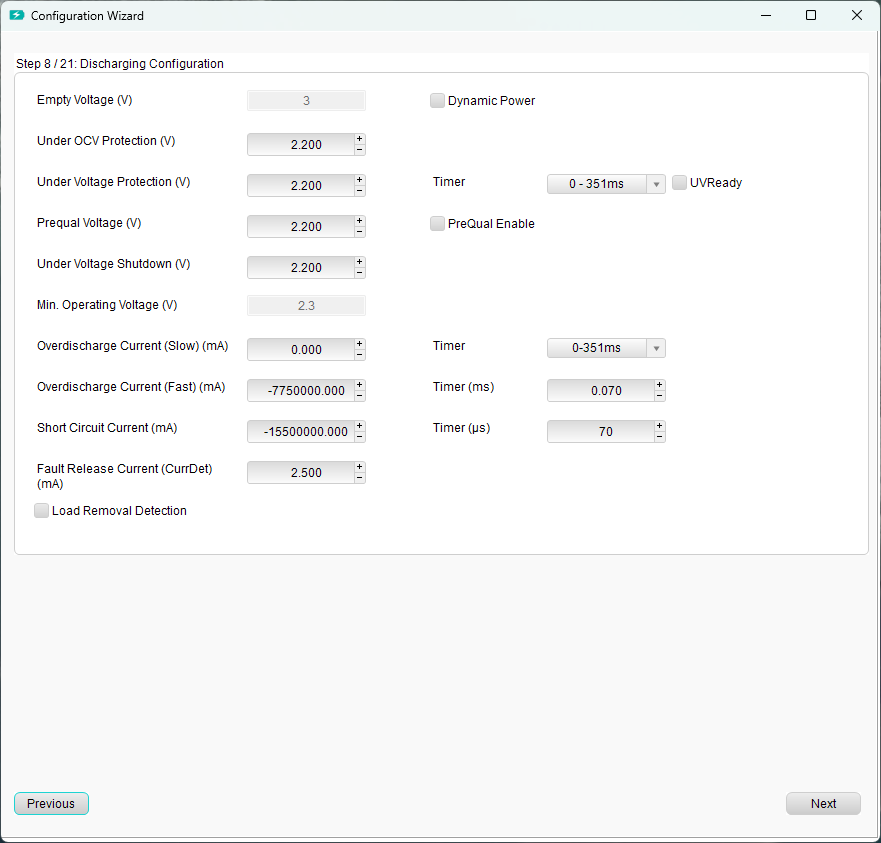
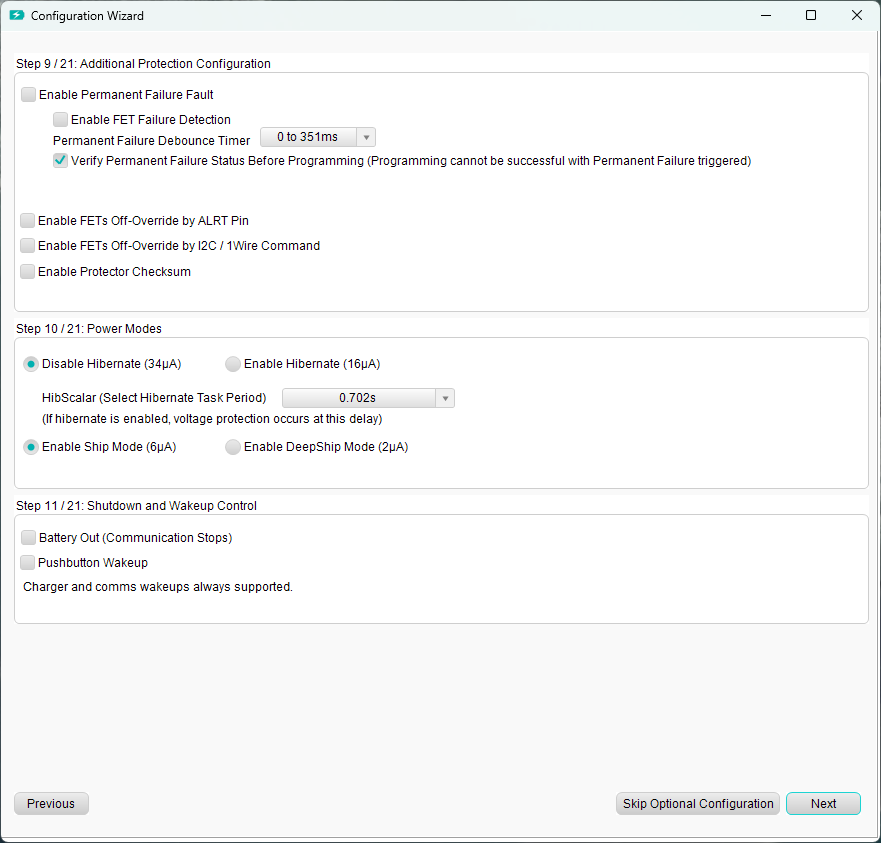
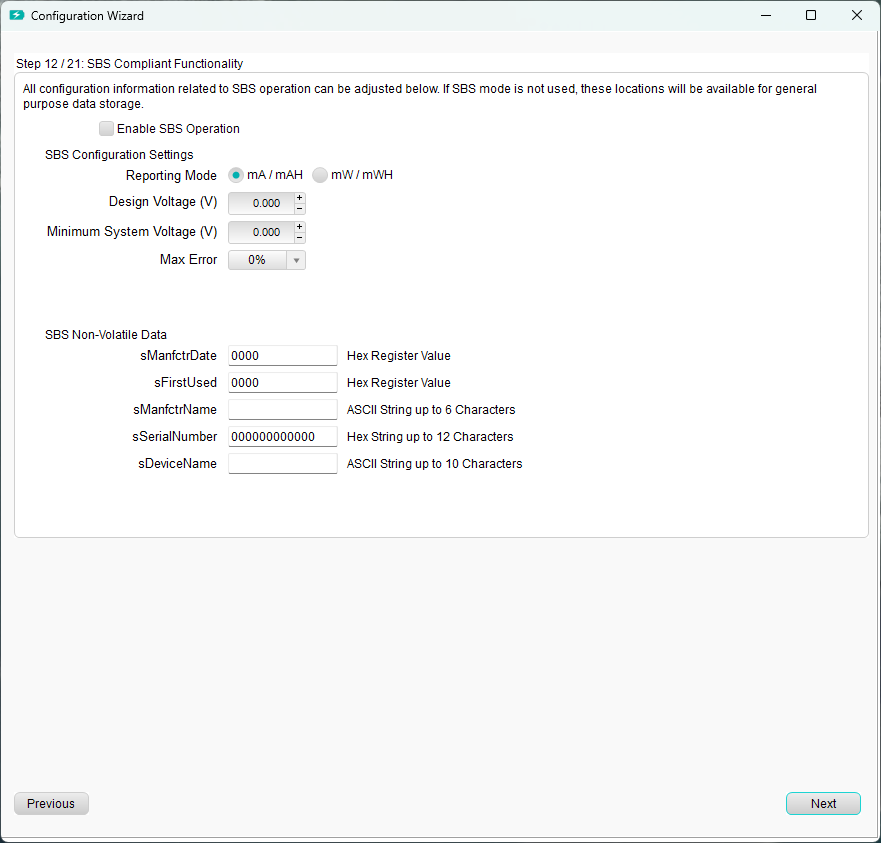
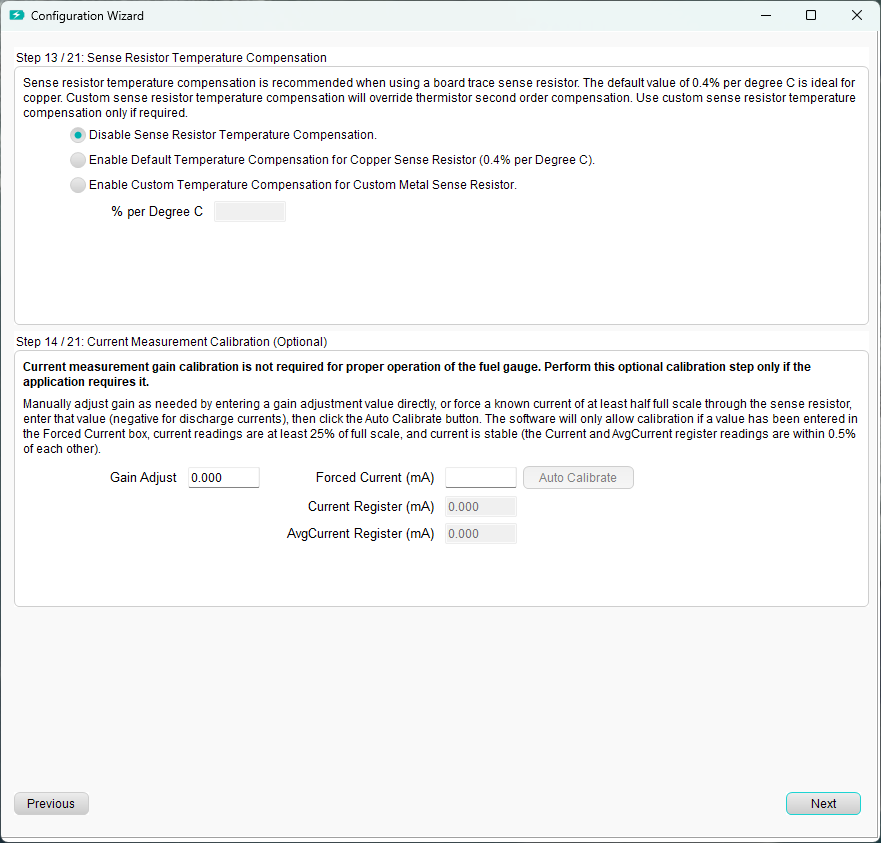
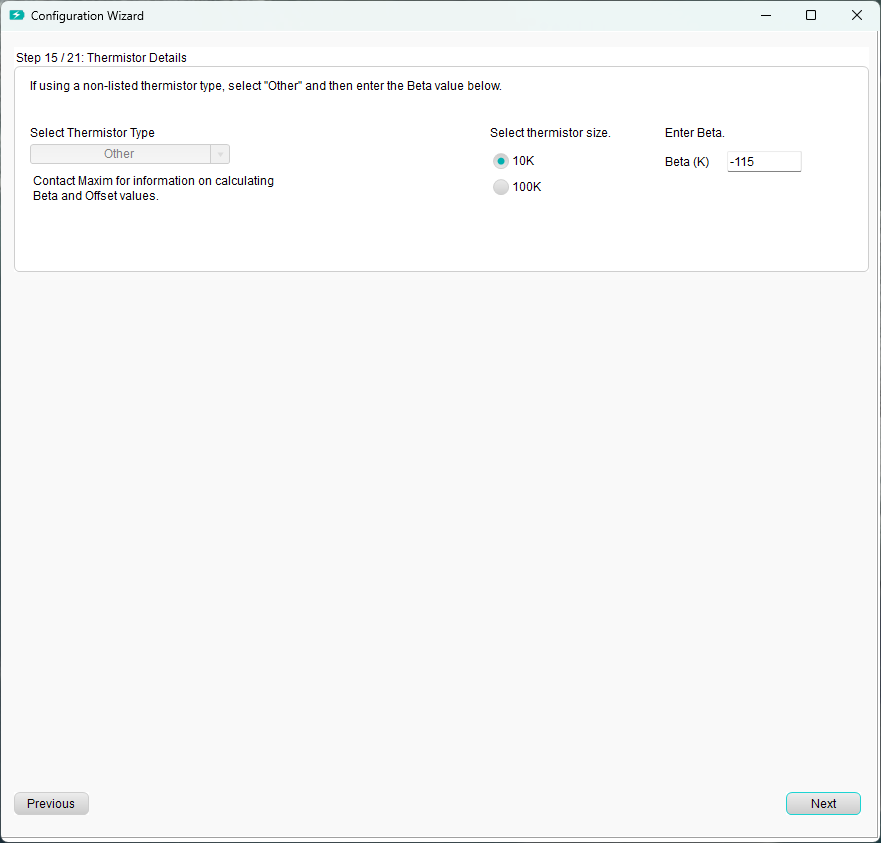
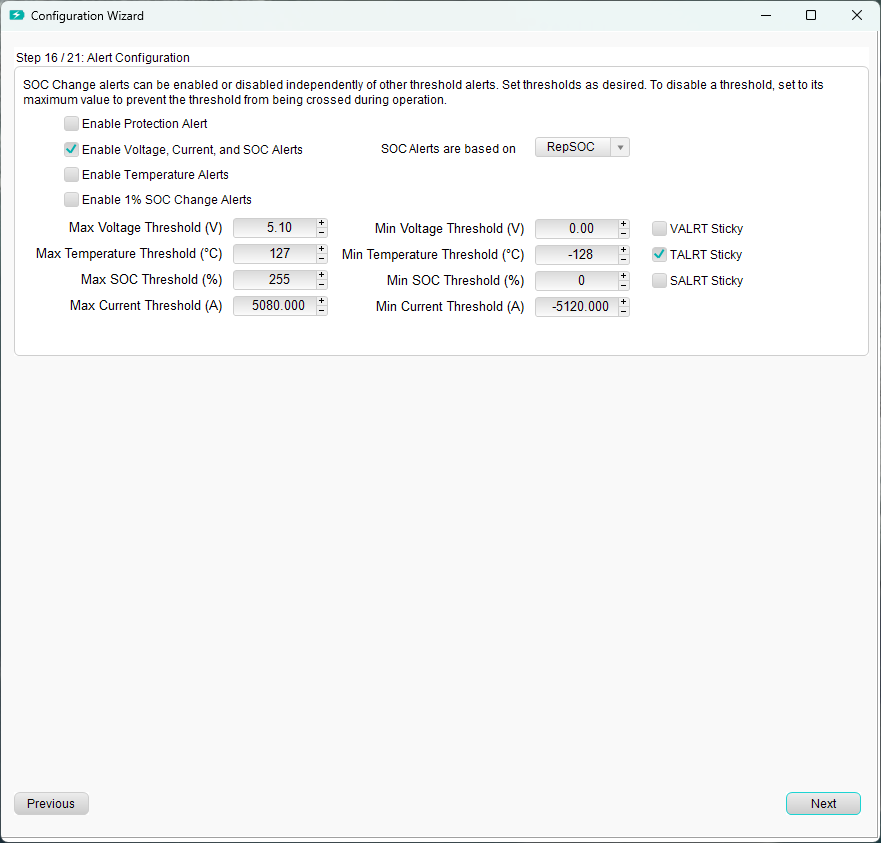
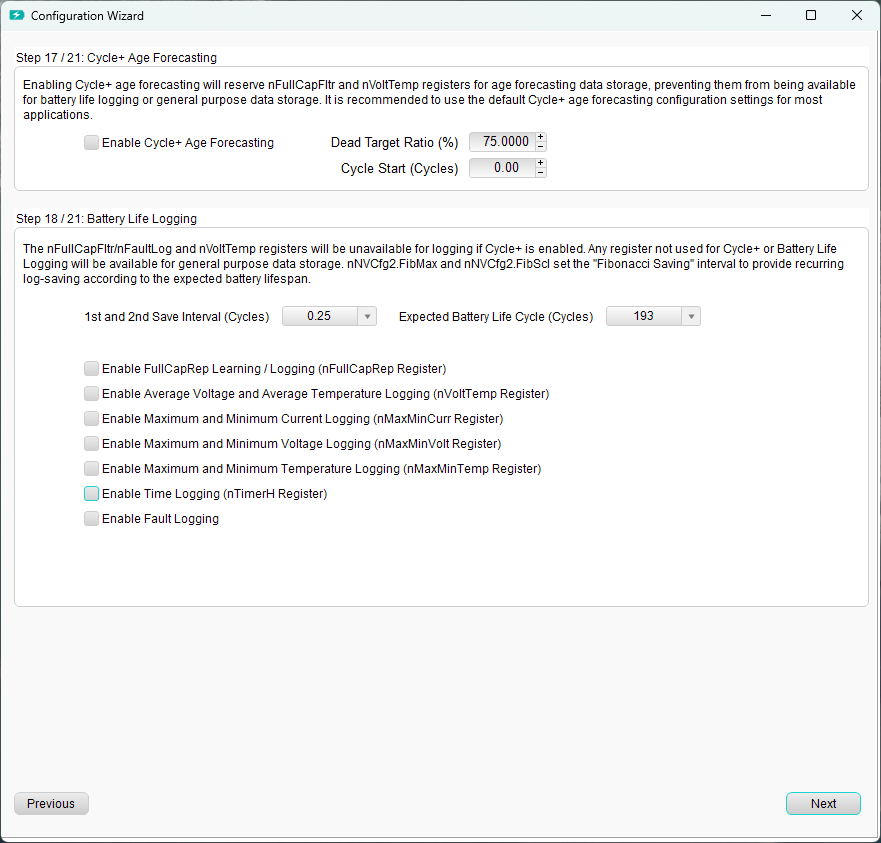
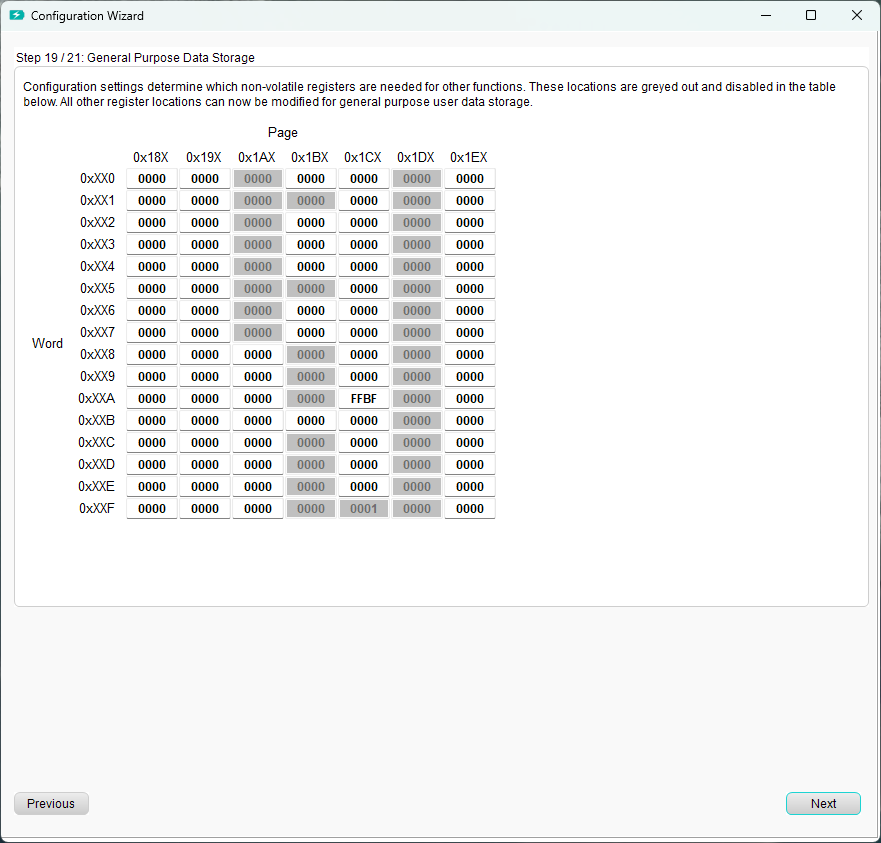
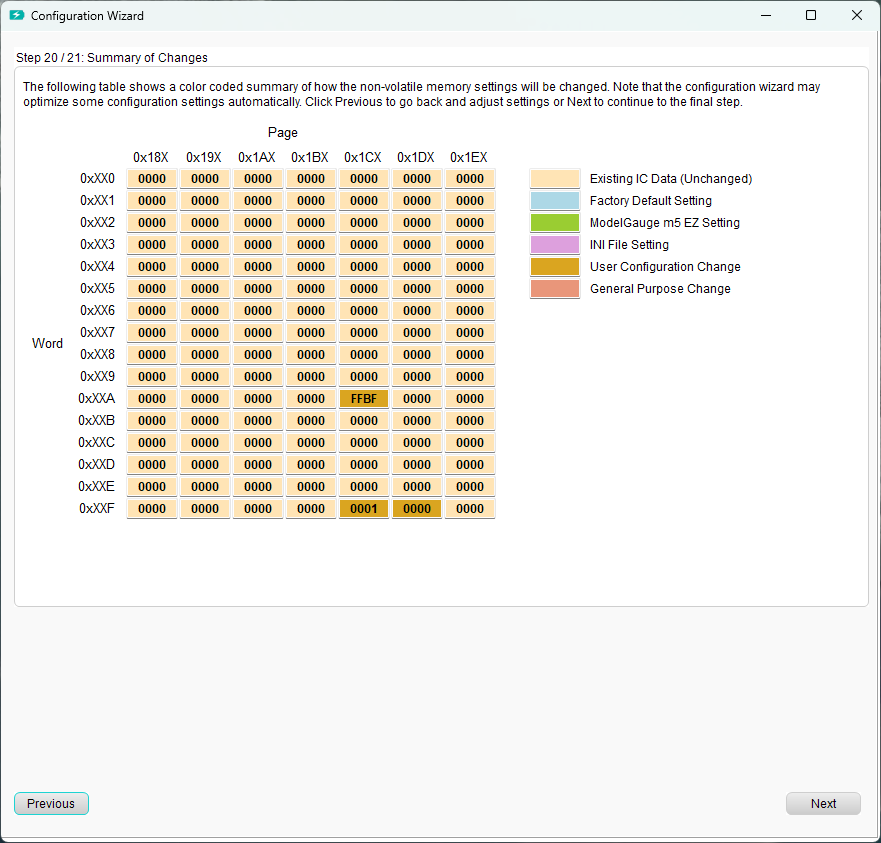
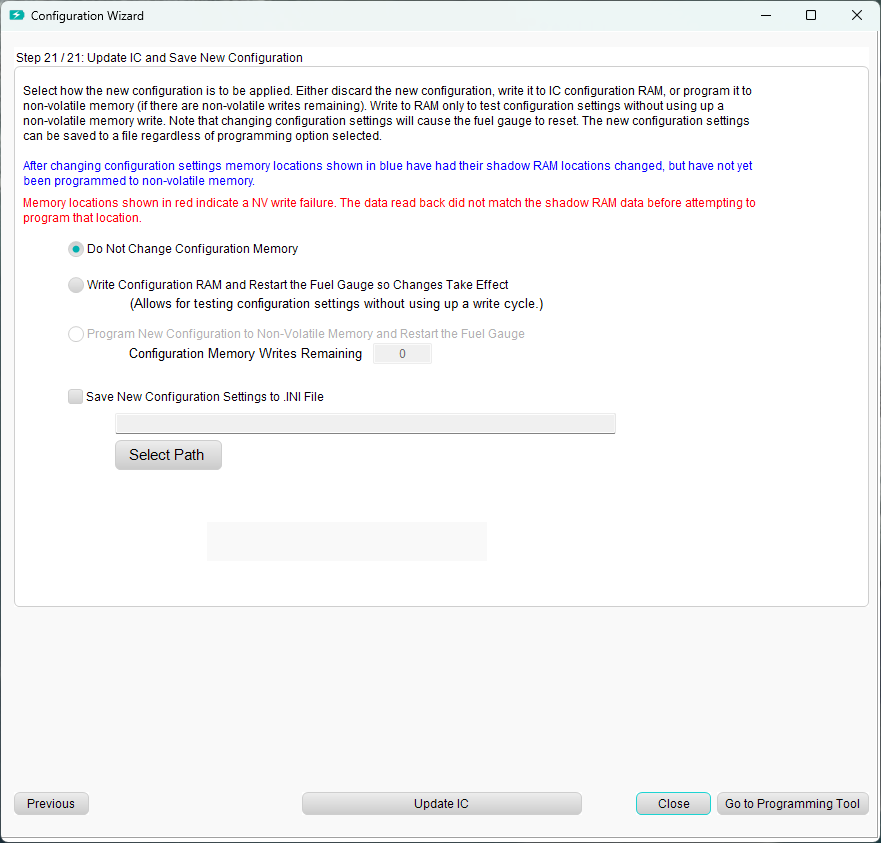
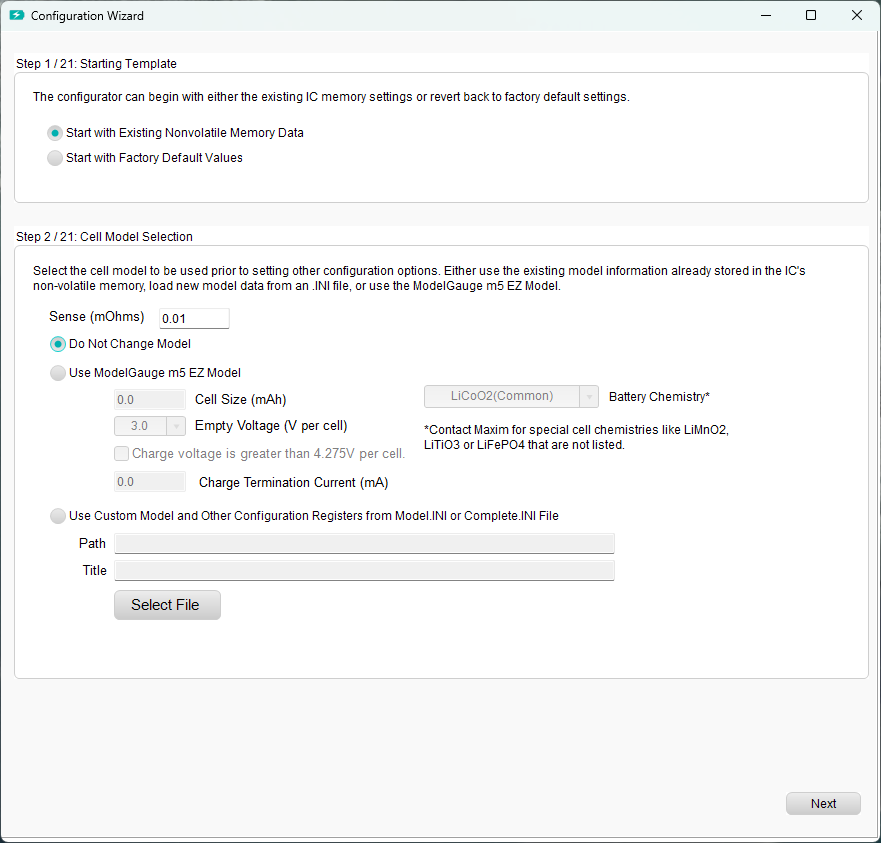
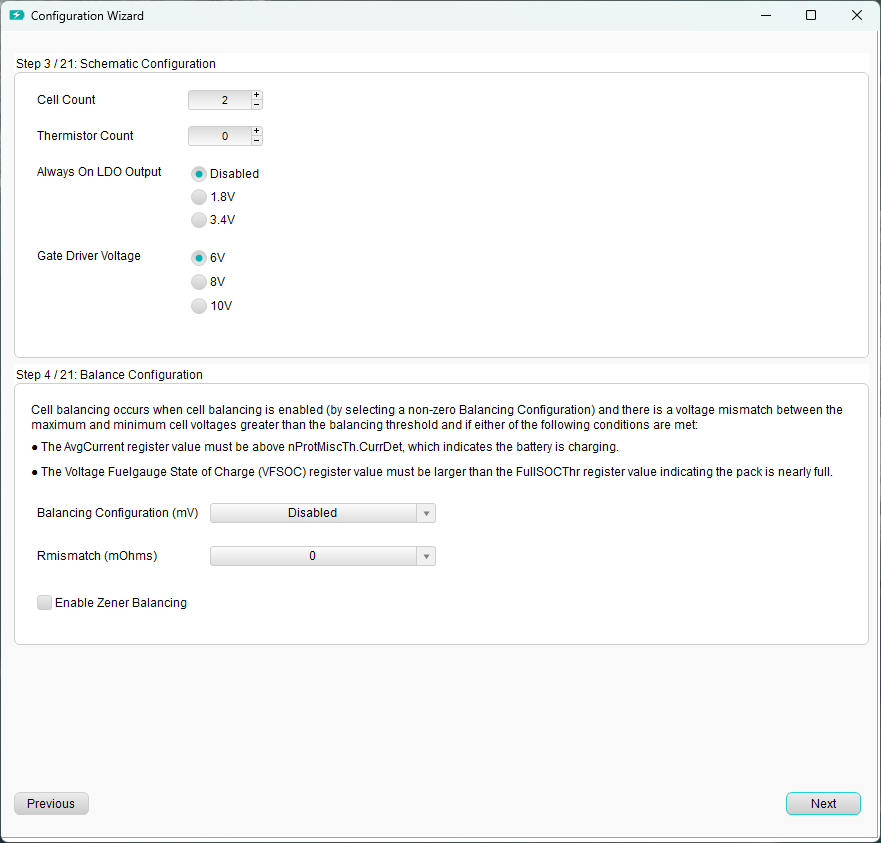
After installing the MAX17320 EV kit software, follow along the process as shown in the images below.
https://media.githubusercontent.com/media/analogdevicesinc/system-level/main/docs/solutions/reference-designs/adrd5161-01z/res/1.png https://media.githubusercontent.com/media/analogdevicesinc/system-level/main/docs/solutions/reference-designs/adrd5161-01z/res/2.png https://media.githubusercontent.com/media/analogdevicesinc/system-level/main/docs/solutions/reference-designs/adrd5161-01z/res/3.png https://media.githubusercontent.com/media/analogdevicesinc/system-level/main/docs/solutions/reference-designs/adrd5161-01z/res/4.png https://media.githubusercontent.com/media/analogdevicesinc/system-level/main/docs/solutions/reference-designs/adrd5161-01z/res/5.png https://media.githubusercontent.com/media/analogdevicesinc/system-level/main/docs/solutions/reference-designs/adrd5161-01z/res/6.png https://media.githubusercontent.com/media/analogdevicesinc/system-level/main/docs/solutions/reference-designs/adrd5161-01z/res/7.png https://media.githubusercontent.com/media/analogdevicesinc/system-level/main/docs/solutions/reference-designs/adrd5161-01z/res/8.png https://media.githubusercontent.com/media/analogdevicesinc/system-level/main/docs/solutions/reference-designs/adrd5161-01z/res/9.png https://media.githubusercontent.com/media/analogdevicesinc/system-level/main/docs/solutions/reference-designs/adrd5161-01z/res/10.png https://media.githubusercontent.com/media/analogdevicesinc/system-level/main/docs/solutions/reference-designs/adrd5161-01z/res/11.png https://media.githubusercontent.com/media/analogdevicesinc/system-level/main/docs/solutions/reference-designs/adrd5161-01z/res/12.png https://media.githubusercontent.com/media/analogdevicesinc/system-level/main/docs/solutions/reference-designs/adrd5161-01z/res/13.png https://media.githubusercontent.com/media/analogdevicesinc/system-level/main/docs/solutions/reference-designs/adrd5161-01z/res/14.png