Quickstart
The Quick start guides provide simple step by step instructions on how to do an initial system setup for the PulSAR LVDS ADC evaluation boards (EVAL-AD7625, EVAL-AD7626, EVAL-AD7960, EVAL-AD7961) on various FPGA development boards. In these guides, we will discuss how to program the bitstream, run a no-OS program or boot a Linux distribution.
Supported carriers
The PulSAR LVDS ADC evaluation boards are, by definition, “FPGA mezzanine cards” (FMC); that means they need a carrier to plug into.
The carriers we support are:
FPGA board |
EVAL-AD7625/AD7626/AD7960/AD7961 |
|---|---|
FMC LPC |
Supported Environments
The supported OS are:
FPGA board |
HDL |
Linux software |
No-OS software |
|---|---|---|---|
Yes |
Yes |
Yes |
Hardware Setup
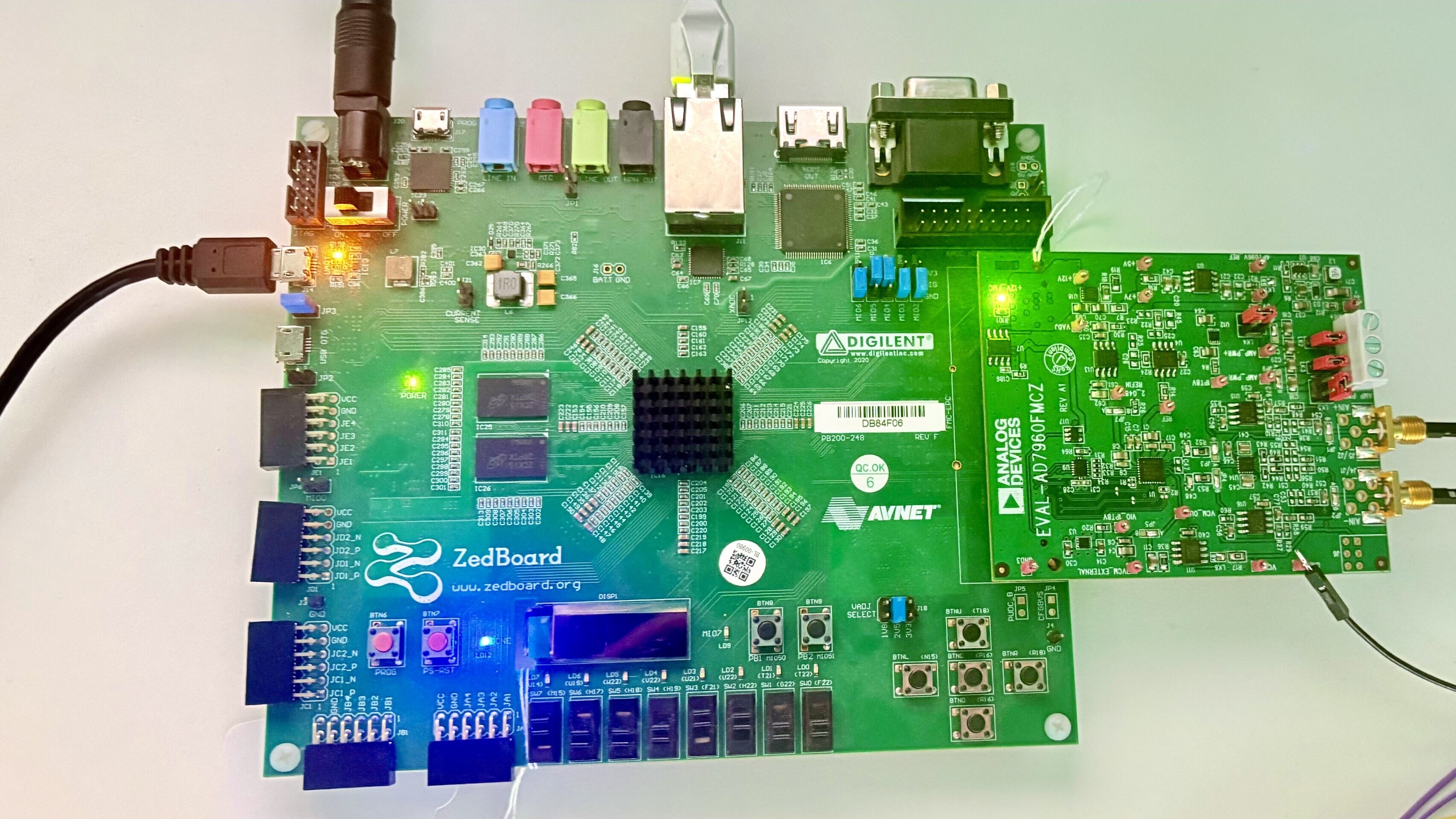
The evaluation board connects to the FMC LPC connector of the carrier board. The carrier setup requires power, UART (115200), ethernet (Linux), HDMI (if available) and/or JTAG (no-OS) connections.
A few typical setups are shown below.
ZedBoard + PulSAR LVDS ADC