EVAL-CN0588-EBZ
DC to 10 kHz MEMS-Based IEPE Vibration Sensor.
Overview
The CN0588 is a MEMS-based IEPE vibration sensor optimized for condition-based monitoring (CbM) applications. This solution has a constant current supply of 4mA and a DC voltage bias ranging from around 8.75V to 14.75V.
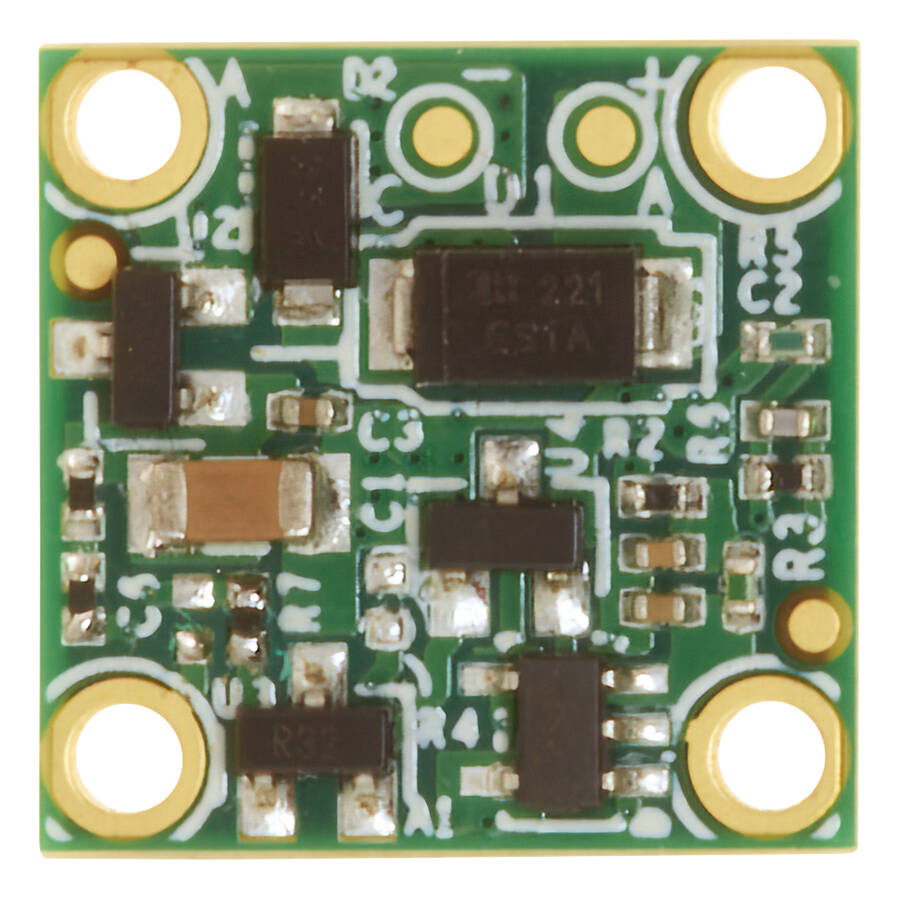
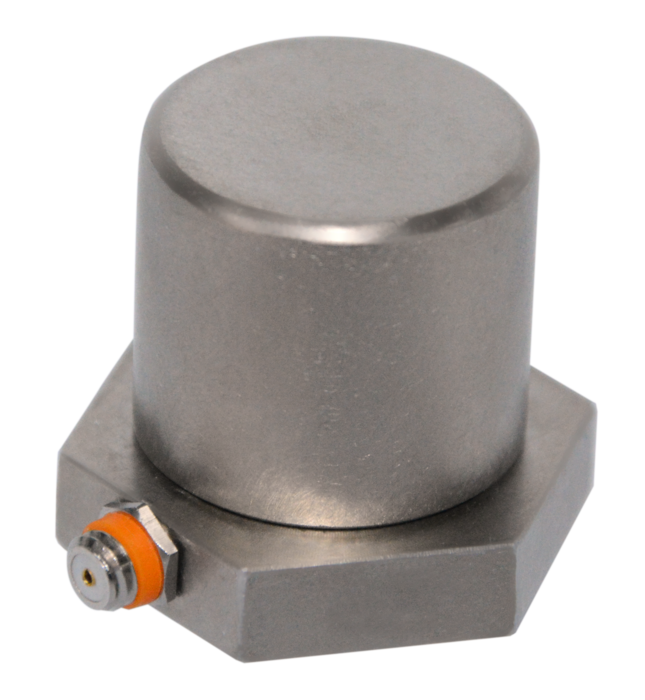
Since Piezoelectric sensors are predominantly used in CbM applications, IEPE is the de facto standard in CbM vibration sensing ecosystem. The IEPE interface, also commercially known as ICP, is a 2-wire protocol, signal and ground. In this protocol a data logger supplies a constant current via the signal line to the vibration sensor and the sensor modulates the voltage according to the measured, typically between 10V to 30V. This reference design enables a direct IEPE piezoelectric sensor replacement with benefits of high bandwidth, temperature stability and ultralow noise MEMS accelerometers. This allows customers to easily evaluate an IEPE MEMS accelerometer solution for CbM applications on the same ICP piezoelectric sensor platform.
Features
Mechanically enclosed and machine mountable
IEPE interface to retrofit into existing machines
Power and data over a single wire, power comes from host
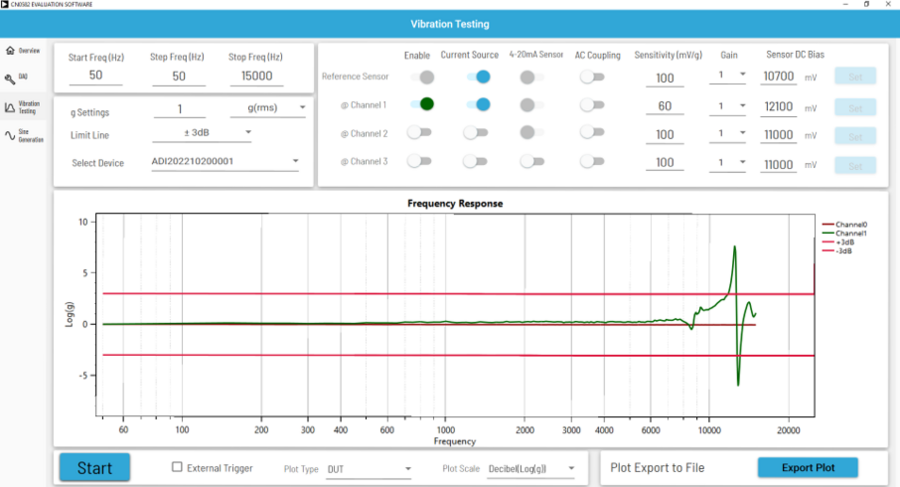
Has a frequency range from DC up to 10 kHz and response within ±3 dB
Resonant frequency around 12.5 kHz
Applications
Predictive Maintenance
Vibration Analysis
Condition Monitoring
Industrial Machinery Control
Block Diagram
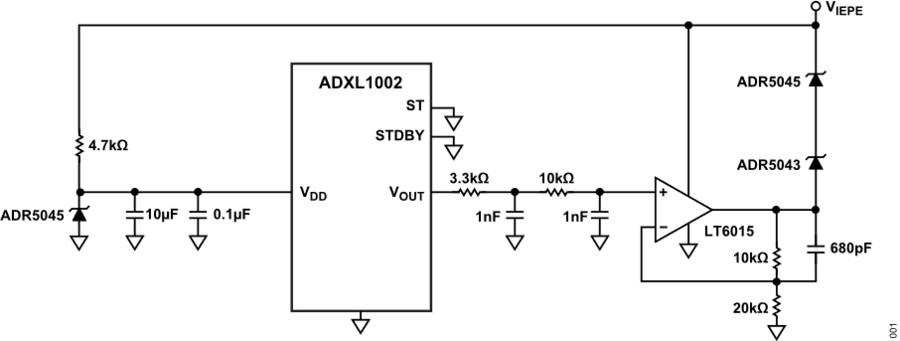
Hardware Setup
Equipment Needed
Setting up the Hardware

Mount the EVAL-CN0588-EBZ to the vibration shaker.
Connect the SMA cable to the EVAL-CN0588-EBZ.
Connect the other end of the SMA cable to the current source.
Set the output constant current to 4 mA, and controlled voltage to 26V.
Connect the BNC cable to the vibration shaker.
Connect the other end of the BNC cable to the signal generator (output).
Set the frequency settings to your requirement.
The voltage of the current source is the output. Without an external acceleration, the IEPE output should be around 12V.
The EVAL-CN0588-EBZ is ready for experiment.
Sample Measurements
Using CN0588 with the CN0582 Quad-Channel IEPE DAQ
For applications requiring 4 channels, the CN0582 is the recommended IEPE vibration measurement equipment to be paired with the CN0588. Follow below procedure to set up the system for evaluation.
Equipment Needed
EVAL-CN0588-EBZ
EVAL-CN0582-USBZ
Host PC (Windows 10)
with installed CN0582 Evaluation Software
Vibration Shaker (e.g., King Design 9363-ED-2F4K-5N)
Reference Sensor (PCBM352C67)
Power Supply (19 V)
USB Type-C Cable
Two (2) SMA Cables
BNC Cable
Tip
This measurement demonstration uses the EVAL-CN0582-USBZ as IEPE-compatible vibration measurement equipment, and requires the CN0582 Evaluation Software to be installed.
For instructions on how to obtain and install the software, visit the CN0582 User Guide.

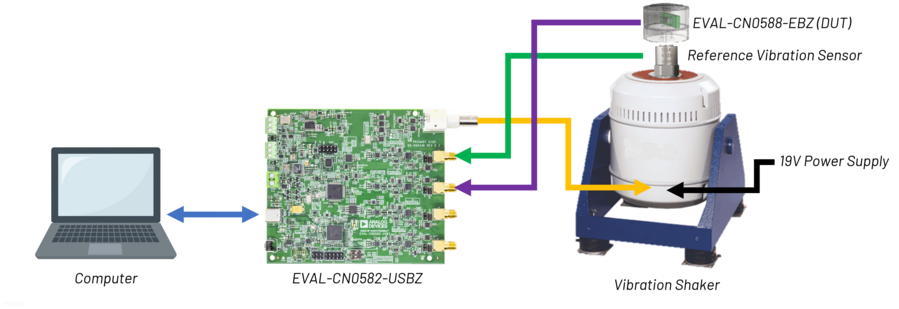
Mount the EVAL-CN0588-EBZ to the vibration shaker.
Connect the EVAL-CN0582-USBZ to the vibration shaker using a BNC connector.
By using SMA connector, connect the Piezo reference sensor of the vibration shaker to Channel 0.
Attach another SMA connector from the EVAL-CN0588-EBZ going to Channel 1 of the EVAL-CN0582-USBZ.
Power up the EVAL-CN0582-USBZ by connecting the Type C end of the USB cable to the board and the other end to the host PC.
Tip
The RED and GREEN LED should light up, indicating proper power up.
Turn on the vibration shaker by plugging in the 19 V power supply.
Ready the shaker by clicking the tune button. Two (2) green LEDs must light up.
Download and install the CN0582 Evaluation Software.
Tip
Only the GREEN LED should light up on the board during installation. This indicates successful firmware upload.
Follow the installation prompts until the main window of the GUI appears.
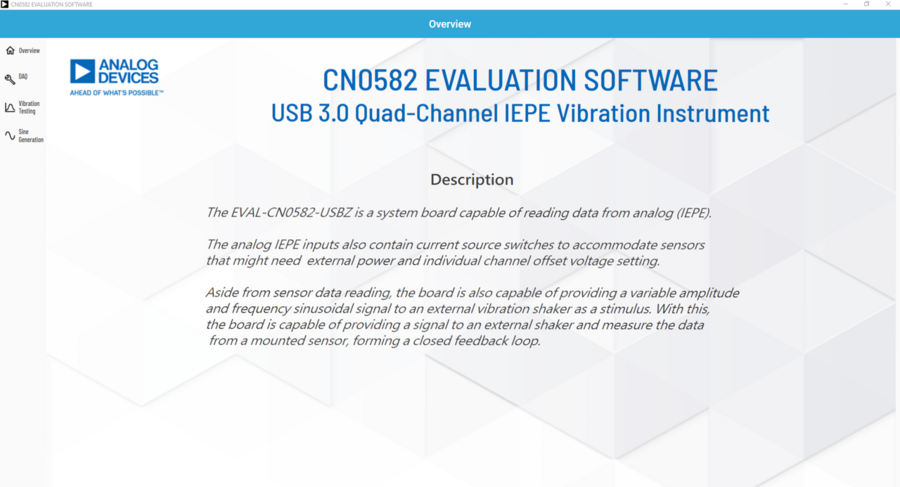
On the GUI dashboard, navigate to the left and click ‘Vibration Testing’ to launch the window.
Toggle ON the current source in the Reference & DUT Sensor Setup Section (5).
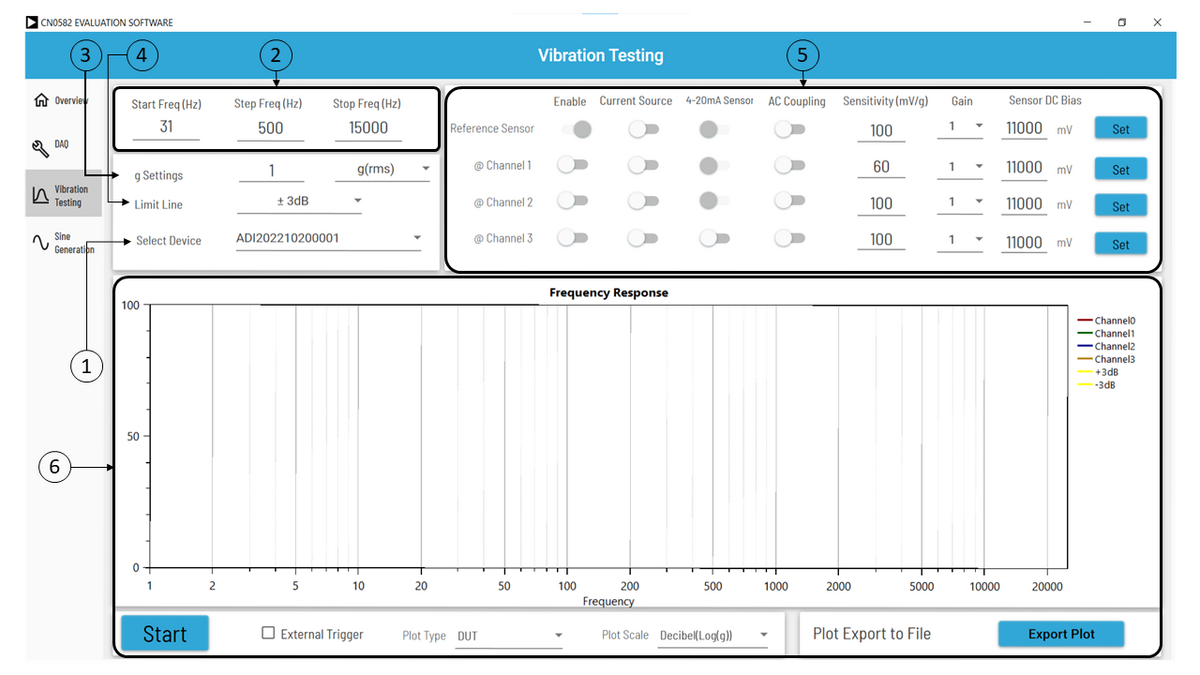
Set the acceleration sensitivity and the sensor DC bias (mV) using the following values:
Reference
Current Source = ON
Sensitivity = 100 mV/g
Sensor DC Bias = 10700 mV
DUT
Enable = ON
Current Source = ON
Sensitivity = 60 mV/g
Sensor DC Bias = 8000 to 13000 mV
Adjust the frequency settings to your requirements.
Connect the other end of the BNC cable to the EVAL-CN0582-USBZ (J6).
Click Start to launch the test. Then wait for it to finish.
Tip
The CN0588’s IEPE interface makes it suitable to be used with different IEPE-compatible data acquisition systems. Analog Devices has various IEPE reference designs that users can readily evaluate and prototype with.
For CbM applications requiring one channel measurement, the CN0540 24-Bit IEPE data acquisition system is recommended.
For applications requiring Arduino form-factor, the CN0579 is the suggested IEPE vibration sensor measurement system to use with the CN0588.
Resources
Design & Integration Files
Download
EVAL-CN0588-EBZ Design & Integration Files
Schematics
PCB Layout
Bill of Materials
Allegro Project
Help and Support
For questions and more information about this product, connect with us through the Analog Devices EngineerZone.