ADRV904x Quick Start Guides
The Quick Start Guides provide a simple step by step instruction on how to do an initial system setup for the ADRV904x-HB/PCBZ boards on various FPGA development boards. They will discuss how to program the bitstream, run a no-OS program, or boot a Linux distribution.
Supported Carriers
The ADRV904x-HB/PCBZ is, by definition a “FPGA mezzanine card” (FMC), that means it needs a carrier to plug into. The carriers we support are:
Board |
ADRV904x-HB/PCBZ |
|---|---|
√ |
|
WIP |
Supported Environments
The supported OS are:
Board |
HDL |
Linux Software |
No-OS Software |
|---|---|---|---|
√ |
√ |
√ |
|
WIP |
WIP |
WIP |
Hardware Setup
The ADRV904x-HB/PCBZ boards connects to the HPC2 connector (unless otherwise noted). The carrier setup requires power (12VDC 3A MAX), UART (115200), ethernet (Linux), HDMI (if available) and/or JTAG (no-OS) connections. A few typical setups are shown below.
Tip
NOTE: Three jumpers must be mounted on the board on the following headers with the following settings:
P209 - GPIO4_FMC
P216 - GPIO11_FMC
P2021 - TEST connected to GND
ZCU102 + EVAL
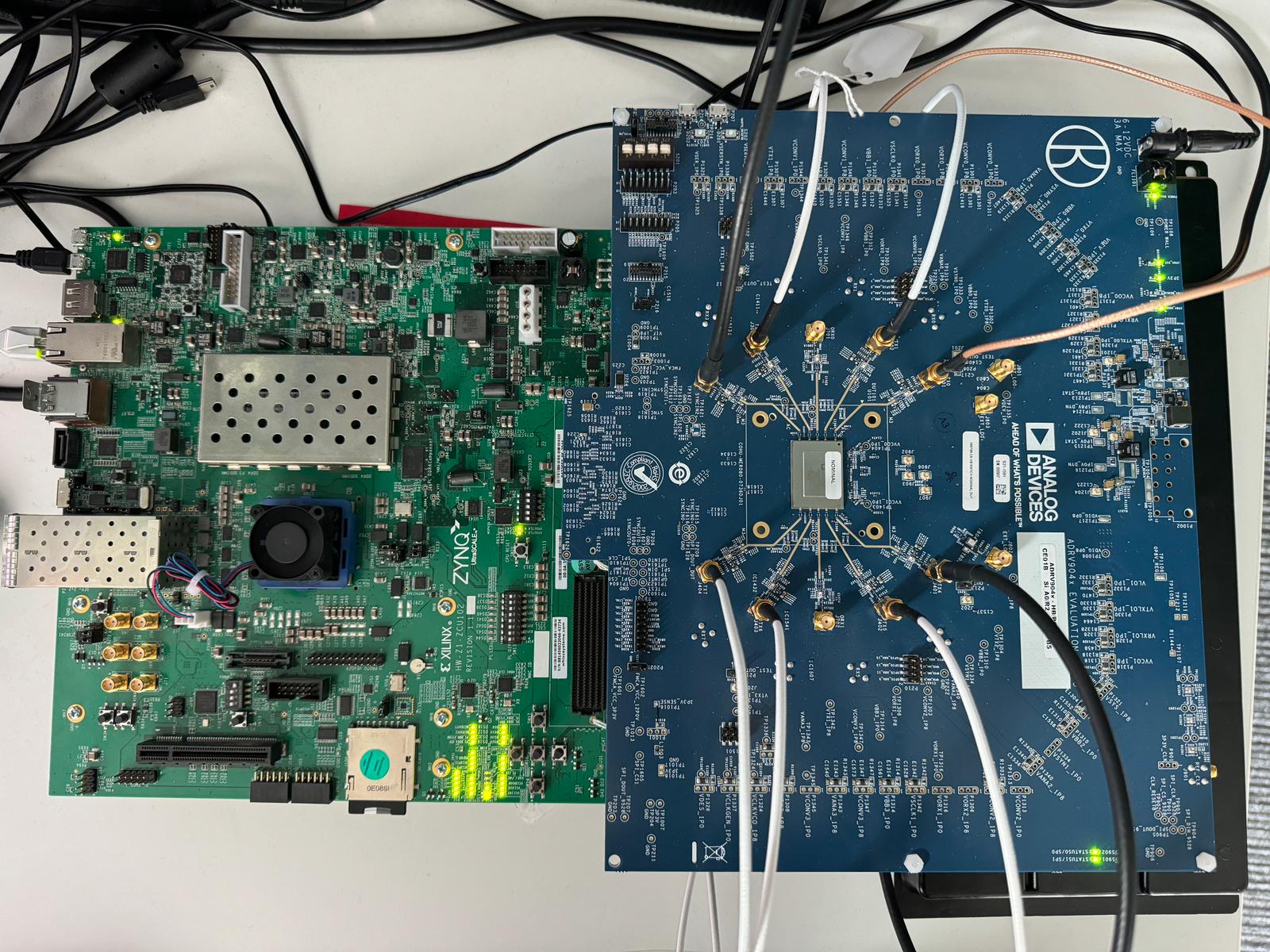
Unboxing guide
Detailed description of the setup procedure for ADRV9009 (similar procedure for ADRV904x):