Software Examples
Overview
The AD-EthernetAPLDevice-SL board supports two main categories of software examples, available through public repositories. Both example sets are designed to be compiled using Code Fusion Studio (CFS) for optimal compatibility and ease of use.
Prerequisites
Updating the Firmware
The on-board MAX32690 microcontroller’s firmware must be updated to ensure compatibility with the latest software examples. To update the firmware, use the MAX32625PICO programmer before programming the AD-EthernetAPLDevice-SL board itself.
Requirements:
MAX32625PICO programmer
Micro-USB cable
Host PC with USB port
10-pin ribbon cable (for connecting the MAX32625PICO to the AD-EthernetAPLDevice-SL)
First, flash a new bootloader onto the MAX32625PICO:
Download the firmware image: MAX32625PICO firmware
Enter MAINTENANCE mode on the MAX32625PICO:
Ensure the MAX32625PICO is disconnected from both the PC and the AD-EthernetAPLDevice-SL.
Connect only the micro-USB cable to the MAX32625PICO.
Press and hold the button on the MAX32625PICO.
While holding the button, connect the USB cable to the PC.
Release the button once the MAINTENANCE drive appears.
Copy the downloaded firmware image to the MAINTENANCE drive.
Wait until the MAINTENANCE drive disappears and is replaced by a drive named DAPLINK. The bootloader update is complete.
Programming the AD-EthernetAPLDevice-SL
Connect the MAX32625PICO to the PC using the micro-USB cable.
Connect the MAX32625PICO to the AD-EthernetAPLDevice-SL board using the 10-pin ribbon cable.
Power on the AD-EthernetAPLDevice-SL.
Verify that a DAPLINK drive appears on the PC.
Copy the new firmware image to the DAPLINK drive and wait for the drive to remount.
Open the DAPLINK drive and check for a FAIL.TXT file. If FAIL.TXT is present, repeat the copy step. If not, safely disconnect the MAX32625PICO from the AD-EthernetAPLDevice-SL; the firmware update is complete.
Code Fusion Studio Installation
Before working with any examples, you’ll need to install Code Fusion Studio:
Download Instructions: Code Fusion Studio Download
User Guide: CFS Documentation
Security Considerations
While the examples don’t require TESA access, the board is fully compatible with additional security mechanisms. For enhanced security features:
Security Resources: CFS Security Guide
MSDK Examples
The MSDK examples demonstrate peripheral usage through the Maxim HAL interface. These examples are automatically installed with Code Fusion Studio.
Loading MSDK Examples
Open Visual Studio Code.
Click Browse MSDK examples.
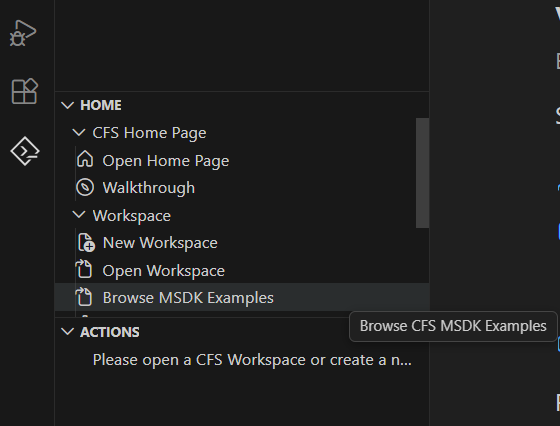
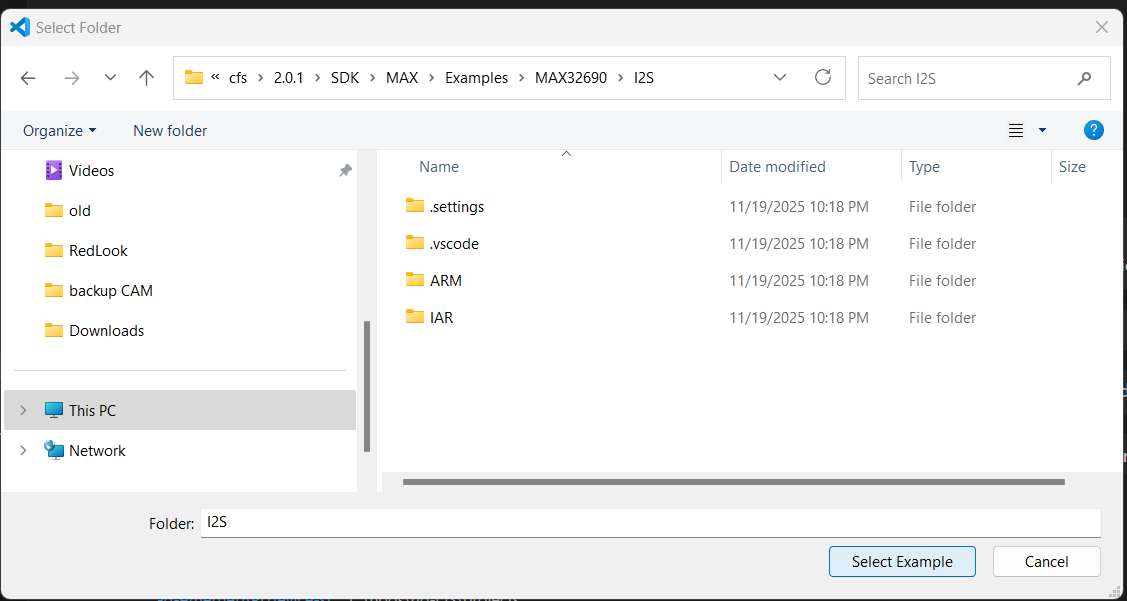
Navigate to the MAX32690 folder.
Select your desired example folder.
Click SELECT EXAMPLE.
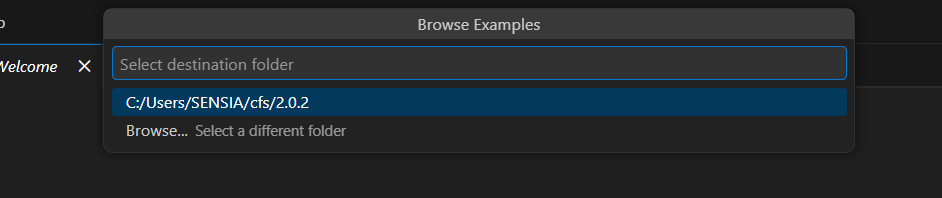
Choose your import destination folder.
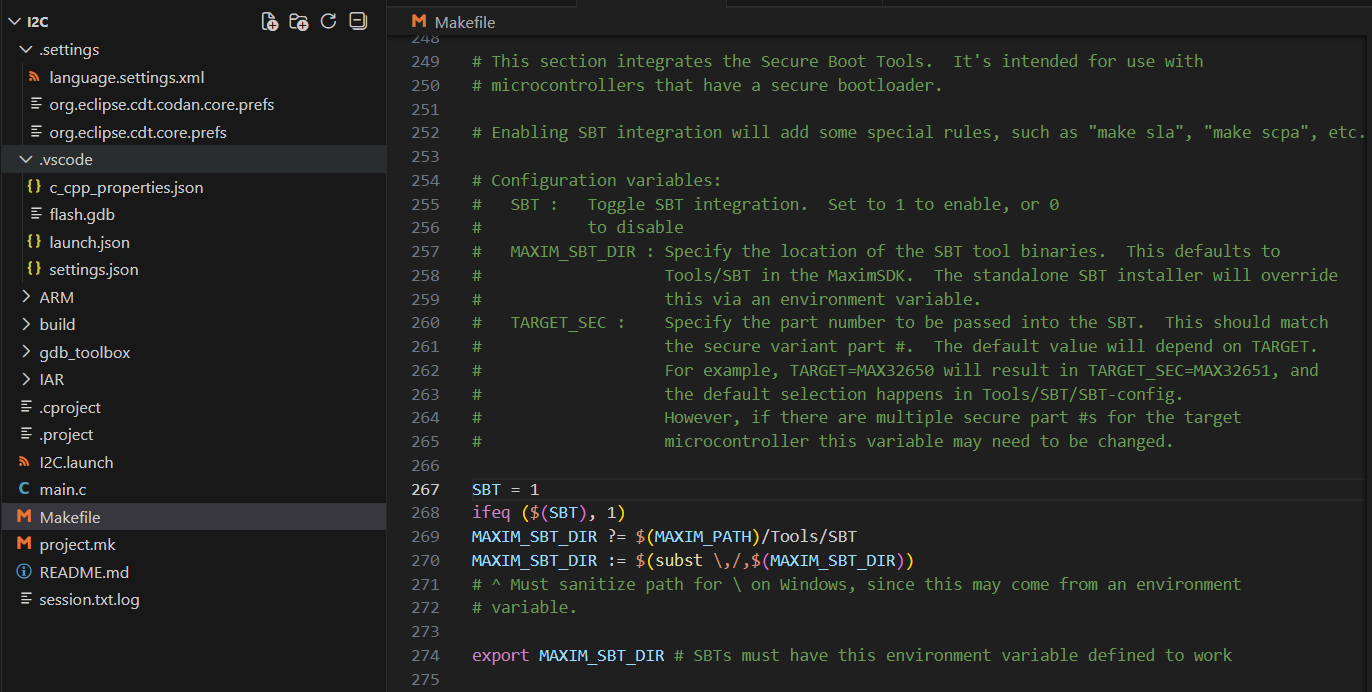
Edit the makefile:
Set
SBT = 0to enable binary signature processSave the file
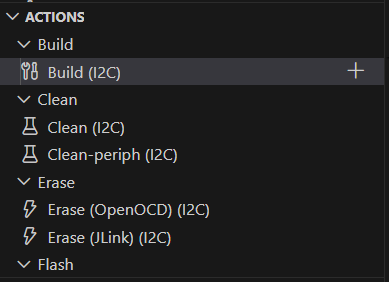
Click the Build button to compile.
no-OS Examples
The no-OS examples are specifically designed for the AD-EthernetAPLDevice-SL board and utilize the no-OS HAL for direct hardware access.
Loading no-OS Examples
Follow the build guide.
Switch to the appropriate branch using Git Bash:
git switch release/hockey_puck
Refer to the repository’s readme file for specific Code Fusion Studio loading instructions
Note
Set SBT = 0 in the makefile to disable firmware digital signature
verification.