Standalone Triton Bring-Up Overview
This section provides the steps required to bring up a standalone Triton Board along with the Triton Calibration Board. We will step through the block diagram of the setup, the hardware requirements and the software requirements before then going through the bring up of the system. Using MATLAB we will then show how we use the Calibration Board to combine the 16 DAC’s on Triton and loop them back into the 16 ADC’s. Initially we will see that there is no phase or amplitude alignment but after execution of the MATLAB script and some post processing, we will see alignment across all channels.
The goal here is to ensure that you can verify the hardware and software configuration of your Triton setup ahead of custom modifications.
Block Diagram & Hardware Requirements
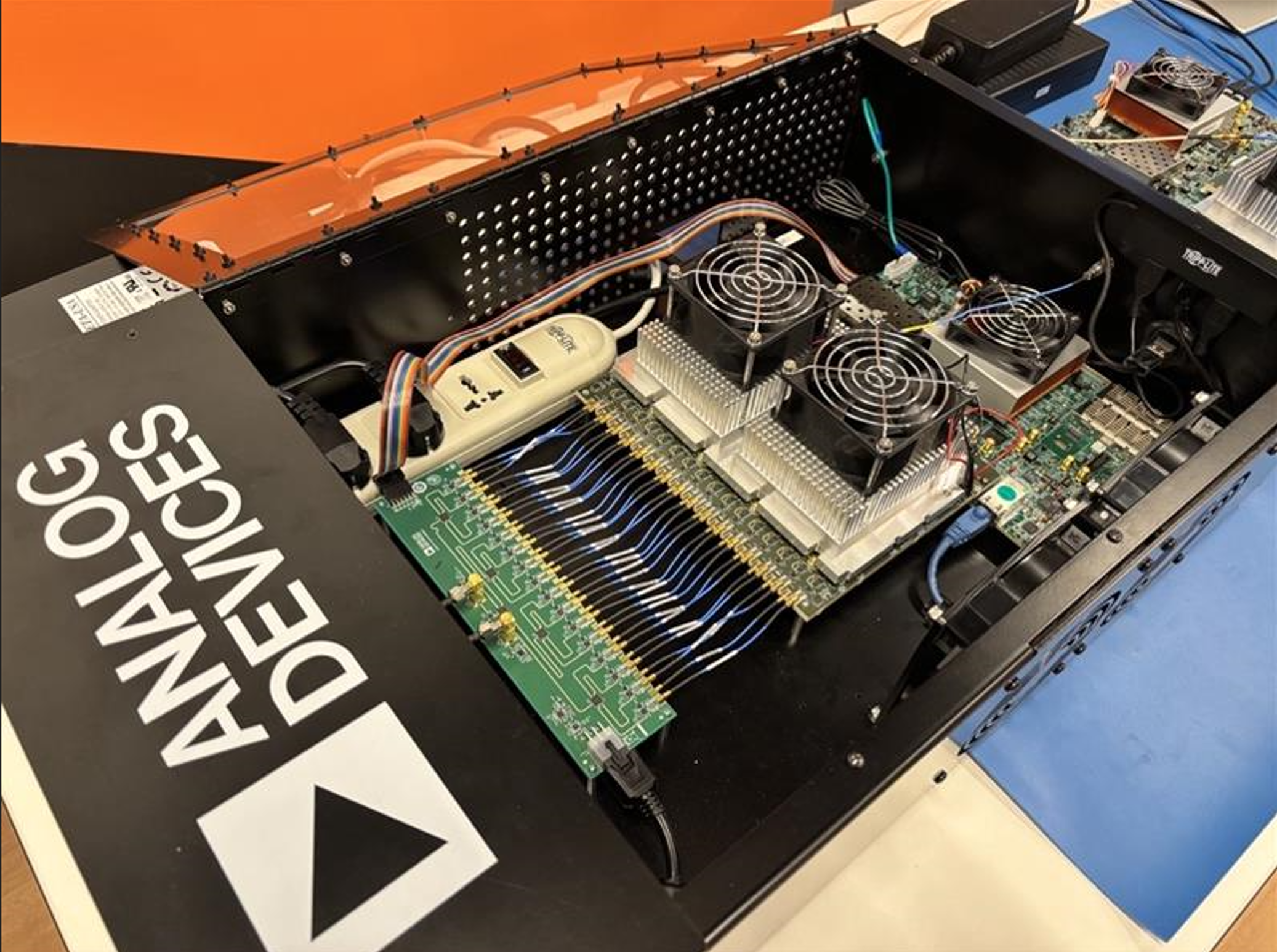
The picture below provides a view of the Triton platform along with the Calibration Board and the Xilinx VCU118 FPGA Board.
The following hardware is needed to successfully setup this platform:
32 x SMPM to SMPM RF Cables to connect the Triton Platform to the Triton Calibration Board FL47-6SSMP+ (Mini-Circuits)
1 x RF Signal Generator supporting up to 400MHz as a reference frequency for each Triton
Software Requirements
For the purposes of this bring up there are a number of software applications that should be installed on your control PC.
MATLAB
2023b is the version used for validation but later versions should work
We will use this to configure the platform and execute the 16 Tx to 16 Rx loopback demo
Xilinx Vivado
2023.1 is the version used for validation but later versions should work
We will use this application to program the HDL image to the VCU118
PuTTY / MobaXterm
We will be monitoring the boot up of the Triton platform over UART so either of these applications will allow us to achieve these
Python
Version 3.12 is the suggested version
Visual Studio Code
This is used to execute any Python code for future pilots we will develop
Warning
Weblinks are to a OneDrive Shared Folder as Triton is not released and the images are not online at this time
The user will require two packages to execute the bring up successfully, both these folders should be downloaded to your PC:
Bring Up Steps
- Triton Initialisation
- MATLAB Configuration
- MATLAB Script Execution
- Step 1: The connection to Triton is opened and then we will execute an initialisation of the platform.
- Step 2: Create a Tx Vector at the baseband frequency
- Step 3: NCO Configuration
- Step 4: Assign the DAC Waveform and Capture the ADC data
- Step 5: Post processing of Pre-Calibration ADC data
- Step 6: Apply Phase Calibration to the ADC Data
- Step 7: Amplitude Calibration
- Step 8: Final plotting of post calibration data
Note
This resource list is regularly updated. For the most current information and additional resources, please visit the individual product pages and the ADI wiki.