CW Radar with Phaser
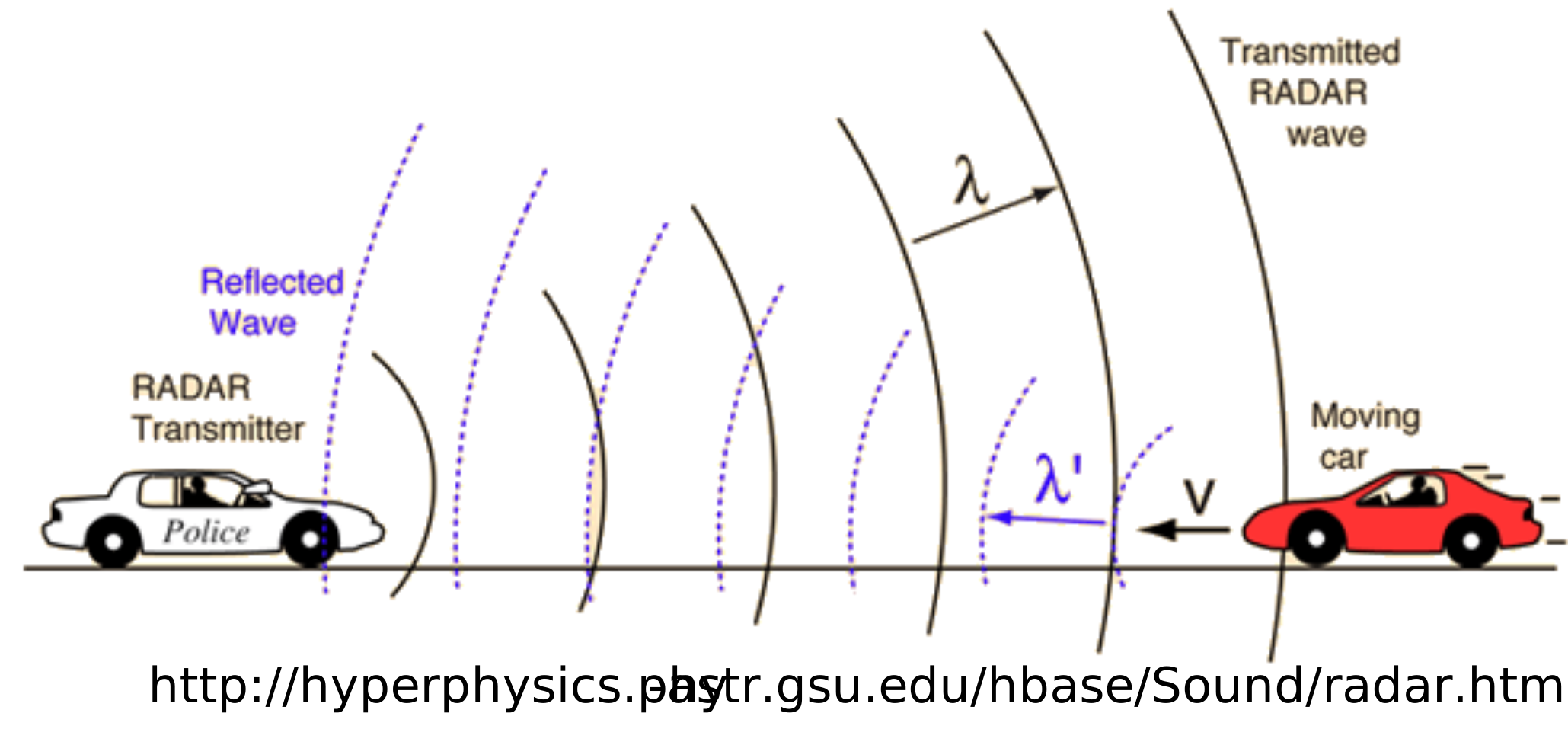
Perhaps the simplest radar to start with is an unmodulated CW radar. This type of radar cannot determine distance, but can measure velocity. So it is ideal for applications where only the speed of a moving target is needed – such as a police radar. The key to an unmodulated CW radar is understanding the doppler frequency.
RF waves, as they bounce off a moving target, will shift in frequency. This new frequency is the doppler frequency. If an object is approaching the radar, the doppler frequency will shift higher. And if the object is moving away from the radar, the doppler frequency will shift lower. But for determining velocity, it is not necessary to know what the exact doppler frequency is – only the beat frequency is needed. The beat frequency is the difference between the radar transmission frequency and the doppler frequency.
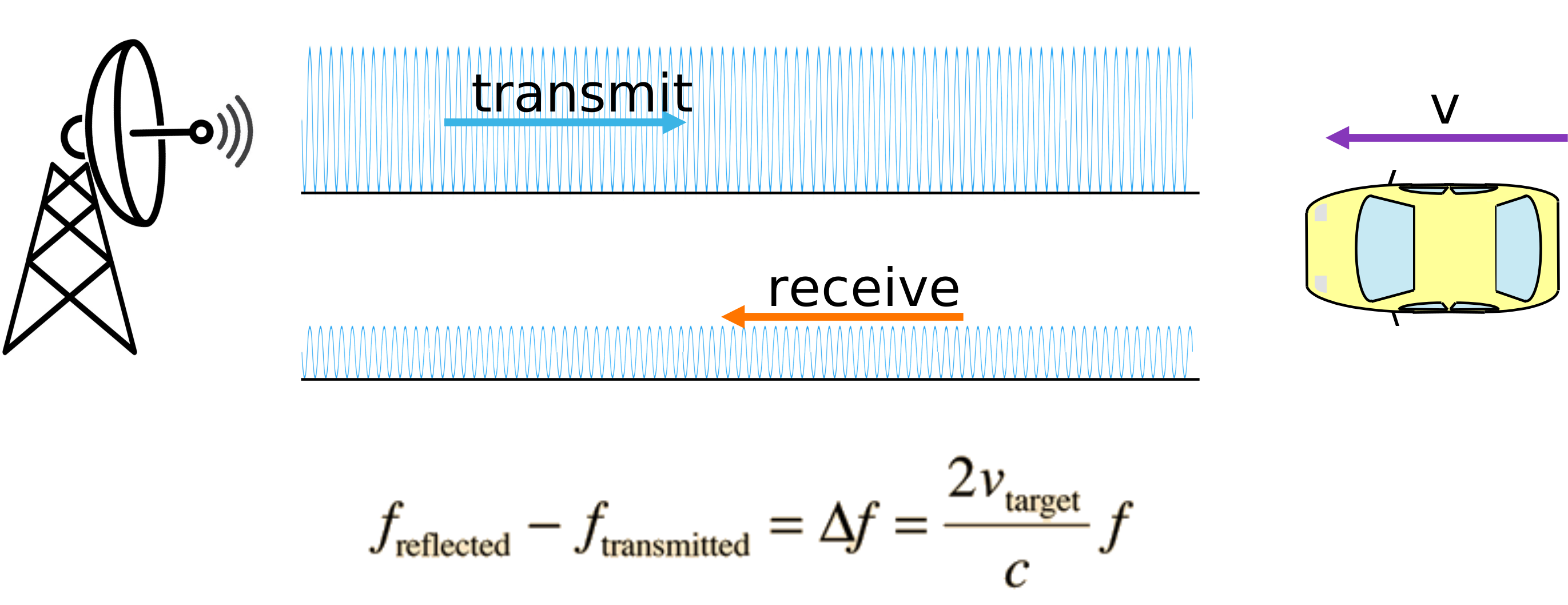
This beat frequency is equal to 2 times the velocity of the target times the transmitted frequency, divided by the speed of light. For example, if f = 2.4 GHz and the car’s velocity is 100 mph (160 km/hr) then the beat frequency is 716 Hz. However, if the carrier frequency is increased from 2.4 GHz to 10 GHz, then that same velocity produces a beat frequency of 2982 Hz.
Both of these examples give very small frequency shifts given the speed at which the target is traveling. Nevertheless, let’s see if the Phaser can detect them!
CW Radar Lab Instructions
This lab will use:
The python example: CW_RADAR_Waterfall.py
A variable speed fan to simulate the velocity of a moving target
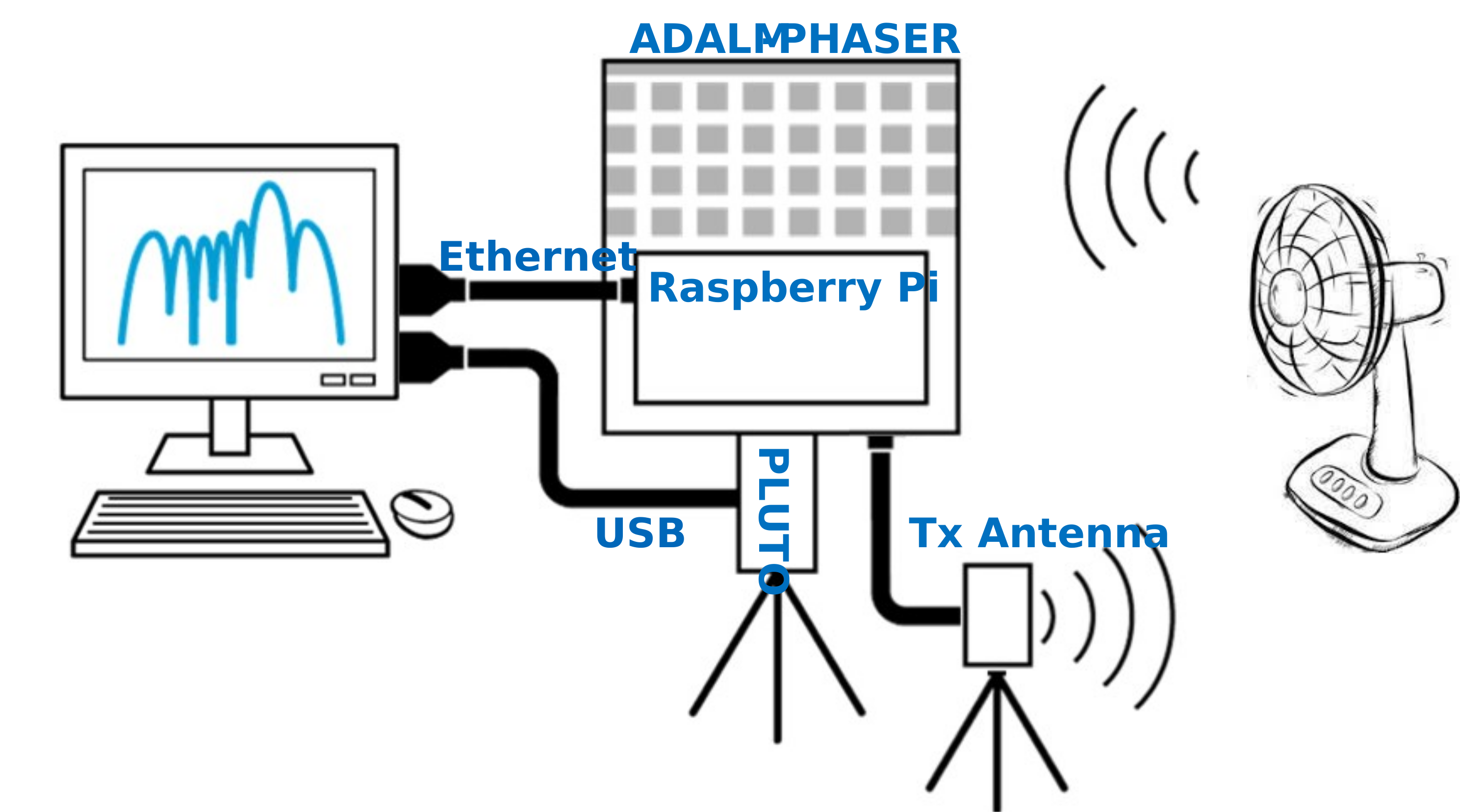
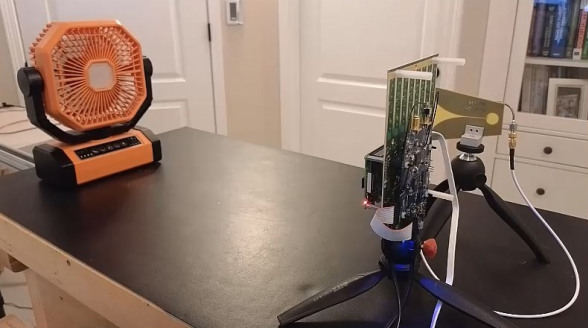
Open “CW_RADAR_Waterfall.py” and click run. A frequency plot and waterfall plot will appear
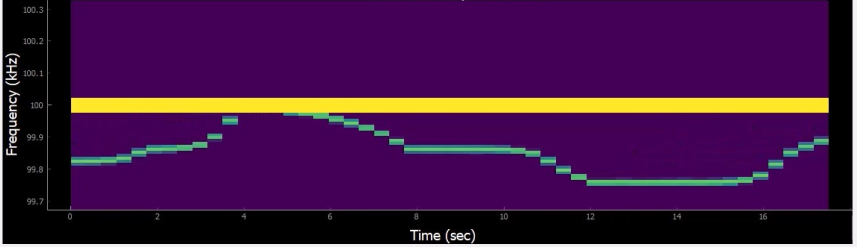
Vary the speed of the fan and observe the change in beat frequency.
Can you calculate what speed the fan is pushing the air at?
You can find a video walkthrough of this lab here:
Note
For questions or help with the Phaser, please visit: EngineerZone