MTI Radar Processing
MTI processing is a method to remove ground clutter and only show the things that have moved (are different) from chirp to chirp. The simplest form of this is the two pulse canceller.
A two pulse canceller simply subtracts the time domain received signal of one chirp from the previous chirp. If the target is stationary, the signals will be nearly identical, resulting in a difference close to zero. So these targets will be largely cancelled out. If the target has moved slightly between chirps, then the signals will differ and that target will not be cancelled out.
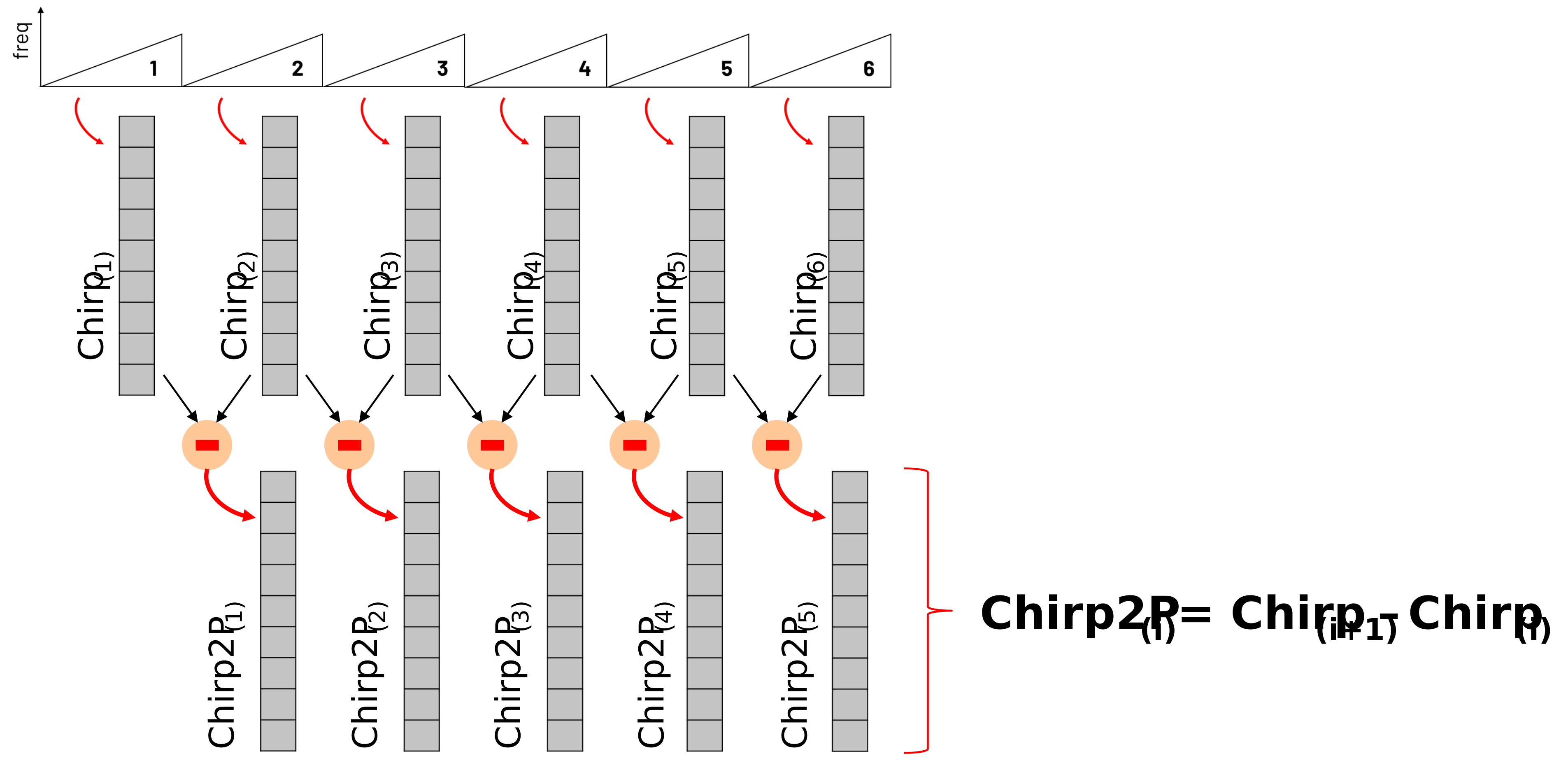
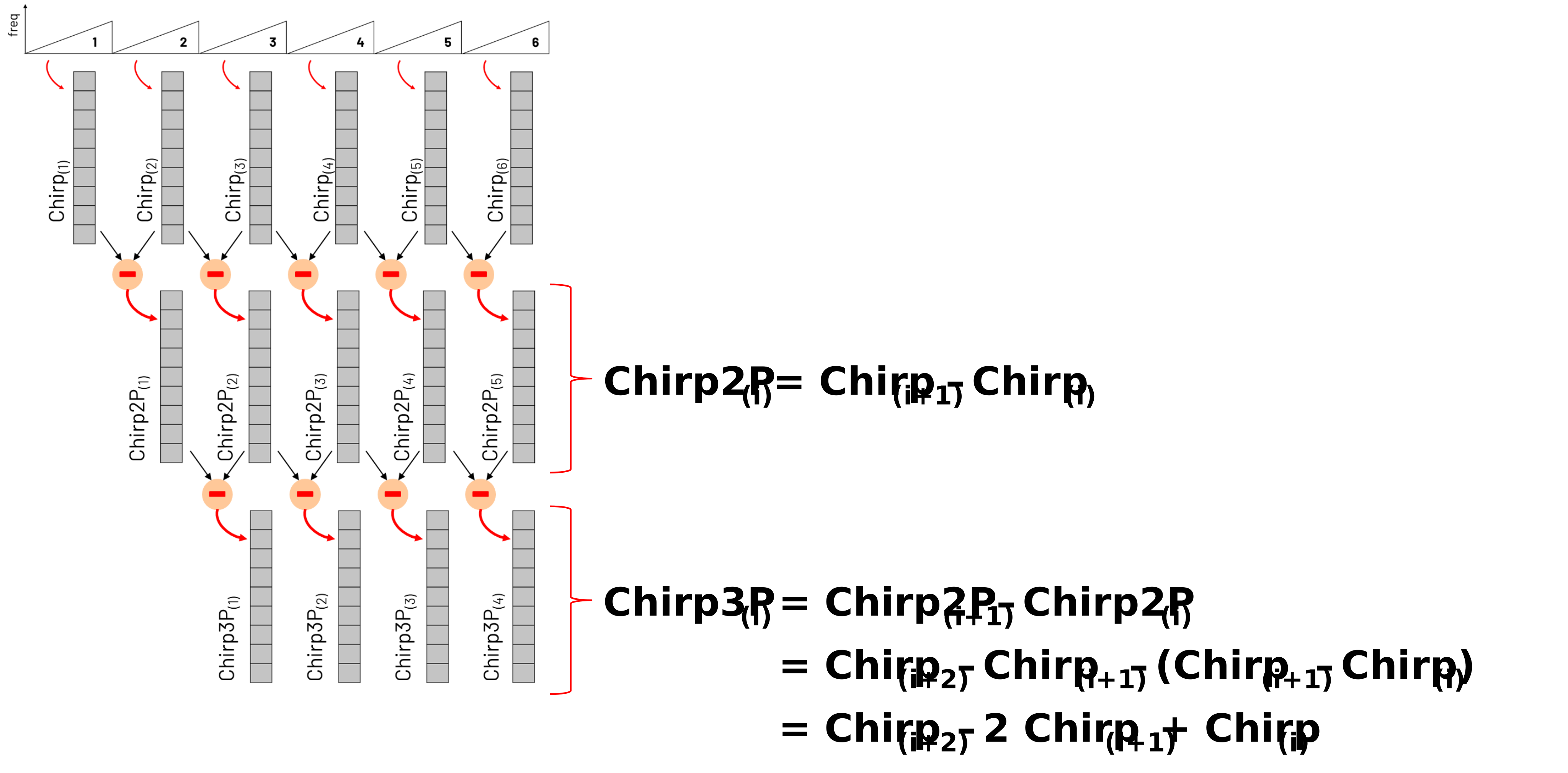
And we don’t have to stop at two pulses. We can do another round of pulse cancellation and get to a three pulse canceller. And here’s what that looks like:
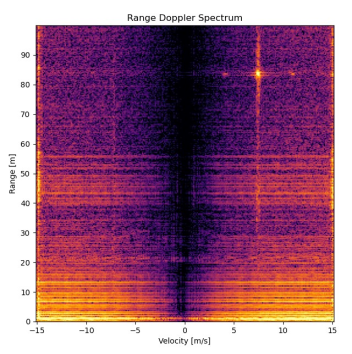
The figure below shows the impact of the MTI filter on identifying a small drone captured with the Phaser Radar.
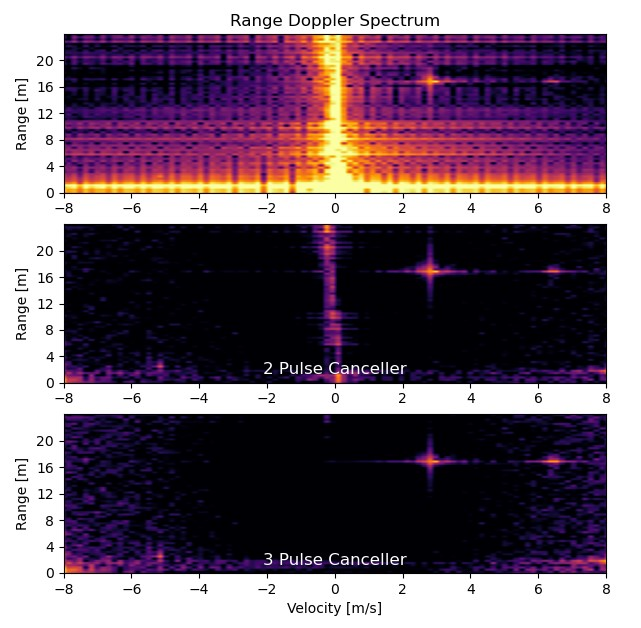
The raw range-Doppler plot (without MTI filtering) is shown at the top, with the two pulse canceller result shown in the middle. Compared to the unfiltered case, the transmit leakage and ground clutter are significantly attenuated, while the drone retains its full signal amplitude.
The bottom graph shows the 3 pulse canceller. And here the ground clutter is completely eliminated.
Of course a down side to MTI is that when the drone is stationary, you wouldn’t see it. But you could see the micro doppler signature from the propeller blades, so in the case of a quad copter, you can use that.
Lab Instructions
Download a saved IQ data file of the Phaser recording a drone’s flight
Open the file, Range_Doppler_Plot.py
Change “mti_filter” to True and click “Run”
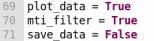
Run the python file now and observe the impact of this filter on moving objects – particularly the fidget spinners.
Experiment again with the key parameters above and observe various forms of motion.
Open the file “Range_Doppler_Processing.py”
This file plays prerecorded data of the Phaser tracking a 249g drone from up to 100m away.
You can see the video of the drone’s flight in the youtube clip at the end of this page
The parameters this data was taken at are:
sample_rate = 4.0 MHz, ramp_time = 300 us, num_chirps = 256 , PRI = 0.5 ms
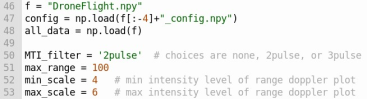
Modify the “MTI_filter” setting on line 50 to: “none”, “2pulse”, and then finally “3pulse”, and observe the impact.
You can find a video walkthrough of this lab here:
Note
For questions or help with the Phaser, please visit: EngineerZone