Calibration
At this point, you should have a fully assembled, booted, and configured Phaser setup. We can now run our first python program, directly on the Rpi.
Find the HB100 Frequency
Power up the HB100 source with either a 5V benchtop power supply or three AA cells and aim it at the phaser antenna. Ideally, each HB100 would emit a frequency of exactly 10.525 GHz. However, they actually vary from about 10.1 GHz to about 10.5 GHz. Therefore, we first need to know what frequency your HB100 is. To measure this, first open the terminal window and type the following commands:
cd ~/pyadi-iio/examples/phaser
python phaser_find_hb100.py
You should see one prominent, sharp, peak as shown in the figure below.
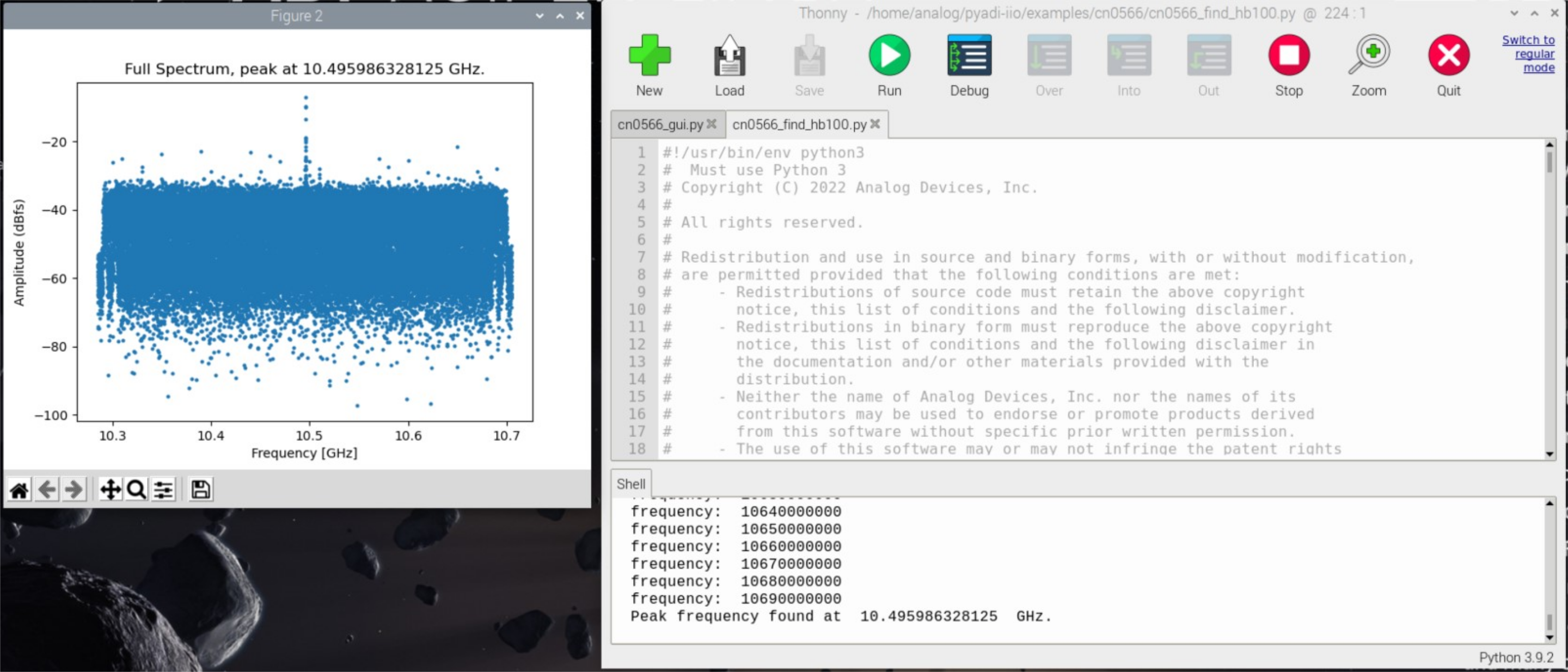
If there is a single prominent peak, enter “y”. This will save that frequency into a pkl file. If there are several peaks of equal magnitude, or no visible peak, then close the plot and enter ‘n’ at the prompt. Reposition the HB100 (and make sure there are no other sources nearby), then re-run the script.
After successfully saving the HB100 frequency, a new file will appear in the working directory:
hb100_freq_val.pkl : Measured frequency of the microwave source
This is a Python “pickle” file that simply stores the frequency value. Other Python programs will use this to center the Phaser’s mixers on this signal frequency.
Calibrate the Antenna Array
Let’s run our first beamforming program on the Phaser! At the terminal window, type:
cd ~/pyadi-iio/examples/phaser
python phaser_gui.py
The GUI should load and it will start displaying a beam pattern as shown below:
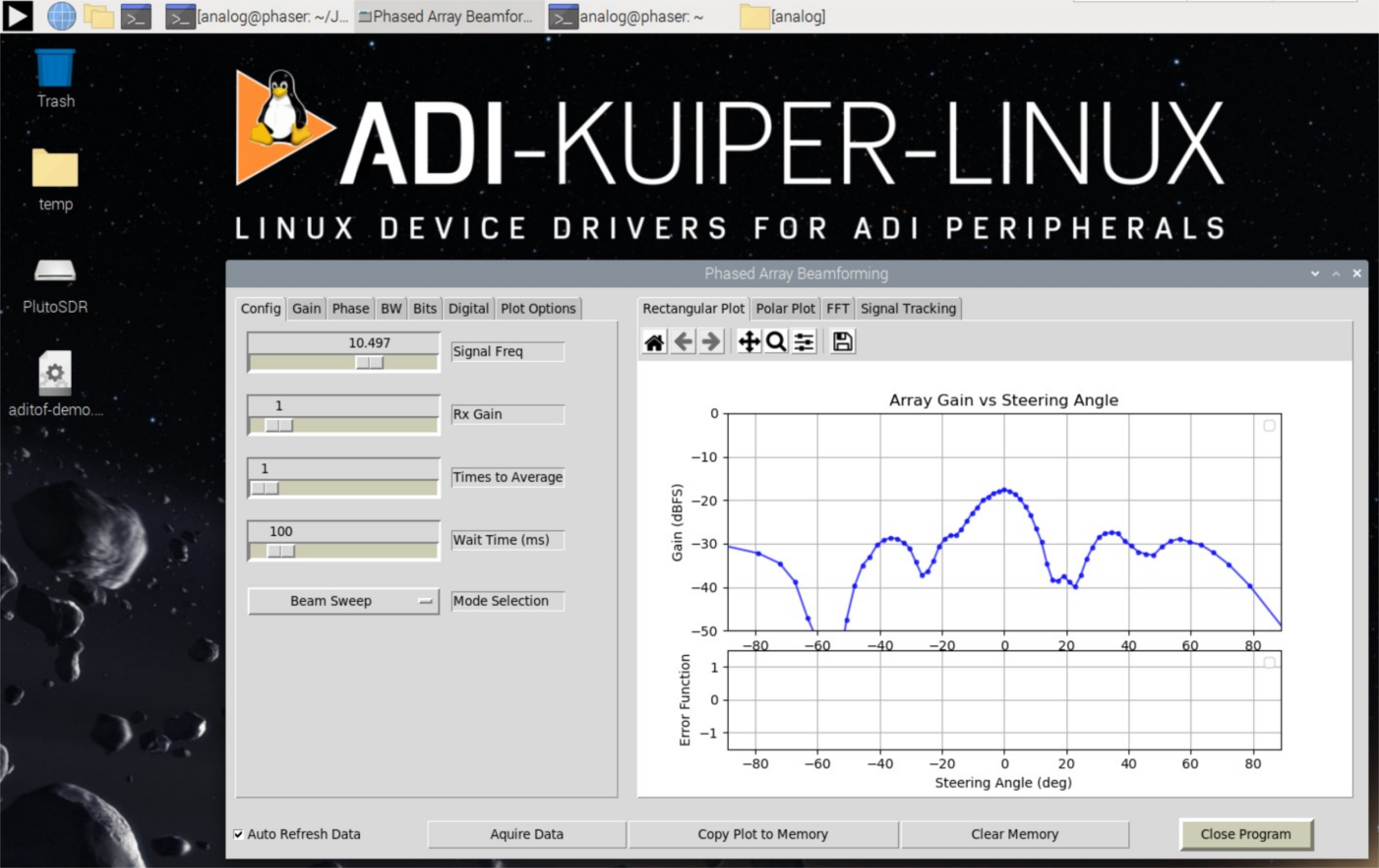
Your results may vary. But likely, this is not the crisp array pattern plot that you were hoping for! The reason is that the Phaser board is initially uncalibrated. Each element in the array has a slightly different gain and phase relative to its neighbor. These variations are due to numerous factors; however, once the Phaser board has reached a steady temperature, these errors should not shift significantly.
The phaser_examples.py script provides a calibration utility that will generate calibration files to correct for these errors. First, shut down the GUI if it is running. Then, place the HB100 directly in front of the array (the mechanical boresight position), and at a distance of approximately 1 to 2 m away. Then run:
cd ~/pyadi-iio/examples/phaser
python phaser_examples.py cal
The script provides debug information and plots as it is running. You may need to close out of each plot for the script to proceed. After running this script, two new pkl files will appear in the working directory:
gain_cal_val.pkl phase_cal_val.pkl
gain_cal_val.pkl : Gain calibration coefficients
phase_cal_val.pkl : Phaser calibration offsets
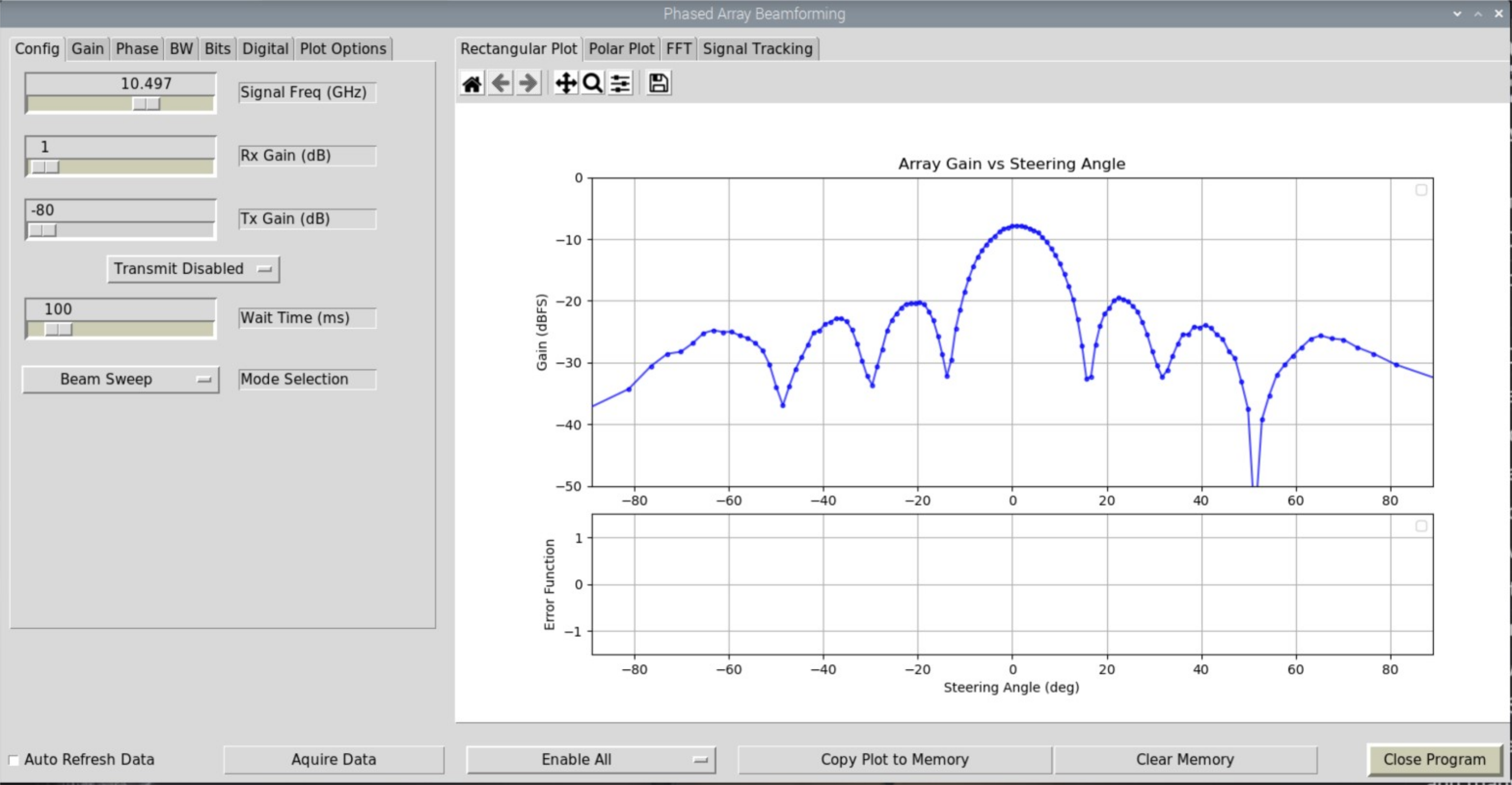
The Python GUI program will load these “pkl” files automatically. If these files are deleted (or not present in the first place), default values will be used. Try re-running phaser_gui.py and note the difference.
Details on the Calibration Procedure
For those interested in a deeper dive into the calibration we just performed, here are the details on what just happened:
Gain Calibration
For the gain calibration, we’ll illuminate the array with the HB100 held far away, and at mechanical boresight (zero degrees). One element at a time will be set to its maximum gain, which is done by setting the ADAR1000 gain for the associated channel. All other elements are set to zero. The resulting signal level for each element is measured, and the element with the minimum gain is chosen as a reference. A factor is then calculated for the other elements, which are used to equalize their gains to that of the lowest gain element.
Phase Calibration
For the phase calibration, two adjacent elements are set to the maximum calibrated gain. The phase of one of the elements is then swept from 0 to 360 degrees. The phase that produces the minimum null is 180 degrees away from the phase that will match the two elements (nulls are much sharper than peaks, and can be measured more accurately.) Each adjacent pair is measured, and an array of phase compensation values is generated.
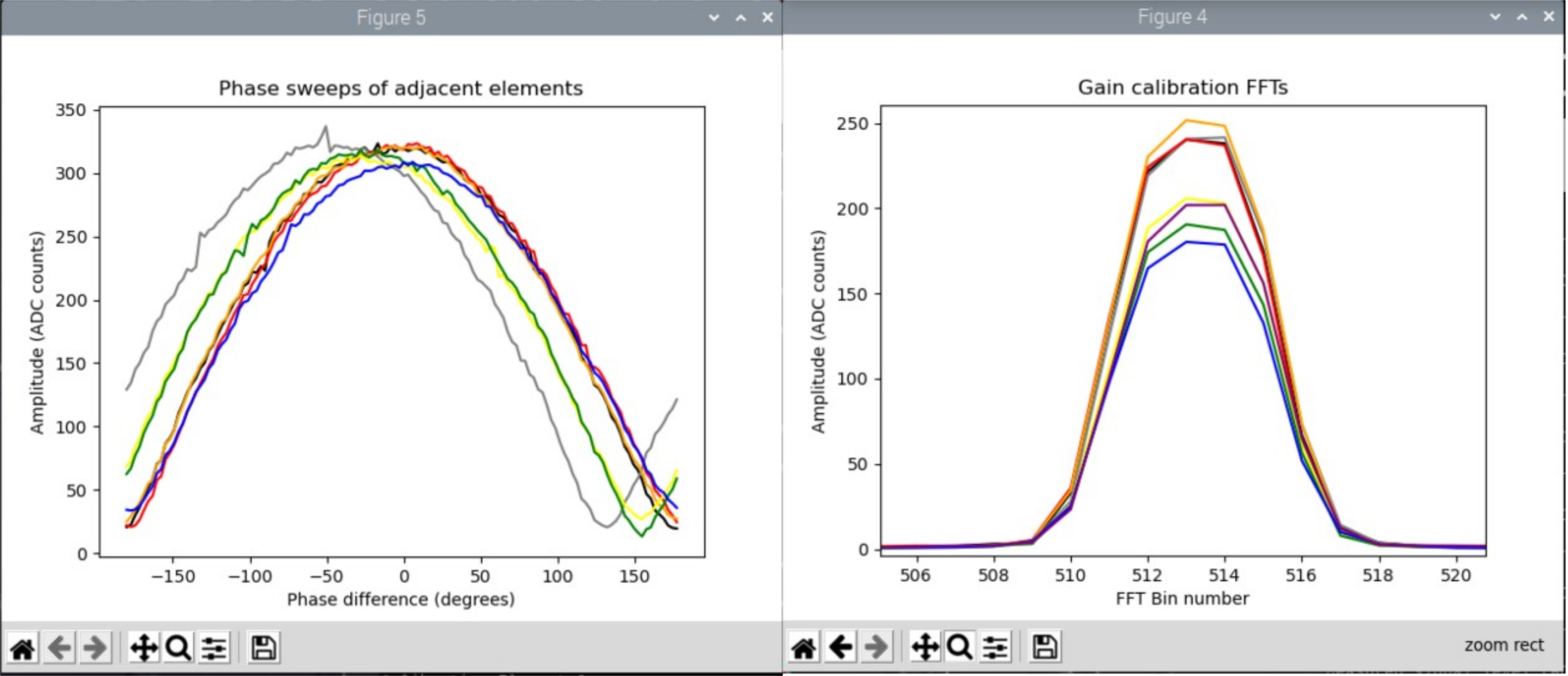
The script provides debug information and plots as it is running. Calibration is subject to noise, interfering signals, reflections from nearby objects, and other impairments. But in general, plots from an acceptable calibration run will have the following features:
Gain plots will show eight impulses near the middle of the horizontal axis. The lowest impulse should be no lower than about 70% of the highest impulse. Note that impulse may tend to be grouped into two groups of four, with each group representing one ADAR1000.
Phase plots will show seven arcs centered around zero degrees, with nulls between -180° and -135° or between 135° and 180°. Often times, one of those phase curves will have jumped out quite a bit from the others. That is channel number 5, and it is the transition point between the two groups of 4 elements going to different receive inputs on Pluto.
Typical plots are shown below:
After running this script, files gain_cal_val.pkl and phase_cal_val.pkl will be placed in the working directory. The GUI program will also load these files automatically.
If plots differ greatly from the results above, examine the physical setup, reposition the source or antenna, remove interfering objects, and re-run the script.
For a detailed walk through of these calibration procedures, please see:
Note
For questions or help with the Phaser, please visit: EngineerZone