Python Examples
Several Python examples are included in the Kuiper installation–including a user-friendly GUI and a number of simple python examples and command line utilities. They are found in:
~/pyadi-iio/examples/phaser/
These examples are all hosted on the Analog Devices GitHub page here: https://github.com/analogdevicesinc/pyadi-iio/tree/master/examples/phaser
There is also a video walkthrough of this material here:
Minimum Python Example
There is a lot that can be done with the Phaser kit. Therefore, when getting started, it may be useful to start with the simplest possible example of how to control the hardware and plot the data. This example can be found in the phaser examples directory, and run from the command line:
cd ~/pyadi-iio/examples/phaser/
python phaser_minimal_example.py
Assuming the HB100 is on and facing the array, the output will be rendered something like:
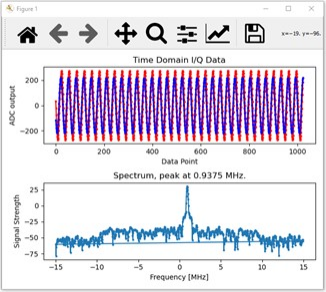
So what did that Python script do?? The python script, “phaser_minimal_example.py” first takes care of some housekeeping operations - set the antenna to zero phase, equal gain on all elements, and set a few parameters in the Pluto SDR. That will enact these changes in the Phaser hardware:
Set the Phaser to receive a signal centered at the HB100 frequency
Downconvert it to 2.2 GHz
Receive that 2.2 GHz IF with the Pluto SDR
Set the Pluto’s internal mixer LO to 2.2 GHz minus a small offset
Set the Pluto’s ADC sample rate to 30 Msps
Loaded a 20 MHz wide digital filter into the Pluto
Then we are simply capturing a buffer of data from Pluto and plotting that:
Capture a buffer of 1024 samples
Plot the time domain samples
Take the FFT of the samples, then plot.
Before starting the Phaser GUI, take a moment to read through this python example. The code can also be found here: https://github.com/analogdevicesinc/pyadi-iio/blob/master/examples/phaser/phaser_minimal_example.py
There is an in-depth walkthrough of “phaser_minimal_example.py” here:
Simple Phaser Examples
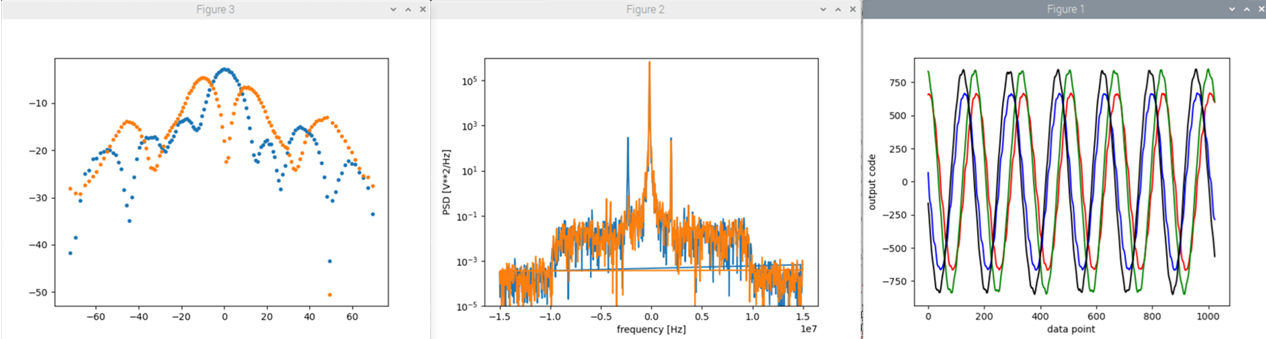
It may also be instructive to examine “phaser_examples.py”, located in the same folder. The main purpose for this script is to provide a template for developing additional custom programs (CLI, GUI, or other), as well as interacting directly with the Phaser from the Python console. Run:
python3 phaser_examples.py
The script will continuously take beam pattern measurements, and plot a representative time-domain and frequency-domain plot at mechanical boresight.
Python GUI
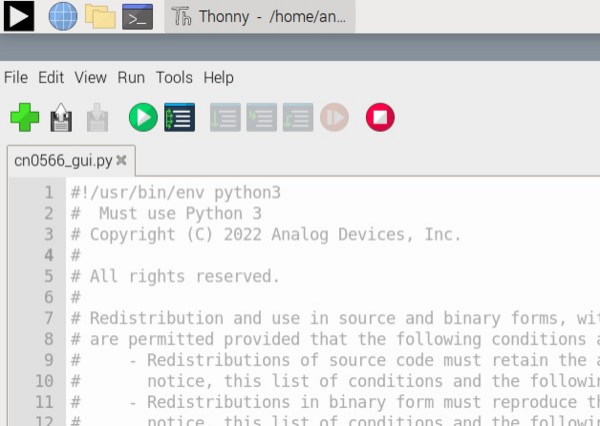
To streamline the exploration of some basic phased array principles, there is a python based GUI (Graphical User Interface) included in the examples directory. This can be run directly from the command line (python3 phaser_gui.py), or by first opening the Python IDE, Thonny, from the Raspberry Pi desktop menu. Once in Thonny, simply open the phaser_gui.py and click the green run button.
The GUI will launch and begin updating a plot with some data. If the HB100 is directed at the array, and calibration is complete, you should see an updating plot like this:
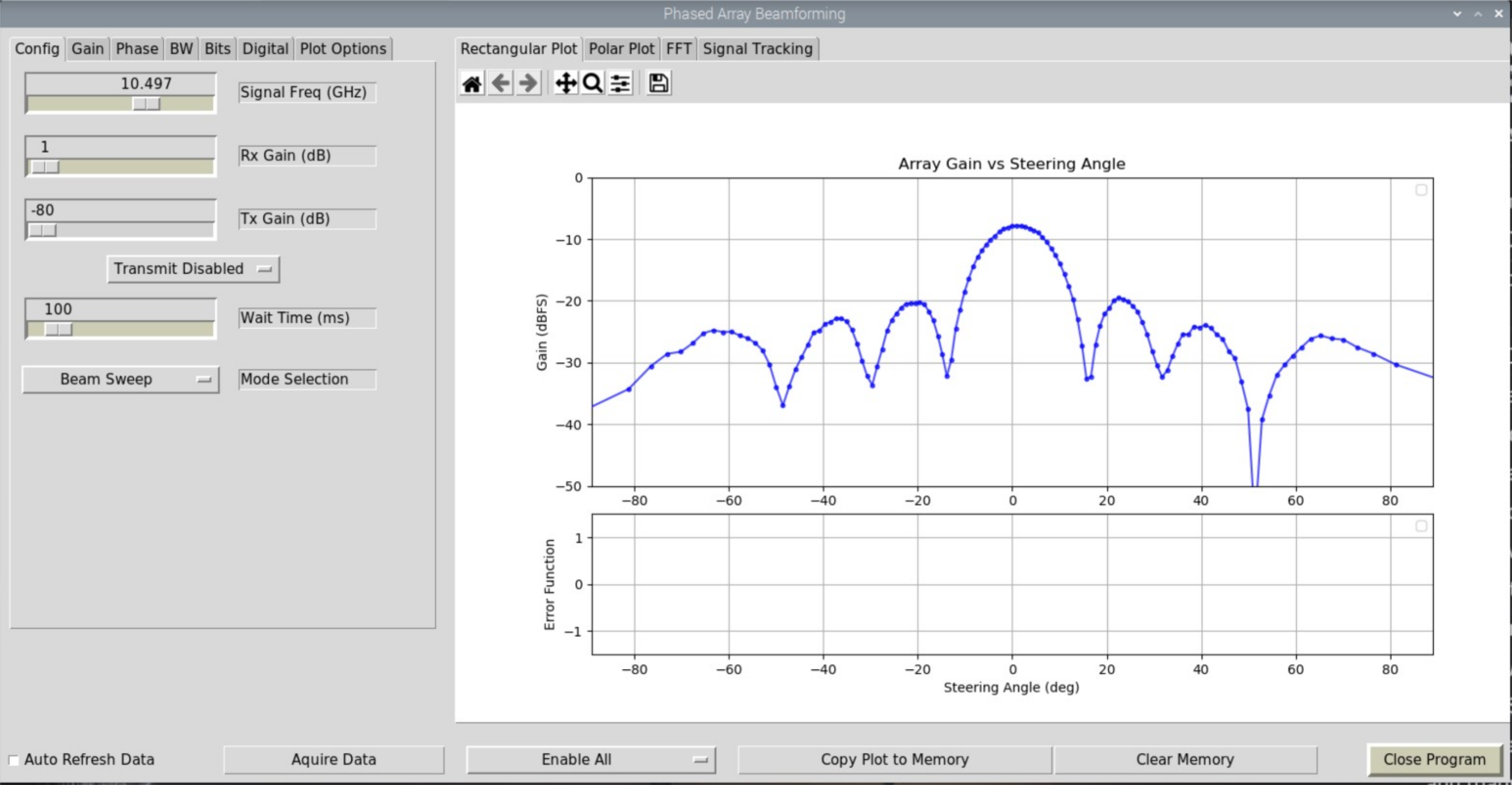
There is much more that the GUI can do, and data it can show. But we’ll go over all of this in the next section (Labs and Examples).
Note
For questions or help with the Phaser, please visit: EngineerZone