FMCW Radar with Phaser
Frequency Modulated CW (FMCW) radar is the most common of the modulated waveforms for CW radar. In this system, a linearly ramped frequency is transmitted.
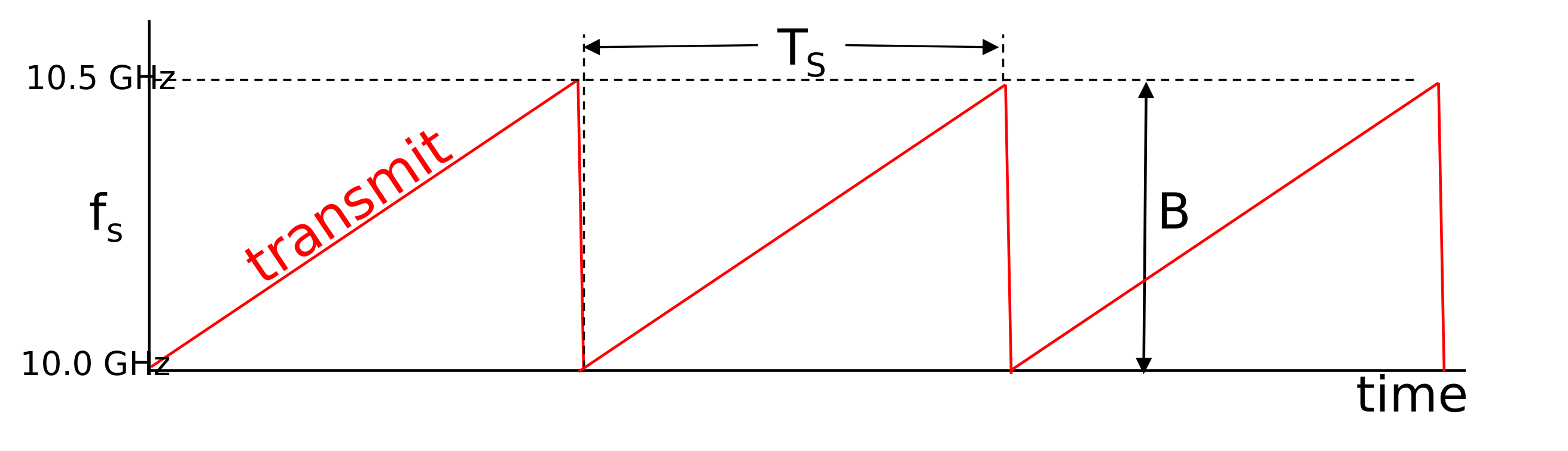
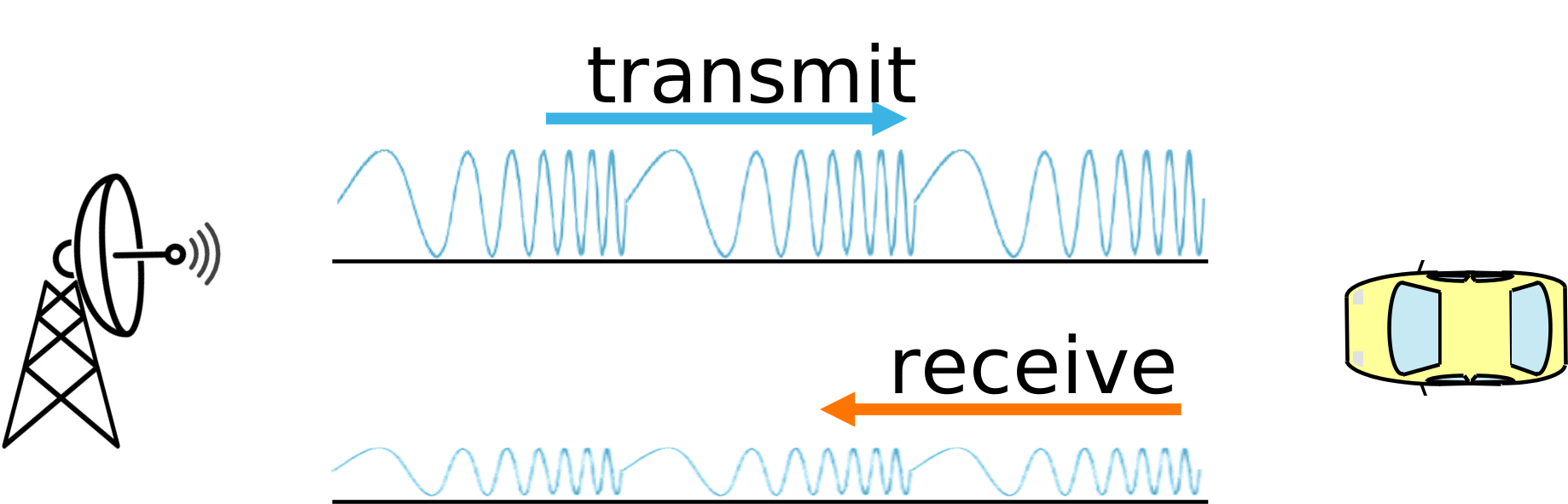
The reflected signal is received by a separate antenna. This signal will be delayed in time, based on the round trip distance to strike an object and return. This delay in time will produce a shifted copy of the transmit waveform. By comparing the transmit waveform to this receive signal, a beat frequency is obtained. This beat frequency is proportional to the time delay, which is proportional to the range to that target.
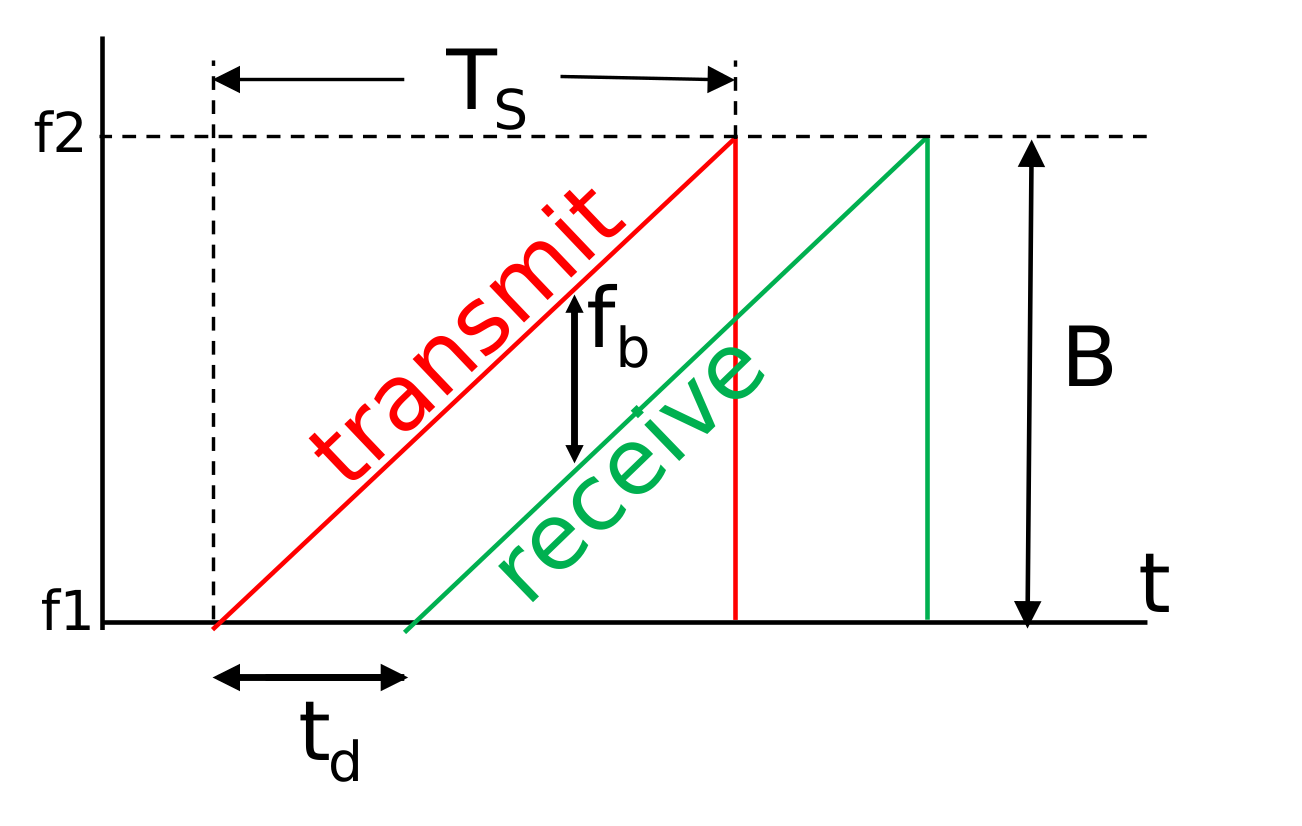
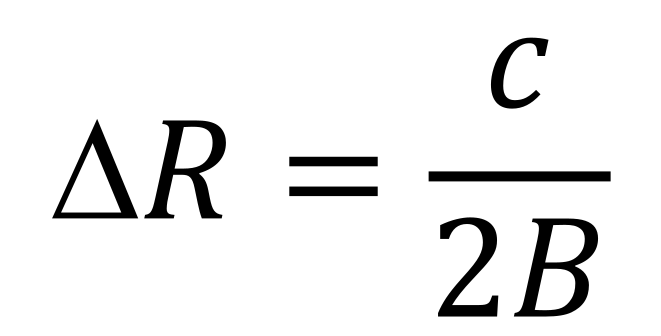
Each ramp of the frequency is called a “chirp.” Ts is the duration of the chirp, and fb is the beat frequency formed by comparing the receive waveform to the transmitted waveform. B is the bandwidth of the chirp (f2 - f1). Higher bandwidths are desirable as they increase the range resolution (the ability to distinguish two targets closer to each other). The range resolution is given by:
The comparison between the transmit and receive waveforms can be done with a matched filter. However, this requires high speed data converters capable of digitizing the bandwidth of the radar chirp. For lower cost implementations, such as Phaser, a “Stretch Processing” technique is commonly used.
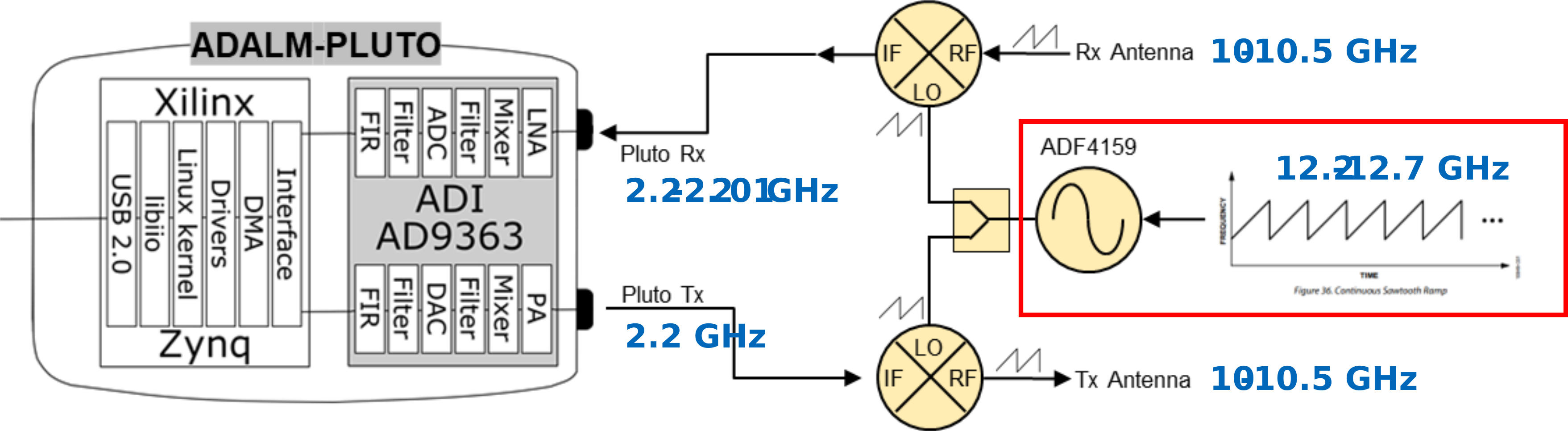
In stretch processing, the FMCW ramp is applied to the LO of transmit and receive mixers. Generally this is done in the analog (RF) domain—that’s where this technique has the advantage. The key here is that the same LO must go to the transit and the receive mixer. In doing so, when the receive radar waveform comes back, it will have the transmit chirp subtracted out, leaving just the beat frequency. And that beat frequency is small – for us it will be around 10kHz per meter of range. So we don’t need a high bandwidth receiver to process it.
That’s why we can use Pluto, even though our chirp bandwidth could be as high as 500MHz.
As mentioned, the beat frequency (which Pluto will digitize) is directly proportional to the range to the target. The equation for this is summarized below:

For example, if the transmit chirp started at 10 GHz and went to 10.5 GHz in 0.5 ms, and the target was 10 m away, that would give a beat frequency of:

Let’s use the Phaser to experiment with these concepts now!
Lab Instructions
In this lab, we will transmit a frequency ramped waveform from Phaser and then receive that reflected waveform with the 8 element linear array. We will experiment with the chirp duration and bandwidth to observe the impact on beat frequency.
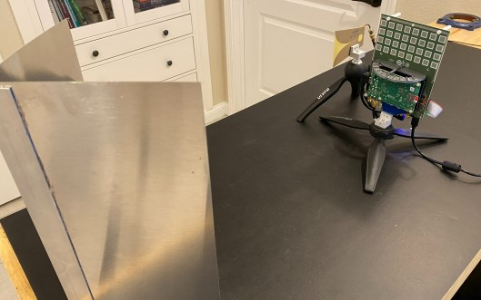
Connect the transmit antenna to “OUT2.”
Place an object, ideally a corner reflector, about 1 meter away from the array
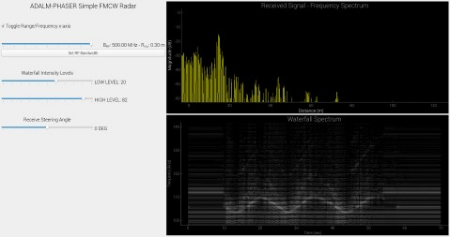
Open a Python IDE (Thonny, Idle, Spyder, etc) and run this FMCW_RADAR_Waterfall.py.
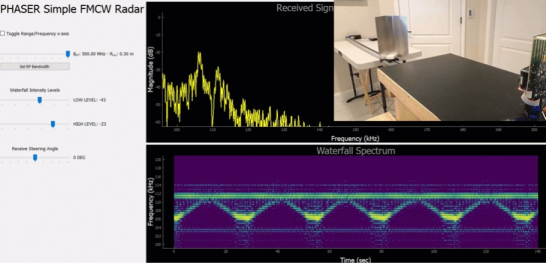
The top right graph is the FFT of the beat frequency. The x-axis is frequency, by default. But can be toggled to range by clicking the “Toggle Range” checkbox
The bottom right graph is running plot of that FFT graph, over time. Commonly called a “waterfall” plot or spectrogram. The amplitude of the FFT bins is represented by white. The higher the amplitude, the brighter the white.
Now hold the target very close to the Phaser’s array (i.e. at distance 0m).
What is the frequency of the main peak? It won’t be exactly at 100kHz – it might be 103kHz, or 99 kHz, etc. This is the 0m frequency, and is a crude calibration of the system.
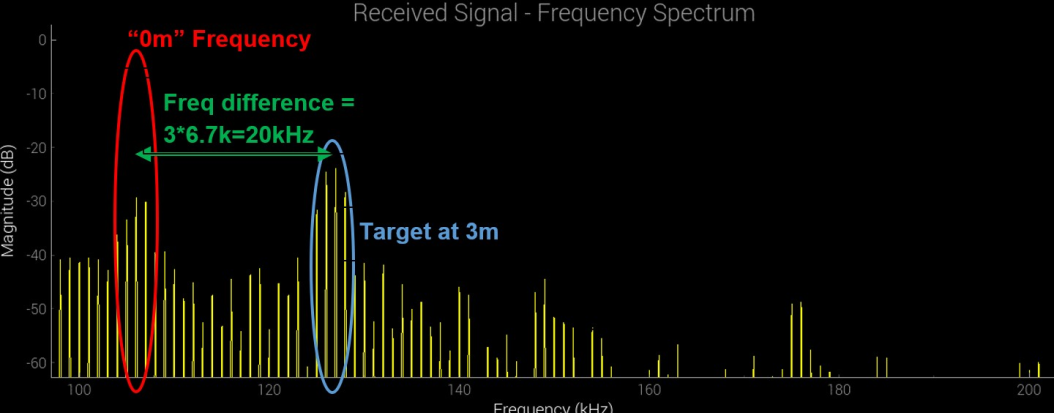
Now move the target to approximately 1m and observe the FFT plot. Did the frequency move by about 6.7kHz? Try moving to 2m, or 3m.
Change the bandwidth from 500 MHz to 250 MHz (use the slider, then click “Set RF Bandwidth”).
How did the beat frequency change?
Open up the python program and change the chirp duration from 0.5 ms to 1ms
This is the ramp_time variable around line 106 of the program
How did the beat frequency change?
The other graph is a running plot of the beat frequency (i.e. range), over time. Commonly called a “waterfall” plot or spectrogram.
Move the target back and forth in front of the display. Do you see your pattern traced out in the waterfall plot?
Try adjusting the LOW and HIGH waterfall intensity levels to eliminate spurious clutter in the plot.
You can find a video walkthrough of this lab here:
Note
For questions or help with the Phaser, please visit: EngineerZone