Range Doppler Radar Processing
In the FMCW Radar lab, we saw how to transmit one chirp and get range information from the reflection of that chirp. But things get even more interesting if we send out multiple chirps:
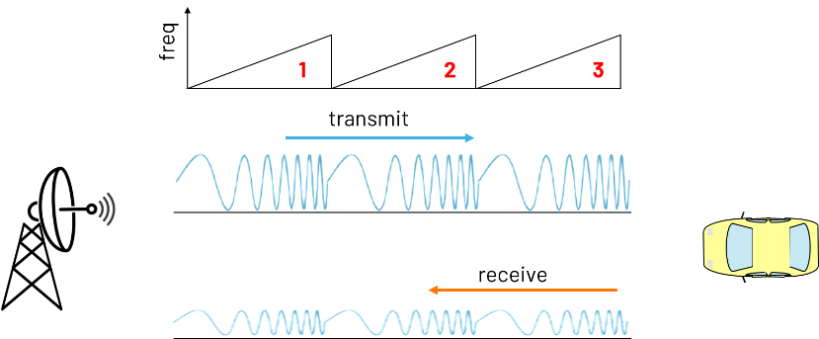
And we can order the data from those chirps into columns:
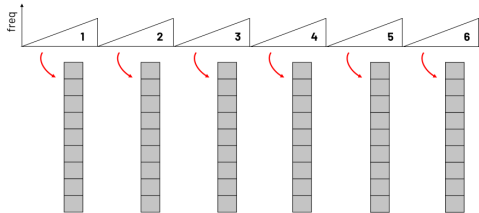
And arrange those chirps into a matrix. The matrix is N rows by M columns. Where N is the number of data points per chirp, and M is the number of chirps.
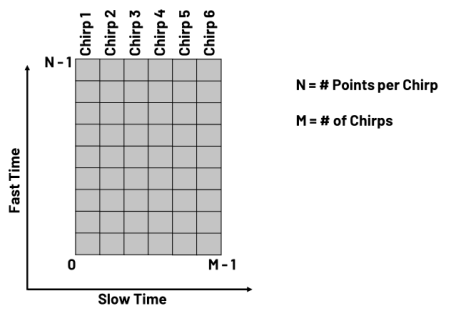
And if you think about it, we have time on the y axis, but we also have time on the x-axis. The time on the y-axis is fast time, because those data points are all separated by the sampling period of the data converter (which is fast!). The x-axis is called slow time if you look across each of the columns, those data points are all separated by the pulse repetition interval –which is on the order of milliseconds
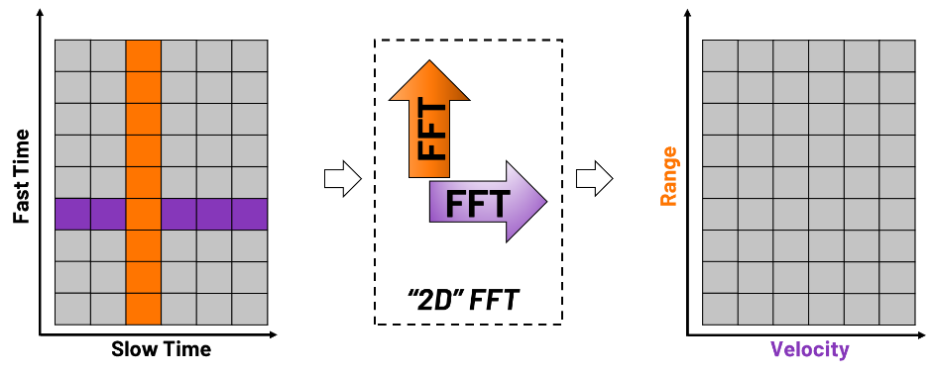
If we then take a 2D FFT of that matrix of slow time and fast time, we will generate a new matrix of Range vs Velocity:
Lab Instructions
Open the file, Range_Doppler_Plot.py and click RUN
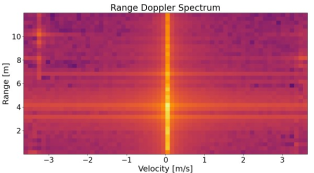
Wave your hand back and forth and watch the change in target velocity going towards and away from the radar.
Also try with a fidget spinner – what does the spinning motion look like on the range doppler plot?
Try changing some of the “Key Parameters” in the code:
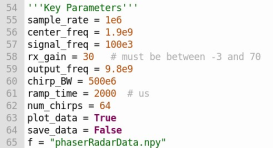
Try changing the chirp_BW to 200e6. What happens to the “dot” size of the targets?
Try changing the num_chirps to 32 or 128. What happens to the velocity resolution?
Try changing ramp time to 500 us.
You can find a video walkthrough of this lab here:
Note
For questions or help with the Phaser, please visit: EngineerZone