Beam Squint
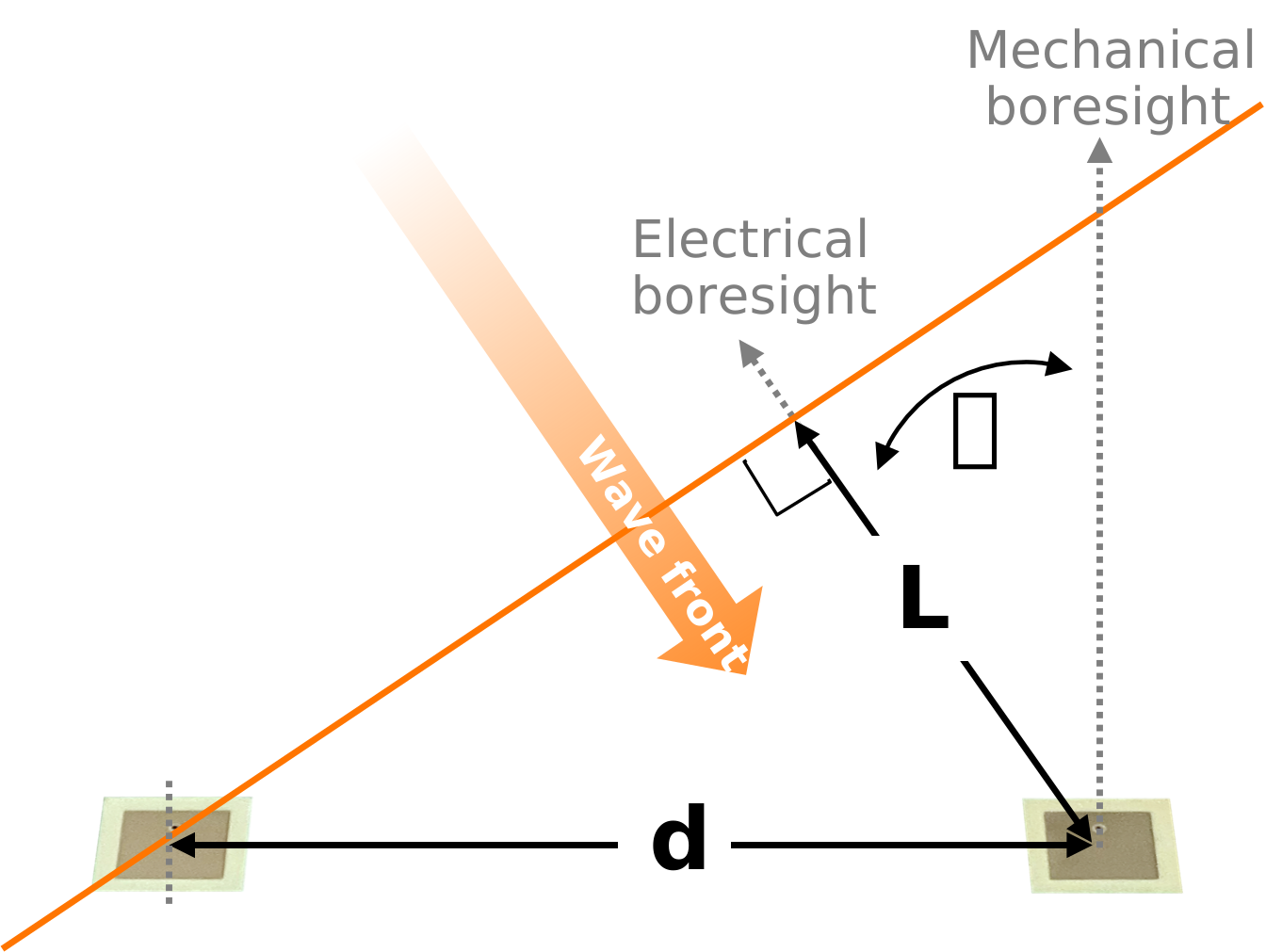
Recall that in an electronically steerable array, there are two ways to represent the delay between adjacent antenna elements:
It can be represented as a time delay:

It can be represented as a phase shift:

Note that the phase shift is a function of the instantaneous frequency. If that frequency changes, then the phase shift applied to the elements would also need to change. If the phase shift cannot change, perhaps due to a wideband signal, then an effective variation in time delay is placed on the array at those frequencies. It means that, for different frequencies, the steering angle will change. This change in steering angle is called “beam squint.”
At mechanical boresight (a steering angle of 0 deg), there is no phase shift applied, and therefore no potential for a beam squint issue. However, as the array is steered away from mechanical boresight, the effect of beam squint becomes more significant. Therefore, the beam squint is both a function of frequency and steering angle. This article provides a summarized equation as follows:
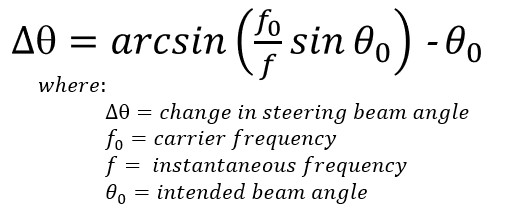
For example, if we have a carrier frequency of 10.5GHz, and a peak frequency deviation of 500MHz, then the beam will move off the intended 45 degree beam angle by 3 degrees. That’s not really a problem if the HPBW is 25 degrees, as is the case for our 4 element setup. But for a large antenna with, say, 1 degree beam width, the received power will be down by many dB at the band edge.
Beam Squint Lab
Since our HB100 frequency source is fixed, for this lab, we will instead change the frequency at which the steering angle is calculated. This will appear as the “Beam Calculated at” frequency. Both methods are equivalent. Its easier to change the calculated frequency in our lab. It also avoids other changes in the antenna pattern that would come from a new frequency, so we end up with a more straightforward comparison.
Set the RF source (HB100) to an angle of about 50 degrees
In the Phaser GUI, select “Lab 5: Beam Squint”
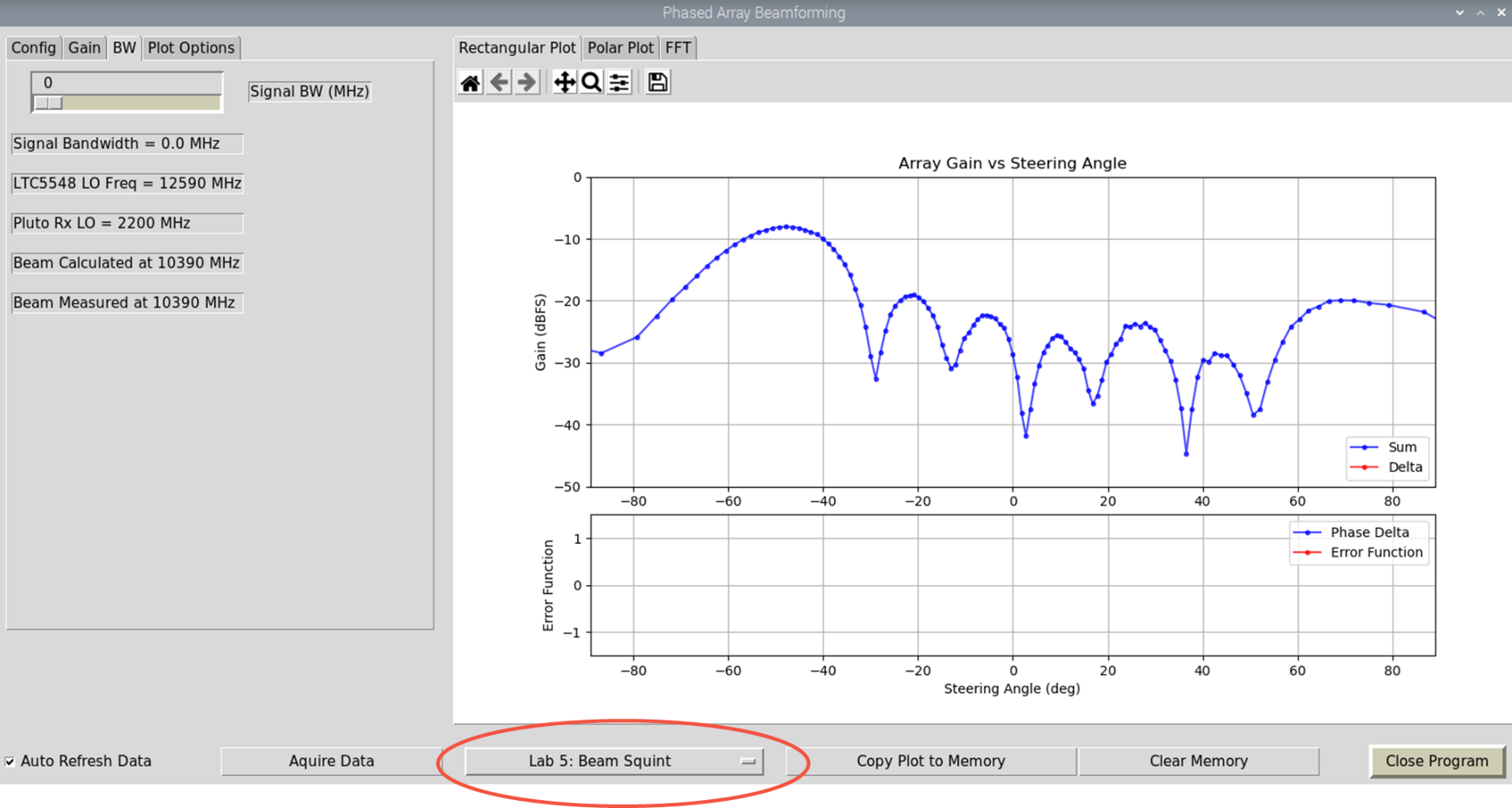
Click “Copy Plot to Memory”
Record the peak angle (you can also turn on “Show Peak Angle” under “Plot Options” tab)
Change the “Signal BW” slider bar to 500 MHz
Record the new peak angle. Does the difference between the two peaks match our ~3° calculation?
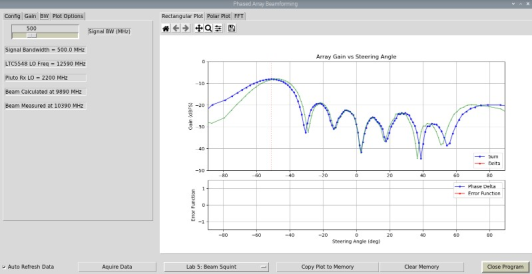
Try other signal bandwidths and observe the effect.
Try other steering angles and observe the effect.
You can find a video walkthrough of this lab here:
Note
For questions or help with the Phaser, please visit: EngineerZone