Setup Requirements
To run this pilot you’ll need:
Hardware
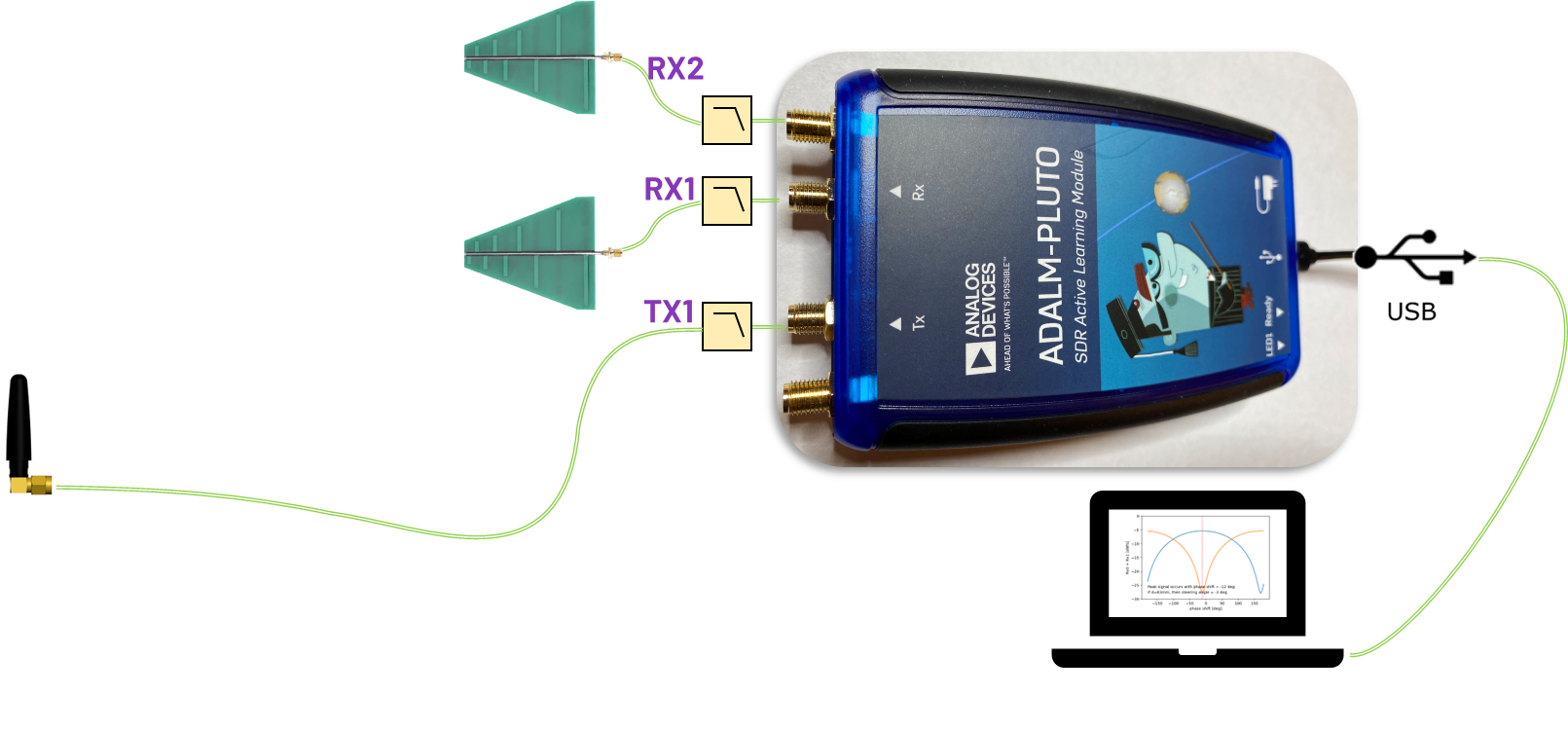
ADALM-PLUTO (modified for 2T2R) — the latest revision (Rev C) supports a second receive path (via u.FL to SMA) when configured as an AD9361 rather than AD9363.
3 × Antennas: Two for receive (Rx1, Rx2) and one for the transmitter or signal source.
There are many antennas that could work here. The ones used here are commonly found on Ebay or Amazon. Just search for “UWB 9.5 GHz Log-Periodic”
To hold the antenna PCBs, we used “third hand tweezers” stands. Just search that phrase on Amazon.
SMA cables: Short cables for the two Rx paths and a longer one for TX to allow flexible source placement.
Low-Pass Filters (LPFs): At least one on TX; ideally also on RX to suppress harmonics and LO spurs.
Crystek 2.4 GHz low pass filters (part number CLPFL-2400)
Software
Python with numpy, matplotlib, and pyadi-iio.
Make sure you’ve installed the drivers and followed the Pluto Python setup instructions.
Setup
Configure the Pluto for dual Rx (Rev C only) by following this guide.
Connect two receive antennas to Rx1 and Rx2 SMA ports, spaced by distance d. This will be about λ/2 at your center frequency. For example, space the Rx antennas 50mm apart if your LO frequency is 3 GHz.
Connect a transmit/source antenna to TX1 using a longer cable so you can move the source angle.
Place the LPFs on PLuto’s TX (and ideally RX) ports to remove harmonics.
A video walkthrough of this system example, including setup, is here:
Note
For questions or help with the Pluto SDR, please visit: EngineerZone