Monopulse Tracking
In this lab, we will implement a monopulse tracking function and observe it lock onto a target and track its angle.
Instructions
In the Phaser GUI, select “Lab 8: Monopulse Tracking”
In the “Gain” tab, select “Blackman” taper
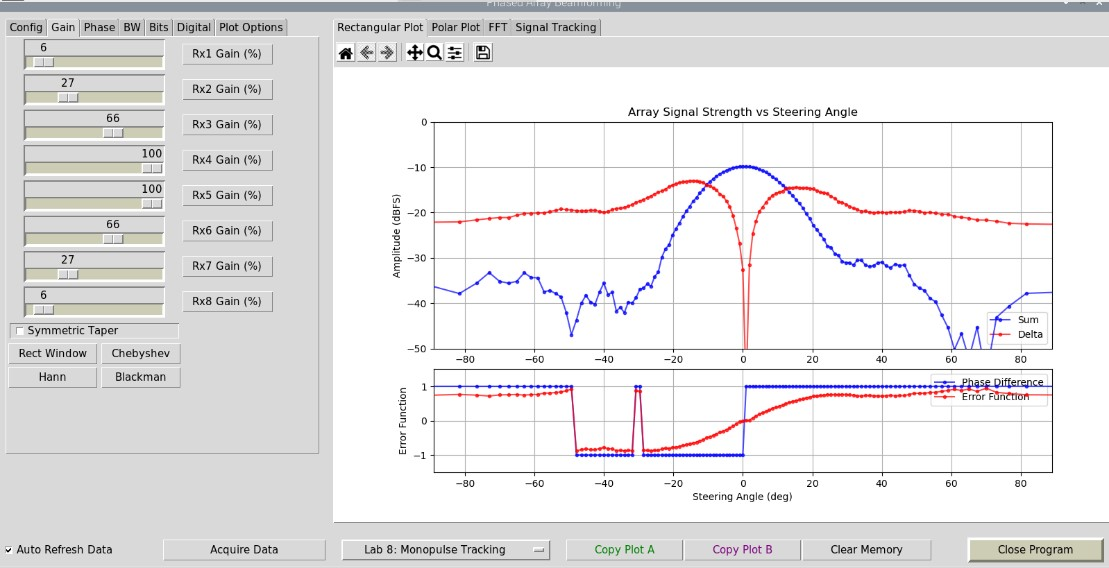
From the lecture (see video below), what do the “Delta”, “Phase Delta”, and “Error Function” bars represent?
Rotate the array and observe the plots’ responses
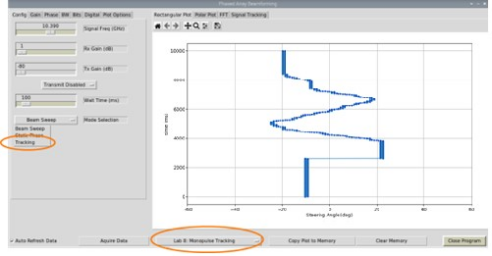
In the “Config” tab, select “Tracking” from the “Mode Selection” pull down menu
Move the Phaser antenna and observe the tracking function in action
You can find a video walkthrough of this lab here:
Note
For questions or help with the Phaser, please visit: EngineerZone