PlutoSDR ESD Diode Issue
As of this writing, we are currently on “Rev D” of PlutoSDR. You can find more information about this rev, and past revs, here. For Rev D, RF ESD diodes were added to all the Rx and Tx ports. This was done in an abundance of caution to protect the RF ports from ESD damage–even though such damage has been rarely, if ever, reported.
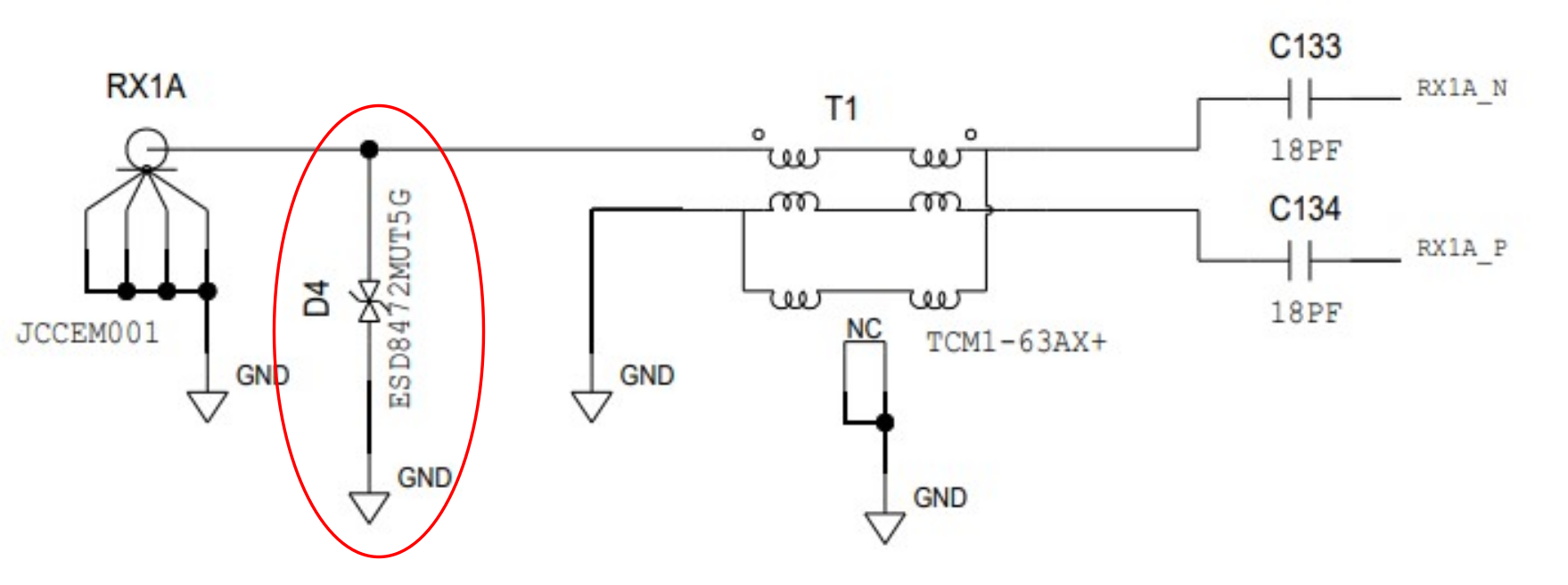
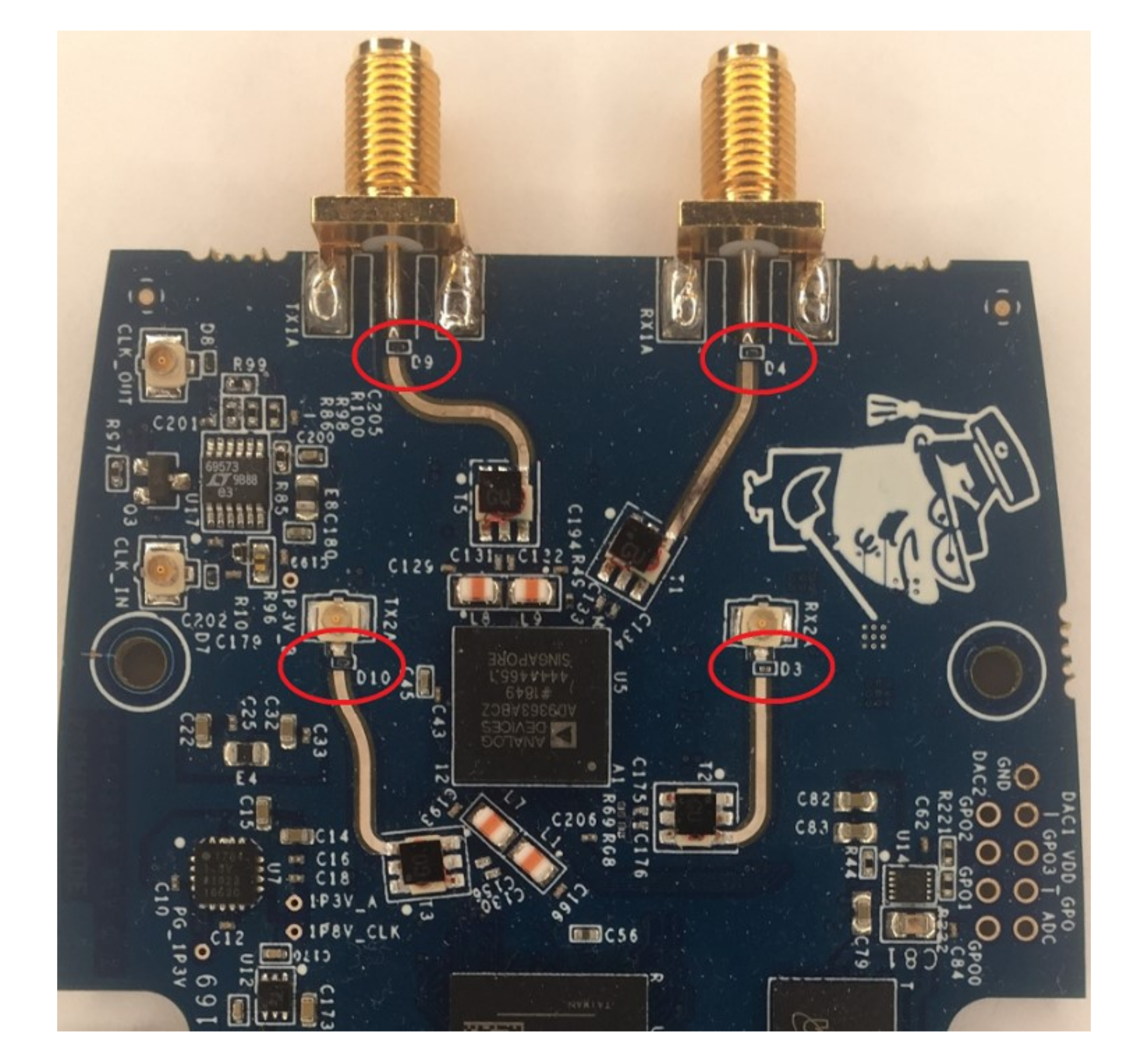
Unfortunately, these diodes proved difficult to assemble. Specifically, there was sometimes solder paste left underneath the diodes. This solder paste could short the RF ports to ground. Future builds of PlutoSDR will not have these diodes included. But if your PlutoSDR does have them, we would recommend you test for this issue and desolder the ESD diodes if you suspect a problem.
How to Test for a Shorted ESD Diode
To test for a shorted ESD diode, simply loop back Tx to Rx, and measure the amplitude of the received waveform. Below is a simple test that you can setup and compare your results to:
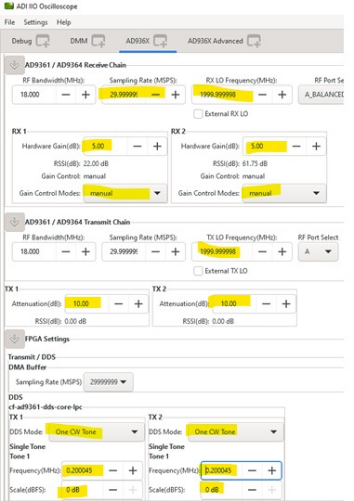
Connect an SMA cable between Tx1 and Rx1, and Tx2 and Rx2 (if PlutoSDR is configured for 2t2r operation). Then open IIO Scope, connect to Pluto SDR, and set the following values:
Sample Rate = 30 MSPS
Rx LO = Tx LO = 2.0 GHz
Rx Gain (manual) = 5
Tx Gain = -10
DDS Mode = One CW Tone
Tone Frequency = 0.2 kHz
Tone Scale = 0 dB
Your setup should look something like this:
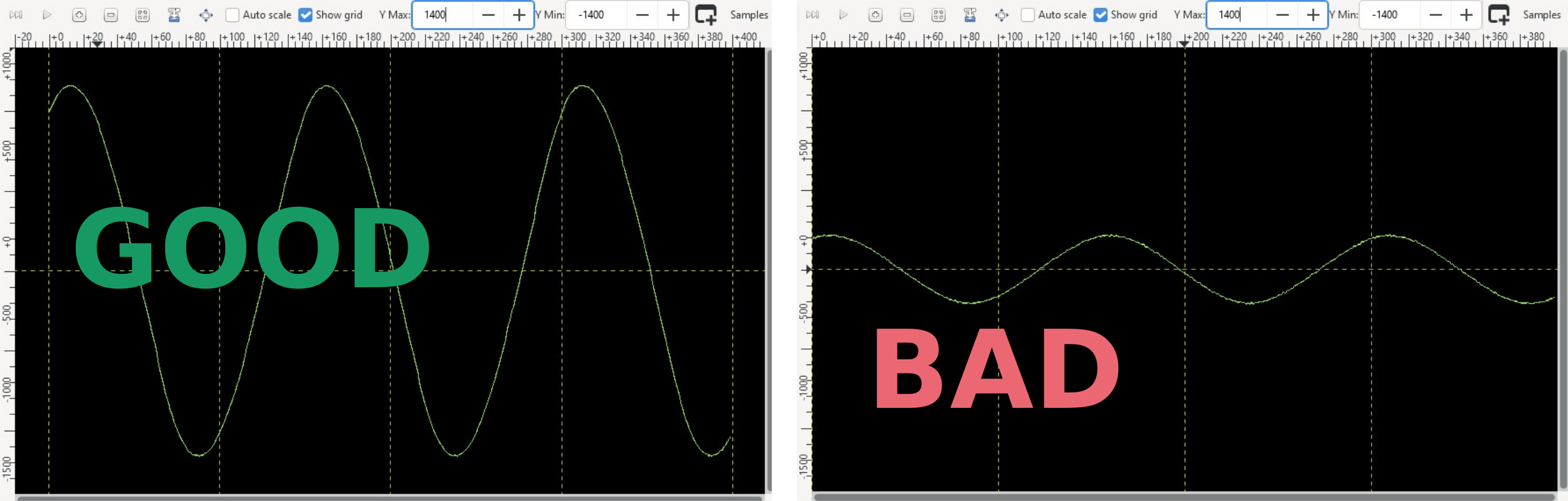
With that setup, a shorted ESD diode will give an ADC count of less than 1000. Anything greater than 1000 can be consider good.
How to Fix a Shorted ESD Diode
If you do detect a shorted ESD diode (or if just want to eliminate the possibility), then the best way is to desolder and clean up the 4 ESD diodes. This is best accomplished by mechanically removing the ESD diode (you can just scratch it off). And then using solder wick to absorb the remaining solder paste and clean up any residual package leads from the ESD diode.
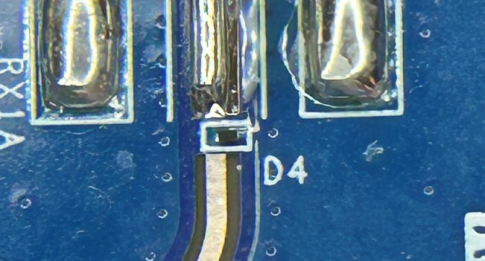
Here is an ESD diode, prior to removal:
After diode removal, you can see the shorted solder paste:
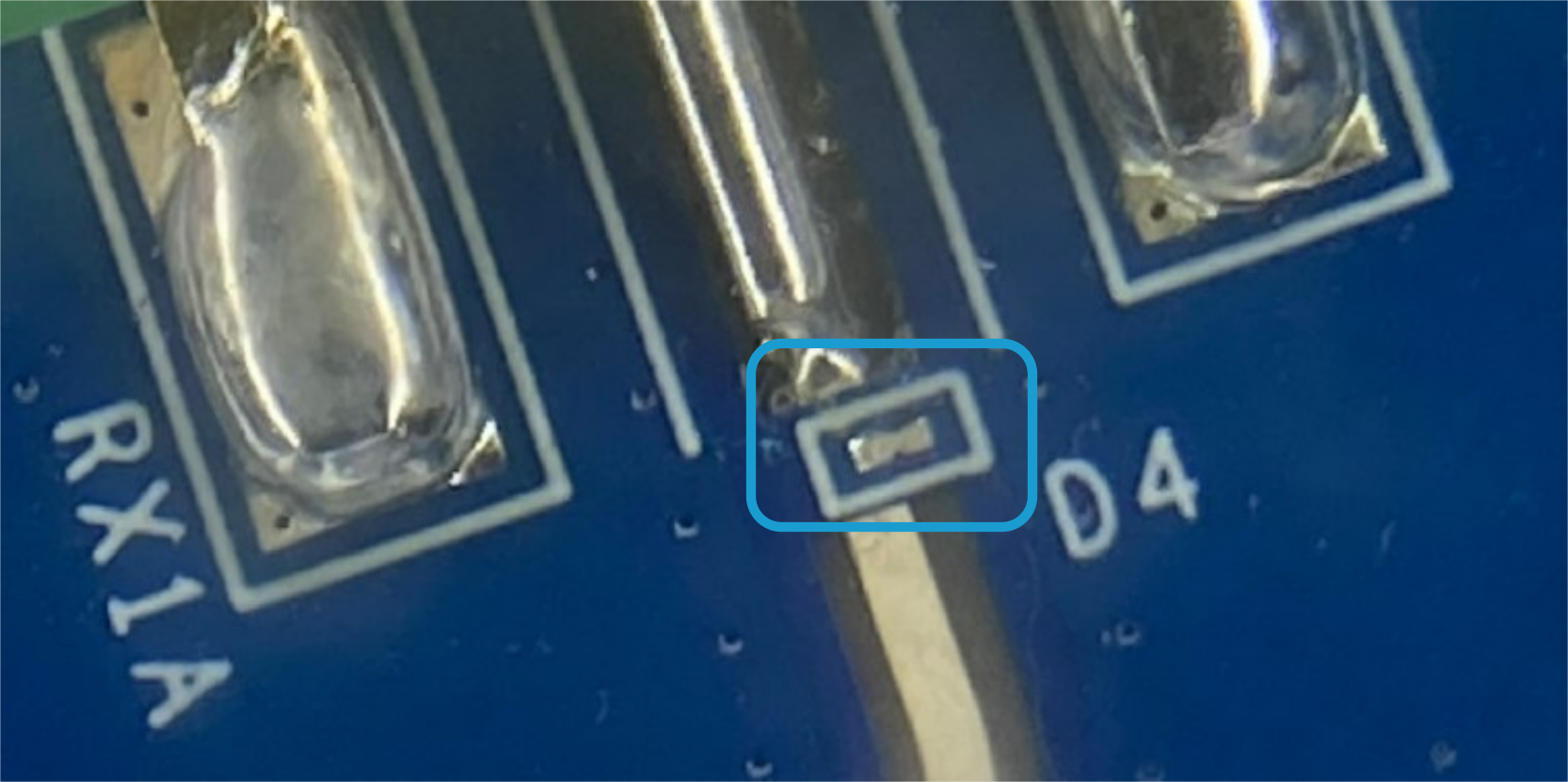
Remove the that solder paste with a solder iron and solder absorbing copper wick. Go back and test the PlutoSDR again in IIO Scope. If the ADC count has improved to > 1000, then you have removed the short. If not, carefully inspect the ESD diode footprints and ensure that all solder bridging has been removed.
You can find a complete video of this issue, as well as how to test and resolve it here:
Note
For questions or help with the Pluto SDR, please visit: EngineerZone