Quantization Sidelobes
Quantization sidelobes are analogous to quantization error in a data converter. These sidelobes can appear, for certain steering angles, if our phase steps are too large. More information is in this excellent lecture by Bob Broughton here:
Quantization Sidelobes Lab
In this lab, we will change the phase step size and observe the formation of quantization sidelobes.
In the Phaser GUI, select “Lab 6: Quantization”
In the “Config” tab, set the steering angle to 15 deg
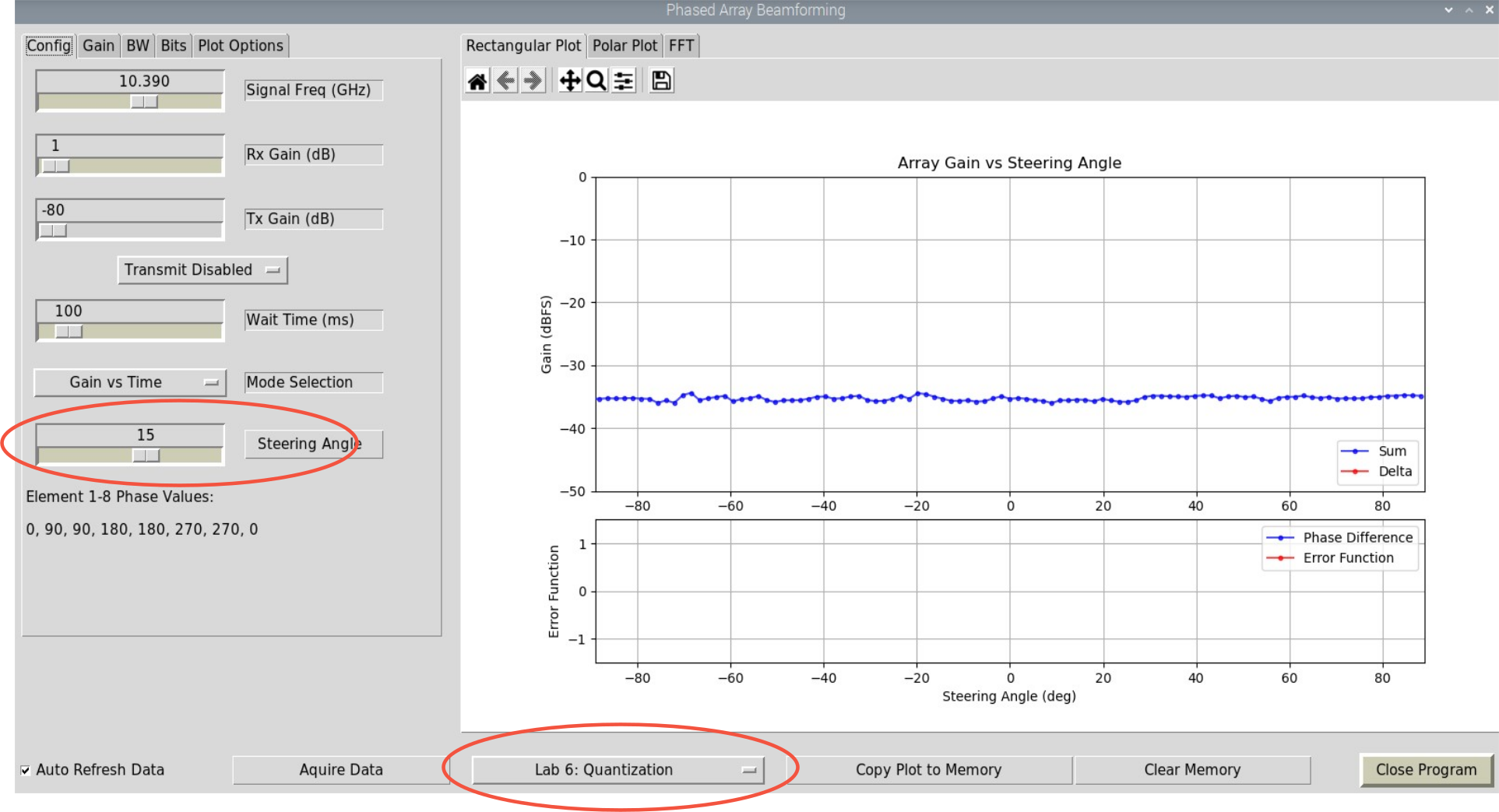
Click on the Gain tab and select a taper—we don’t want any sidelobes!
(Blackman is the pre-programmed default for this lab)
Move the HB100 in an arc around the Phaser.
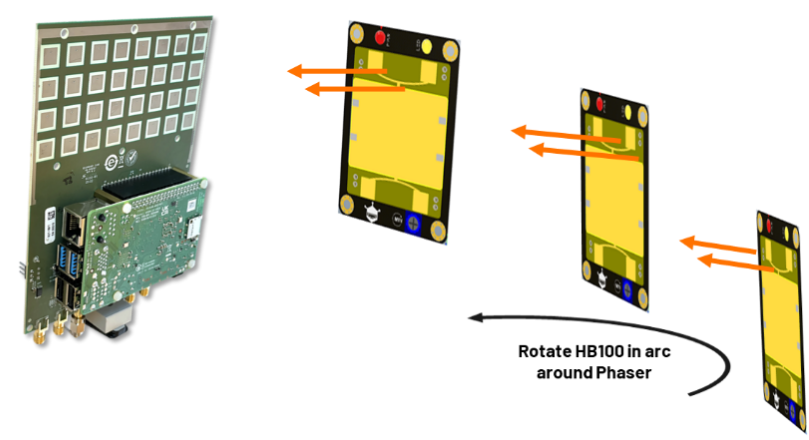
Keep the HB100 pointed at Phaser, and move at a smooth/consistent speed
With practice, it may look like this:
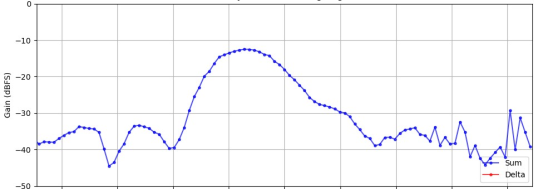
Our Blackman taper should have suppressed all the sidelobes. So we are just seeing the true mainlobe at 15
Now, in the “Bits” tab: slide “Phase Shift Bits” to 2. This produces 90 deg phase steps (instead of the 2.8 deg phase steps that we normally have with the ADAR1000)
Repeat moving the HB100 in an arc.
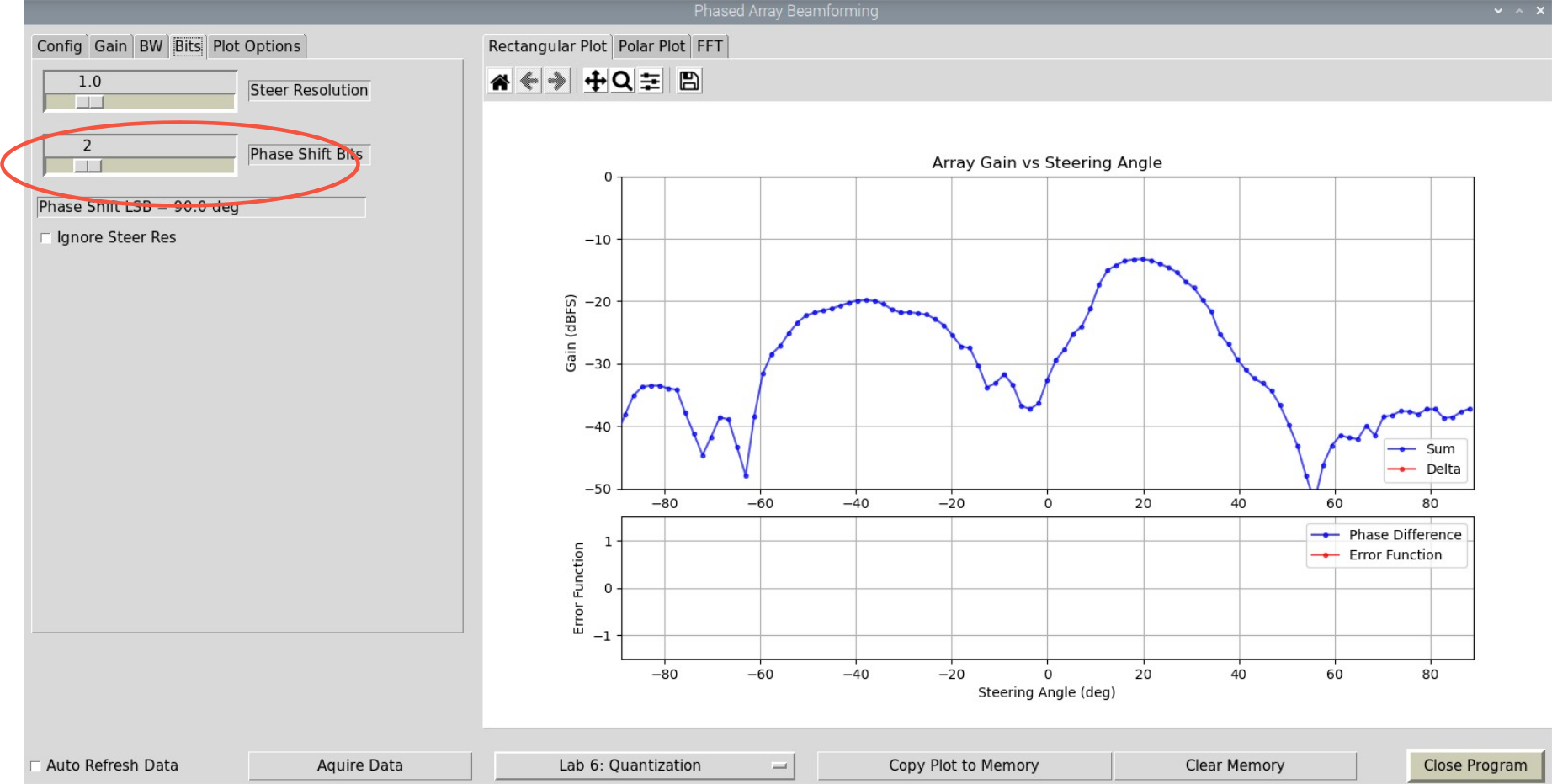
Do you see any new sidelobes?
Note
For questions or help with the Phaser, please visit: EngineerZone