User guide
Hardware guide
Hardware configuration
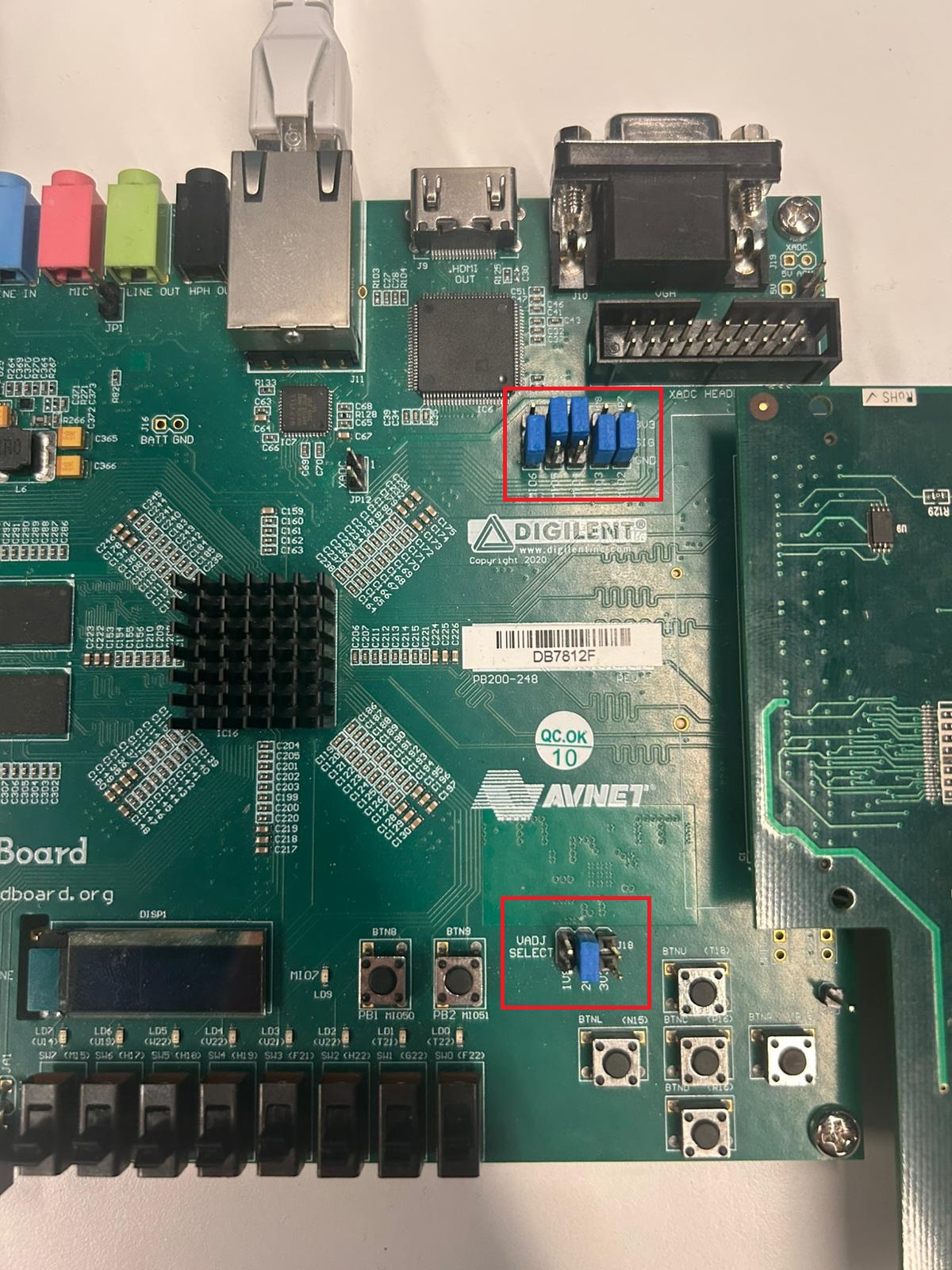
The EVAL-AD7770-AD7779 evaluation board connects to the ZedBoard via the FMC LPC connector. Before powering on the system, configure the ZedBoard for SD card boot mode and set the VADJ voltage appropriately for the FMC LPC interface, as shown in the figure below.
Power supply
The EVAL-AD7770-AD7779 receives power through the FMC LPC connector from the ZedBoard. No external power supply is required for the evaluation board itself. Ensure the ZedBoard is powered from its own supply before inserting or removing the evaluation board.
Analog inputs
The evaluation board exposes eight analog input channels through its connector interface. Connect sensor or signal source signals appropriate for the input range specified in the active device datasheet (AD7770, AD7771, or AD7779). The analog inputs can be configured for true differential or single-ended operation to match different sensor output configurations.
Each channel has a programmable gain stage. Select gain (1, 2, 4, or 8) in firmware to map lower-amplitude sensor signals to the full ADC input range.
Schematic, PCB Layout, Bill of Materials
Design support files for the EVAL-AD7770-AD7779 evaluation board, including schematics, PCB layout, and bill of materials, are available on the respective device product pages: AD7770, AD7771, AD7779.
The evaluation board user guide documents jumper configurations, power domains, and connector pinouts for all three device variants. It is available on the respective device product pages: AD7770, AD7771, AD7779.
Software guide
The EVAL-AD7770-AD7779 runs Kuiper Linux on the ZedBoard’s Zynq-7000 SoC. The system boots from an SD card. Once booted, the AD777x device is exposed through the Linux IIO subsystem and can be accessed using standard IIO tools over the network.
The evaluation board is supported through the Linux IIO subsystem. Once booted, IIO-based tools can be used to interact with the device: