Setup the Phaser for Radar
Radar Basics
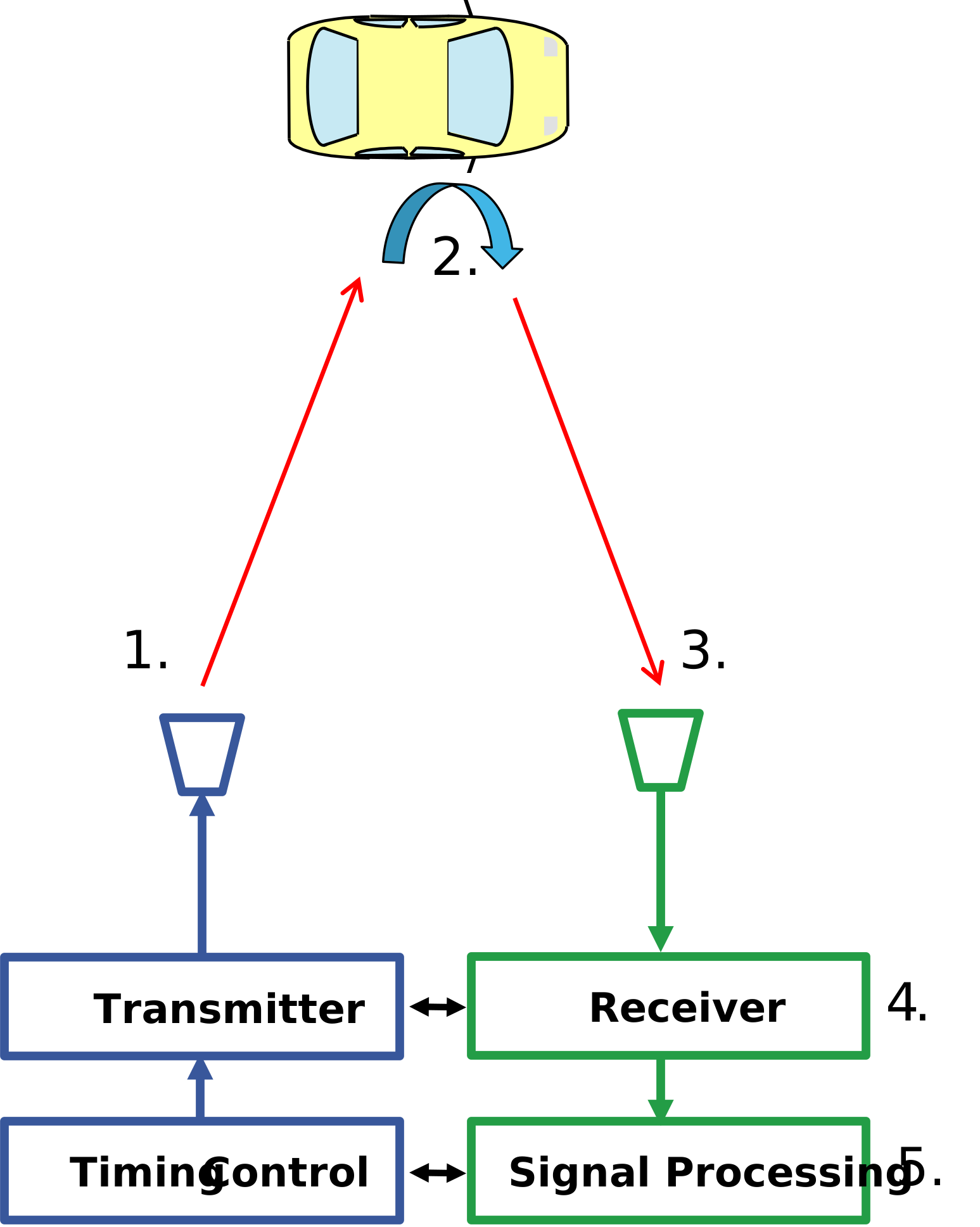
RADAR = Radio Detection And Ranging
Radar transmits modulated EM-wave with an antenna
Wave gets reflected at target
Wave travels back to Radar receive antennas
Receiver detects reflected wave
Signal Processing estimates
Distance (time delay)
Angle of arrival (phase difference at multiple antenna elements)
Velocity (Doppler shift)
Radar is Either Pulsed or Continuous
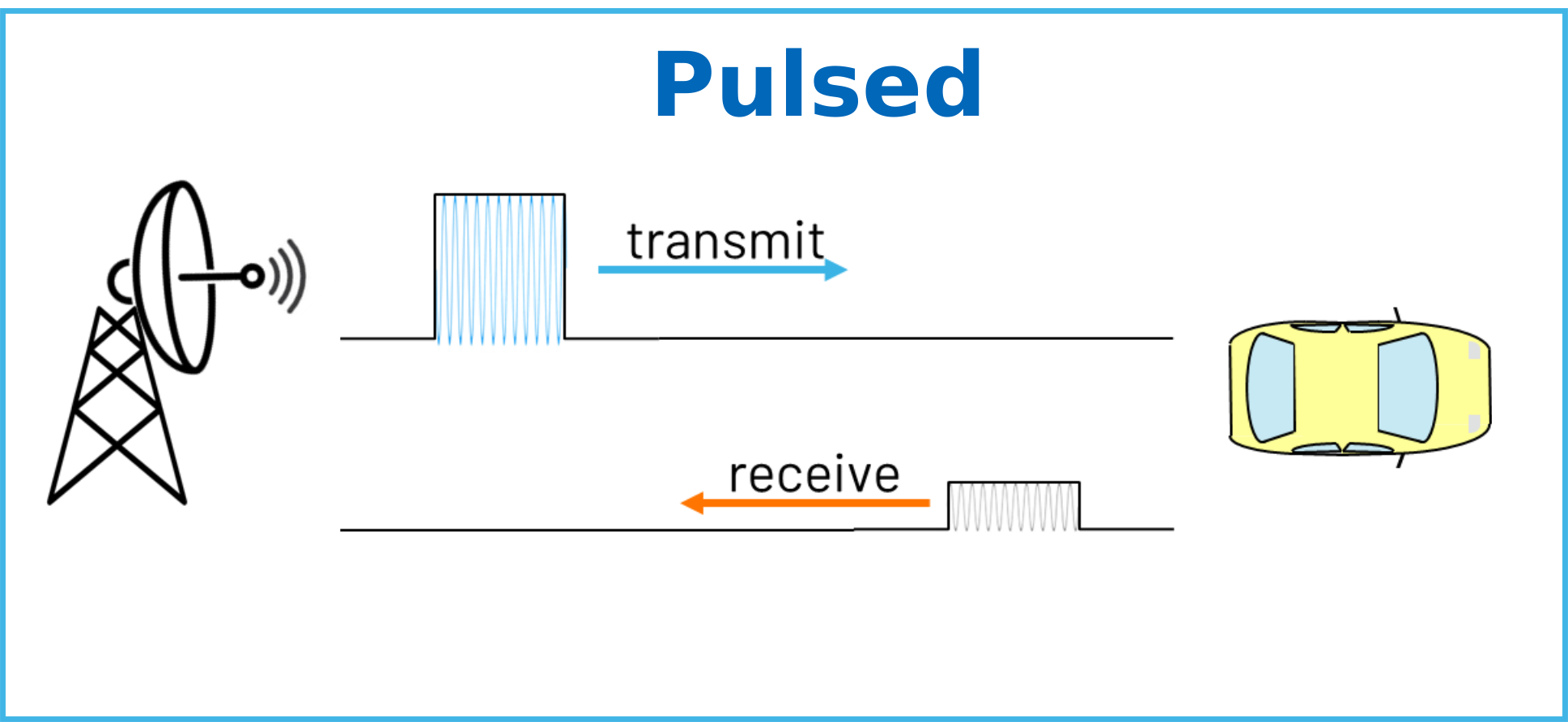
Pulsed Radar
High power, long range, radars
Timeline: First transmit, then turn off transmit, then receive
Energy = Power * Time
Generally uses the same antenna for both transmit and receive
Pulse compression used for range resolution
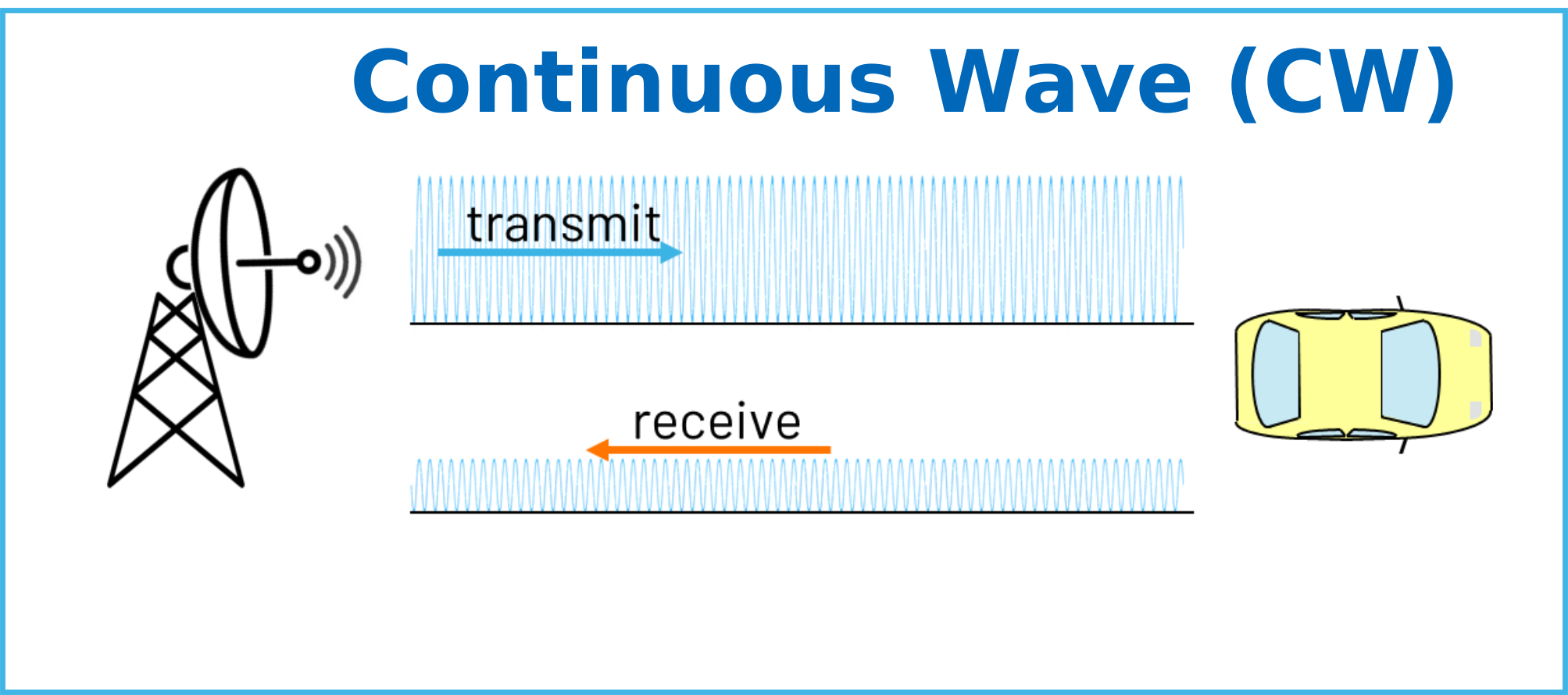
Continuous Wave (CW) Radar
Simpler, lower cost, implementation
Simultaneous transmit and receive
Requires that the transit antenna be separate from the receive antenna
Best suited for short range applications
Most popular is FMCW (Frequency Modulated CW)
There’s many reasons why you would choose a CW or a pulsed radar. Both are commonly used to good effect. However, CW is always better at short range radar applications. Therefore, it is ideal to demonstrate radar concepts in a small lab environment.
Phaser Setup for Radar
Radar processing can be very computationally intensive. Therefore, while it is possible to run the radar labs on the Raspberry Pi, it is recommended that instead users connect the Phaser to a host computer as shown:
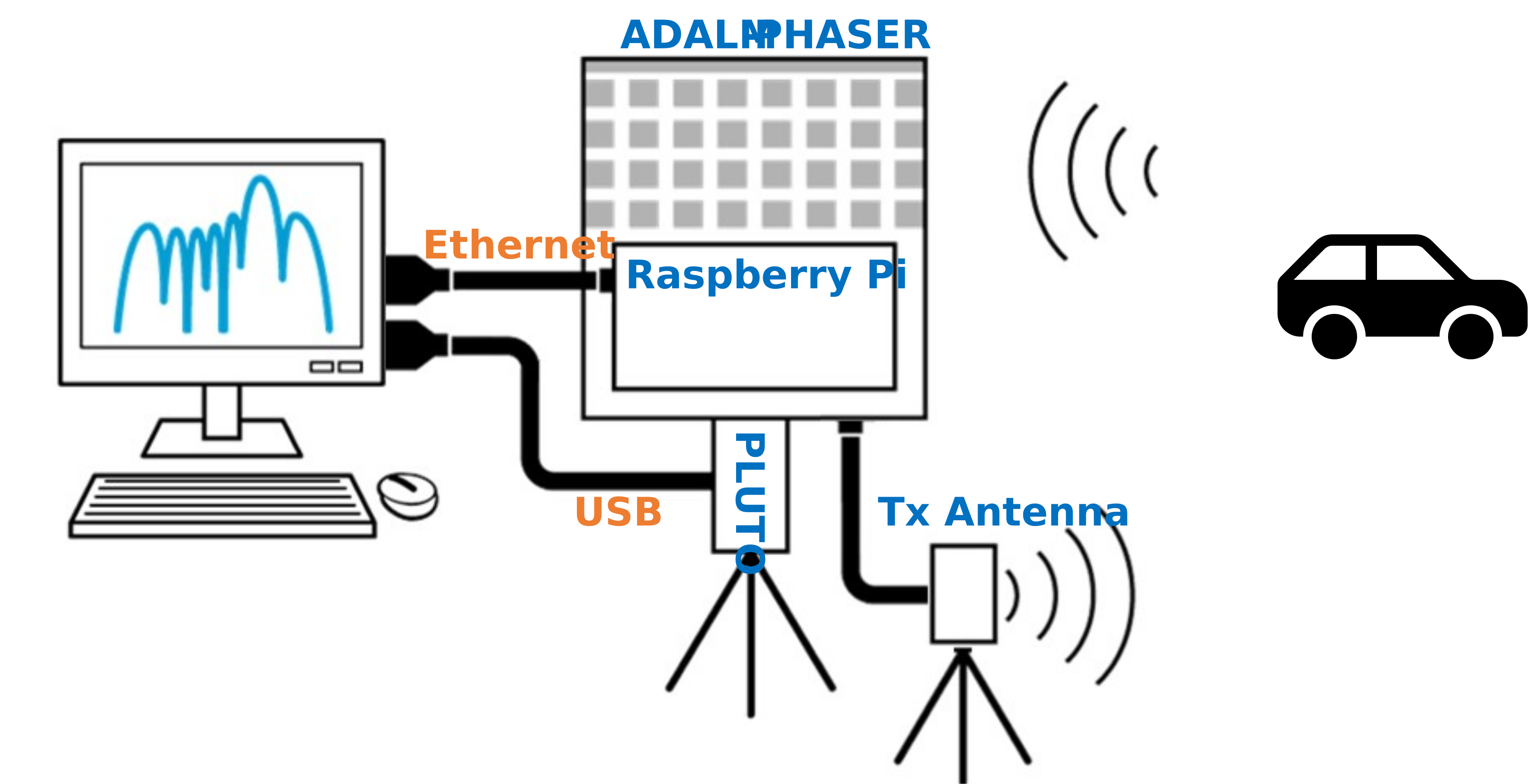
An ethernet cable goes from the Raspberry Pi directly to the computer, or to the local network router
The center micro USB plug of Pluto goes to a USB-A port on the computer
The transmit antenna is connected to the OUT2 port
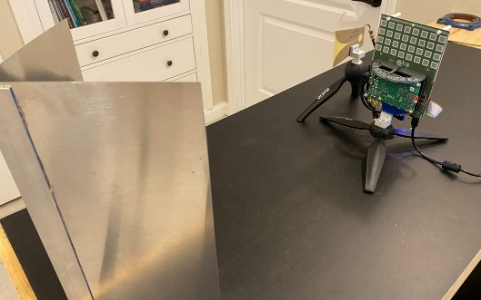
The transmit antenna is generally placed to the side of the receive array, and at the same height. As shown here:
Radar Calibration
Prior to running any of these radar labs, be sure to complete the phased array calibration. This procedure is built into the MATLAB examples. But for python you’ll need to run the following two programs (place these files with the other files found here) and place the generated “pkl” files in the same folder as the other python radar examples.
phaser_cal.py You can find a video walkthrough of this material here:
Note
For questions or help with the Phaser, please visit: EngineerZone