Quick start
The quick start guide provides step-by-step instructions on how to do an initial system setup for the EVAL-AD9213 evaluation board on the supported FPGA development board. This guide covers how to program the bitstream and boot a Linux distribution over JTAG.
Supported carriers
The EVAL-AD9213 connects to the FPGA carrier via an FMC+ connector. Because the evaluation board does not natively expose the JTAG chain, a ZX180V-HSPC breakout adapter is required.
FPGA board |
||
|---|---|---|
FMC+ |
— |
|
FMC+ |
FMC+ |
Supported environments
FPGA board |
HDL |
Linux software |
No-OS software |
|---|---|---|---|
Yes |
Yes |
— |
Hardware setup
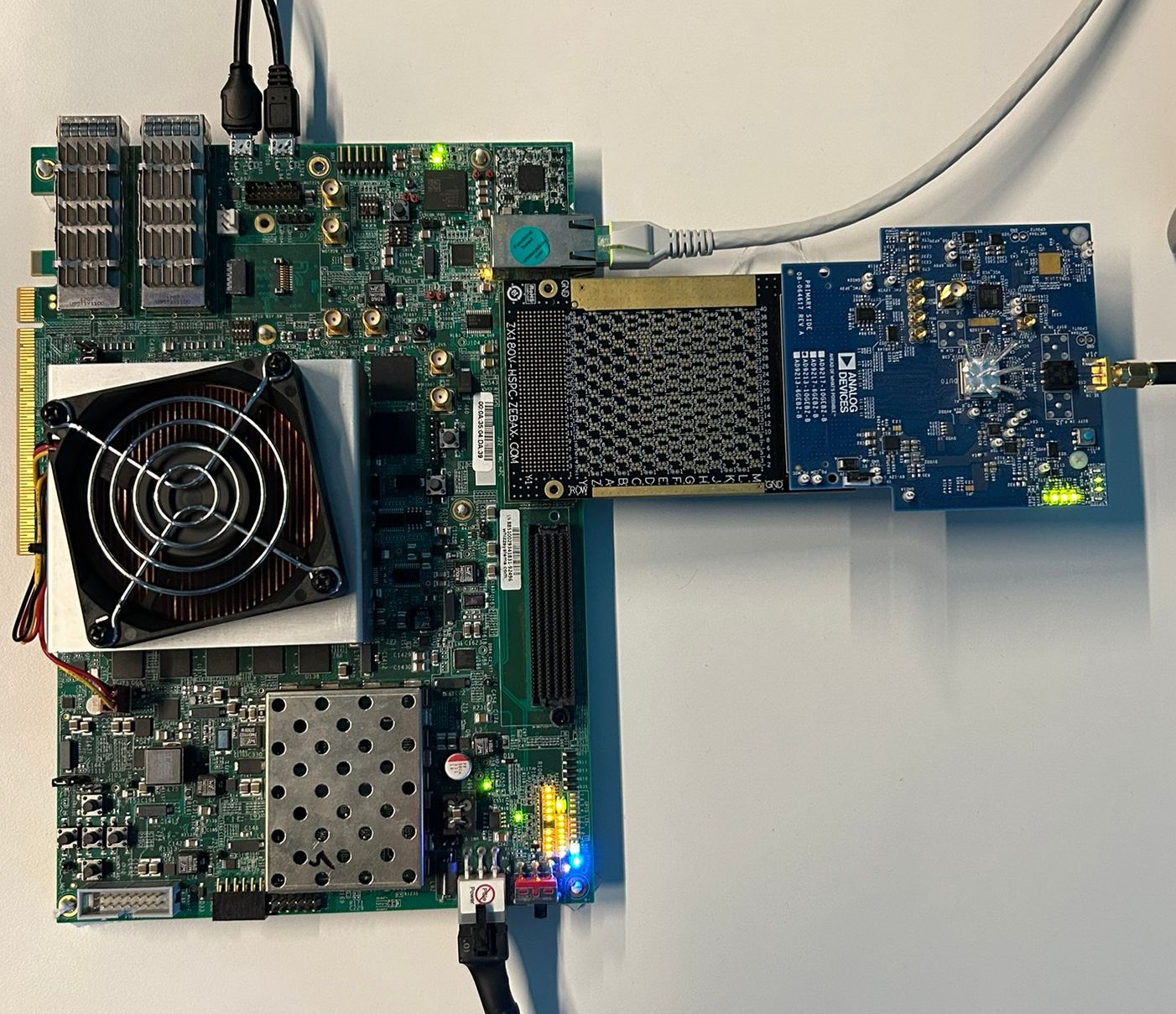
The EVAL-AD9213 connects to the AMD Xilinx VCU118 via the FMC+ breakout adapter. The carrier setup requires a power supply, UART (115200 baud), and JTAG connections via Micro-USB cables.
VCU118 + EVAL-AD9213
ADS8-V1EBZ + EVAL-AD9213/EVAL-AD9217
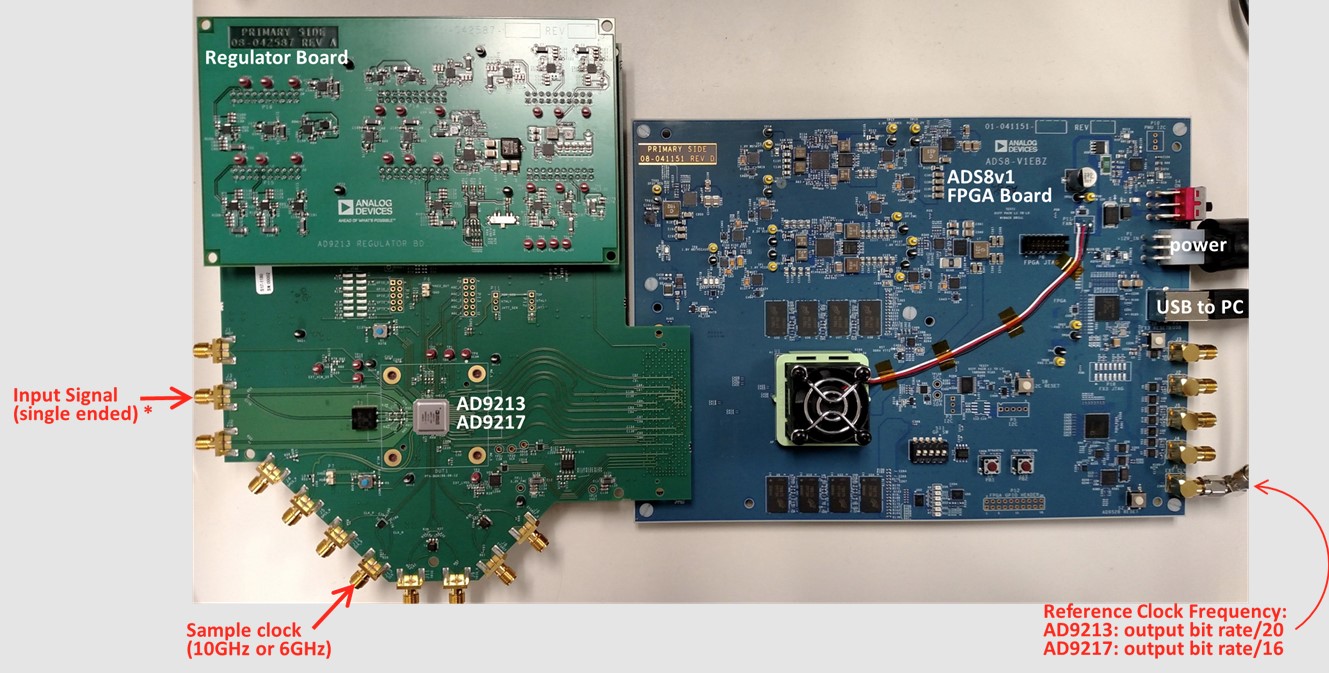
Figure 2 ADS8-V1EBZ with EVAL-AD9213/EVAL-AD9217 hardware setup
ADS8-V1EBZ + AD9213-10GEBZ-B
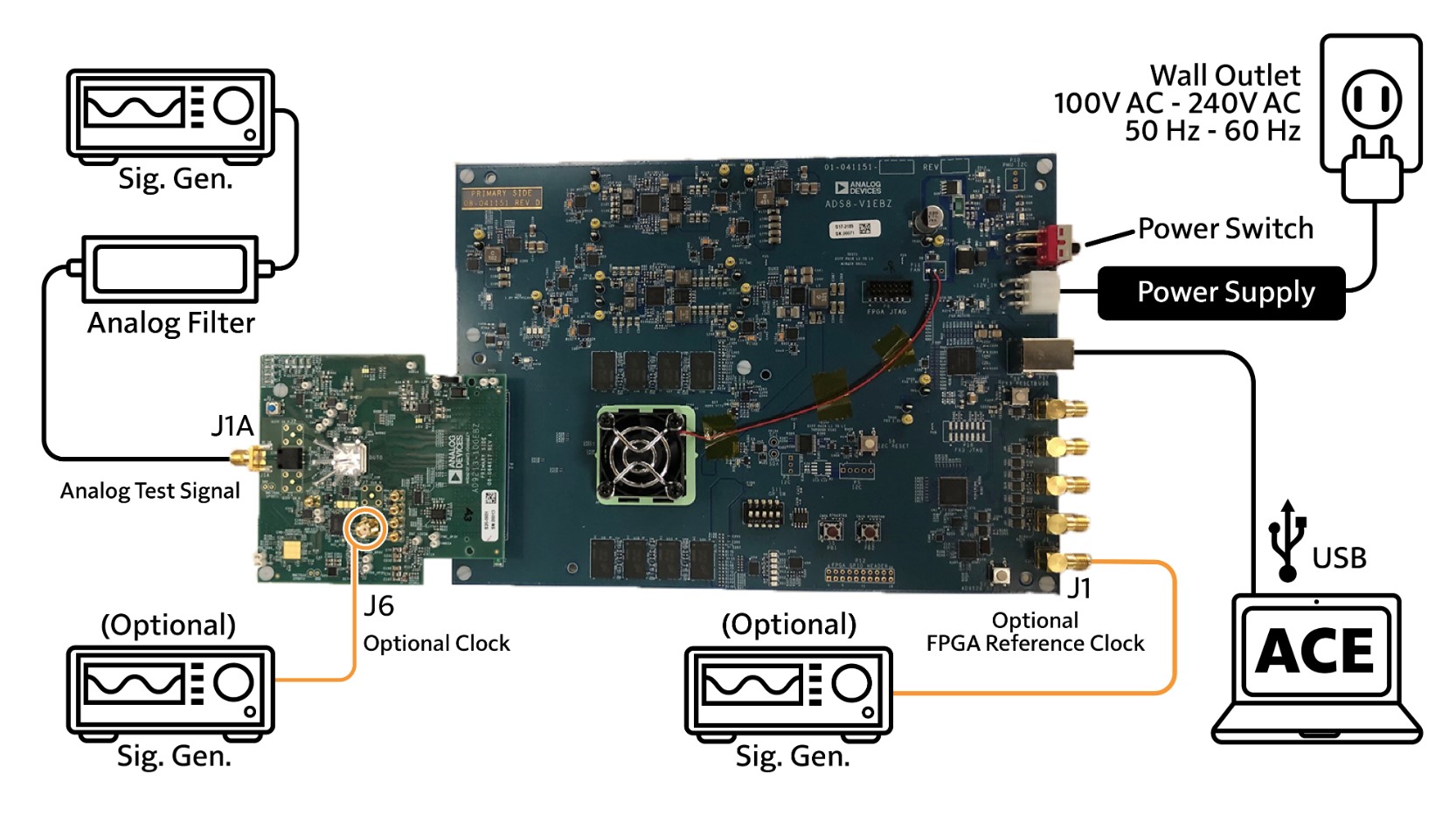
Go to the quick start guide.