Measuring the Actual Antenna Pattern
In the last lab, where we measured the half power beamwidth and first null beamwidth, we did not take into account the impact of the element factor. So in this lab, we’ll make a quick measurement of what the actual total antenna pattern would look like. A bit of warning though: we’ll be able to measure the peaks accurately, but not the exact angles. Still, it will give us an idea of what the impact of the element factor is on the array.
Lab Instructions
In the Phaser GUI, select “Lab 2: Array Factor”
In the “Config” tab, select “Signal vs Time” from “Mode Selection”. This plots the peak amplitude vs time.
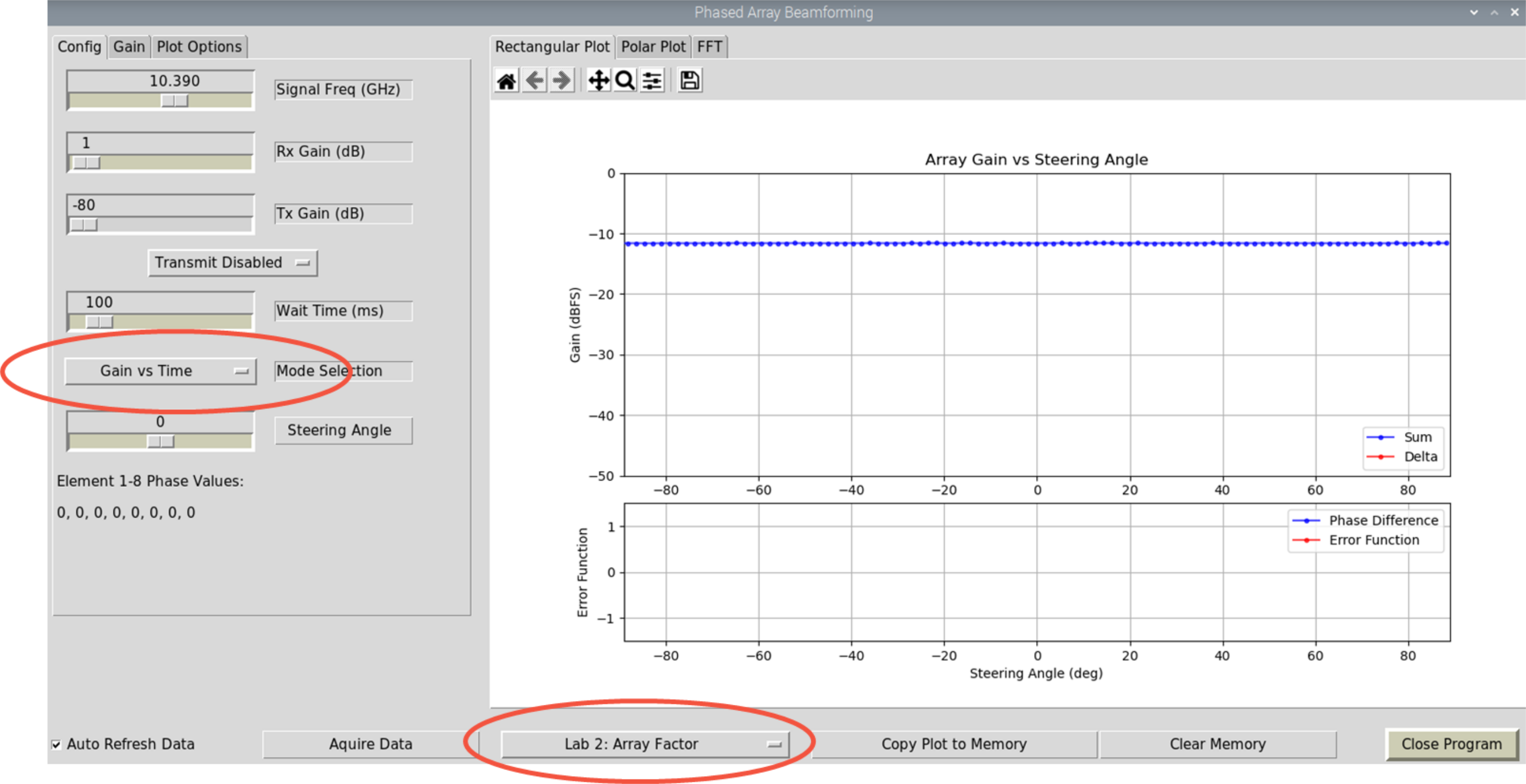
Now rotate the HB100 in a radius around the Phaser board –keep the HB100 pointed at Phaser!
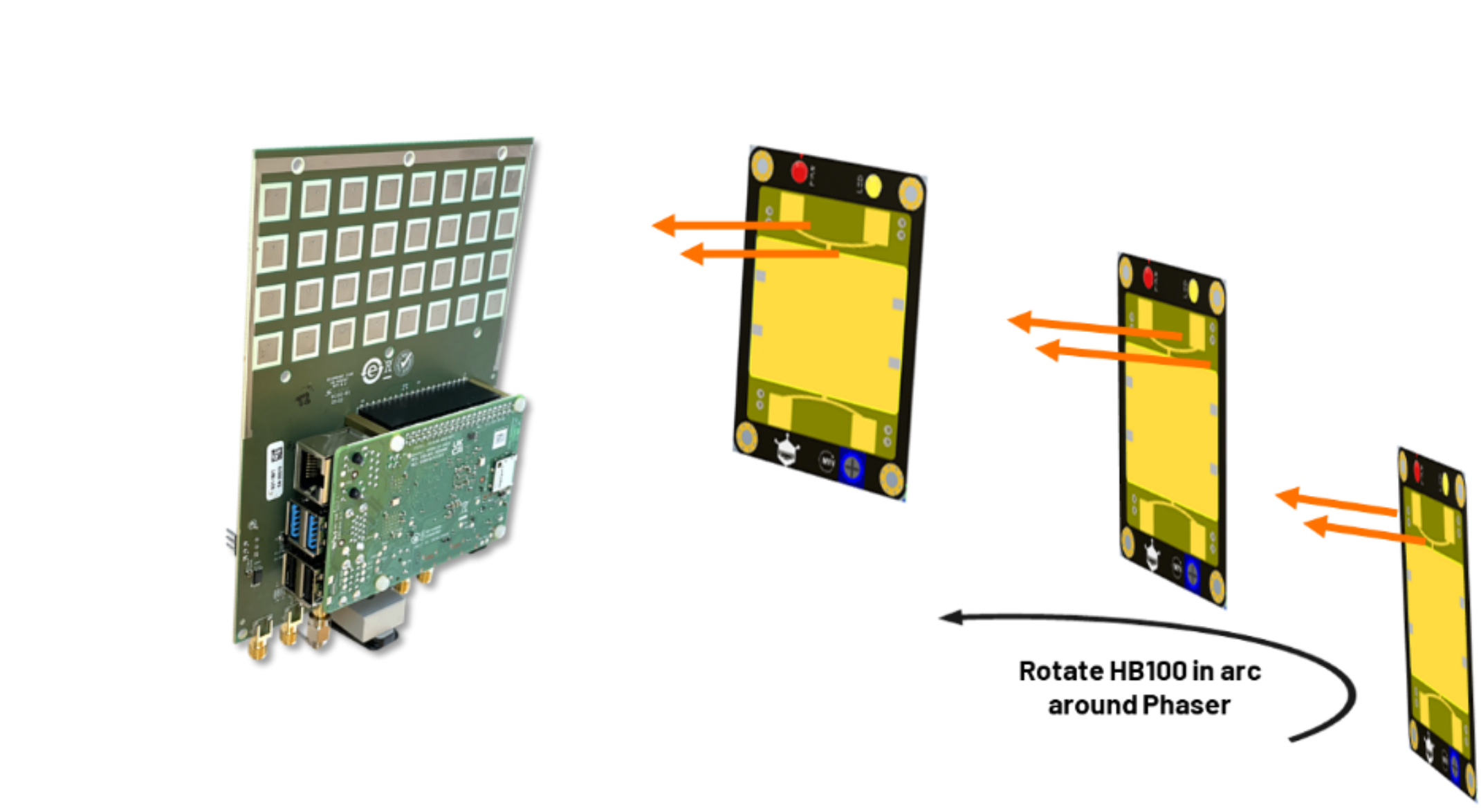
Start at the left position (-90 deg), and move around to the right position (+90 deg)
Keep a smooth, consistent speed!
Practice a few times, then try time it so that one smooth rotation covers the entire graph span
With practice, it may look like this:
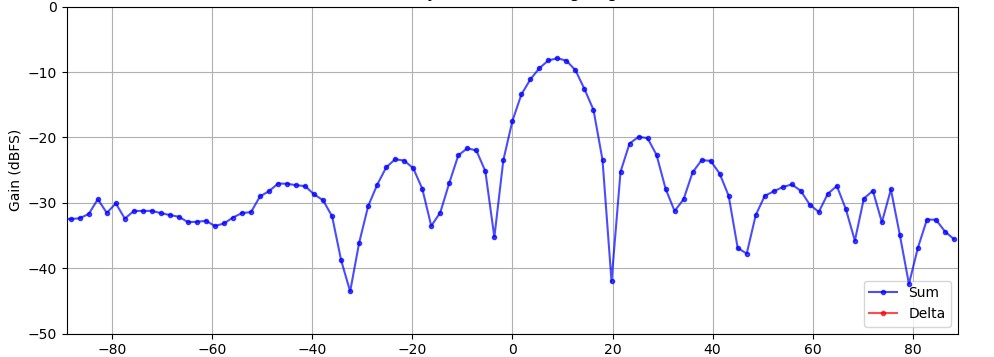
Ok, so we can’t really get angular measurements from this (we can never rotate it perfectly). But we can get accurate lobe amplitudes.
Compare these amplitudes to your earlier measurements. How close are they?
Repeat the process, but change the “Steering Angle” from 0 deg to 30 deg
You can find a video walkthrough of this lab here:
Note
For questions or help with the Phaser, please visit: EngineerZone