User Guide
Hardware guide
Hardware configuration
The EVAL-CN0579-ARDZ evaluation board connects to a carrier board via the Arduino headers. No additional adapter or jumper modifications are required. The board is compatible with any Arduino-form-factor carrier, including the DE10-Nano and the Cora Z7.
Mount the EVAL-CN0579-ARDZ onto the carrier board by aligning the Arduino headers and pressing the board firmly into place. Ensure the board is seated evenly before applying power.
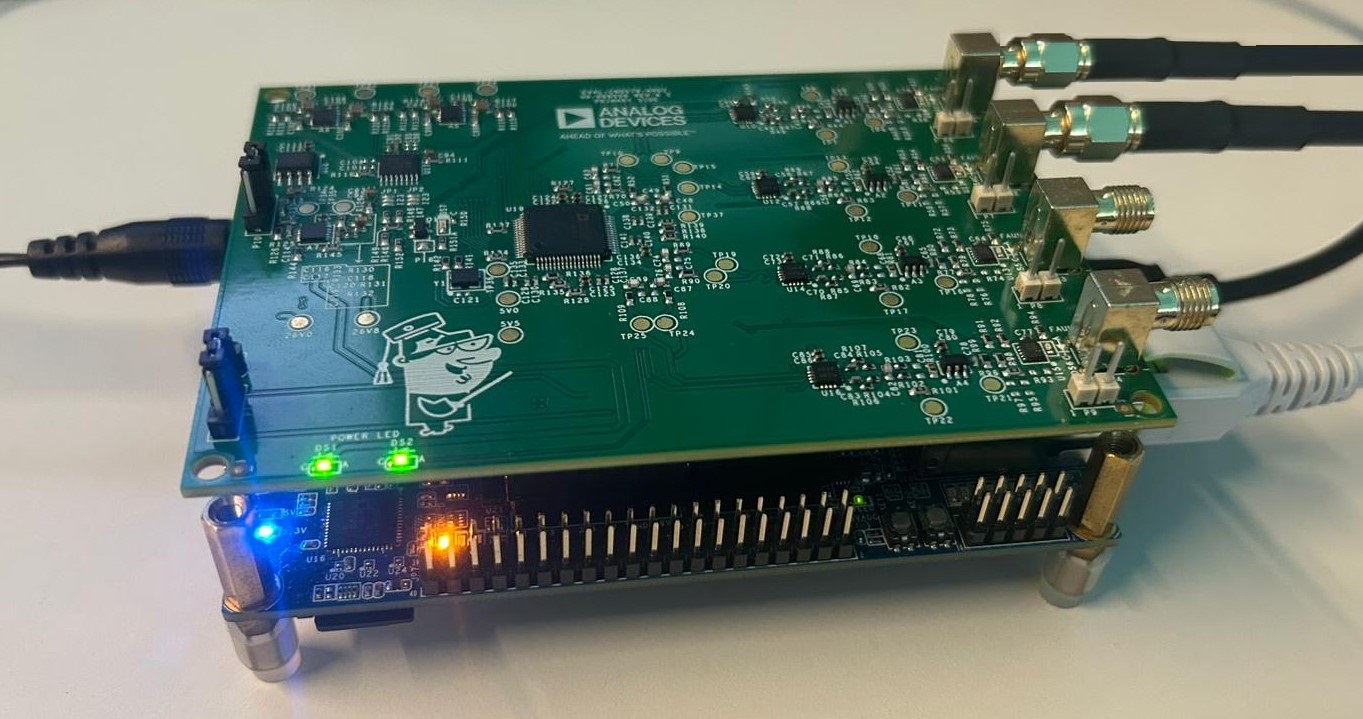
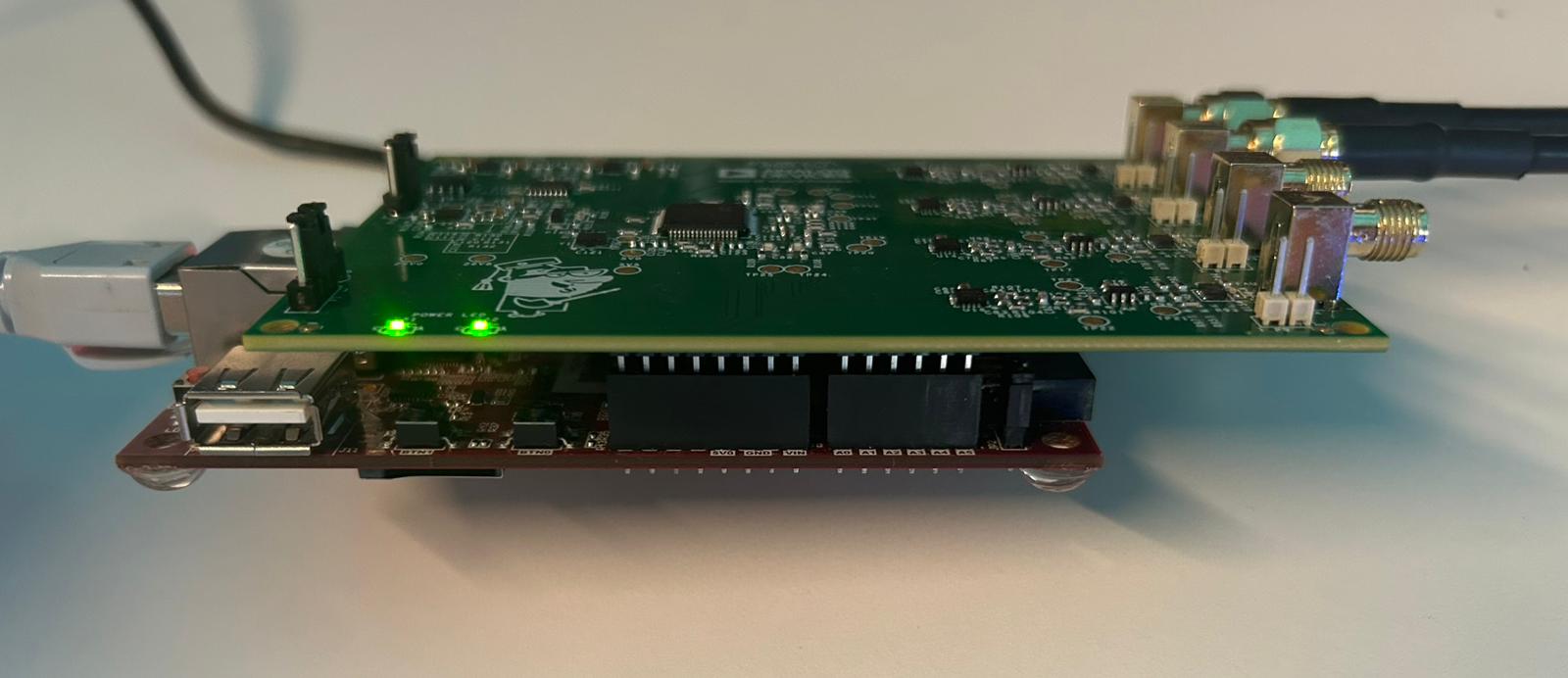
Figure 1 DE10-Nano with EVAL-CN0579-ARDZ mounted (side view).
Power supply
The EVAL-CN0579-ARDZ is powered entirely through the Arduino headers from the carrier board’s 5 V supply rail. Power requirements depend on the carrier in use:
DE10-Nano: Connect the dedicated DC power supply to the DE10-Nano before powering on. The board requires an external 5 V supply and cannot be powered over USB alone.
Cora Z7: The board can be powered directly via the Micro-USB cable used for the UART connection, provided the host PC supplies sufficient current.
Analog inputs
The EVAL-CN0579-ARDZ exposes four analog input channels via SMA connectors. Connect signal sources appropriate for the input voltage range specified in the AD7768-4 datasheet. For best dynamic range, use a low-noise, low-distortion signal source and ensure proper shielding of the SMA cables.
Schematic, PCB Layout, Bill of Materials
Design support files for the EVAL-CN0579-ARDZ evaluation board, including schematics, PCB layout, and bill of materials, are available in the Schematic, PCB Layout, Bill of Materials section.
Software guide
The EVAL-CN0579-ARDZ is supported through the Linux IIO subsystem via the ADI Kuiper Linux image. Once the carrier board has booted, the AD7768-4 ADC is exposed as an IIO device and can be accessed using standard IIO-based tools: