Tips & Tricks
Customizing the device tree on the target
The device tree is a data structure for describing hardware. Rather than hard coding every detail of a device into an operating system, many aspect of the hardware can be described in a data structure that is passed to the operating system at boot time.
For your convenience – all device tree files (dtb) for our designs are included in the SD Card boot partition. Sometimes it’s desired to change certain device tree properties permanently.
For example a custom board has a different reference clock.
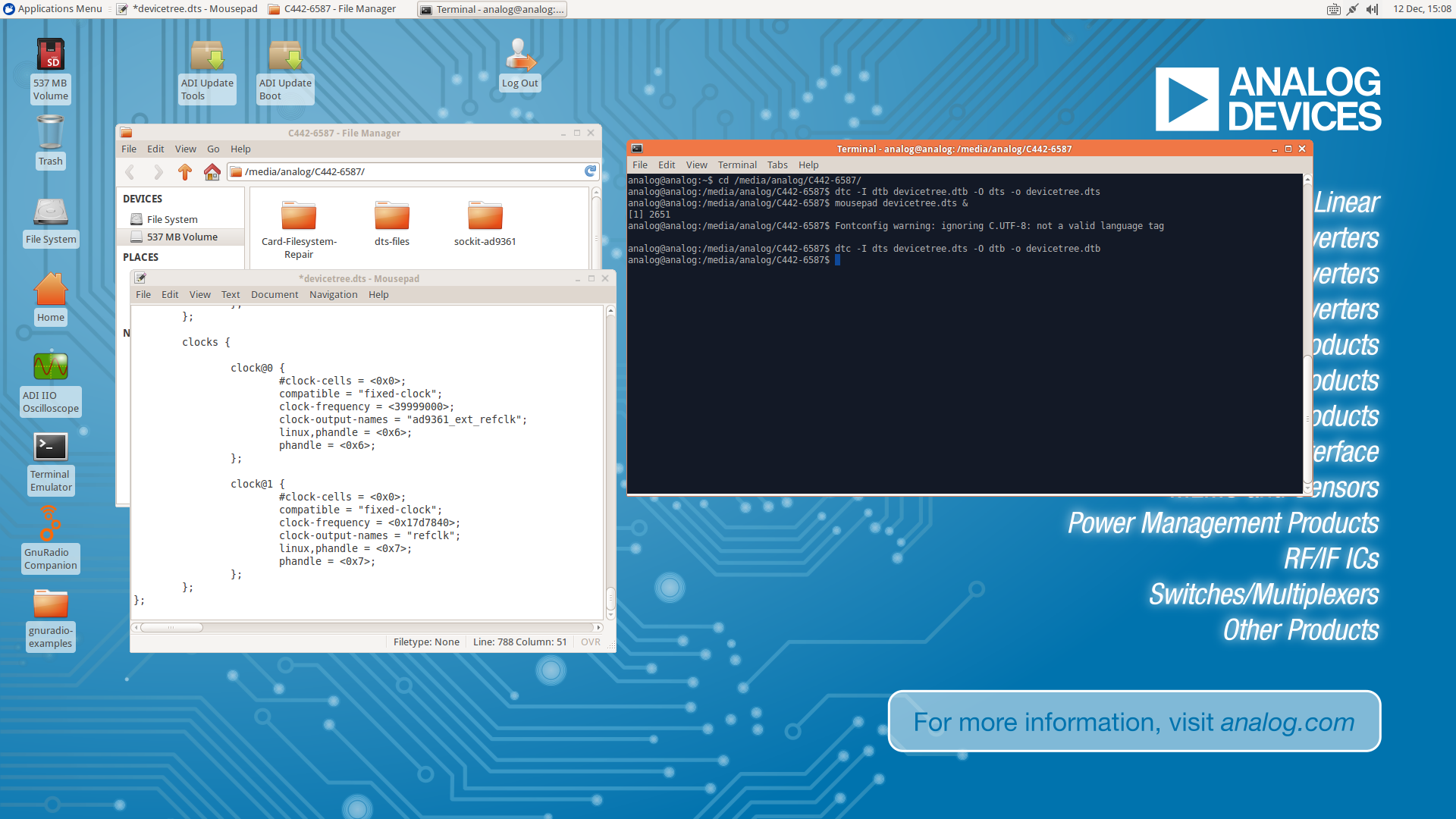
Mount the FAT32 Boot partition by clicking on the 537MB Volume Icon on the desktop
Open a shell by clicking ion the Terminal Icon on the desktop (or CTRL+ALT+t)
Now convert the devictree.dtb into a dts file
Edit the file (mousepad or vi)
Convert the devictree.dts back into its binary format.
Unmount the file system (right click)
analog@analog:~$ cd /media/analog/BOOT/
analog@analog:/media/analog/BOOT$ dtc -I dtb devicetree.dtb -O dts -o devicetree.dts
analog@analog:/media/analog/BOOT$ mousepad devicetree.dts &
analog@analog:/media/analog/BOOT$ dtc -I dts devicetree.dts -O dtb -o devicetree.dtb
analog@analog:/media/analog/BOOT$