QPSK Transmit and Receive Example
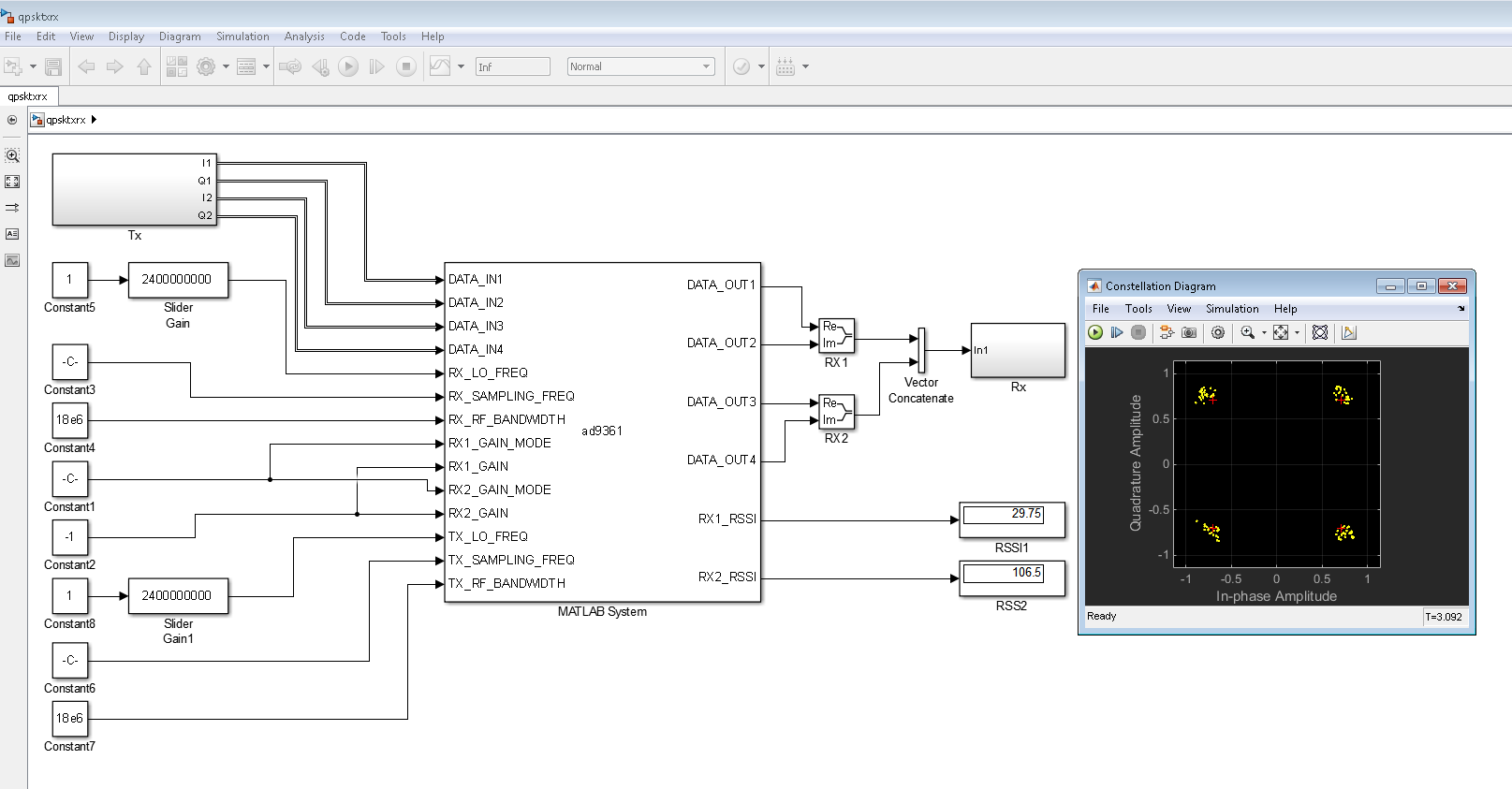
In this section, we will show a QPSK transmit and receive example, which is
based on MathWorks QPSK Transmitter and Receiver Example. In this example,
FMCOMMS3 is used as RF front-end, which captures the modulated QPSK signals over
the air. These signals are then streamed from target to Simulink via the
ad9361 block. The Simulink model is shown in the figure below, where the
blocks of Tx and Rx are grouped in two subsystems.
In order to run this example, your MATLAB version should be 2014b or higher, and your license needs to include the following components:
Communications System Toolbox
DSP System Toolbox
Signal Processing Toolbox
The model can be found here:
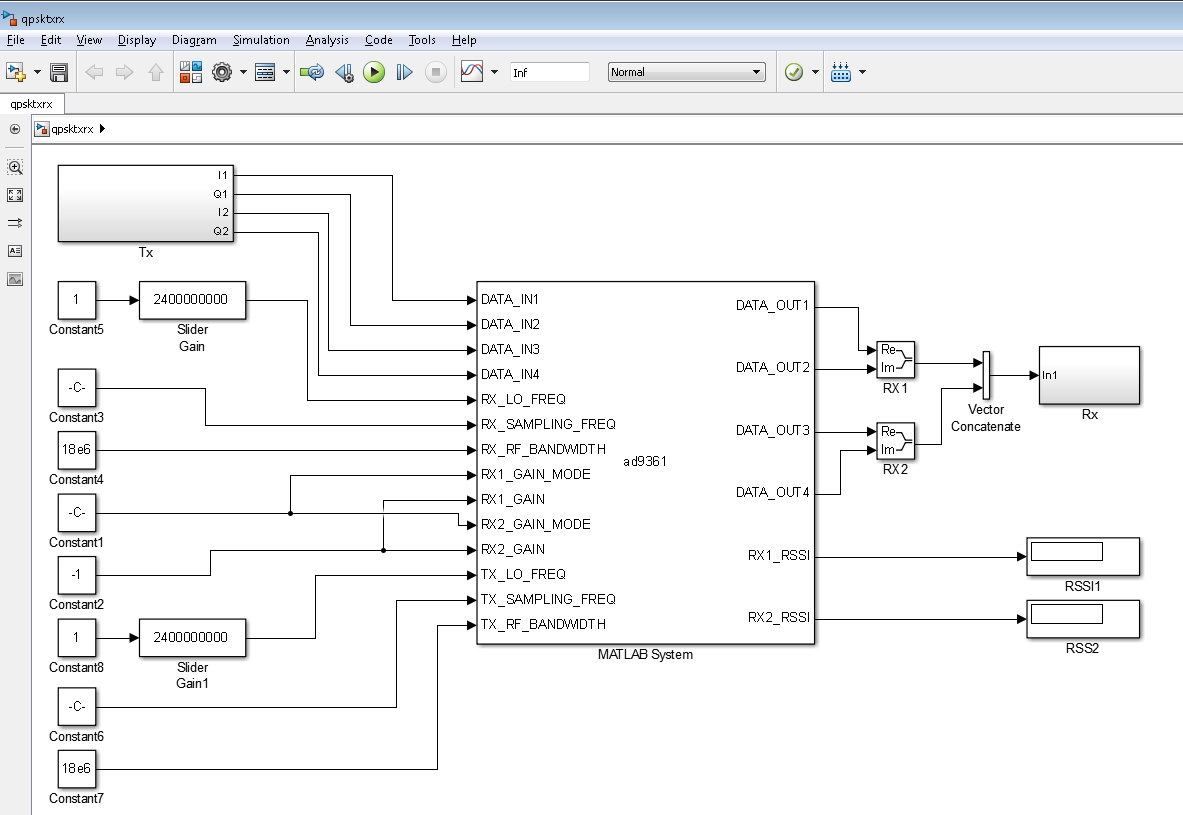
In this example, we set up the target using the block’s properties dialog and a
configuration file. You can double click the ad9361 block in the model to
find out the properties dialog settings. You can open the ad9361.cfg to look
into the configuration file.
QPSK Transmitter
The QPSK Transmitter is shown in the figure below, which mainly consists of a baseband QPSK modulator, a raised cosine filter, and a gain block to scale up the signals before transmission.

QPSK Receiver
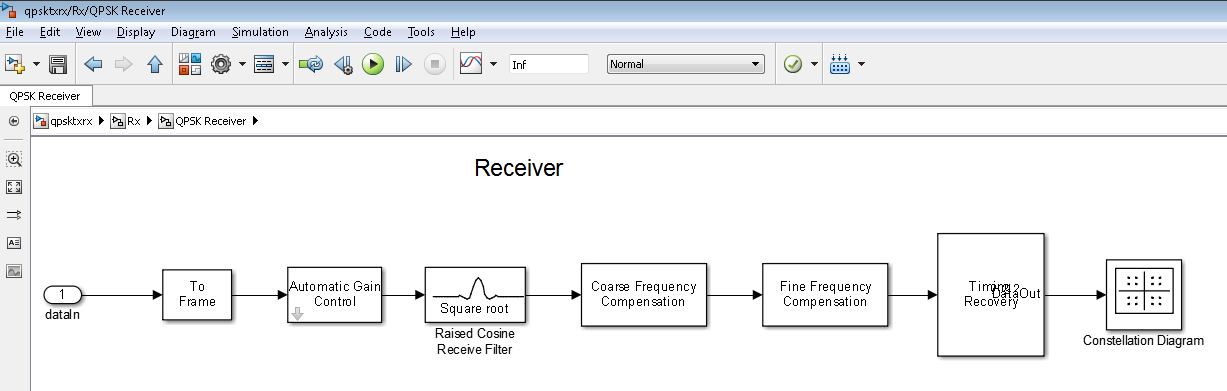
The QPSK receiver is shown in the figure below, which consists of the following blocks:
An automatic gain control block
A raised cosine receiver filter block
A coarse frequency compensation block
A fine frequency compensation block
A timing recovery block
The detailed description of each block can be found at MathWorks Help Document.
Results
With everything set up properly, we can run the model and get the results below. As we can see, with the frequency compensation and the timing recovery, we can get a clear QPSK constellation.