Beacon Frame Receiver Example (Obsolete)
Warning
Analog Devices uses six designations to inform our customers where a semiconductor product is in its life cycle. From emerging innovations to products which have been in production for twenty years, we understand that insight into life cycle status is important. Device life cycles are tracked on their individual product pages on analog.com, and should always be consulted before making any design decisions.
This particular article/document/design has been retired or deprecated, which means it is no longer maintained or actively updated, even though the devices themselves may be Recommended for New Designs or in Production. This page is here for historical/reference purposes only.
In this section, we will show an IEEE 802.11b beacon frame receiver example. In
this example, FMCOMMS2 is used as RF front-end, which captures the WiFi signals
over the air. These signals are then streamed from target to Simulink via the
iio_sys_obj block. The Simulink model is shown in the figure below, where
the Receiver and PLCP Display are from an existing Simulink example IEEE
802.11 WLAN - Beacon Frame Receiver with USRP Hardware.
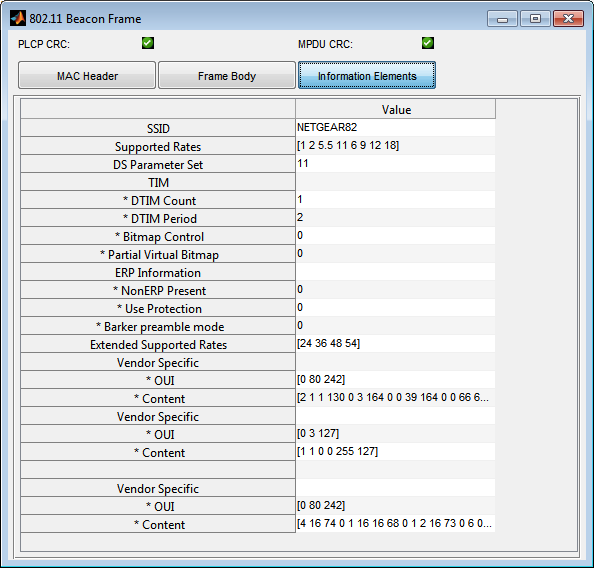
This Simulink model will decode the received WiFi signals, and display all the
information from the beacon frame.
In order to run this example, your MATLAB version should be 2014b or higher, and your license needs to include the following components:
Communications System Toolbox
DSP System Toolbox
Signal Processing Toolbox
The model can be found here:
Its initialization functions are based on the ones of IEEE 802.11 WLAN - Beacon Frame Receiver with USRP Hardware.
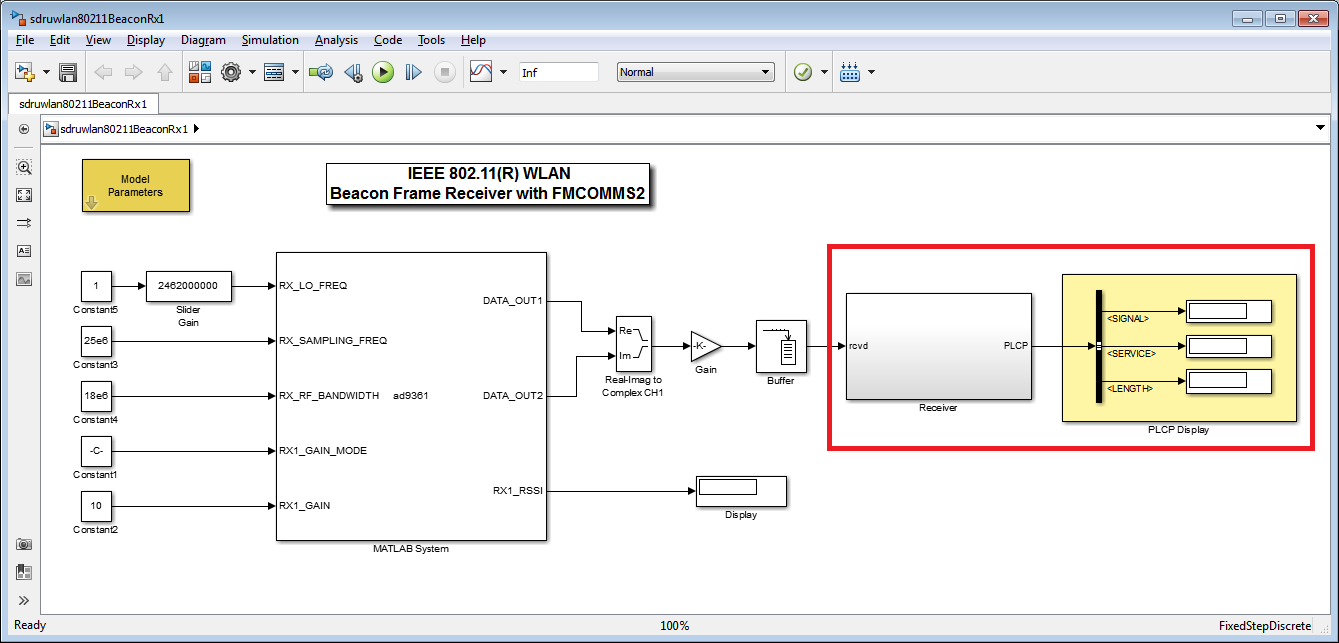
In this example, we set up the target using iio_sys_obj block. One of the
most important parameters is the RX_LO_FREQ. It should be set as the center
frequency of the incoming WiFi signal channel. In this case, since the incoming
WiFi signal is at Channel 11, this frequency is set at 2462 MHz. (The TX LO
Frequency on your target should be set at least 50 MHz away from the
RX_LO_FREQ in order to avoid interference.)
One other tip: In order to avoid saturation of the RX channel, use the manual
gain control mode to adjust the received signal strength, so RX1_GAIN_MODE
is set as uint8('manual').
With everything set up properly, we can run the model and get the results below: