User Guide
- The complete user guides of the evaluation boards can be found at:
Software guide
The EVAL-AD4080-FMC, EVAL-AD4083-FMC, and EVAL-AD4086-FMC evaluation boards are supported within the Libiio library. This library is cross-platform (Windows, Linux, Mac) with language bindings for C, C#, Python, MATLAB, and others. The following software can be used for the evaluation of the boards:
ADI IIO Oscilloscope
The IIO Oscilloscope is a cross-platform application for interfacing with IIO devices, enabling you to configure device parameters and visualize data.
Important
Make sure to download/update to the latest version of IIO Oscilloscope.
For Linux
Remote run on host
The IIO Oscilloscope application can be used to connect to another platform that has a connected device, to configure the device and read data from it. This application is not for performance testing, but rather showcasing the basic features.
Please see IIO Oscilloscope documentation for installation steps and more details.
Build and start osc on a network-enabled Linux host.
For Windows computers, open the application from the start menu.
Once the application is launched, go to Settings > Connect > URI and type “ip:” then the IP address of the target in the pop-up window. This IP can be found out with a command from the previous section of this documentation.
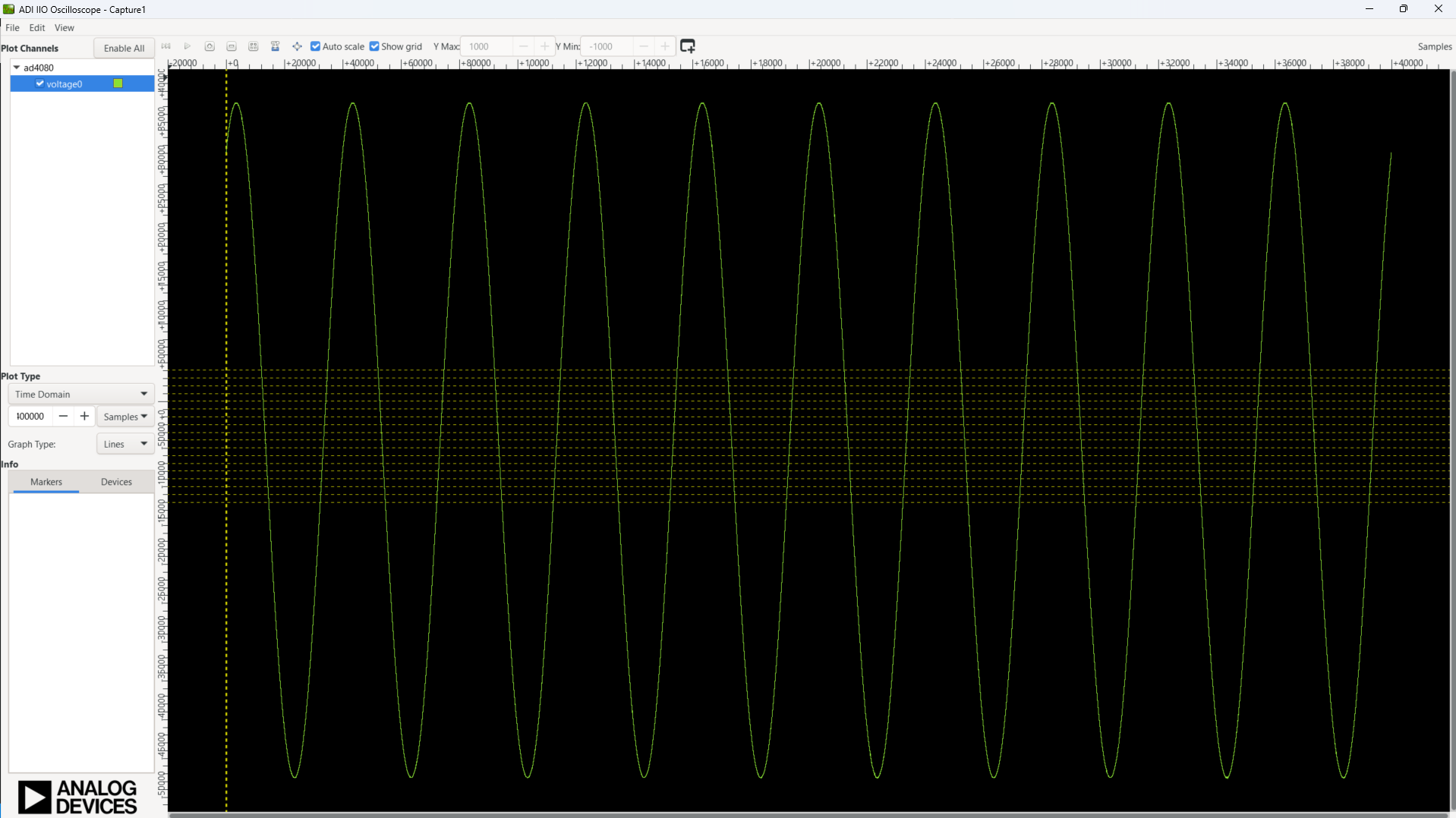
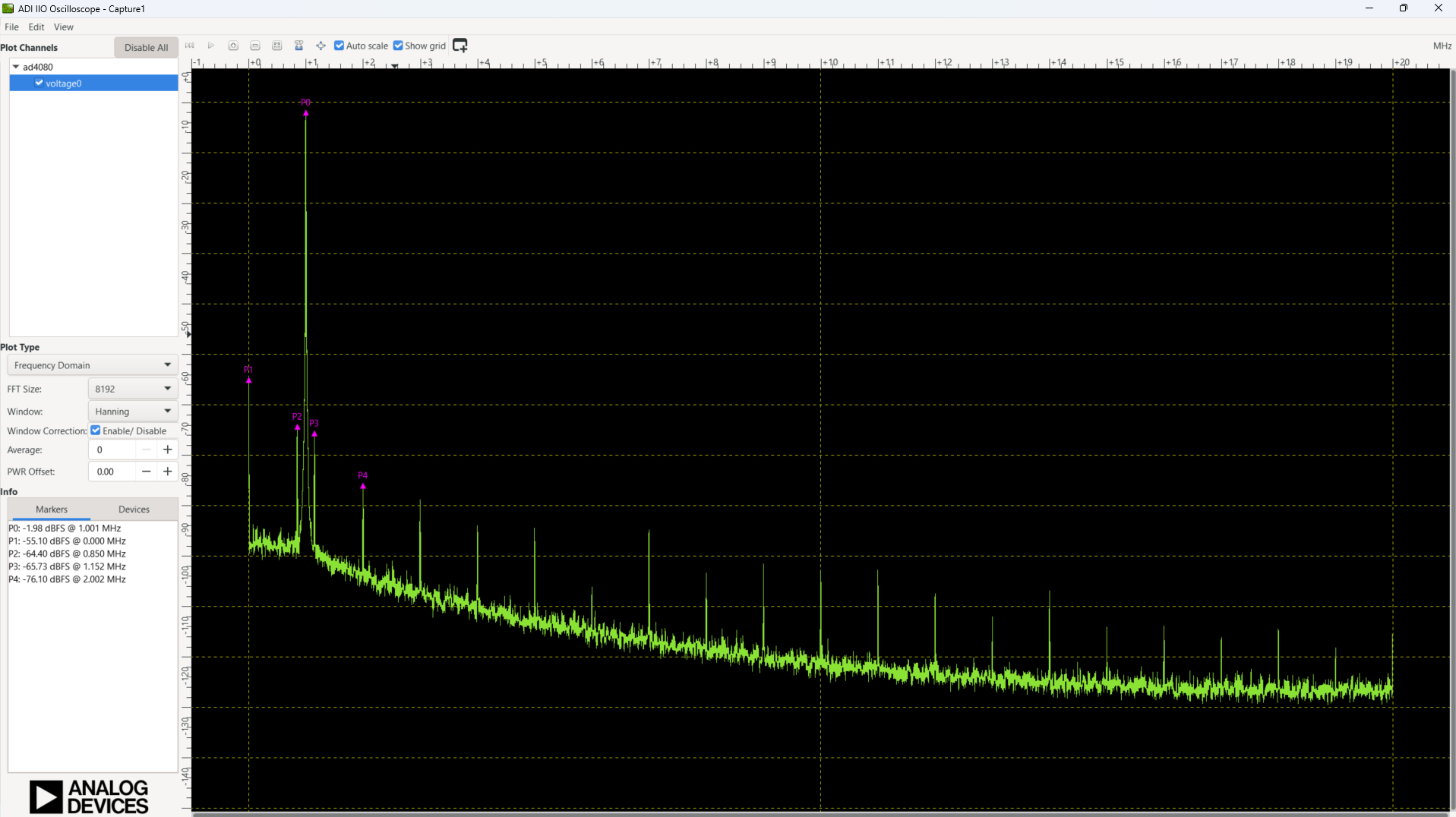
Data capture
Note
Device names and channel definition may differ between no-OS and Linux.
Time domain:
Frequency domain:
PyADI-IIO
PyADI-IIO is a Python abstraction module for ADI hardware with IIO drivers. An example for the AD408x can be found here.