ZedBoard Quick Start
All the products described on this page include ESD (electrostatic discharge) sensitive devices. Electrostatic charges as high as 4000V readily accumulate on the human body or test equipment and can discharge without detection. Although the boards feature ESD protection circuitry, permanent damage may occur on devices subjected to high-energy electrostatic discharges. Therefore, proper ESD precautions are recommended to avoid performance degradation or loss of functionality. This includes removing static charge on external equipment, cables, or antennas before connecting to the device.
This guide provides step-by-step instructions on how to set up the EVAL-AD7606B-FMCZ / EVAL-AD7606C-18FMCZ on:
ZedBoard The supported revision is C or higher.
Using no-OS as software
Necessary files
The following files are needed for the system to boot:
HDL boot file:
system_top.xsano-OS project: projects/ad7606x-fmc
Instructions on how to build the boot files from source can be found here:
AD7606x no-OS Example Project. More no-OS build details at No-OS Build Guide.
AD7606X-FMCZ HDL project. More HDL build details at Build an HDL project.
Required Software
AMD Xilinx Vivado and Vitis (downloading Vitis from here will include Vivado as well)
A UART terminal (Putty/Tera Term/Minicom, etc.), baud rate 115200 (8N1)
Required Hardware
AMD Xilinx ZedBoard Rev C or later, with 12 V power supply
EVAL-AD7606B-FMCZ or EVAL-AD7606C-18FMCZ FMC evaluation board
2x Micro-USB cables (one for UART, one for JTAG)
Signal generator capable of ±10 V or ±5 V output (to drive analog inputs)
More details as to why you need these can be found at Prerequisites.
Testing
Creating the setup
Follow the steps in this order to avoid damaging the components:
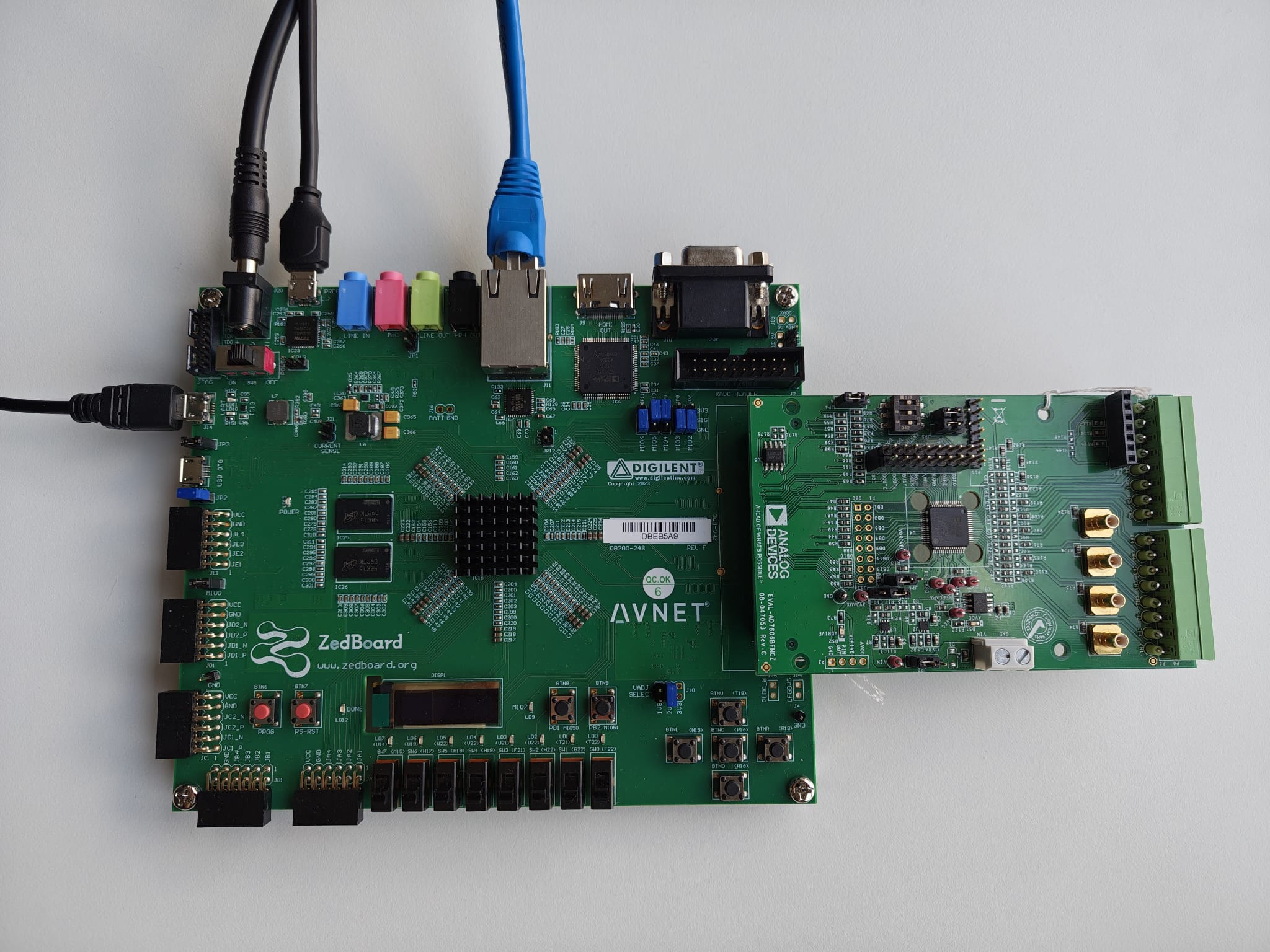
Get the ZedBoard.
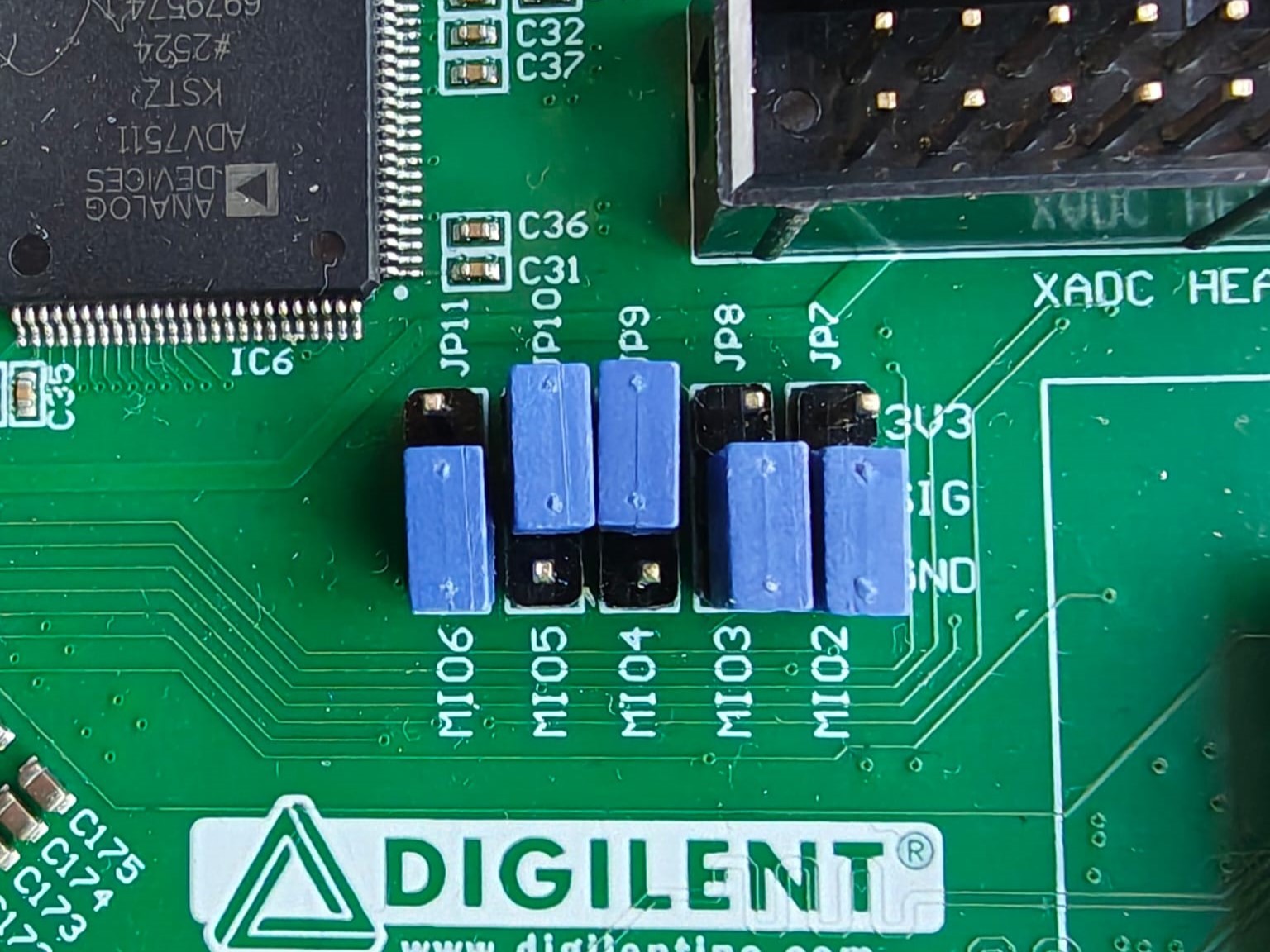
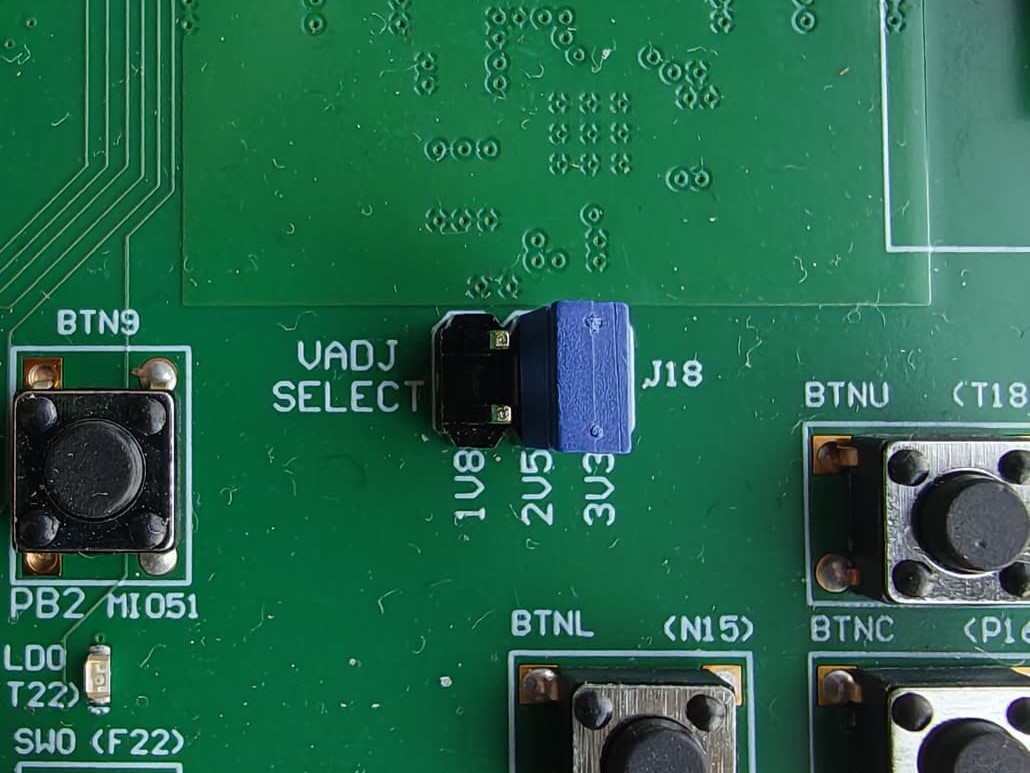
Configure ZedBoard for JTAG boot by setting the BOOT mode switches (JP7–JP11) and MIO0 jumper (JP6) for JTAG mode. VADJ (JP18) should be set to 2.5 V.
Connect your signal generator to the analog inputs of the evaluation board using SMB cables (V1± through V8±, or V1± through V4± for the AD7606-4).
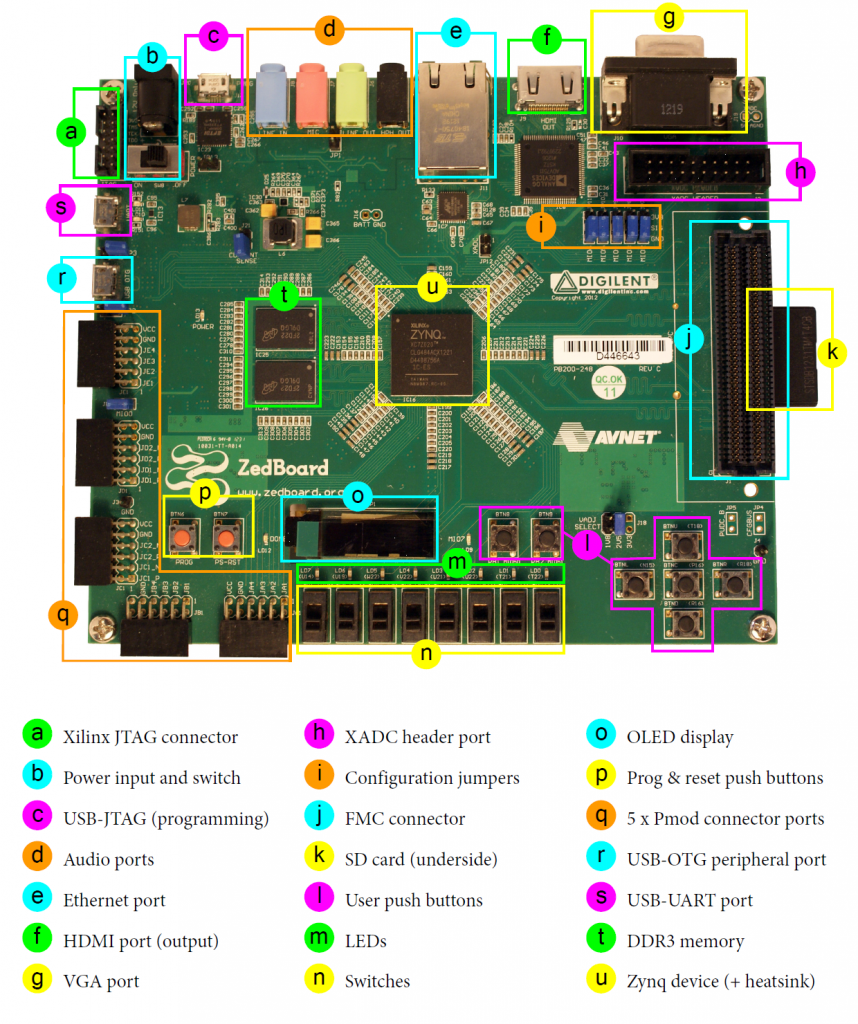
Plug the EVAL-AD7606B-FMCZ into the FMC LPC Connector (J1).
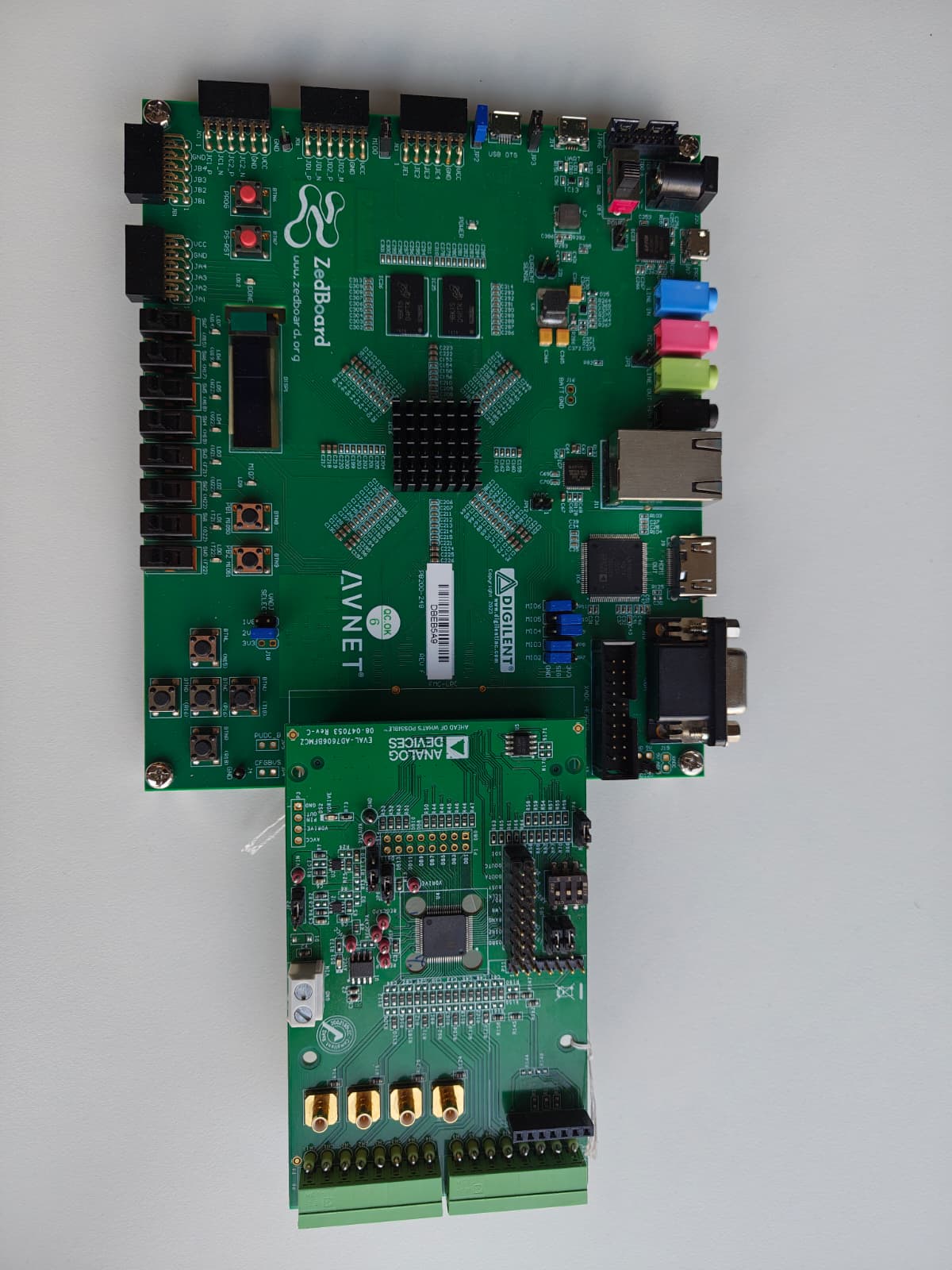
Connect the 12 V power supply to J20 — do not power on yet.
Connect the UART port (J14) to your PC via Micro-USB.
Connect the PROG port (J17) to your PC via Micro-USB (for JTAG).
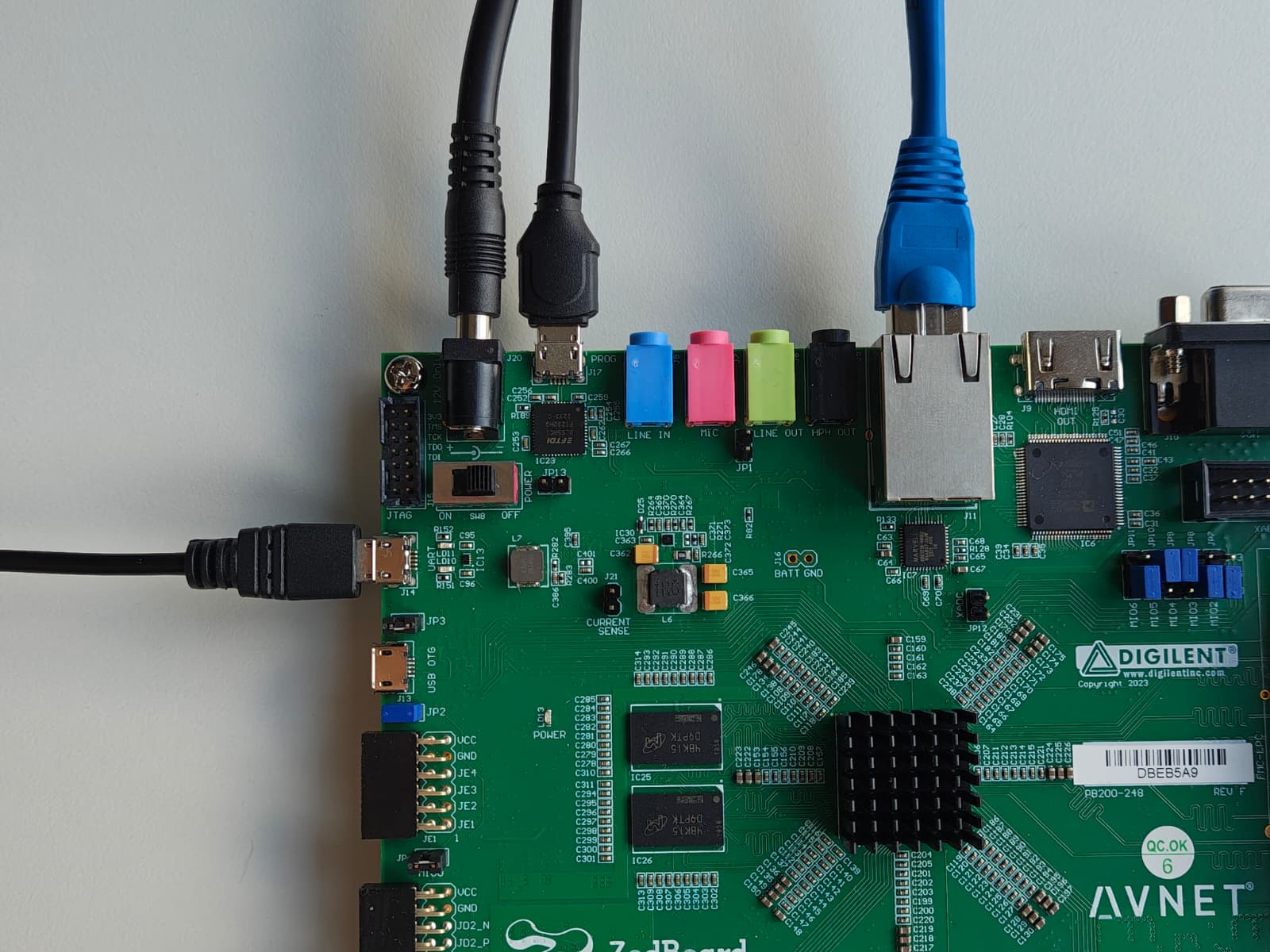
Power on the board using the power switch.
In Vitis, program the FPGA with the generated
system_top.xsaand run the no-OS application on the Zynq PS.Observe output in your serial terminal at 115200 baud (8N1).
See also
For more detailed information on ZedBoard jumper settings, check the ZedBoard Hardware User Guide (chapter “Configuration modes”) here.