Quick start
The quick start guide provides step-by-step instructions on how to do an initial system setup for the AD9208-DUAL-EBZ evaluation board on the supported FPGA development board. This guide covers how to build the HDL project, build the Linux kernel, program the board, and capture data using IIO Oscilloscope.
Supported carriers
The AD9208-DUAL-EBZ connects to the FPGA carrier via an FMC connector.
FPGA board |
AD9208-DUAL-EBZ |
Connection |
|---|---|---|
FMC+ |
HPC |
Supported environments
FPGA board |
HDL |
Linux software |
No-OS software |
|---|---|---|---|
Yes |
Yes |
— |
Hardware setup
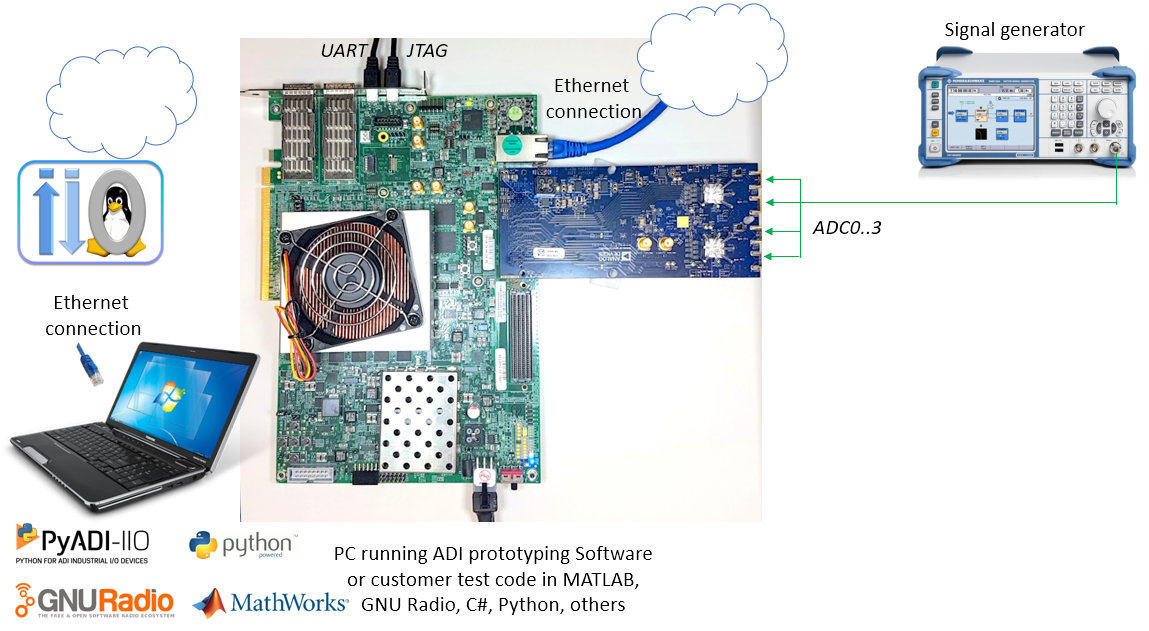
The AD9208-DUAL-EBZ connects to the AMD Xilinx VCU118 via the FMC connector. The carrier setup requires power, UART (115200 baud), and Ethernet connections.
The ADCs are set to run at full bandwidth mode 3 GSPS, which translates to a lane rate of 15.5 Gbps. Each converter has its own SYSREF that is driven from a common clock chip HMC7044. Ideally these SYSREF lines should be length matched; if not, the HMC has capability to adjust delays on its outputs. Sampling clocks are generated by the same HMC clock chip and should be ideally length matched as well.
VCU118 + AD9208-DUAL-EBZ
Go to the quick start guide.