Unboxing
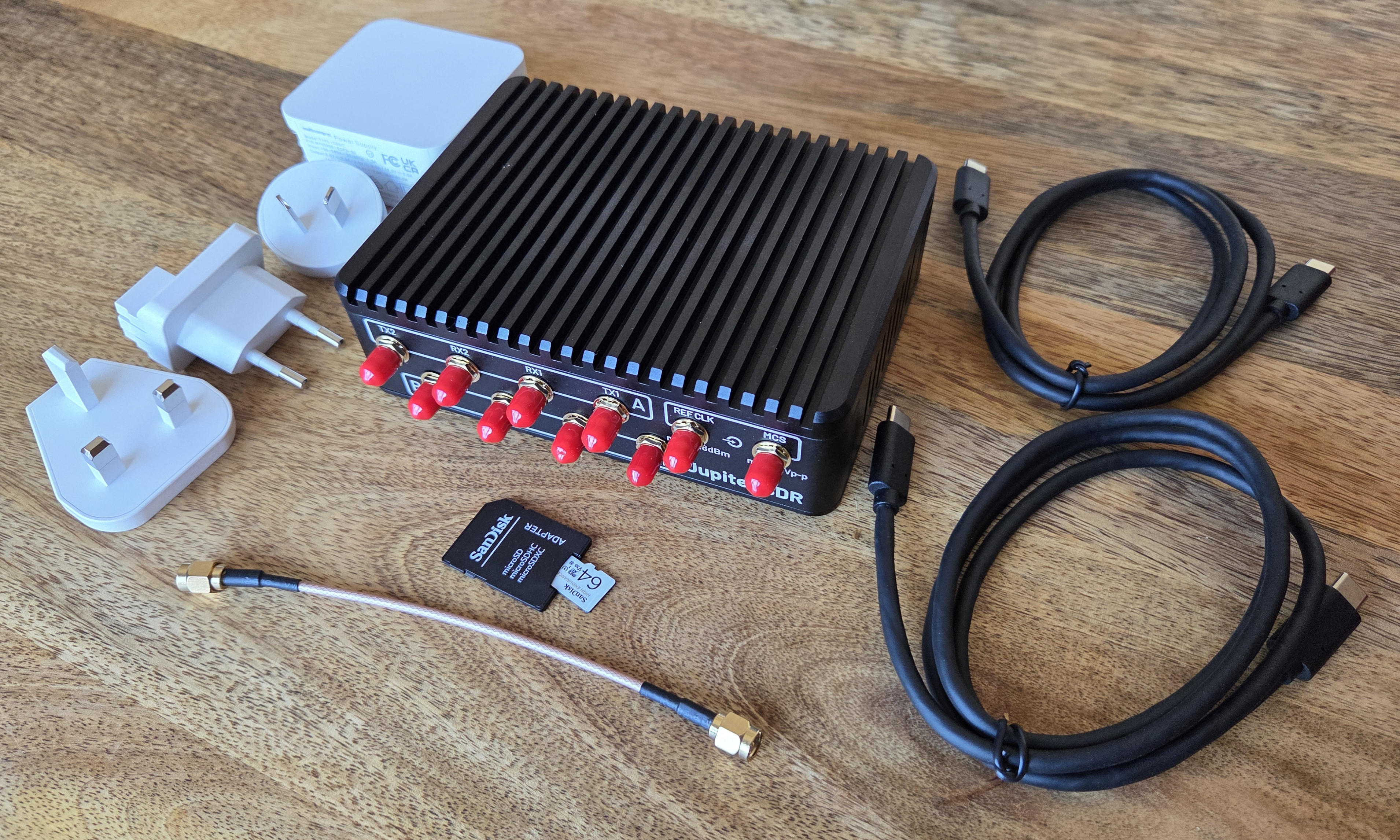
Included Hardware and Accessories:
Jupiter Software‑Defined Radio (SDR)
Fully assembled SDR in a ruggedized, finned aluminum enclosure
USB‑C Power Supply
Wall‑plug power adapter suitable for powering the Jupiter SDR
Includes interchangeable regional plug adapters (e.g., US, EU, UK)
USB‑C Cables
USB‑C cables for power and PC connection
SD Card
Pre‑installed with Linux Image
SD Card Adapter
Needed for programming or updating SD Card
SMA RF Cable
Short SMA cable for basic RF loopback, test, or reference connections
Optional:
Displayport cable
If the user intends to interface directly with Jupiter
Ethernet cable
To connect to host pc, or can be used for POE
Micro USB cable
UART / serial console access
-
Synchrona is only necessary if you want to phase synchronize two, or more, Jupiter SDRs together
Note
For questions or help with the Jupiter SDR, please visit:
EngineerZone