Quick start guides
The Quick start guides provide simple step-by-step instructions on how to do an initial system setup and evaluation of the EVAL-AD4170-4ARDZ evaluation board on various FPGA development boards and controller platforms. In these guides, we will discuss how to connect the board, configure the software, and run initial measurements.
Supported carriers
The EVAL-AD4170-4ARDZ is a flexible evaluation board that can connect to multiple platforms for different application scenarios:
Controller Boards - For PC-based evaluation and control:
The evaluation board connects to system demonstration platform (SDP) controller boards via Arduino connectors, providing USB connectivity to a Windows PC running the ACE Plugin software for easy configuration, data capture, and analysis.
The carriers we support are:
Hardware setup
Each platform has specific connection and setup requirements. The evaluation board connects to the carriers using Arduino-compatible connectors. A few typical setups are shown below.
EVAL-AD4170-4ARDZ + SDP-K1
The SDP-K1 is a modern System Demonstration Platform controller board that provides USB connectivity to a Windows PC. The AD4170 evaluation board connects via Arduino connectors.
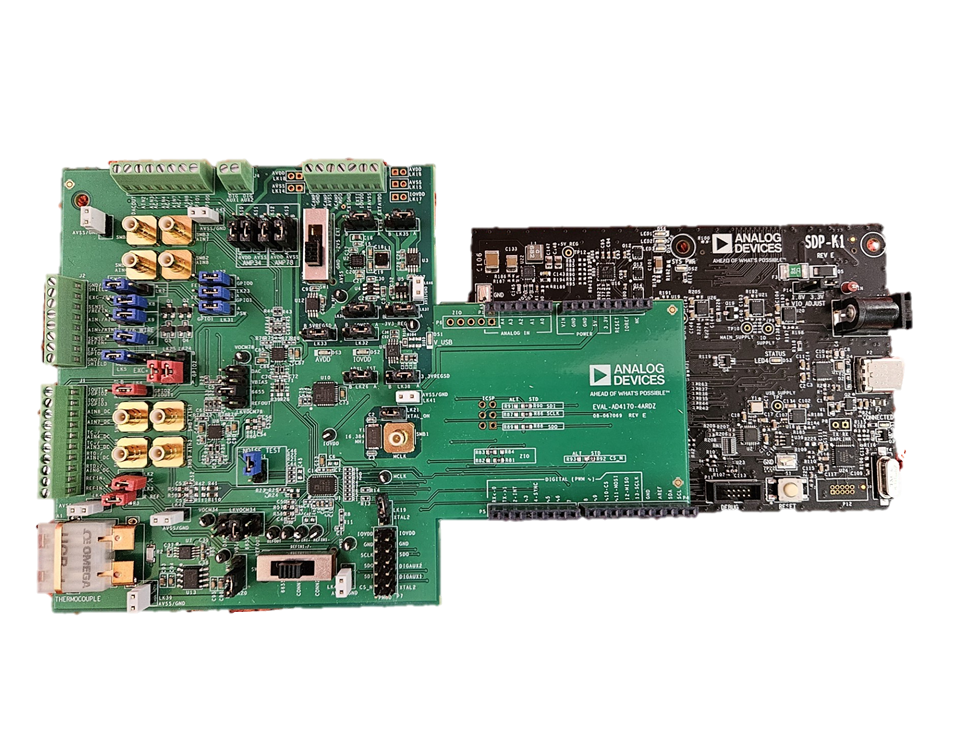
SDP-based evaluation
Connection overview:
Arduino Connectors: P1-P5 on SDP-K1 connect to EVAL-AD4170-4ARDZ Arduino headers
USB: USB-C connection from SDP-K1 to Windows PC
Power: Board powered via USB
Software: ACE Plugin software running on Windows PC