User guide
The complete evaluation board documentation can be found at AD9467-FMC-250EBZ product page.
Hardware guide
Power supply
The power supply comes from the FMC connector, given by the FPGA carrier board.
Warning
The recommended VADJ value for each FPGA carrier can be found in the corresponding README.md file here.
Clock configuration
The AD9467-FMC-250EBZ supports three clock configuration options:
Default clock input (J201)
Transformer-coupled, 50 Ω terminated, AC-coupled input
Accepts single-ended sine wave inputs
Requires external clock source (250 MHz)
Crystal oscillator (Y200)
Low phase noise oscillator from Vectron (VCC6-QCD-250M000)
Requires hardware modifications: - Install C205 and C206 - Remove C202 - Set Jumper P200 to “On” position
AD9517-4 clock generator
Programmable clock generator with SPI interface
Supports LVPECL or LVDS output
Requires hardware modifications:
For LVPECL: Populate C304, C305
For LVDS: Populate C306, C307
Remove C209 and C210 to disconnect default clock path
Add C300, C301
Results
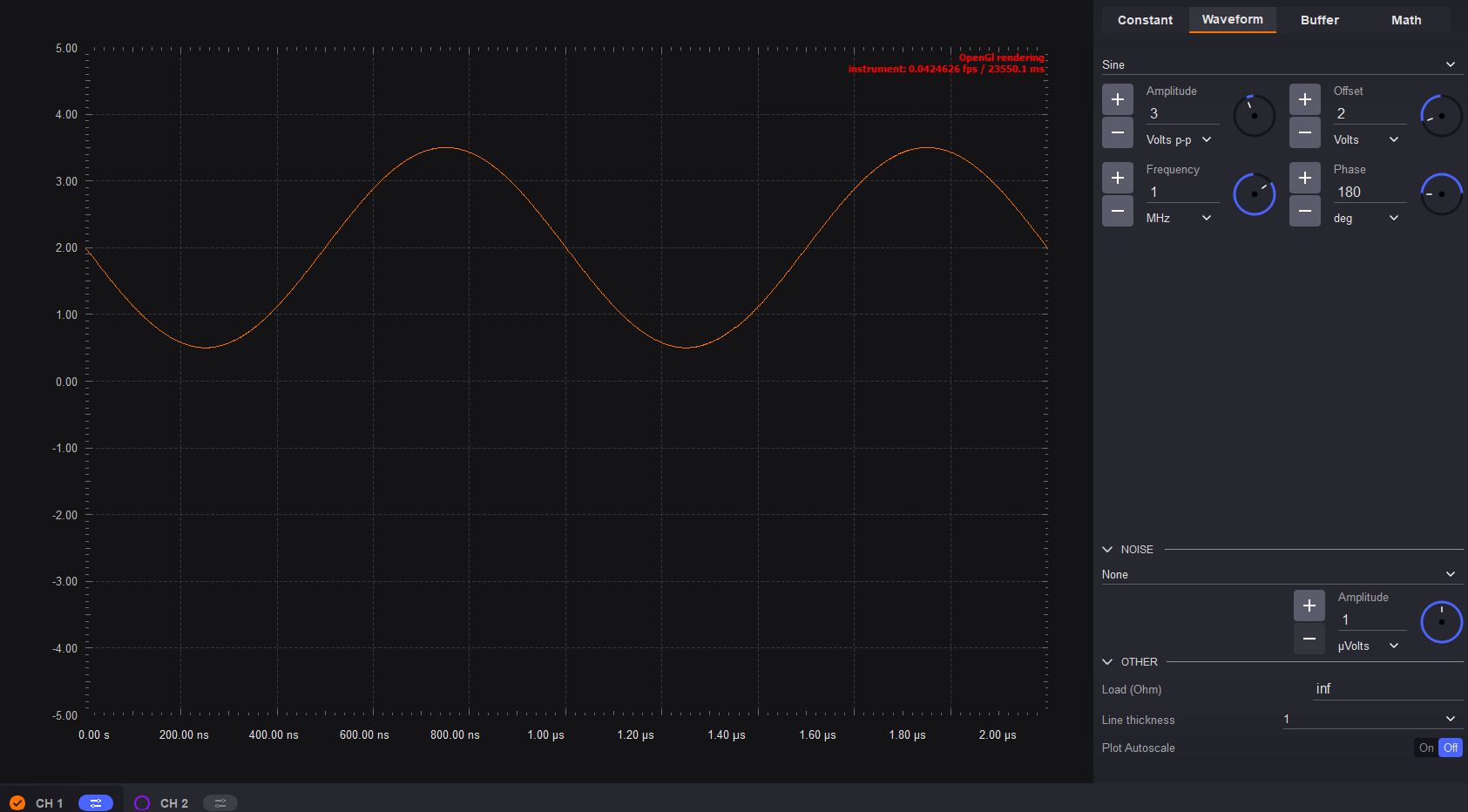
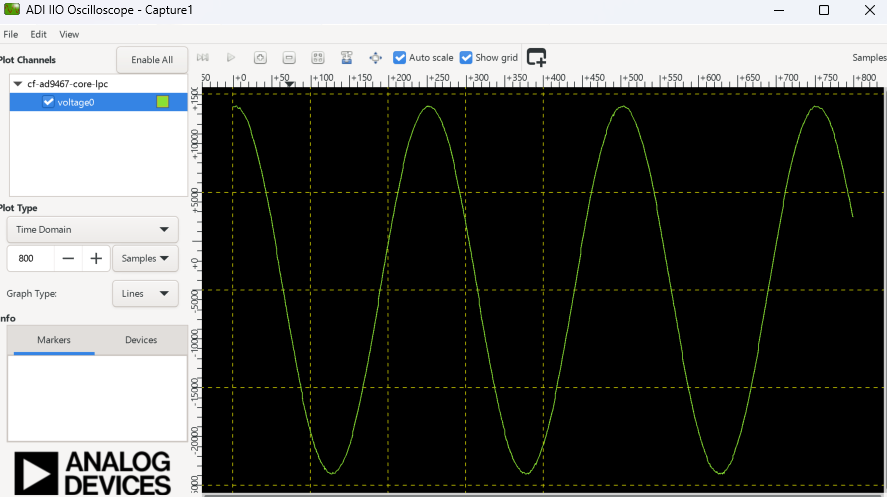
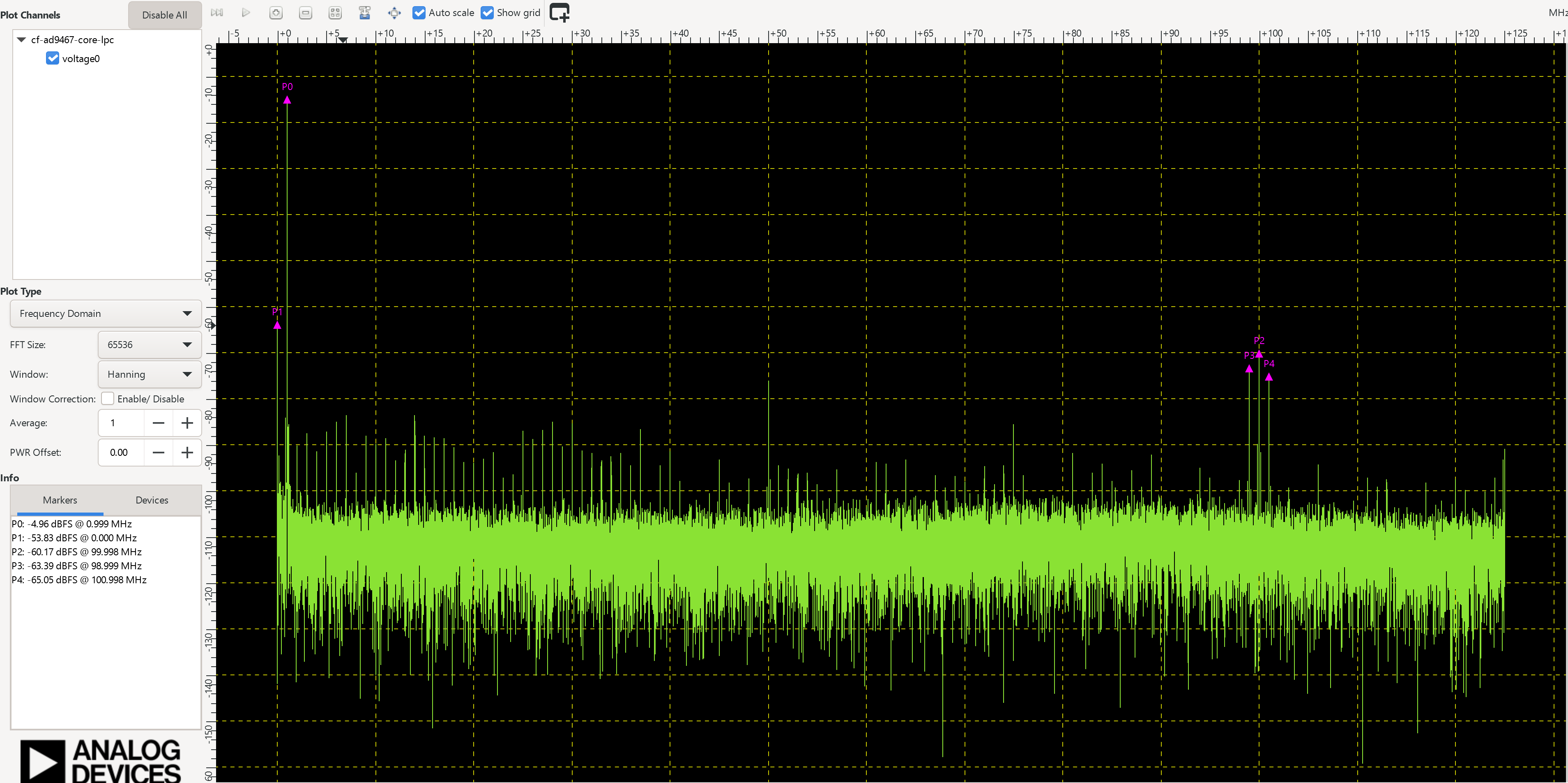
For testing we used an input signal with a frequency of 1 MHz and 3V amplitude
ADI IIO Oscilloscope
The IIO Oscilloscope is a cross-platform application for interfacing with IIO devices, enabling you to configure device parameters and visualize data.
Important
Make sure to download/update to the latest version of IIO Oscilloscope.
For Linux
Remote run on host
The IIO Oscilloscope application can be used to connect to another platform that has a connected device, to configure the device and read data from it. This application is not for performance testing, but rather showcasing the basic features.
Please see IIO Oscilloscope documentation for installation steps and more details.
Build and start osc on a network-enabled Linux host.
For Windows computers, open the application from the start menu.
Once the application is launched, go to Settings > Connect > URI and type “ip:” then the IP address of the target in the pop-up window. This IP can be found out with a command from the previous section of this documentation.
Data capture
Note
Device names and channel definition may differ between no-OS and Linux.
Time domain:
Frequency domain:
Software guide
The evaluation board is supported with the Libiio library. This library is cross-platform (Windows, Linux, Mac) with language bindings for C, C#, Python, MATLAB, and others. One easy example that can be used with it is: