AD7606B/C ACE Remote Control
By using ACE Remote Control, AD7606B and AD7606C plug-ins can be automated to perform several evaluation activities across the different analog input ranges, bandwidth modes, channels, etc. Different example scripts are given in the MATLAB examples section.
Without hardware, the AD7606x Family software model can be used to try different configurations for both AD7606C and AD7606B: sampling rate, RC filtering, oversampling, calibration; and analyze frequency response, noise performance, interface timing or power consumption, among others.
All the below features can also be tested using the AD7606 Mbed IIO Application, which uses No-OS drivers and interfaces with SDP-K1 or STM32 Nucleo boards.
Getting Started
Hardware
SDP-H1 Controller board and its 12 V DC wall adapter
AD7606C Evaluation Board or an equivalent board with any of the following ADCs:
AD7606B
AD7606C-18
AD7606C-16
Software
AD7606B or AD7606C ACE plugin — downloadable from within ACE through the plug-in manager section
A MATLAB or Python environment
ACE Environment
Refer to the AD7606C Evaluation Board user guide for instructions on powering the board and setting up the ACE plugin. Ensure the plugin is functional and the device responds to plugin interaction before proceeding.
Setting up Communication with ACE
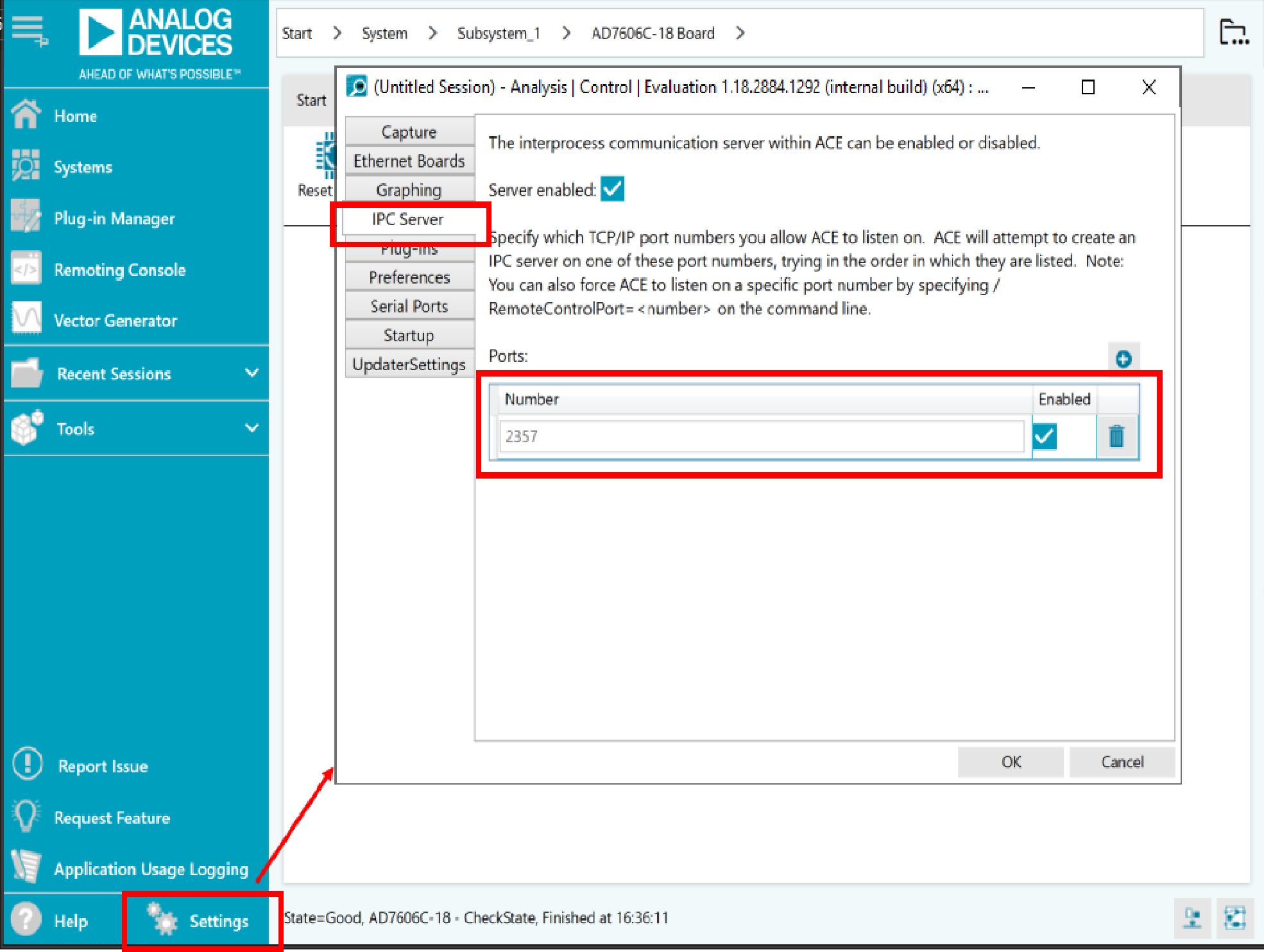
Open ACE, then go to Settings.
Go to the IPC Server tab and ensure that it is enabled and a port is allocated.
Recording Macros
Start recording macros as explained on the Recording a macro page.
Editing Macros in MATLAB
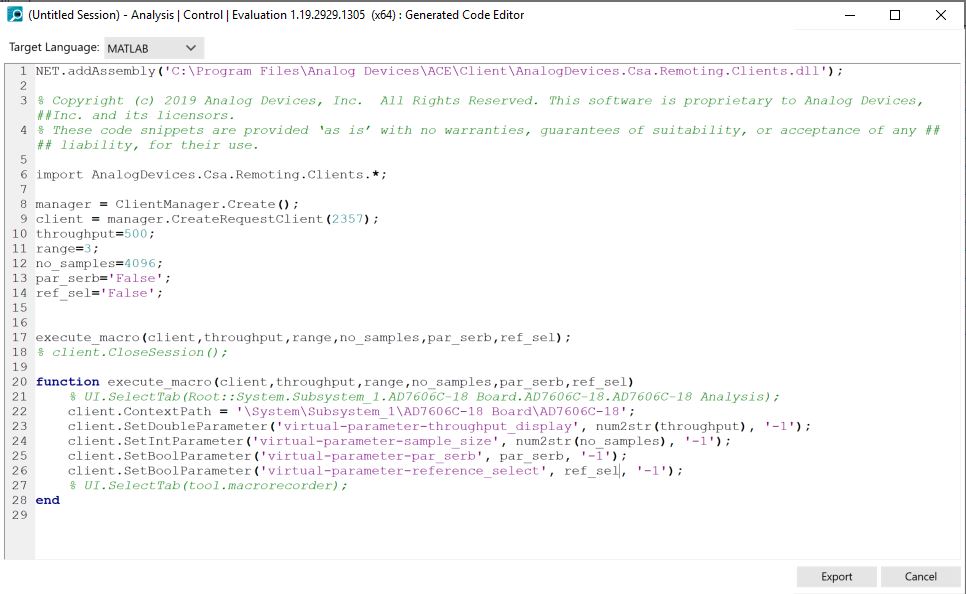
The code generated in the previous section can be imported into MATLAB and
used to set the exact configuration loaded during macro recording. To give
ACE an extra layer of flexibility, the execute_macro function can be
edited to perform repetitive tasks. For example, an ‘AD7606C configuration’
macro can be easily recorded with the macro recording tool to fully configure
the AD7606C device: mode, range, OSR, reference, data interface, throughput,
etc.
In order to automate operations:
Each of the parameters used (strings) can be replaced by variables managed in the main code. These variables would then be input parameters to the function, along with
Client.Several macros can be recorded, each used as a function. The
execute_macrofunction can be renamed to a more intuitive name.
Explore each of the following MATLAB scripts to see different functions
created to automate tests, e.g.: configure_ad7606c(), run_capture(),
get_config(), etc.
Tip
Feel free to consult Analog Devices Engineer-Zone for additional support.