EVAL-ADPAQ3029 - ADC demo
Download firmware and Tile application from below
Follow the same steps as given here
A potentiometer has been used in this project to modify the analog voltage values.
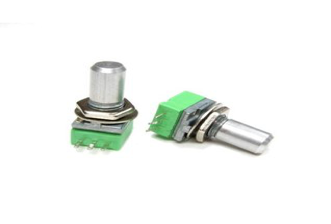
The potentiometer has to be interfaced with the ADPAQ module. The connections between the potentiometer and the ADPAQ module are described in the table below.
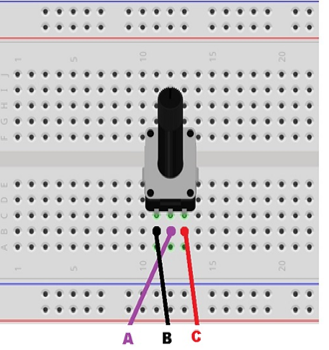
Potentiometer Pins |
GPIO port used |
ADPAQ Header Pins |
|---|---|---|
A |
VCC |
P1-3.3V |
B |
ADC0_Vin0 |
P1-ADC0_Vin0 |
C |
GND |
P1-GND_POWER |
Build and run the project
If the knob of the potentiometer is rotated, the ADC value should vary between 0-4095 for the corresponding analog voltage variations from 0 to 3.3V.