AD-FMCOMMS1-EBZ Zynq Quick Start Guide
Warning
Analog Devices uses six designations to inform our customers where a semiconductor product is in its life cycle. From emerging innovations to products which have been in production for twenty years, we understand that insight into life cycle status is important. Device life cycles are tracked on their individual product pages on analog.com, and should always be consulted before making any design decisions.
This particular article/document/design has been retired or deprecated, which means it is no longer maintained or actively updated, even though the devices themselves may be Recommended for New Designs or in Production. This page is here for historical/reference purposes only.
This guide provides some quick instructions (still takes awhile to download, and set things up) on how to setup the AD-FMCOMMS1-EBZ on either:
Requirements
You need a Host PC (Windows or Linux).
You need a SD card writer connected to above PC (Supported USB SD readers/writers are OK).
USB keyboard/mouse for the Zynq Device
HDMI Display (monitor or TV)
Antenna, or SMA cable for crossing Tx to Rx.
Creating the SD Card
Booting the SD Card
ignore your PC, and now interact on the USB mouse/keyboard on the Zynq device
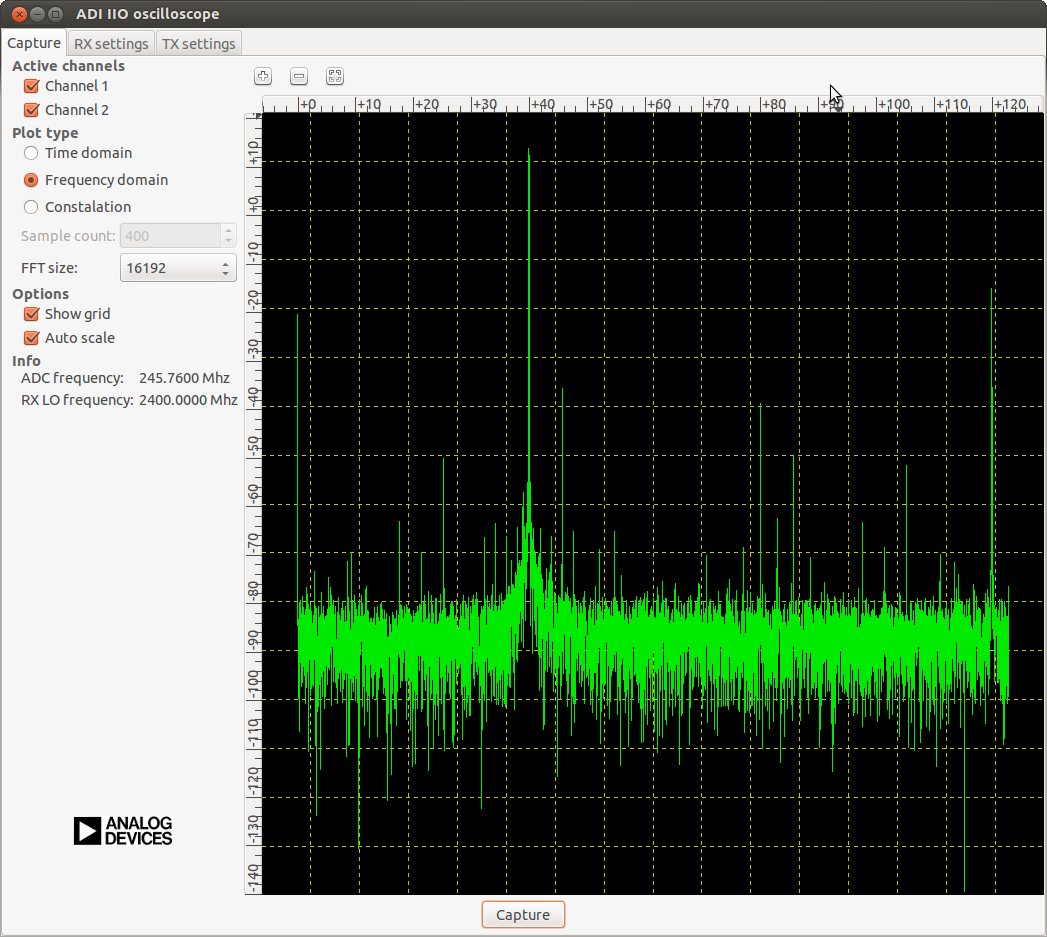
You should see the following screen:
- You are done. You can interact with the GUI either over the network, or with
the HDMI monitor/USB keyboard mouse.
Important
Even thought this is Linux, this is a persistent file systems. Care should be
taken not to corrupt the file system – please shut down things, don’t just
turn off the power switch. Depending on your monitor, the standard power off
could be hiding. You can do this from the terminal as well with sudo
shutdown -h now