EVAL-CN0410-ARDZ Shield Demo
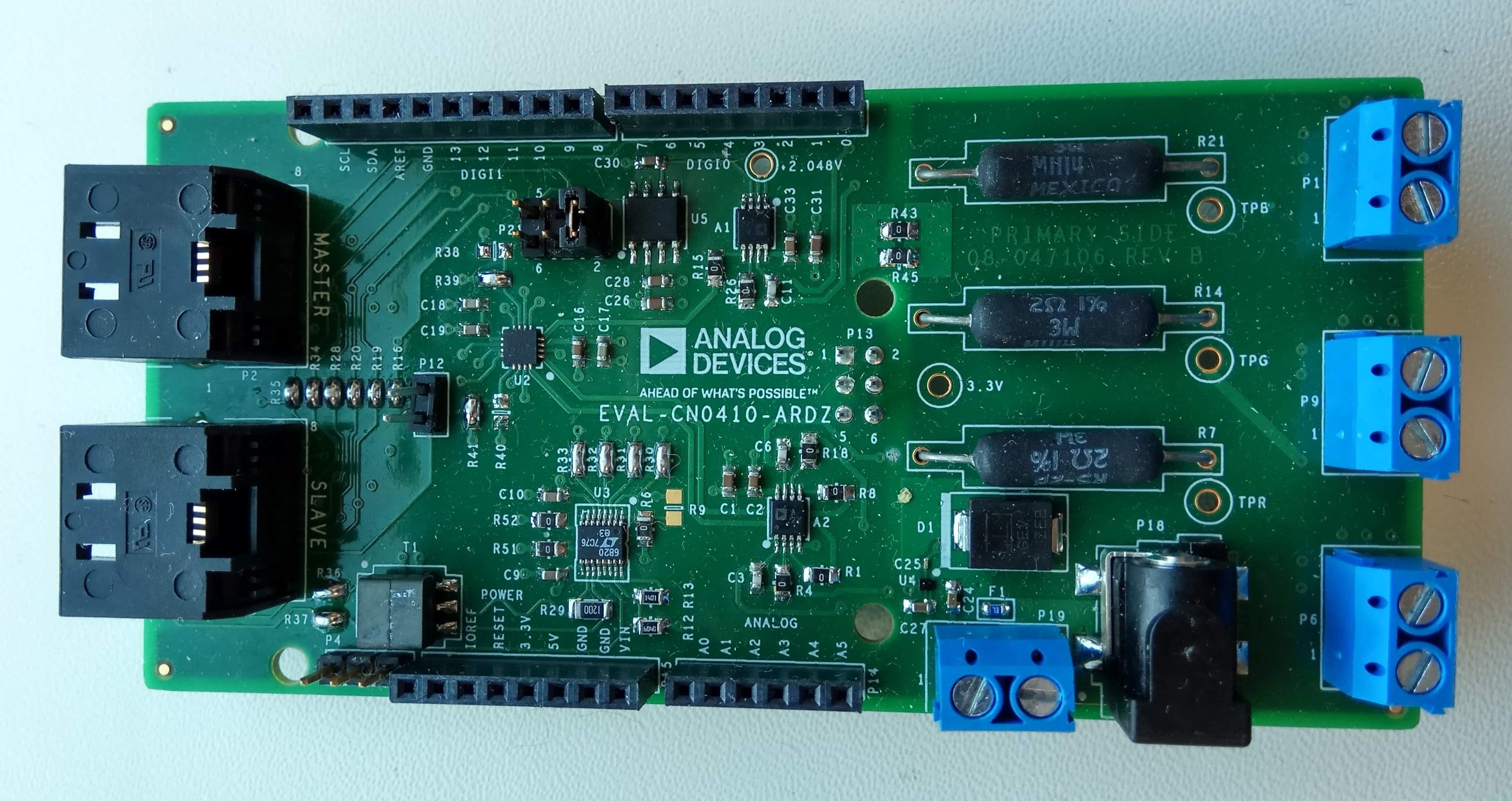
CN0410 is an Arduino compatible shield that is optimized for smart agriculture to control current passing through LED’s. The CN0410 is used along the the CFTL-LED Bar that has LED’s with specific wavelengths that plants utilize.
The circuit shown below is a complete 3-channel single-supply, 16-bit unbuffered voltage output DAC that maintains ±2 LSB integral and differential nonlinearity by utilizing a CMOS DAC. This circuit has a voltage to current conversion that controls the amount of current passing through an LED by using a MOSFET in its configuration. The circuit also has an isoSPI repeater that allows multiple boards to be controlled with a single master.
Demo Requirements
The following is a list of items needed in order to replicate this demo.
Hardware
Arduino Uno board
EVAL-CN0410-ARDZ
USB type A to USB type B cable
PC or Laptop with a USB port
9V 200ma voltage source with a barrel output connector
Software
CN0410_example software
Arduino/Genuino IDE
Arduino AVR Boards Built-In by Arduino package (1.6.23 or higher)
Setting up the Hardware
Chip Select
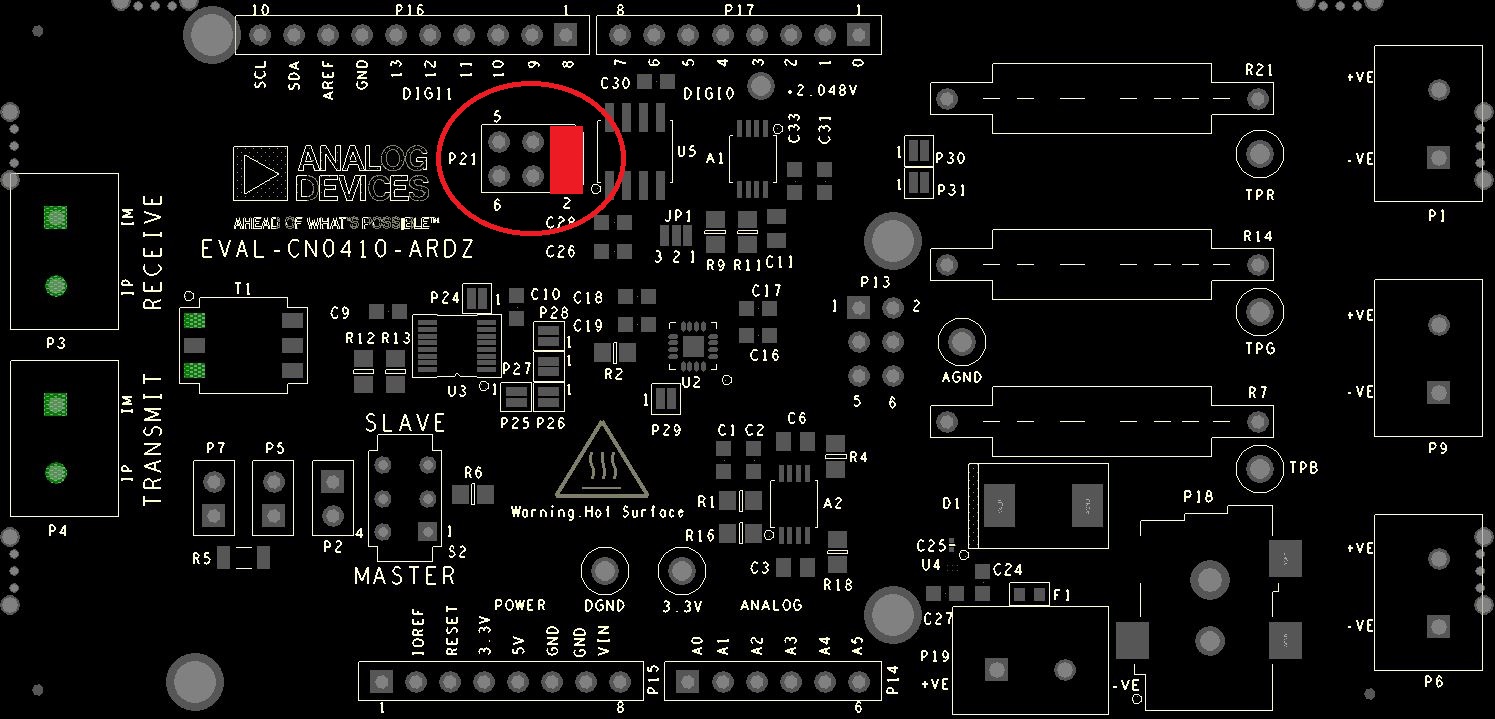
The chip select pin of the AD5686 is hardware configurable and routed to 3 general purpose I/O pins on the board. Use the table below to change the location of the chip select simply by moving the shunt on P21, and ensuring the software is configured the same way. By default the chip select is located on GPIO 10. This feature allows multiple boards using SPI communications protocol to be stacked on top of each other.
Chip Select (P21) |
GPIO (P16) |
|---|---|
Pins 1 & Pin 2 |
GPIO 8 |
Pins 3 & Pin 4 |
GPIO 9 |
Pins 5 & Pin 6 |
GPIO 10 |
Configuring the Software
The software for EVAL-CN0410 does not require any particular configurations in order to setup the application. The only setting that the user could make would be the selection of the CS pin. This can be done by modifying the SYNC_PIN inside adi_cn0410.h.
#define SYNC_PIN 10
Outputting Data
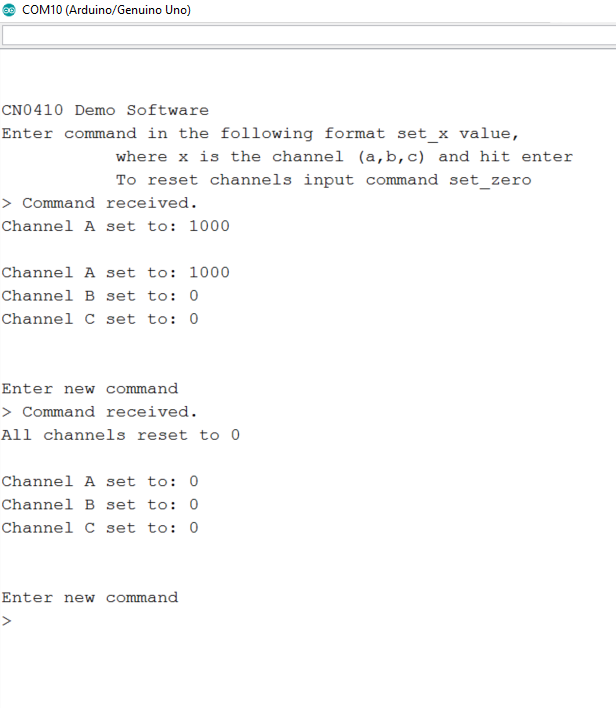
After the application starts the user can send commands to set the output of the DAC channels. Available commands:
set_a value
set_b value
set_c value
set_zero - resets all channels to 0
The value can be between 0 and 65535.
Serial Terminal Output
Once the hardware and software is configured, user needs to follow on screen instructions to run EVAL-CN0410 demo.
Following is the UART configuration.
Both NL and CR
9600 baud
Obtaining the Source Code
We recommend not opening the project directly, but rather make a local copy in your workspace and open it using Arduino/Genuino IDE.
The source code and include files of the CN0410_example can be found here:
Download
Project Structure
The CN0410_example is a C++ Arduino sketch.
All files are in the same folder as the .ino file and include the source and All files are in the same folder as the .ino file and include the source and header files related to CN0411 software application that implement the CLI interface and functionality. interface and functionality.
End of Document